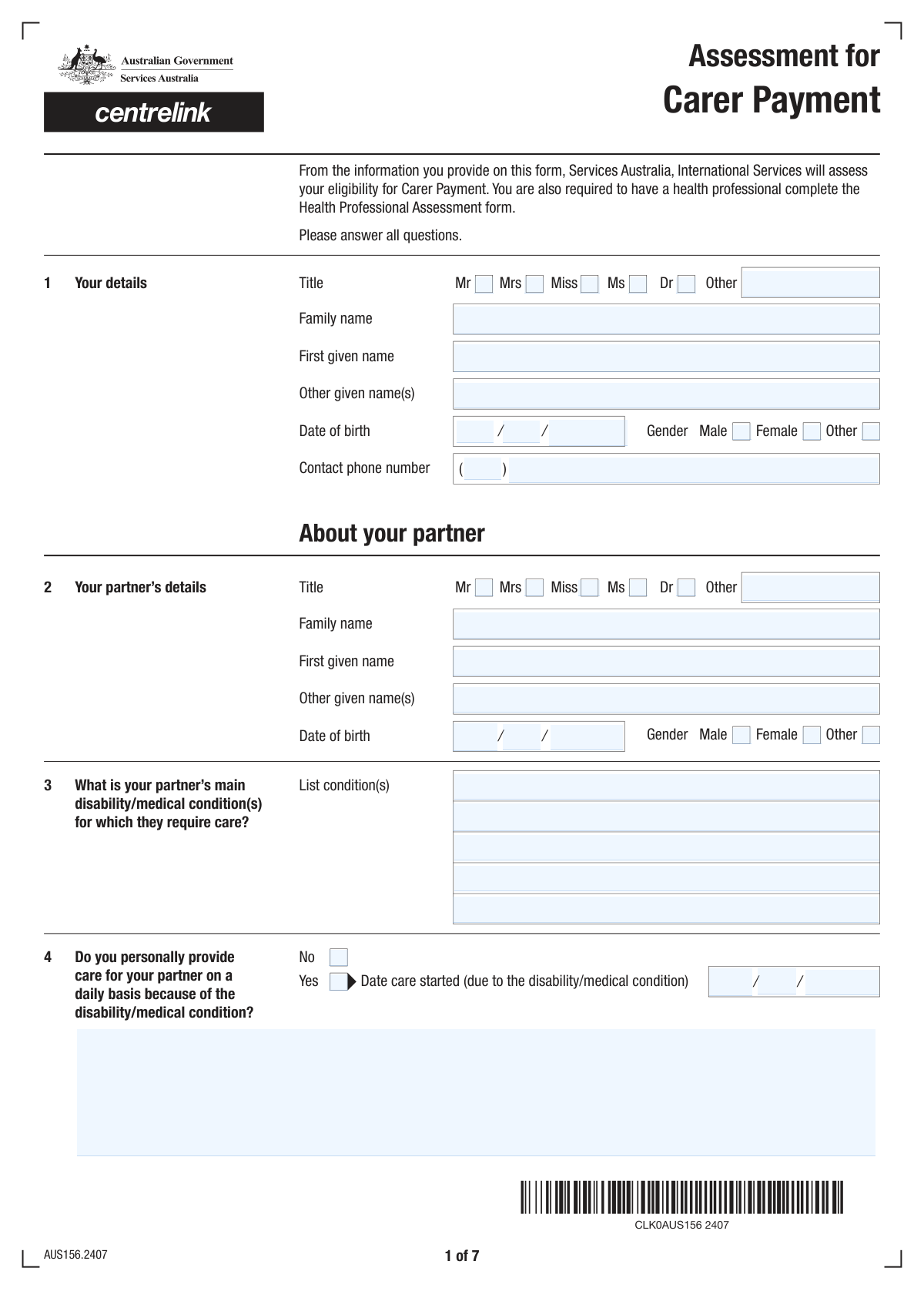
Yes! You can use AI to fill out Carer Payment and/or Carer Allowance: Medical Report for a person 16 years or over

The Carer Payment and/or Carer Allowance Medical Report (SA431) is a comprehensive document used by government agencies to evaluate the care requirements of an individual with a medical condition or disability. This assessment is critical for a carer applying for financial support, as it provides the necessary evidence of the level and type of care being provided. Today, this form can be filled out quickly and accurately using AI-powered services like Instafill.ai, which can also convert non-fillable PDF versions into interactive fillable forms.
Our AI automatically handles information lookup, data retrieval, formatting, and form filling.
It takes less than a minute to fill out SA431 using our AI form filling.
Securely upload your data. Information is encrypted in transit and deleted immediately after the form is filled out.

Form specifications

Form name: Carer Payment and/or Carer Allowance: Medical Report for a person 16 years or over
Number of fields: 196
Number of pages: 7
Filled form examples: Form SA431 Examples
Language: English
main-image

Instafill Demo: How to fill out PDF forms in seconds with AI

How to Fill Out SA431 Online for Free in 2026

Are you looking to fill out a SA431 form online quickly and accurately? Instafill.ai offers the #1 AI-powered PDF filling software of 2026, allowing you to complete your SA431 form in just 37 seconds or less.
Follow these steps to fill out your SA431 form online using Instafill.ai:
  1. 1 Navigate to Instafill.ai and upload or select the Carer Payment and/or Carer Allowance Medical Report (SA431).
  2. 2 Enter your personal details as the carer, including your name, date of birth, and contact information.
  3. 3 Provide your partner's personal information, their diagnosed medical conditions, and details about their care arrangements.
  4. 4 Answer the detailed questions about the care you provide, including start dates, hospitalization details, and overnight stays.
  5. 5 Complete the extensive questionnaire on your partner's abilities, covering mobility, personal care, communication, memory, and behavior.
  6. 6 Review all the information entered for accuracy, ensuring it correctly reflects the care situation and the level of assistance required.
  7. 7 Electronically sign the declaration, date the form, and download the completed document for submission to the relevant government agency.

Our AI-powered system ensures each field is filled out correctly, reducing errors and saving you time.

Why Choose Instafill.ai for Your Fillable SA431 Form?

Speed

Complete your SA431 in as little as 37 seconds.

Up-to-Date

Always use the latest 2026 SA431 form version.

Cost-effective

No need to hire expensive lawyers.

Accuracy

Our AI performs 10 compliance checks to ensure your form is error-free.

Security

Your personal information is protected with bank-level encryption.

Frequently Asked Questions About Form SA431

This form is designed to gather detailed information about a person providing daily care for their partner who has a significant disability, medical condition, or terminal illness, likely for the purpose of assessing eligibility for carer benefits or support.

This form should be completed by the person who is the primary carer for their partner. It collects information about both the carer and the partner receiving care.

You will need your personal details, your partner's full name and date of birth, a list of your partner's medical conditions, and the date you began providing care. Be prepared to describe the specific daily care tasks you perform.

Generally, 'with some help' means the person needs supervision or minor physical assistance, while 'with a lot of help' implies they require significant physical support from another person to complete the task.

You must indicate that your partner is in the hospital, provide the admission date, and state whether you are still involved in their care. You also need to specify if they are expected to return to your care after being discharged.

This question helps to streamline the assessment process. If your partner has a terminal illness with a life expectancy of 3 months or less, you may not need to complete the detailed sections about their functional abilities.

In this section, you should provide a specific explanation of the hands-on care you provide daily, such as assisting with mobility, bathing, dressing, feeding, managing medication, and providing supervision due to their condition.

You should answer the questions based on what is typical for your partner on an average day. If there are significant fluctuations, you can provide additional context in the free-text fields like 'Daily Care Details'.

This refers to any recurring arrangement where your partner stays overnight away from your home, such as for respite care, shared care with another person, regular treatment, or for education/training purposes.

Yes, you can use AI-powered services like Instafill.ai to help fill out this form. These tools can auto-fill your information accurately, saving you time and helping to avoid errors on complex documents.

To use Instafill.ai, you just need to upload the form to their platform. The AI will identify all the fields, allowing you to enter your information once and have it populated correctly throughout the document.

If you have a non-fillable PDF, you can use a tool like Instafill.ai. It can convert flat, scanned PDFs into interactive, fillable forms that you can easily complete on your computer.

If your title is not Mr, Mrs, Miss, Ms, or Dr, you should select the 'Other Title' field and write in your specific title. Note that for some fields, this option is only available if 'Dr' is also selected.

Compliance SA431
Validation Checks by Instafill.ai

1
Exclusive Applicant Title Selection
This check ensures that only one title checkbox (Mr, Mrs, Miss, Ms, Dr) is selected for the applicant. Selecting multiple titles creates ambiguity in the applicant's data. If validation fails, the submission should be flagged, and the user prompted to select a single, appropriate title.
2
Applicant Name Completeness
Verifies that both 'Family Name' and 'First Given Name' fields are not empty, as these are fundamental for identifying the applicant. These names are required for all official processing and record-keeping. A failure in this check would prevent the form from being submitted until both required name fields are provided.
3
Valid and Logical Applicant Date of Birth
Ensures the 'Day', 'Month', and 'Year of Birth' for the applicant combine to form a valid calendar date that is in the past. This prevents impossible dates like April 31st or future dates of birth. An invalid date would require correction before the form can be processed, ensuring data accuracy for identity verification.
4
Conditional Care Provision Details
This check validates that if the applicant answers 'Yes' to personally providing daily care, the 'Care Start Date' and 'Daily Care Details' fields are completed. Conversely, if the answer is 'No', these dependent fields must be empty. This maintains logical consistency and ensures that all necessary information is captured for claims of care provision.
5
Logical Care Start Date
Validates that the 'Care Start Date' is not in the future and occurs after the partner's date of birth. It is impossible to provide care for someone before they were born or before the care has actually started. This check ensures the timeline of events is logical and credible, which is critical for assessing the validity of the care claim.
6
Conditional Hospitalization Section Logic
This rule ensures that if 'Yes' is checked for 'Is your partner currently in hospital?', then the subsequent fields like 'Date of hospitalisation' and 'Care provided during hospitalisation' are filled out. If 'No' is checked, these dependent fields must be empty. This prevents irrelevant data from being collected and ensures all required details for a hospitalization event are captured.
7
Logical Hospitalization Date Sequence
Verifies that the 'Expected release date' is on or after the 'Date of hospitalisation'. A release date cannot precede an admission date. This check maintains the logical integrity of the timeline, which is crucial for understanding the partner's care situation and the applicant's role during that period.
8
Conditional Terminal Illness Assessment
This validation ensures that the detailed functional assessment questions (from 'Move Around The House' to 'Laugh or Cry Without Apparent Reason Frequency') are only answered if the applicant selects 'No' for 'Partner's terminal illness status'. If the partner is declared terminally ill ('Yes'), this section is not applicable and should be blank. This enforces the form's branching logic and prevents the collection of conflicting information.
9
Exclusive Choice Validation for Assessment Questions
For each functional assessment question group (e.g., 'Move Around The House', 'Fall Over Indoors Or Outdoors'), this check ensures that only one option is selected. Although presented as checkboxes, these questions are mutually exclusive. This validation prevents contradictory answers, such as a partner both 'Never' and 'Sometimes' falling over, ensuring clear and usable data.
10
Signature and Date Completeness
Validates that if the 'Signature' field is marked as signed, the corresponding 'Signature Day', 'Signature Month', and 'Signature Year' fields are all filled in and constitute a valid date. A signature without a date is incomplete for legal and administrative purposes. This check ensures the declaration is properly timestamped for validity.
11
Conditional Overnight Stay Details
This check ensures that if 'Yes' is selected for 'Partner's regular overnight stays elsewhere', then at least one reason checkbox is selected and its corresponding details (e.g., 'Shared Care Number of Nights') are provided. If 'No' is selected, all fields within the 'Overnight stay reason' section must be empty. This enforces the form's logic, ensuring that reasons for overnight stays are only provided when applicable.
12
Continence Aid Usage Logic
Validates the logic for the 'Continence Aids or Equipment Usage' question. The options involving help should only be selectable if the 'Loss of Bladder and/or Bowel Control' is 'Sometimes', 'Often', or 'Always'. If the loss of control is 'Never', then 'Does not use aids' is the only logical selection, ensuring the answers are medically consistent.
13
Partner Medical Condition Requirement
This validation checks that if the applicant states they provide care ('Yes' to 'Care Provision Information'), at least one of the five 'Condition' fields for the partner is filled out. Providing care implies the partner has a medical condition requiring it. This check ensures the fundamental reason for the application is stated, preventing submissions that lack a clear basis for the care claim.

Common Mistakes in Completing SA431

Ignoring Conditional Field Logic

This form contains many fields that should only be completed if a specific answer was given previously, such as filling hospitalization details only if 'Yes' is checked for 'Is your partner currently in hospital?'. Applicants often miss these instructions and either fill in unnecessary sections or fail to complete required ones, creating contradictions. This leads to processing delays and requests for clarification. To avoid this, carefully read the 'Fill only if...' instructions for each field. AI-powered tools like Instafill.ai can automatically show or hide relevant fields based on your answers, ensuring you only fill out what is necessary.

Incomplete or Vague Care Descriptions

The 'Daily Care Details' field requires a comprehensive explanation of the care provided, but applicants often give short, insufficient answers like 'help with everything'. This lack of detail prevents assessors from understanding the true level of care required, potentially leading to an underestimation of need and denial of benefits. To avoid this, provide specific examples of tasks, the level of assistance needed, and the time spent on care activities. Be as thorough as possible in this free-text section.

Incorrectly Answering the Terminal Illness Question

The question 'Is your partner terminally ill and expected to live for 3 months or less?' is a critical branching point in the form, determining which subsequent sections are applicable. Answering this incorrectly means the applicant will either skip a large, required portion of the form or spend time filling out many pages of irrelevant questions. This fundamental error will almost certainly cause the form to be rejected. It is crucial to answer this question accurately to ensure the correct assessment path is followed.

Mismatching Names with Official Documents

The form specifies entering names exactly as they appear on official identification, but people frequently use nicknames, shortened versions, or omit middle names. This creates a data mismatch during identity verification checks, causing significant processing delays or outright rejection of the application. Always double-check your and your partner's full legal names on an official document like a passport or driver's license before entering them. Using a tool like Instafill.ai can help by saving and accurately populating this information across all forms.

Fragmented or Incorrect Phone Number Entry

The form splits the phone number into 'Phone Number Area Code' and 'Contact Phone Number'. Users often get confused, entering the full number in one field and leaving the other blank, or incorrectly separating the numbers. This can result in the organization being unable to contact the applicant, jeopardizing the application. To prevent this, enter only the area code in its designated field and the remaining digits in the main number field. AI form-fillers can parse and correctly format phone numbers automatically.

Misinterpreting Subjective Assistance Levels

Questions about the partner's abilities use subjective terms like 'Sometimes' vs. 'Often' or 'With some help' vs. 'With a lot of help'. Applicants may interpret these terms differently or downplay the level of assistance needed, leading to an inaccurate portrayal of the care situation. This can directly impact eligibility for services or benefits. It is best to be realistic and consistent in your assessment; when in doubt, choose the option that reflects a higher need for care if it is justifiable.

Forgetting the Signature and Date

Omitting the signature and date is one of the most common and critical errors, immediately invalidating the entire form. Applicants may complete all the detailed questions but forget this final step, leading to automatic rejection and the need to resubmit. Always perform a final review of the form, paying special attention to the signature block. Ensure you have physically or digitally signed it and filled in the 'Signature Day', 'Signature Month', and 'Signature Year' fields completely.

Confusion Over Unlabeled or Poorly Labeled Fields

The form contains cryptic field names like 'text_253e_35b6' for the partner's name, which can confuse the user and lead to incorrect or incomplete data entry. Without clear labels for 'Family Name' or 'First Name', applicants may enter information in the wrong order or omit parts of the name. This is a common issue on poorly converted digital forms or flat PDFs. Using an intelligent tool like Instafill.ai can help by recognizing the likely purpose of such fields based on context and converting the form into a user-friendly, clearly labeled, fillable version.

Inconsistent Date Component Entry

Many dates in the form are split into separate Day, Month, and Year fields. Users often make mistakes by entering the year in the day field, using a two-digit year when four are expected (e.g., '24' instead of '2024'), or mixing up the month and day. These errors can cause confusion about critical timelines, such as care start dates or hospitalization periods, leading to processing errors. To avoid this, carefully check the label for each date component field before entering the number. AI form-filling tools can prevent this by automatically populating date components into the correct fields.

Contradictory Answers Between Sections

In a long and complex form, it's easy to provide contradictory information. For example, an applicant might state they provide daily care by checking 'Yes' for 'Care Provision Information', but then indicate their partner 'does not stay overnight' and is in the hospital, without clarifying the care arrangement. Such inconsistencies raise red flags for reviewers and require follow-up. It is vital to review the entire form after completion to ensure the answers create a consistent and logical narrative of the situation.
Saved over 80 hours a year

“I was never sure if my IRS forms like W-9 were filled correctly. Now, I can complete the forms accurately without any external help.”

Kevin Martin Green

Your data stays secure with advanced protection from Instafill and our subprocessors

Robust compliance program

Transparent business model

You’re not the product. You always know where your data is and what it is processed for.

ISO 27001, HIPAA, and GDPR

Our subprocesses adhere to multiple compliance standards, including but not limited to ISO 27001, HIPAA, and GDPR.

Security & privacy by design

We consider security and privacy from the initial design phase of any new service or functionality. It’s not an afterthought, it’s built-in, including support for two-factor authentication (2FA) to further protect your account.

Fill out SA431 with Instafill.ai

Worried about filling PDFs wrong? Instafill securely fills carer-payment-andor-carer-allowance-medical-report-for-a-person-16-years-or-over forms, ensuring each field is accurate.