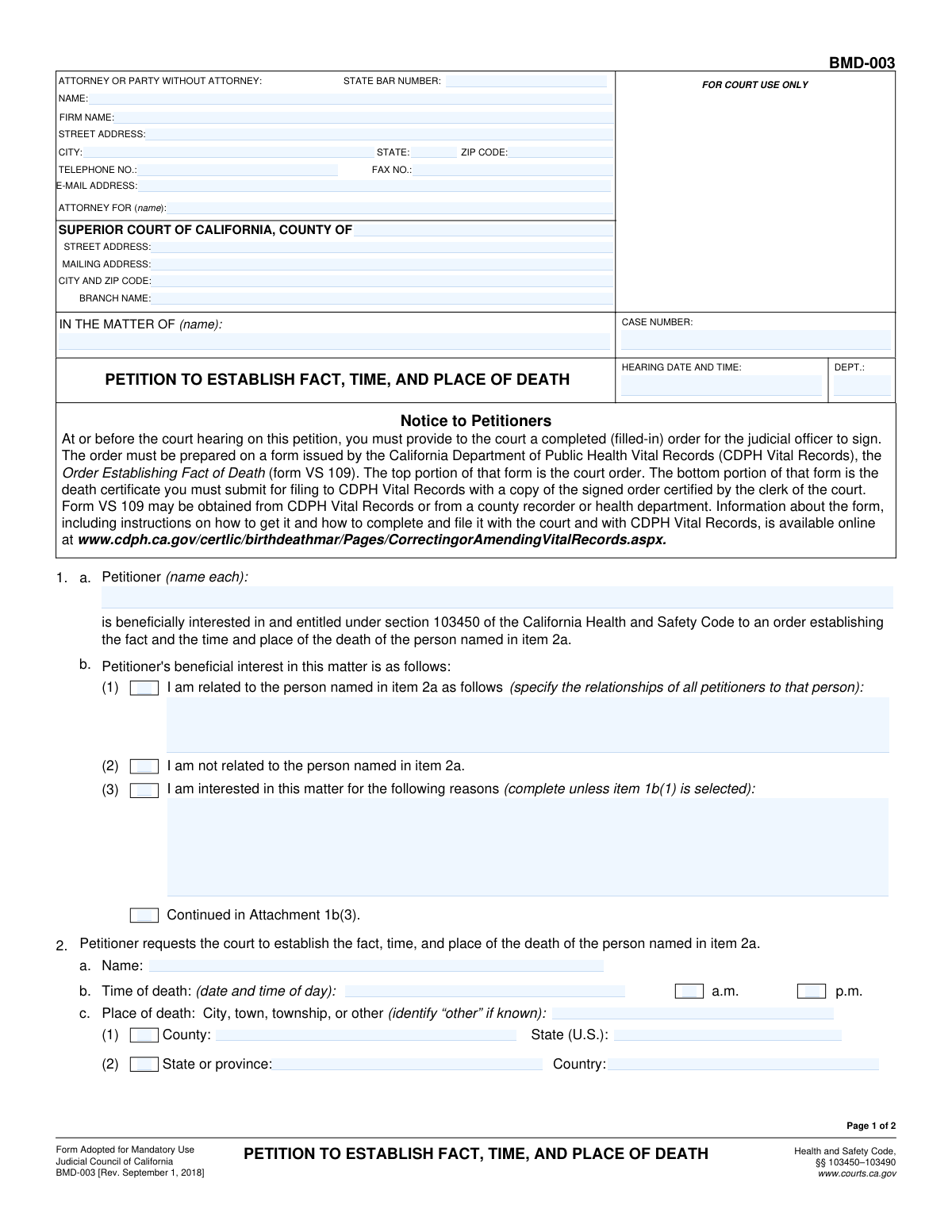
Yes! You can use AI to fill out Form DE-200, Petition to Establish Fact of Death

Form DE-200, Petition to Establish Fact of Death, is a legal petition filed with the Superior Court of California to obtain a court order that officially declares a person has died. This process is essential when a standard death certificate cannot be obtained or does not exist, and is commonly used to transfer title of real or personal property held in joint tenancy or as a life estate to the surviving owner. Today, this form can be filled out quickly and accurately using AI-powered services like Instafill.ai, which can also convert non-fillable PDF versions into interactive fillable forms.
Our AI automatically handles information lookup, data retrieval, formatting, and form filling.
It takes less than a minute to fill out DE-200 using our AI form filling.
Securely upload your data. Information is encrypted in transit and deleted immediately after the form is filled out.

Form specifications

Form name: Form DE-200, Petition to Establish Fact of Death
Number of fields: 59
Number of pages: 2
Language: English
main-image

Instafill Demo: How to fill out PDF forms in seconds with AI

How to Fill Out DE-200 Online for Free in 2026

Are you looking to fill out a DE-200 form online quickly and accurately? Instafill.ai offers the #1 AI-powered PDF filling software of 2026, allowing you to complete your DE-200 form in just 37 seconds or less.
Follow these steps to fill out your DE-200 form online using Instafill.ai:
  1. 1 Navigate to Instafill.ai and upload or select Form DE-200, Petition to Establish Fact of Death.
  2. 2 Provide the initial court and case information, such as the county, court branch, and case number.
  3. 3 Enter the petitioner's information, including your name, contact details, and your beneficial interest in the matter.
  4. 4 Use the AI assistant to accurately input the deceased person's full name and the specific details of their death (date, time, and place).
  5. 5 Clearly state the reasons why a certified copy of the death record cannot be obtained, attaching additional pages if necessary.
  6. 6 Review all entered information for accuracy, then date and sign the petition before downloading the completed document for filing with the court.

Our AI-powered system ensures each field is filled out correctly, reducing errors and saving you time.

Why Choose Instafill.ai for Your Fillable DE-200 Form?

Speed

Complete your DE-200 in as little as 37 seconds.

Up-to-Date

Always use the latest 2026 DE-200 form version.

Cost-effective

No need to hire expensive lawyers.

Accuracy

Our AI performs 10 compliance checks to ensure your form is error-free.

Security

Your personal information is protected with bank-level encryption.

Frequently Asked Questions About Form DE-200

This form is a petition filed with the Superior Court of California to legally establish the fact, time, and place of a person's death. It is often used when an official death record is unavailable or cannot be obtained.

This form should be completed by a petitioner, who is a person with a 'beneficial interest' in establishing the death. This can be a relative of the deceased or another party with a valid legal reason, who may be represented by an attorney.

You will need the deceased person's full name, details about their death (date, time, place), your personal and contact information, and court case details if a case is already open. If you cannot get a death certificate, you must be prepared to explain why.

If you are filing this petition to initiate a new case, the court clerk will assign a case number upon submission. You can leave this field blank on your initial filing.

Beneficial interest refers to your legal reason for needing to establish the person's death. You must specify if you are a relative or explain your other reasons, such as being a contract party or an heir affected by the death.

Section 3 of the form is for this exact situation. You must check the box for 'Cannot Obtain Certified Copy' and provide a detailed written explanation in the space provided or on an attachment.

While you can file this form yourself, legal proceedings can be complex, and consulting an attorney is often recommended. If you represent yourself, enter your own information in the 'Attorney or Party Information' section.

The form has signature blocks for three petitioners. If there are more, you must attach an additional page with the required information and signatures for the others and update the 'Number of Pages Attached' field.

This information is assigned by the court after you file your petition and a hearing is scheduled. If you are just starting the case, you will leave these fields blank.

If your explanation in section 3b is too long, check the box for 'Continued in Attachment 3b'. Then, type your full explanation on a separate sheet of paper and attach it to the form.

Yes, services like Instafill.ai use AI to help you accurately auto-fill form fields with your information. This can save you significant time and help prevent common errors.

You can use a service like Instafill.ai to complete this form online. Simply upload the document, and the platform will allow you to type your information directly into the fields before saving or printing.

If you have a non-fillable or 'flat' PDF, you can use a tool like Instafill.ai. It can convert the document into an interactive, fillable form that you can easily complete on your computer.

Compliance DE-200
Validation Checks by Instafill.ai

1
Case Number Format and Presence
This check verifies that the 'Case Number' field is not empty and conforms to the expected format for the jurisdiction (e.g., specific alphanumeric patterns, length, and use of hyphens). A valid case number is essential for correctly filing and tracking the document within the court system. If the format is incorrect or the field is empty, the submission will be rejected to prevent misfiling.
2
Future Hearing Date and Time
This validation ensures that the 'Hearing Date and Time' entered is a valid date and time that occurs in the future. Scheduling a hearing for a past date is a logical impossibility and would cause significant administrative and legal issues. A validation failure will prompt the user to correct the date before the form can be submitted.
3
State Bar Number Validation
This check confirms that the 'State Bar Number' field contains a value that matches the standard format for a state bar number. It is a critical identifier for an attorney, ensuring they are licensed and in good standing. An invalid or missing number when an attorney is listed could lead to the document being rejected or questions about the legitimacy of the representation.
4
Email Address Format
This validation verifies that the value entered in the 'Email Address' field follows the standard '[email protected]' format. This is crucial for ensuring that electronic communications and service from the court and other parties are successfully delivered. An invalid email format would prevent submission and require the user to correct the entry.
5
Petitioner Interest Conditional Logic
This check enforces the rule that the checkboxes 'Related to Person in Item 2a' and 'Not Related to Person in Item 2a' are mutually exclusive. Furthermore, it validates that if 'Related to Person' is checked, the 'Relationship to Person' field is filled, and if 'Interested for Other Reasons' is checked, the 'Reasons for Interest' field is filled. This ensures the petitioner's standing is clearly and completely explained as required.
6
Chronological Date Consistency
This validation performs a logical check to ensure the 'Date and Time of Death' occurs before the 'Hearing Date' and any 'Signature Date'. It also ensures all signature dates are not set in the future. This maintains the logical and chronological integrity of the events described in the document, preventing nonsensical timelines. A failure would require the user to correct the conflicting dates.
7
Unobtainable Death Record Explanation
This check ensures that if the 'Cannot Obtain Certified Copy' checkbox is selected, the corresponding 'Detailed Reasons for Unobtainable Record' text area is not empty. The court requires a justification when a standard death certificate is unavailable. Failure to provide this explanation would result in an incomplete and likely rejected petition.
8
Attachment Count Consistency
This validation verifies that if any 'Continued in Attachment' checkbox is checked, the 'Number of Pages Attached' field contains a value greater than zero. This ensures consistency between the form's claims and the physical or digital package being submitted. If the check fails, it alerts the user to either attach the necessary pages or uncheck the box to avoid confusion.
9
Attorney-Client Linkage
This check ensures that if attorney information such as 'Firm Name' or 'State Bar Number' is provided, the 'Attorney For' field is also completed. This is critical for establishing exactly which party the attorney is representing in the matter. An omission could lead to ambiguity and rejection of the filing until the relationship is clarified.
10
Time of Death AM/PM Exclusivity
This validation ensures that for the 'Time of Death', only one of the 'a.m.' or 'p.m.' checkboxes is selected, but not both or neither if a time is entered. This prevents ambiguity regarding the time of death, which can be a critical fact in probate cases. The form would prompt the user to make a single, clear selection.
11
Address Zip Code Format
This check validates that the 'Zip Code' field for the attorney or party contains a valid 5-digit or 9-digit (ZIP+4) numeric format. Correctly formatted zip codes are essential for mail delivery and ensuring official notices reach the intended recipient without delay. An invalid format would trigger an error, requiring the user to correct the entry.
12
Signature and Name Pairing
This validation ensures that for each petitioner signature block (First, Second, Third), if a signature date is entered, the corresponding printed name field is also filled out. A signature date without a name is meaningless, and this check enforces the completeness of each petitioner's declaration. A failure would highlight the missing name field for the user to complete.

Common Mistakes in Completing DE-200

Entering an Incorrect or Incomplete Case Number

Users often mistype the case number or leave it blank, especially on multi-page documents where it appears more than once. Since the case number is the primary identifier for the filing, an error can lead to the document being misfiled or rejected entirely, causing significant delays. To avoid this, double-check the number against official court documents and ensure it is entered consistently on all pages. AI-powered tools like Instafill.ai can automatically populate this number across all required fields after a single entry, reducing the risk of error.

Confusing Party/Attorney Address with Court Address

The form requires separate address information for the filing party/attorney and the court itself. People frequently enter their own firm's address in the 'Court Information' section by mistake. This error will cause the filing to be sent to the wrong location and rejected. Carefully read the section headers for 'Attorney or Party Information' versus 'Court Information' to ensure the correct address is entered in each. Instafill.ai can help by saving and correctly populating distinct court and firm addresses.

Failing to Specify Who the Attorney Represents

The 'Attorney For' field is critical for the court to understand the context of the filing, but it is often left blank or filled with a generic term like 'Petitioner'. This ambiguity can cause confusion and may require the court to issue a deficiency notice. Always enter the full, specific name of the party (or parties) being represented. This ensures clarity and prevents procedural delays.

Providing an Ambiguous Time of Death

When entering the 'Date and Time of Death', filers may forget to check the 'a.m.' or 'p.m.' box, leaving the time ambiguous. This seemingly small omission can be critical in probate and estate matters where the exact time of death has legal significance. Always specify the time and double-check that either the a.m. or p.m. box is marked to prevent requests for clarification from the court.

Incomplete or Contradictory 'Petitioner's Beneficial Interest' Section

This section uses conditional logic that can be confusing. Common errors include checking both 'Related' and 'Not Related', or checking 'Interested for Other Reasons' without providing the required explanation in the subsequent field. Such mistakes demonstrate a lack of standing and can lead to immediate rejection of the petition. Read the instructions carefully and only fill out the fields that apply to your selection. If the form is a non-fillable PDF, a tool like Instafill.ai can convert it to a smart, fillable version that can guide you through these conditional fields.

Vague Explanation for Unobtainable Death Record

If a certified copy of the death record is unavailable, the form requires a 'detailed explanation'. Filers often provide vague reasons like 'record is lost' or 'office is closed', which are insufficient for the court. This will result in the court demanding more specific information, delaying the case. You must provide a thorough account of the steps taken to obtain the record, including dates, locations, and responses received. If the explanation is long, use an attachment and check the corresponding box.

Incorrectly Identifying the Court Branch

For large jurisdictions like a California county, there can be multiple court branches, and filers often list the main county courthouse instead of the specific branch handling the case. Filing at the wrong branch will cause the document to be rejected and returned, wasting time and potentially missing deadlines. Always verify the correct 'Branch Name' and its specific street address from the court's website or initial case documents. AI form-fillers can store and accurately recall specific court branch details to prevent this error.

Forgetting Attachments or Mismatching Page Count

The form allows for information to be continued on attachments, indicated by checkboxes like 'Continued in Attachment 3b'. A frequent mistake is checking the box but failing to include the actual attachment, or misstating the 'Number of Pages Attached'. This renders the filing incomplete and will trigger a rejection or deficiency notice. Always compile all documents first, number them, and then fill out the 'Number of Pages Attached' field last as a final check.

Missing or Incorrect Attorney State Bar Number

The State Bar Number is a required unique identifier for an attorney, but it is often forgotten, mistyped, or entered in an incorrect format. An invalid bar number can prevent the court from verifying the attorney's credentials, leading to the filing being rejected. Attorneys should memorize their number or use a tool that securely stores it. AI-powered form fillers like Instafill.ai can save and auto-populate the correct, formatted bar number every time.

Inconsistent or Missing Signature Information

The signature blocks require a signature, a signature date, and a printed name. Common errors include forgetting to print the name below the signature, using a date that doesn't match other documents, or, in the case of multiple petitioners, missing a signature from one of the parties. Any signature error can invalidate the entire document. It is crucial to review every signature block to ensure all three elements (signature, printed name, date) are present and correct for all required signatories.
Saved over 80 hours a year

“I was never sure if my IRS forms like W-9 were filled correctly. Now, I can complete the forms accurately without any external help.”

Kevin Martin Green

Your data stays secure with advanced protection from Instafill and our subprocessors

Robust compliance program

Transparent business model

You’re not the product. You always know where your data is and what it is processed for.

ISO 27001, HIPAA, and GDPR

Our subprocesses adhere to multiple compliance standards, including but not limited to ISO 27001, HIPAA, and GDPR.

Security & privacy by design

We consider security and privacy from the initial design phase of any new service or functionality. It’s not an afterthought, it’s built-in, including support for two-factor authentication (2FA) to further protect your account.

Fill out DE-200 with Instafill.ai

Worried about filling PDFs wrong? Instafill securely fills form-de-200-petition-to-establish-fact-of-death forms, ensuring each field is accurate.