
Yes! You can use AI to fill out Form GC-348, Duties of Conservator and Acknowledgment of Receipt of Handbook for Conservators
Don't type 28 fields by hand. Tell our AI about yourself, or upload a document you already have, and it fills every field in seconds. You check it, then download, print or sign.
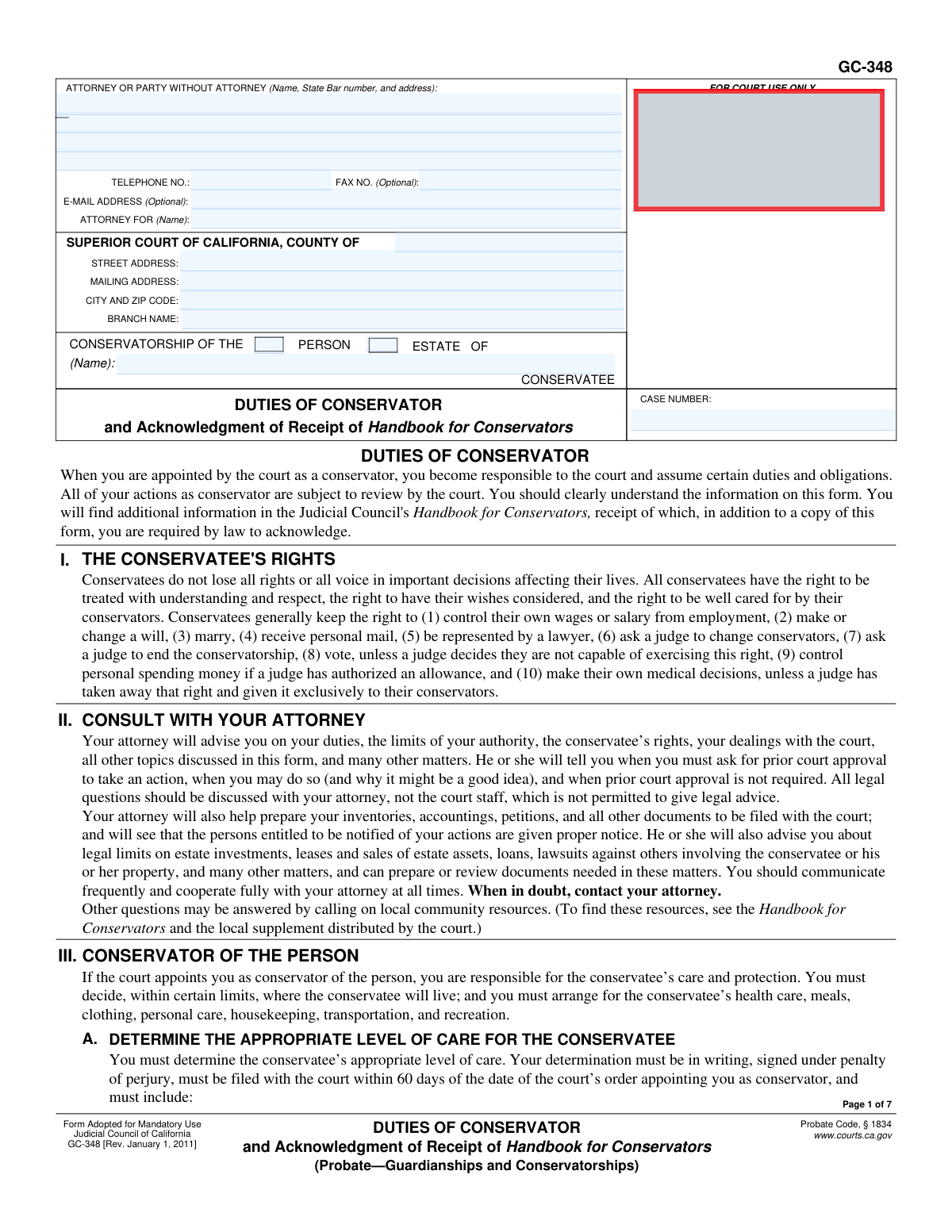
The AI does the filling. You just check it.
No typing into boxes, nothing to install.
What this form asks for
The AI fills all of it, from your answers or your documents.
The AI checks your answers before you download
12 checks built for this form, so a wrong date or a missing answer is caught before anyone else sees it.
This check ensures that the 'CASE NUMBER' field is filled out on every page where it appears. It also verifies that the case number entered is consistent across all pages of the document. This is critical for correct court filing and associating the document with the proper legal proceeding. If the field is empty or inconsistent, the form cannot be correctly processed by the court clerk, leading to rejection or delays.
Validates that the 'Conservatee Name' is entered in the header section on page 1 and that the same name is populated in the 'CONSERVATORSHIP OF (Name)' field on all subsequent pages. A consistent name is essential for legal clarity and to ensure the document pertains to the correct individual throughout. Mismatched or missing names could invalidate the form or cause confusion in the court record.
Ensures that at least one of the checkboxes, 'Conservatorship of the Person' or 'Conservatorship of the Estate', is selected. A conservatorship must be designated as being for the person, the estate, or both. Failure to select a type makes the purpose of the filing ambiguous and legally incomplete, which will result in the form being rejected by the court.
This check verifies that if an attorney's name is provided in the 'ATTORNEY OR PARTY WITHOUT ATTORNEY' field, the 'State Bar number' field is also filled with a numeric value. Conversely, if the party is self-represented, this field should be blank. This is important for verifying the attorney's credentials and standing with the State Bar. An incorrect or missing number for a listed attorney will prevent the court from accepting the filing.
Validates that the first proposed conservator's acknowledgment section is fully completed, including the printed name and the date of signature. This acknowledgment is the primary purpose of the form, confirming the conservator understands their duties. An incomplete acknowledgment section makes the entire document invalid, as it fails to provide the required legal attestation.
Checks that any date entered in the acknowledgment sections is a valid calendar date and is not a future date. The date represents when the conservator acknowledged their duties, so it must be on or before the submission date. A future or invalid date would render the signature and acknowledgment legally meaningless, causing the form to be rejected.
And 6 more checks
- Telephone Number Format
- Email Address Format
- Superior Court County Specification
- Attorney for Name Requirement
- Sequential Acknowledgment Entry
- ZIP Code Format Validation
Let AI fill out your GC-348
No typing. Every field filled in seconds, checked, ready to sign.
How to Fill Out GC-348 Online for Free in 2026
What the AI walks you through.
- Navigate to Instafill.ai and upload or select Form GC-348, Duties of Conservator.
- Use the AI assistant to automatically populate court and case information, such as the county, court address, conservatee's name, and case number.
- Enter the information for the attorney or the party if self-represented, including name, address, and contact details.
- Review the detailed sections outlining the duties for a conservator of the person and/or the estate to fully understand your legal obligations.
- Complete the 'Acknowledgment of Receipt' section on the final page by entering the date and your printed name.
- Carefully review all information on the form for accuracy before printing.
- Sign the acknowledgment section and file the completed Form GC-348 with the appropriate California Superior Court as required.
Common Mistakes in Completing GC-348
The ones the AI is built to catch.
Entering Incorrect Court or Case Information
Incomplete Filer Identification
Failing to Specify Conservatorship Type
Using an Incorrect or Incomplete Conservatee Name
Missing the Date on the Acknowledgment Signature
Mismatch Between Signature and Printed Name
Misunderstanding the 90-Day Inventory Deadline
Co-mingling Estate and Personal Funds
Taking Action Without Required Court Approval
Improperly Changing the Conservatee's Residence
Filing a Handwritten or Poorly Formatted Form
Signing in the Incorrect Signature Block
Frequently Asked Questions About GC-348
Is it really free for 7 days?
Can I fill other forms too?
How do I cancel?
How does the AI fill out GC-348?
What happens to my information?
How complex is GC-348 to fill out?
What is the purpose of Form GC-348?
Who needs to sign this form?
What is the difference between a conservator of the person and a conservator of the estate?
Does the conservatee lose all of their rights?
As conservator of the estate, what is an 'inventory and appraisal'?
How often do I need to file financial reports with the court?
Can I move the conservatee to a new residence?
Can I pay myself for my work as a conservator from the estate's funds?
What should I do if I'm unsure about a specific duty or action?
I am a 'limited conservator.' Do all the duties on this form apply to me?
Where do I get the 'Handbook for Conservators' mentioned in the form?
Can AI tools help me fill out Form GC-348?
How can I use Instafill.ai to complete this form online?
What if the PDF of the form I have is not fillable?
Get your GC-348 filled out by AI
$0 today. Cancel before Nov 13 and you pay nothing.
Let AI fill out your GC-348
Your trial starts once a card is added. You pay nothing before Nov 13.
Our AI already knows this form, all 28 fields of it. Skip the typing: tell it about yourself, or upload what you have, and it fills the whole form in seconds.
- AI fills every field on all 7 pages, checkboxes included
- No typing into boxes: answer a few questions, or upload a document you already have, an old copy of this form, a photo of a document
- The AI checks the answers; you review and change anything before you download
- Download the finished PDF, print it, or sign it online
- Encrypted, and never used to train AI
Cancel before Nov 13 and you pay nothing.
A card is needed to start the trial. Cancel in two clicks from your account.
Terms · Privacy