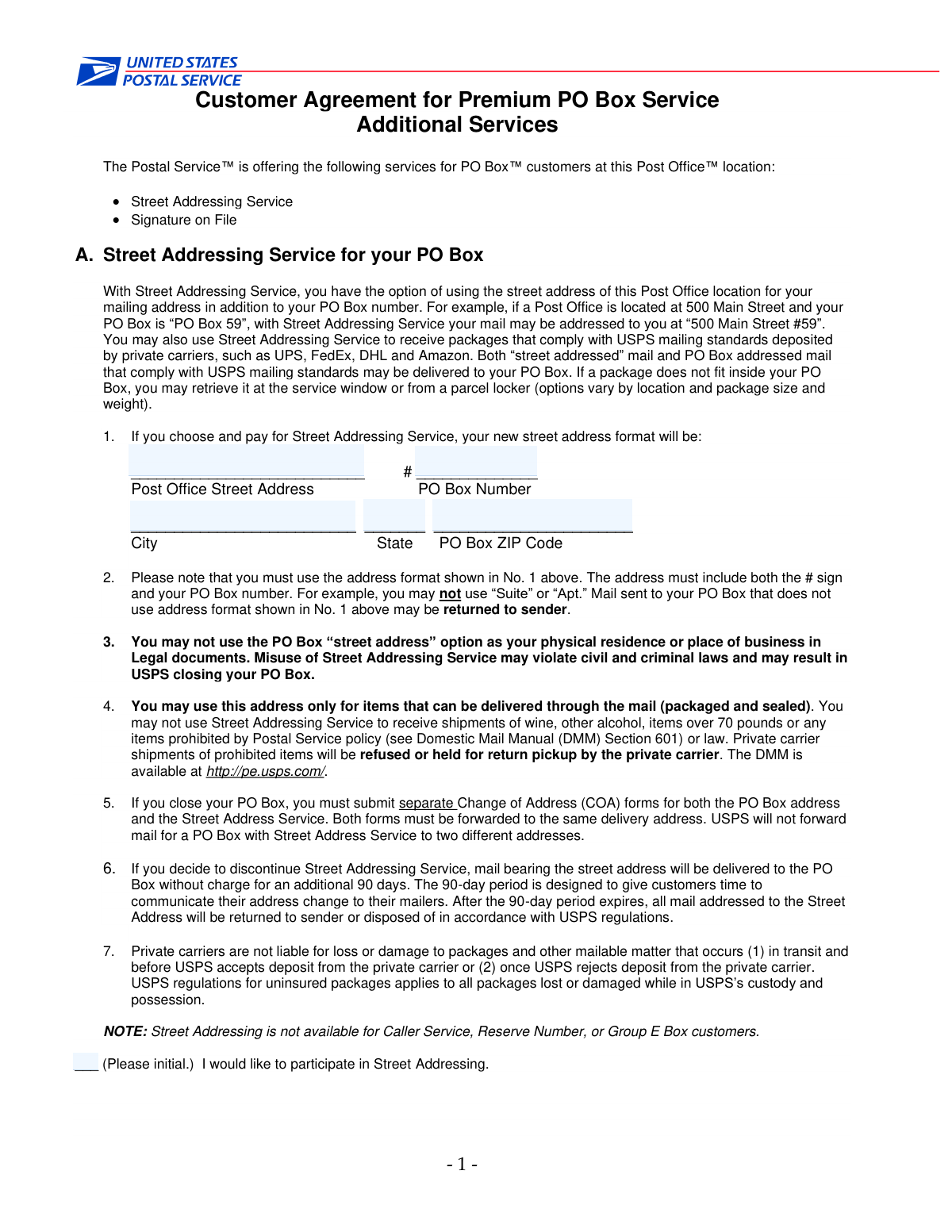
Yes! You can use AI to fill out Generic Application Form

The Generic Application Form is a document used to collect necessary data for a specific request, registration, or application process. Ensuring all information is entered correctly is vital for successful processing. Today, this form can be filled out quickly and accurately using AI-powered services like Instafill.ai, which can also convert non-fillable PDF versions into interactive fillable forms.
Our AI automatically handles information lookup, data retrieval, formatting, and form filling.
It takes less than a minute to fill out GENERIC-FORM using our AI form filling.
Securely upload your data. Information is encrypted in transit and deleted immediately after the form is filled out.

Form specifications

Form name: Generic Application Form
Number of fields: 17
Number of pages: 3
Language: English
main-image

Instafill Demo: How to fill out PDF forms in seconds with AI

How to Fill Out GENERIC-FORM Online for Free in 2026

Are you looking to fill out a GENERIC-FORM form online quickly and accurately? Instafill.ai offers the #1 AI-powered PDF filling software of 2026, allowing you to complete your GENERIC-FORM form in just 37 seconds or less.
Follow these steps to fill out your GENERIC-FORM form online using Instafill.ai:
  1. 1 Navigate to Instafill.ai and upload or select the Generic Application Form from their library.
  2. 2 Allow the AI to scan the document and identify all the fillable fields, such as text boxes and checkboxes.
  3. 3 Provide your information by answering simple questions in the chat interface, letting the AI populate the form for you.
  4. 4 Review the automatically filled information on the form preview to ensure all details are correct.
  5. 5 Complete any remaining sections, such as providing a signature if required, using the platform's e-signature tool.
  6. 6 Download the completed form as a PDF or submit it directly if the option is available.

Our AI-powered system ensures each field is filled out correctly, reducing errors and saving you time.

Why Choose Instafill.ai for Your Fillable GENERIC-FORM Form?

Speed

Complete your GENERIC-FORM in as little as 37 seconds.

Up-to-Date

Always use the latest 2026 GENERIC-FORM form version.

Cost-effective

No need to hire expensive lawyers.

Accuracy

Our AI performs 10 compliance checks to ensure your form is error-free.

Security

Your personal information is protected with bank-level encryption.

Frequently Asked Questions About Form GENERIC-FORM

The purpose of this form is not explicitly stated in the data provided. Generally, you should fill out this form if you have been instructed to do so by an organization for purposes such as application, registration, or record-keeping.

You will likely need standard personal information, contact details, and any specific identifiers or case numbers relevant to your situation. Review the form's instructions, if available, for a complete list of required information.

Whether you need to attach documents depends on the form's purpose. Please refer to the official instructions that came with the form for a list of any required attachments like identification, proof of address, or other certificates.

For each text field, carefully type or write the information requested by the corresponding label on the form. Ensure all information is accurate, legible, and spelled correctly to avoid processing delays.

This field requires you to select one option from a given set. Read the question and the corresponding choices carefully, then select the single option that best applies to your situation.

If a field is not applicable to your situation, check the form's instructions for guidance. Often, you can write 'N/A' (Not Applicable) or leave the field blank unless it is marked as mandatory.

Submission instructions are typically provided by the organization that issued the form. Check their website or the form's instructions for details on whether to submit it online, by mail, or in person.

Processing times vary widely depending on the receiving agency and the type of form. For an accurate estimate, please contact the organization to which you are submitting the form.

If you are filling out a digital copy, you can simply correct the entry in the text field. For a paper form, it is best to use a new form; if that's not possible, use correction fluid or a single strikethrough, ensuring the correction is clear.

Yes, you can use AI-powered services like Instafill.ai to save time and ensure accuracy. These tools can auto-fill your personal information into the correct fields on the form.

To use Instafill.ai, simply upload the form to their platform. The AI will automatically identify the form fields, and you can then use your saved profile to fill in your information with a few clicks before downloading the completed document.

If you have a non-fillable or 'flat' PDF, you can use a service like Instafill.ai. It can convert the static PDF into an interactive, fillable form, allowing you to easily type your information directly into the fields.

For questions about the form's content or what specific information is required, you should contact the agency or organization that provided the form. Their contact information is usually available on their official website.

Compliance GENERIC-FORM
Validation Checks by Instafill.ai

1
Social Security Number Format Validation
This check ensures the Social Security Number entered in field 'textbox_0_2_ba8b7bc1' follows the standard XXX-XX-XXXX format. It verifies that the input consists of 9 digits, optionally separated by hyphens. This is critical for data integrity and for processing with government or financial systems. A failed validation will prompt the user to correct the format before submission.
2
Date of Birth is a Valid Past Date
Validates that the date entered in 'textbox_0_3_f436b8ba' is a real date and occurs in the past. This prevents users from entering future dates or non-existent dates like February 30th. This check is essential for age verification and identity confirmation. If the date is invalid or in the future, the form will display an error message.
3
US Phone Number Structure
This validation confirms that the phone number in 'textbox_0_4_238d1bf1' matches common US phone number formats, such as (XXX) XXX-XXXX or XXX-XXX-XXXX. It ensures the field contains 10 digits, allowing for common separators. Correctly formatted phone numbers are crucial for communication, and failure to comply will require the user to re-enter the information.
4
Required Personal Information Completeness
Verifies that essential personal identification fields, such as 'textbox_0_0_61cb60ad' (First Name) and 'textbox_0_1_1436f9c6' (Last Name), are not left empty. These fields are fundamental for identifying the submitter and processing the form. If any of these required fields are blank, the submission will be blocked until they are filled.
5
State Abbreviation Validation
Checks if the value in the state field, 'textbox_2_2_bb7618a8', is a valid two-letter US state or territory abbreviation. This maintains standardized address data, which is vital for mail delivery and location-based services. An invalid entry will trigger an error, suggesting the user enter a recognized two-letter code (e.g., CA, NY, TX).
6
ZIP Code Format Check
Ensures the postal code entered in 'textbox_2_3_fee12687' is in a valid 5-digit or 9-digit (ZIP+4) format. A valid ZIP code is necessary for accurate mail routing and address verification. The system will reject entries that do not conform to the numeric format, preventing data entry errors.
7
Annual Income is a Positive Numeric Value
This check validates that the input for 'textbox_2_5_d45e840e' is a non-negative number, allowing for decimals but not letters or special symbols (except currency symbols if configured). This is important for financial calculations and eligibility assessments. An invalid entry would prevent accurate processing and require the user to input a valid monetary amount.
8
Email Address Syntax Validation
Verifies that the email address in 'textbox_2_6_fb506c6c' conforms to the standard '[email protected]' format. This check is critical for ensuring that communication with the user is possible. If the format is incorrect, the user will be notified that the email address is invalid and must be corrected.
9
Employment Date Logical Order
This validation compares the employment start date ('textbox_2_7_8acc2e09') and end date ('textbox_2_8_af433fe5'). It ensures that if an end date is provided, it must be on or after the start date. This prevents logical impossibilities in the user's employment history, ensuring data accuracy. A validation failure would require the user to correct the date range.
10
Conditional Requirement for 'Reason for Leaving'
Checks that the 'Reason for Leaving' field ('textbox_2_9_1a9a09f5') is filled out if, and only if, an 'End Date of Employment' ('textbox_2_8_af433fe5') has been entered. This ensures that related data is collected when relevant, without forcing unnecessary input. If the end date is present but the reason is missing, the form will prompt the user for completion.
11
Name Fields Contain Valid Characters
Ensures that name fields like 'textbox_0_0_61cb60ad' and 'textbox_0_1_1436f9c6' contain only alphabetic characters, hyphens, or apostrophes. This prevents the entry of numbers or special symbols into a person's name, which could corrupt data or indicate a bad-faith submission. Invalid characters will be flagged for correction.
12
Marital Status Selection Requirement
Verifies that a selection has been made from the available options in 'choicebutton_0_5_2aca4bcf'. If marital status is a required piece of information for the form's purpose (e.g., tax, insurance), this check ensures it is not skipped. The form will not submit until one of the provided choices is selected.
13
Employment Start Date vs. Date of Birth
Performs a logical check to ensure the 'Start Date of Employment' ('textbox_2_7_8acc2e09') is at least 16 years after the 'Date of Birth' ('textbox_0_3_f436b8ba'). This validation prevents data entry errors and ensures the recorded employment history is plausible. An impossible date combination would result in an error message asking the user to review the dates.
14
City Name Character Validation
This check ensures the city field ('textbox_2_1_18fdbd7d') contains primarily alphabetic characters and common punctuation like spaces or hyphens. It prevents users from entering invalid data like a ZIP code or a full address into the city field. Maintaining clean address components is crucial for database normalization and verification services.

Common Mistakes in Completing GENERIC-FORM

Inconsistent Name Usage

People often enter a nickname, a shortened version of their name, or omit a middle initial. This can cause mismatches with official records, leading to processing delays or rejection of the form. Always use your full legal name as it appears on government-issued documents like your driver's license or passport.

Improperly Formatted Street Address

A common mistake is omitting suite or apartment numbers, or using non-standard abbreviations for street types. This can result in failed address validation and cause important mail to be delayed or returned as undeliverable. To avoid this, double-check your full address and include all necessary components in the correct fields.

Typographical Errors in Email Addresses

A single mistyped letter or symbol in an email address (e.g., 'gmal.com' instead of 'gmail.com') is a frequent error. This simple mistake will prevent you from receiving crucial confirmations, updates, or follow-up communications related to your submission. Always proofread your email address character by character before submitting.

Using the Wrong Date Format

Users often confuse MM/DD/YYYY with DD/MM/YYYY, especially when filling out international forms. Entering a date like '05/10/2024' could be interpreted as either May 10th or October 5th, leading to significant errors for birth dates, application deadlines, or effective dates. Pay close attention to the placeholder text or instructions to ensure you are using the correct format.

Inconsistent Phone Number Formatting

Phone numbers are frequently entered with or without parentheses, dashes, or spaces, which can cause data processing errors. For example, a system expecting '123-456-7890' might not correctly parse '1234567890'. Following the format suggested by the form (e.g., in a placeholder) ensures your contact information is captured correctly.

Transposing Numbers in ID or Account Fields

When manually entering long strings of digits for fields like account numbers or government IDs, it is easy to accidentally swap two numbers (e.g., entering '...37...' instead of '...73...'). This critical error can lead to failed identity verification, misdirected funds, or outright rejection of the form. Using an AI-powered form-filling tool like Instafill.ai can prevent this by securely auto-filling this information, reducing the risk of manual typos.

Failing to Select a Required Choice

On a dense form, it's easy to accidentally scroll past a simple radio button or checkbox question. Missing a required selection, such as agreeing to terms of service or confirming eligibility, can make the entire submission invalid. Before submitting, do a final review specifically to ensure all choice-based questions have been answered.

Entering an Incorrect ZIP or Postal Code

A simple transposition of digits in a ZIP code is a frequent error that can misroute important documents or cause address validation to fail. Some people also forget to use the full ZIP+4 code when it is required for more precise delivery. Always verify the ZIP code for your address with a reliable source like the postal service website.

Submitting Illegible Handwritten Information

When a form is only available as a non-fillable PDF, people often print it and fill it out by hand. Rushed or poor handwriting can lead to critical data entry errors by the recipient, causing delays and incorrect records. To prevent this, you can use a tool like Instafill.ai, which can convert flat PDFs into digitally fillable forms, ensuring all your entries are clean, typed, and perfectly legible.

Omitting 'Optional' but Important Information

Some fields marked as 'optional,' like a secondary phone number or a work extension, are often skipped to save time. However, this information can be crucial if the primary contact method fails or if more context is needed for your application. It is a good practice to fill in optional fields if the information can help expedite processing or provide a valuable backup contact method.
Saved over 80 hours a year

“I was never sure if my IRS forms like W-9 were filled correctly. Now, I can complete the forms accurately without any external help.”

Kevin Martin Green

Your data stays secure with advanced protection from Instafill and our subprocessors

Robust compliance program

Transparent business model

You’re not the product. You always know where your data is and what it is processed for.

ISO 27001, HIPAA, and GDPR

Our subprocesses adhere to multiple compliance standards, including but not limited to ISO 27001, HIPAA, and GDPR.

Security & privacy by design

We consider security and privacy from the initial design phase of any new service or functionality. It’s not an afterthought, it’s built-in, including support for two-factor authentication (2FA) to further protect your account.

Fill out GENERIC-FORM with Instafill.ai

Worried about filling PDFs wrong? Instafill securely fills generic-application-form forms, ensuring each field is accurate.