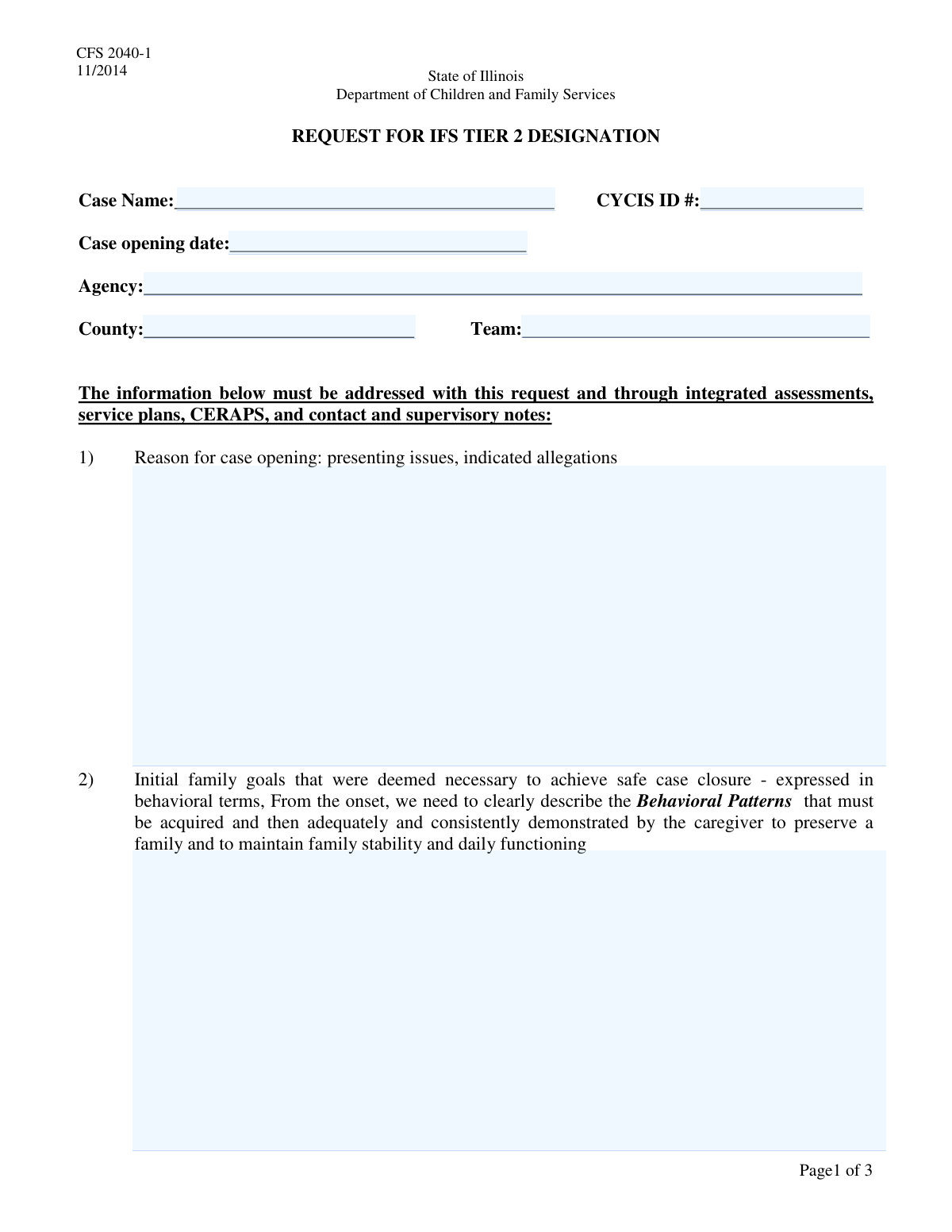
Yes! You can use AI to fill out Request for Extension to Keep Case Open
The Request for Extension to Keep Case Open is a critical document in social and child welfare services, used by case managers to provide a detailed justification for why a case should remain active. It outlines the progress made, the remaining barriers to safe case closure, and a clear roadmap for future actions, ensuring accountability and a continued focus on family goals. Today, this form can be filled out quickly and accurately using AI-powered services like Instafill.ai, which can also convert non-fillable PDF versions into interactive fillable forms.
Our AI automatically handles information lookup, data retrieval, formatting, and form filling.
It takes less than a minute to fill out Case Extension Request using our AI form filling.
Securely upload your data. Information is encrypted in transit and deleted immediately after the form is filled out.
Form specifications
| Form name: | Request for Extension to Keep Case Open |
| Number of fields: | 16 |
| Number of pages: | 3 |
| Filled form examples: | Form Case Extension Request Examples |
| Language: | English |
Instafill Demo: How to fill out PDF forms in seconds with AI
How to Fill Out Case Extension Request Online for Free in 2026
Are you looking to fill out a CASE EXTENSION REQUEST form online quickly and accurately? Instafill.ai offers the #1 AI-powered PDF filling software of 2026, allowing you to complete your CASE EXTENSION REQUEST form in just 37 seconds or less.
Follow these steps to fill out your CASE EXTENSION REQUEST form online using Instafill.ai:
- 1 Navigate to Instafill.ai and upload your Request for Extension to Keep Case Open form, or select it from a template library.
- 2 Use the AI assistant to populate the 'Case Information' section, including the Case Name, CYCIS ID, Agency, and County.
- 3 Provide detailed explanations for the 'Reason for Case Opening' and describe the 'Initial Family Goals' in behavioral terms.
- 4 Document the 'Progress Achieved to Date' and detail the 'Barriers to Safe Case Closure', including service plan goals and strategies deployed.
- 5 Outline the 'Behavioral Strategies Roadmap' for the next six months and provide a comprehensive justification in the 'Basis for Keeping Case Open' section.
- 6 Enter the 'Anticipated Closing Date' and the 'Requestor Name', then review the entire form for accuracy and completeness with the help of AI-powered checks.
- 7 Securely download, print, or share your completed Request for Extension to Keep Case Open form for submission.
Our AI-powered system ensures each field is filled out correctly, reducing errors and saving you time.
Why Choose Instafill.ai for Your Fillable Case Extension Request Form?
Speed
Complete your Case Extension Request in as little as 37 seconds.
Up-to-Date
Always use the latest 2026 Case Extension Request form version.
Cost-effective
No need to hire expensive lawyers.
Accuracy
Our AI performs 10 compliance checks to ensure your form is error-free.
Security
Your personal information is protected with bank-level encryption.
Frequently Asked Questions About Form Case Extension Request
This form is used to request and justify keeping a case open beyond its originally anticipated closure date. It documents the progress made, remaining barriers, and the specific plan for achieving a safe case closure.
This form is typically completed by the case manager, social worker, or team member directly responsible for the case. It may require a supervisor's review or approval before submission.
A CYCIS ID is a unique identification number for the case within your agency's information system. You can typically find this number in the main case file or by searching for the case name in your agency's database.
Initial Family Goals are the broad, behavior-based objectives established when the case was first opened. Service Plan Goals are the more specific, actionable steps within the formal service plan designed to meet those initial goals and lead to closure.
This means you should describe goals as observable, measurable actions. For example, instead of 'improve parenting,' you would write 'caregiver will consistently use positive redirection techniques during three consecutive home visits.'
This section requires a specific, six-month plan outlining service objectives, case management tasks, and monitoring strategies. You should include clear timelines and describe how progress will be measured.
This section is a summary justifying the extension. You must explain why more time will benefit the family, how the plan aligns with original goals, and why there is a reasonable expectation that the new roadmap will lead to a safe closure.
Provide your best professional estimate based on the six-month roadmap you have outlined. The date should be realistic and supported by the planned interventions and expected progress.
Yes, services like Instafill.ai use AI to auto-fill form fields accurately and save time. It can populate recurring information like case names, agency details, and ID numbers, allowing you to focus on the narrative sections.
You can use a service like Instafill.ai to complete this form online from any device. Simply upload the form, and the tool will create a fillable version for you to complete, save, and share.
Instafill.ai can solve this by converting flat, non-fillable PDFs into interactive forms. Upload your PDF, and the platform will automatically make the fields fillable so you can type your answers directly.
You need to provide a detailed summary of why the case was initially opened. This should include the presenting issues, family circumstances, and any indicated allegations that prompted agency involvement.
In this section, you should detail the specific obstacles preventing case closure. Describe the service plan goals and strategies that were deployed to overcome these barriers and the progress achieved so far.
Compliance Case Extension Request
Validation Checks by Instafill.ai
1
Date Sequence Integrity
This validation ensures the 'Anticipated Closing Date' is chronologically after the 'Case Opening Date'. It is a critical logical check to prevent impossible timelines. If this validation fails, the user will be prompted to correct one or both of the dates, as a case cannot be scheduled to close before it was opened.
2
Case Opening Date is in Past or Present
Verifies that the 'Case Opening Date' is not a future date. This is important for maintaining accurate historical records and ensuring data integrity. A case cannot be recorded as opened on a day that has not yet occurred, and a failure would require the user to input a date that is today or in the past.
3
Anticipated Closing Date is in Future
Checks that the 'Anticipated Closing Date' is a date in the future. This validation ensures that the goal for case closure is forward-looking and represents a planned future event. If a user enters a past or present date, the system will reject it and require a future date to be entered.
4
CYCIS ID Format Validation
Ensures the 'CYCIS ID' conforms to a predefined format, such as being a specific length and containing only numeric characters (e.g., 8 digits). This is crucial for data consistency and successful integration with the CYCIS system. An invalid format would prevent submission and prompt the user to enter the ID in the correct format.
5
CYCIS ID Existence Check
Performs a real-time lookup to verify that the entered 'CYCIS ID' corresponds to an existing case within the system. This prevents the creation of duplicate records or the association of this form with a non-existent case. If the ID is not found, the user will be notified that the case does not exist and must verify the ID number.
6
Mandatory Narrative Field Completion
This check ensures that all detailed text fields, such as 'Reason for Case Opening Details' and 'Case Justification Details', are not left empty. These fields are essential for documenting the case's substance and justification. Failure to complete any of these fields will block form submission and highlight the empty fields that require input.
7
Narrative Field Minimum Length
Validates that all detailed description fields contain more than a minimum number of characters (e.g., 50 characters). This prevents users from entering brief, unhelpful text like 'N/A' or 'See notes' in fields that require a 'detailed explanation'. If the entry is too short, the system will prompt the user to provide a more comprehensive description.
8
County Data Consistency
This check validates the 'County' field entry against a predefined list of official counties for the operating jurisdiction. This prevents spelling errors and ensures standardized, reportable data. If the entered county is not on the list, the user will be shown an error and may be presented with a dropdown of valid options.
9
Agency Data Consistency
Verifies the 'Agency' name against a master list of recognized agencies. This maintains data integrity for reporting and inter-agency communication, preventing variations in spelling or naming. An unrecognized agency name would trigger an error, prompting the user to select from a list or confirm the new agency's name.
10
Roadmap and Closing Date Alignment
This is a logical consistency check that compares the 'Anticipated Closing Date' with the 'Specific Behavioral Strategies Roadmap' which is defined for 'the next six months'. The validation ensures the closing date is reasonably aligned with this six-month plan (e.g., within 6-8 months from submission). A significant mismatch would trigger a warning, asking the user to confirm that the dates and roadmap are consistent.
11
Requestor Name Completeness
Ensures the 'Requestor Name' field contains what appears to be a full name, rather than just initials or a single word. This is typically checked by looking for a space between characters or a minimum length. This validation is important for accountability and clear record-keeping, and a failure would prompt the user to enter their full name.
12
Basis for Keeping Case Open Justification
This validation specifically checks that the 'Basis for Keeping Case Open' text area is filled with a substantive explanation. As this field justifies the entire purpose of the form, it is arguably the most critical field. If this field is empty or has minimal content, the submission will be blocked until a proper justification is provided.
Common Mistakes in Completing Case Extension Request
Users often make transcription errors when entering the alphanumeric CYCIS ID, such as swapping letters and numbers (e.g., 'O' for '0'). This mistake typically happens due to manual data entry from another document or system. An incorrect ID can make it impossible for the system to locate the corresponding case file, leading to significant processing delays and rejection of the form. To avoid this, double-check the ID for accuracy before submission; AI-powered tools like Instafill.ai can help by auto-populating and validating such identifiers from a central record.
In fields like 'Initial Family Goals Description', users often write subjective, non-measurable goals such as 'Be a better parent.' The form specifically requires goals in 'behavioral terms' (e.g., 'Caregiver will attend all parenting classes and demonstrate three positive redirection techniques'). This error leads to an inability to objectively measure progress, causing disputes over case closure. To prevent this, always phrase goals as specific, observable, and measurable actions.
For fields like 'Case Opening Date' and 'Anticipated Closing Date', users may enter dates in an inconsistent format (e.g., DD-MM-YYYY instead of MM/DD/YYYY) or use vague text like 'next month'. This causes data validation errors and can render the submission invalid for automated systems. Always use the specific format requested (e.g., MM/DD/YYYY) and provide a concrete date. Using a form-filling tool like Instafill.ai can prevent this by providing a date picker that automatically formats the date correctly.
The 'Case Justification Details' and 'Basis for Keeping Case Open' fields require a comprehensive summary. A common mistake is to provide a brief, underdeveloped explanation or simply copy and paste text from other sections without synthesizing it into a coherent argument. This results in a weak justification that may be rejected by a supervisor or reviewer. To avoid this, carefully synthesize all relevant points—goals, progress, and barriers—into a new, persuasive narrative that directly answers the prompt.
When describing 'Progress Achieved to Date', many users provide subjective opinions like 'The family is doing much better' instead of objective, evidence-based facts. Proper reporting should include verifiable data, such as 'The caregiver has maintained stable housing for six consecutive months and has passed all scheduled drug screenings.' Subjective reporting undermines the credibility of the assessment and makes progress difficult to prove. Always support claims with specific, factual evidence.
In the 'Case Closure Actions and Progress' field, which is under the 'Barriers to Safe Case Closure' heading, users often mistakenly describe the barriers themselves rather than the actions taken to overcome them. This misinterprets the prompt, which asks for the 'service plan goals established, strategies deployed, and progress achieved'. This error makes it seem as if no action is being taken. Ensure you are describing the solutions and progress, not just restating the problems.
The 'Specific Behavioral Strategies Roadmap' is frequently filled out with generic statements like 'Continue current services' instead of a detailed, time-bound plan for the next six months. A weak roadmap lacks specific objectives, case management tasks, and monitoring strategies. This suggests poor planning and can lead to the request being denied. A strong roadmap should be a clear, step-by-step guide that justifies the timeline for keeping the case open.
A frequent error is providing information in one section that contradicts another, such as reporting significant progress in one field while justifying the need to keep the case open due to a lack of progress in another. This often happens when the form is filled out hastily or without a final review. These contradictions damage the report's credibility and can lead to rejection. To avoid this, review the entire form upon completion to ensure all sections present a consistent and logical narrative.
Fields such as 'County' or 'Team' are sometimes left blank, especially in large, statewide agencies where the user assumes the context is known. However, this missing information can cause the form to be misrouted or delayed in processing. It prevents proper data aggregation and tracking by location or team. Always fill in all required identifying information, even if it seems obvious. If the form is a non-fillable PDF, a tool like Instafill.ai can convert it into a fillable version to ensure no fields are missed.
Saved over 80 hours a year
“I was never sure if my IRS forms like W-9 were filled correctly. Now, I can complete the forms accurately without any external help.”
Kevin Martin Green
Your data stays secure with advanced protection from Instafill and our subprocessors
Robust compliance program
Transparent business model
You’re not the product. You always know where your data is and what it is processed for.
ISO 27001, HIPAA, and GDPR
Our subprocesses adhere to multiple compliance standards, including but not limited to ISO 27001, HIPAA, and GDPR.
Security & privacy by design
We consider security and privacy from the initial design phase of any new service or functionality. It’s not an afterthought, it’s built-in, including support for two-factor authentication (2FA) to further protect your account.
Fill out Case Extension Request with Instafill.ai
Worried about filling PDFs wrong? Instafill securely fills request-for-extension-to-keep-case-open forms, ensuring each field is accurate.