Yes! You can use AI to fill out Summit Home Care Start of Care & Admission Packet
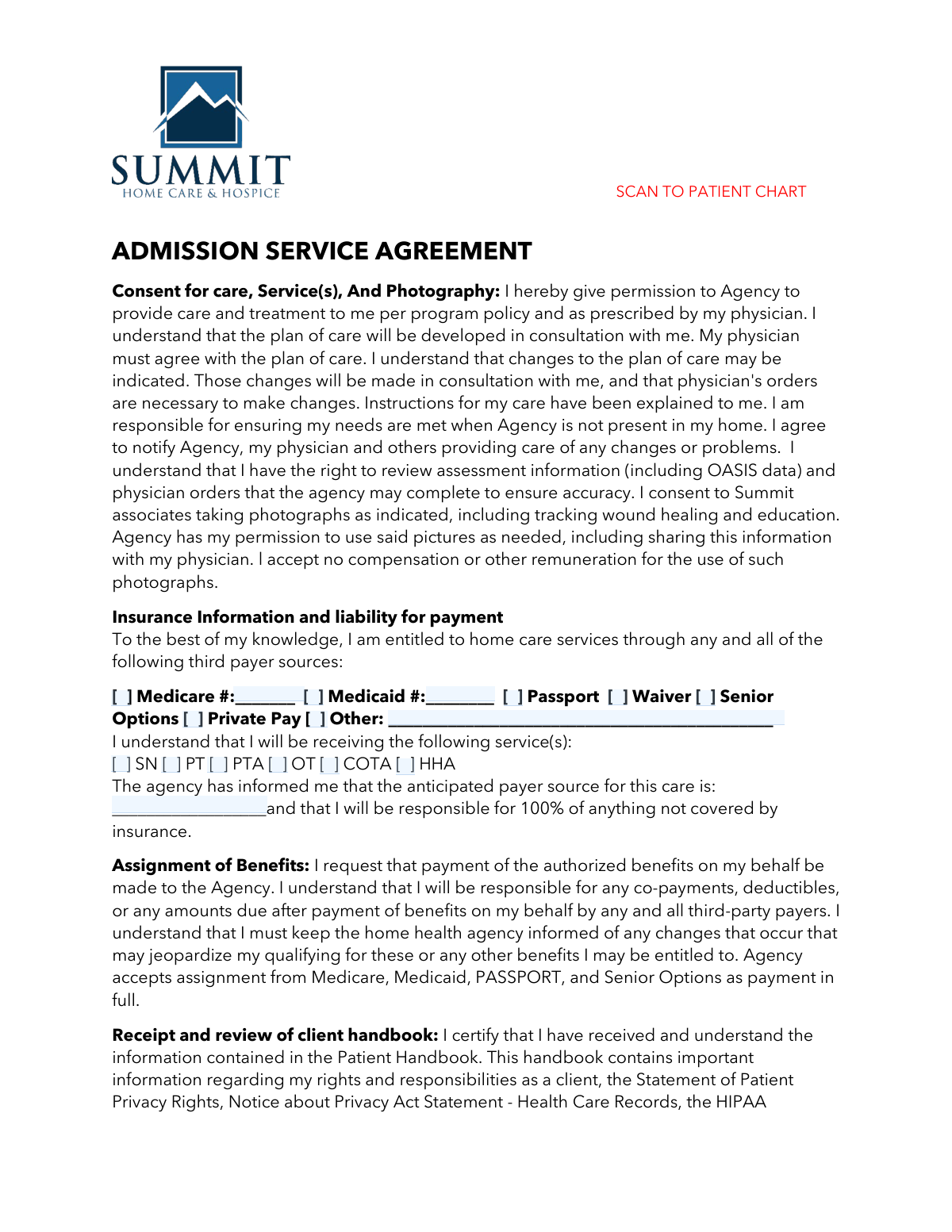
The Summit Home Care Start of Care & Admission Packet is a collection of essential forms required to initiate home healthcare services. It includes the Admission Service Agreement, Notice of Privacy Practices, emergency contact forms, and medical profiles to ensure all legal, financial, and clinical requirements are met before care begins. This packet is crucial for establishing a clear plan of care and ensuring compliance with healthcare regulations. Today, this form can be filled out quickly and accurately using AI-powered services like Instafill.ai, which can also convert non-fillable PDF versions into interactive fillable forms.
Our AI automatically handles information lookup, data retrieval, formatting, and form filling.
It takes less than a minute to fill out Start of Care Packet using our AI form filling.
Securely upload your data. Information is encrypted in transit and deleted immediately after the form is filled out.
Form specifications
| Form name: | Summit Home Care Start of Care & Admission Packet |
| Number of fields: | 776 |
| Number of pages: | 22 |
| Language: | English |
Instafill Demo: How to fill out PDF forms in seconds with AI
How to Fill Out Start of Care Packet Online for Free in 2026
Are you looking to fill out a START OF CARE PACKET form online quickly and accurately? Instafill.ai offers the #1 AI-powered PDF filling software of 2026, allowing you to complete your START OF CARE PACKET form in just 37 seconds or less.
Follow these steps to fill out your START OF CARE PACKET form online using Instafill.ai:
- 1 Navigate to Instafill.ai and upload or select the Summit Home Care Start of Care Packet.
- 2 Use the AI to automatically populate patient demographic information, such as name and ID number, across all relevant forms in the packet.
- 3 Complete the Admission Service Agreement by checking the appropriate boxes for insurance, services, and advance directives, then provide the required signatures.
- 4 Fill out the Acknowledgement of Privacy Practices and Communication Preferences forms to specify how your protected health information (PHI) can be used and shared.
- 5 Provide necessary information on the Patient Notification of Face-to-Face Requirement and the Emergency Guidelines/Instructions forms, including emergency contacts.
- 6 Carefully complete the DNR Order Form and the detailed Medication Profile, listing all current medications, dosages, and allergies.
- 7 Review all completed sections for accuracy, sign and date where necessary, and use the platform's tools to securely scan and submit the entire packet to the patient's chart.
Our AI-powered system ensures each field is filled out correctly, reducing errors and saving you time.
Why Choose Instafill.ai for Your Fillable Start of Care Packet Form?
Speed
Complete your Start of Care Packet in as little as 37 seconds.
Up-to-Date
Always use the latest 2026 Start of Care Packet form version.
Cost-effective
No need to hire expensive lawyers.
Accuracy
Our AI performs 10 compliance checks to ensure your form is error-free.
Security
Your personal information is protected with bank-level encryption.
Frequently Asked Questions About Form Start of Care Packet
This is the Start of Care packet for new patients of Summit Home Care. It includes a service agreement to consent to care, a checklist for the clinician, and important notices about your privacy, rights, and financial responsibilities.
The patient or their legally authorized representative, such as a Power of Attorney, must complete and sign the forms. A clinician from the agency will also sign in the designated areas.
This form confirms you understand that your insurance provider requires you to have a face-to-face visit with your physician either 90 days before or 30 days after starting home care services to ensure continued coverage.
Advance Directives are legal documents like a Living Will or DNR that state your wishes for medical treatment if you cannot speak for yourself. You are not required to have them to receive care, and you can indicate on the form that you do not wish to execute them at this time.
According to the Admission Service Agreement, you are responsible for any co-payments, deductibles, or any other costs not covered by your insurance plan. The agency will inform you of the anticipated payer for your care.
Your clinician will scan the completed documents directly into your patient chart using a secure, HIPAA-compliant app like Adobe Scan. For privacy protection, standard photos are not used.
This form allows you to specify exactly who, such as a spouse or family member, the agency is allowed to speak with about your health information. You can also grant permission for the agency to leave messages on your voicemail.
This notice informs you that Medicare may stop paying for your services on a specific date. You have the right to an immediate appeal, and the form provides the QIO contact number to start that process.
The Medication Profile helps your care team maintain a complete and accurate list of all your medications, dosages, and purposes. This is crucial for managing your health safely and preventing harmful drug interactions.
If the required physician visit is not done within the specified time, your home care services may be put on hold or discharged. Your insurance company may also refuse to pay for services you have already received.
Yes, services like Instafill.ai use AI to accurately auto-fill form fields, which can save you time and help reduce errors when completing your admission paperwork.
You can use a service like Instafill.ai to upload the PDF packet. The platform will make the forms fillable online, allowing you to type your information, select checkboxes, and sign electronically before printing or sharing.
If you have a non-fillable or 'flat' PDF, you can upload it to a service like Instafill.ai. Their technology can convert it into an interactive, fillable form that you can complete easily on your computer or device.
A DNR (Do Not Resuscitate) Comfort Care order is a medical directive that instructs healthcare providers not to perform CPR or other life-restarting measures if your heart or breathing stops, focusing instead on providing comfort.
Compliance Start of Care Packet
Validation Checks by Instafill.ai
1
Ensures Signature and Date Field Cohesion
This validation checks that for every signature field (e.g., Patient/Representative, Clinician, Witness) that is filled, its corresponding date field is also completed. This is critical for establishing the legal validity and timeline of consent, acknowledgments, and clinical orders. A failure would flag the form for manual review to obtain the missing date before it can be accepted into the patient's chart.
2
Validates Conditional Payer ID Entry
This check ensures that if the 'Medicare' or 'Medicaid' checkbox is selected in the 'Insurance Information' section, the corresponding 'Medicare #' or 'Medicaid #' field is not empty. This is essential for accurate billing and claims processing. If the number is missing, the form submission should be blocked until the required information is provided, preventing billing delays and rejections.
3
Verifies Logical Consistency of Advance Directive Choices
This validation confirms that mutually exclusive options in the 'Advance Directives' section are not selected simultaneously. Specifically, it checks that a user cannot select both 'I have not and do not wish to execute Advance Directives' and a specific directive type like 'Living Will' or 'Durable Power of Attorney'. This prevents contradictory instructions and ensures the patient's intent is clear, flagging the form for correction if a conflict is found.
4
Requires 'Relationship to Patient' for Representative Signatures
This check verifies that if the person signing the 'Admission Service Agreement' is a representative, the 'Relationship to Patient' field is completed. This is a crucial legal and compliance check to confirm the signer's authority to make decisions on behalf of the patient. A failure to provide the relationship would require the form to be returned for completion, as the consent may be invalid without it.
5
Validates Completeness of Face-to-Face Acknowledgment Initials
This validation ensures that both initial fields on the 'Patient Notification of Face to Face Home Care Requirement' form are filled. These initials signify the patient's understanding of critical insurance requirements that affect service continuation and payment responsibility. Missing one or both initials would trigger an alert for the clinician to revisit the topic with the patient and obtain full acknowledgment before proceeding.
6
Enforces Logical Visit Times
On the 'Signature Sheet for Electronic Documentation', this check validates that the 'Time Out' is chronologically later than the 'Time In'. This simple but critical check prevents data entry errors and potential fraud in billing for services. If the Time Out is not after the Time In, the system should reject the entry and prompt the user to correct the times.
7
Validates Medication Discontinuation Date Logic
For each entry in the 'Medication Profile', this validation ensures that if a 'Date Disc' (discontinued) is entered, it must be on or after the 'Date Started'. This maintains the logical and chronological integrity of the patient's medication history, which is vital for safe care and medication reconciliation. An illogical date entry would be flagged for immediate correction by the clinician.
8
Requires Specification for 'Other' Selections
This rule applies to multiple sections, including Payer Source, Code Status, and Advance Directives. It validates that whenever an 'Other' checkbox is selected, the corresponding free-text field for specification is not left empty. This ensures that selections are fully qualified and not ambiguous, preventing incomplete data from entering the system. A failure would prompt the user to provide the necessary details.
9
Ensures Consistent Patient Identification Across Forms
This validation cross-references the 'Patient Name' and 'Patient ID Number' across all documents in the packet (e.g., Admission Agreement, Face-to-Face Notification, DNR Order). It ensures the identifiers are identical on every page to prevent misfiling or applying information to the wrong patient record. A mismatch would trigger a high-priority alert for manual verification and correction to prevent a serious patient safety incident.
10
Validates Medicare Number Format
This check verifies that the value entered in the 'Medicare #' field conforms to the current Medicare Beneficiary Identifier (MBI) format (11 characters, specific character types, and no special characters). Correct formatting is non-negotiable for successful electronic claim submission to Medicare. An invalid format would cause an immediate field-level error, guiding the user to correct the number before the form can be submitted.
11
Verifies Emergency Contact Information Presence
This validation ensures that at least one 'Next of Kin/Emergency Contact' name and a corresponding phone number are provided on the 'Emergency Guidelines/Instructions' form. This is a critical patient safety check to ensure the agency has a contact point in case of an emergency. If this information is missing, the system should flag the form as incomplete and require the information to be added.
12
Enforces Mutually Exclusive Privacy Notice Acknowledgment
On the 'Acknowledgement of Receipt of Notice of Privacy Practices', this check ensures that the user has selected either 'I have received a copy' or 'I do not wish to receive a copy', but not both. This confirms a clear and unambiguous choice was made regarding the HIPAA notice. Selecting both options would result in an error, forcing the user to make a single, valid choice.
13
Links Voicemail Permission to a Preferred Phone Number
On the 'Communication Preferences' form, this validation ensures that if 'YES' is selected for 'May we leave a message on your answering machine/voicemail', then the 'Preferred Phone Number' field must be filled out. This directly links the granted permission to a specific, intended phone number, preventing PHI from being left on an incorrect or unauthorized number. If permission is granted without a number, the form would be flagged as incomplete.
14
Mandates Physician Signature on DNR Order
This validation confirms that the 'REQUIRED Signature of Physician, APRN or PA' field on the 'DNR ORDER FORM' is not empty. A Do Not Resuscitate order is a legally binding medical order that is invalid without the signature of an authorized provider. A form submitted without this signature must be immediately rejected and returned to the provider, as it has no legal or clinical standing.
Common Mistakes in Completing Start of Care Packet
Patients or their representatives often mis-enter or omit digits when providing their Medicare or Medicaid numbers on the Admission Service Agreement. This frequently happens when filling out the form from memory instead of referencing the physical card. An incorrect number leads to claim rejections, significant delays in starting care, and potential billing issues that can result in the patient being held financially responsible. To avoid this, always have the insurance card on hand and double-check the number for accuracy before submission.
The Advance Directives section is frequently left blank or filled out with conflicting information, such as checking a box for 'Living Will' but writing contradictory notes in the free-text area. This ambiguity occurs because patients may be unsure of their wishes or find the options confusing. The consequence is that in a critical medical situation, the patient's end-of-life wishes may not be clear or legally enforceable. It is vital to discuss these choices with family and healthcare providers to ensure the form is filled out clearly and accurately.
When a Power of Attorney or family member signs forms on behalf of the patient, they often provide a signature and date but forget to specify their legal relationship in the designated field. This simple oversight can question the validity of the consent, as the agency cannot confirm the signer's authority to make decisions. This can cause administrative delays and legal compliance issues, potentially postponing the start of care until the form is corrected. Always clearly print your relationship (e.g., 'Spouse', 'Durable Power of Attorney') when signing for someone else.
Despite the form's explicit instruction to avoid medical terminology, clinicians and patients alike often use abbreviations like 'BID' (twice a day) or 'PO' (by mouth) out of habit. This creates a high risk of medication errors, as home health aides, caregivers, or family members may not understand the shorthand, leading to incorrect dosing or administration. To ensure patient safety, all medication instructions must be written in simple, clear language that anyone can understand. AI-powered tools like Instafill.ai can help by automatically expanding common medical abbreviations into plain language.
On the Emergency Guidelines form, people often only fill in the 'Next of Kin' field, leaving critical contacts like the Primary Care Physician, Pharmacy, or preferred Hospital blank. This happens when people are in a hurry or don't have the information readily available. In an actual emergency, the absence of these details can waste precious time and hinder coordination between the home care agency and other providers. It is crucial to fill out this section as completely and accurately as possible.
Forms like the 'Patient Notification of Face to Face Requirement' use initial boxes to confirm that the patient has read and understood specific, critical clauses before signing. It is very common for signers to focus only on the main signature line at the bottom and completely miss these initialing requirements. Missing initials can render the acknowledgment invalid from a compliance perspective, creating documentation gaps that could lead to service interruptions or claim denials.
A Do-Not-Resuscitate (DNR) order is legally powerless without the required signature from a physician, APRN, or PA. A family may fill out the patient's portion of the form with the best intentions, but if it is not properly routed and countersigned by the medical provider, the order is not valid. This creates a critical risk that the patient's end-of-life wishes will not be honored by emergency medical personnel. It is essential to ensure the form is fully completed and signed by all parties before it is filed.
Many of these critical documents are non-fillable PDFs that must be printed and completed by hand, leading to errors from illegible handwriting. A smudged phone number on the emergency contact list or an unreadable medication name on the profile can have dangerous consequences, including medication errors or delays in emergency care. To prevent this, it is best to use clear block printing. Alternatively, AI-powered tools like Instafill.ai can convert flat PDFs into fillable forms, allowing you to type entries for perfect legibility and accuracy.
On the 'Communication Preferences' form, users sometimes create conflicting instructions, such as checking 'NO' for releasing information to a spouse but then listing that same spouse's name in the 'Other Person(s)' field. This confusion forces agency staff to delay communication while they seek clarification, which can be frustrating for family members seeking updates. To avoid this, carefully review all 'YES' and 'NO' selections to ensure they are consistent and accurately reflect your wishes.
The 'Start of Care Checklist' explicitly warns clinicians to use a HIPAA-compliant scanning app and not to use standard photos from a phone camera. However, under time pressure, a clinician might default to the quickest method, which is often taking a simple photo and emailing it. This action constitutes a security risk and a serious HIPAA compliance violation, which can lead to significant penalties for the agency and compromise patient privacy. Staff must be trained to use only approved, secure methods for transmitting patient documents.
Saved over 80 hours a year
“I was never sure if my IRS forms like W-9 were filled correctly. Now, I can complete the forms accurately without any external help.”
Kevin Martin Green
Your data stays secure with advanced protection from Instafill and our subprocessors

Robust compliance program
Transparent business model
You’re not the product. You always know where your data is and what it is processed for.
ISO 27001, HIPAA, and GDPR
Our subprocesses adhere to multiple compliance standards, including but not limited to ISO 27001, HIPAA, and GDPR.
Security & privacy by design
We consider security and privacy from the initial design phase of any new service or functionality. It’s not an afterthought, it’s built-in, including support for two-factor authentication (2FA) to further protect your account.
Fill out Start of Care Packet with Instafill.ai
Worried about filling PDFs wrong? Instafill securely fills summit-home-care-start-of-care-admission-packet forms, ensuring each field is accurate.