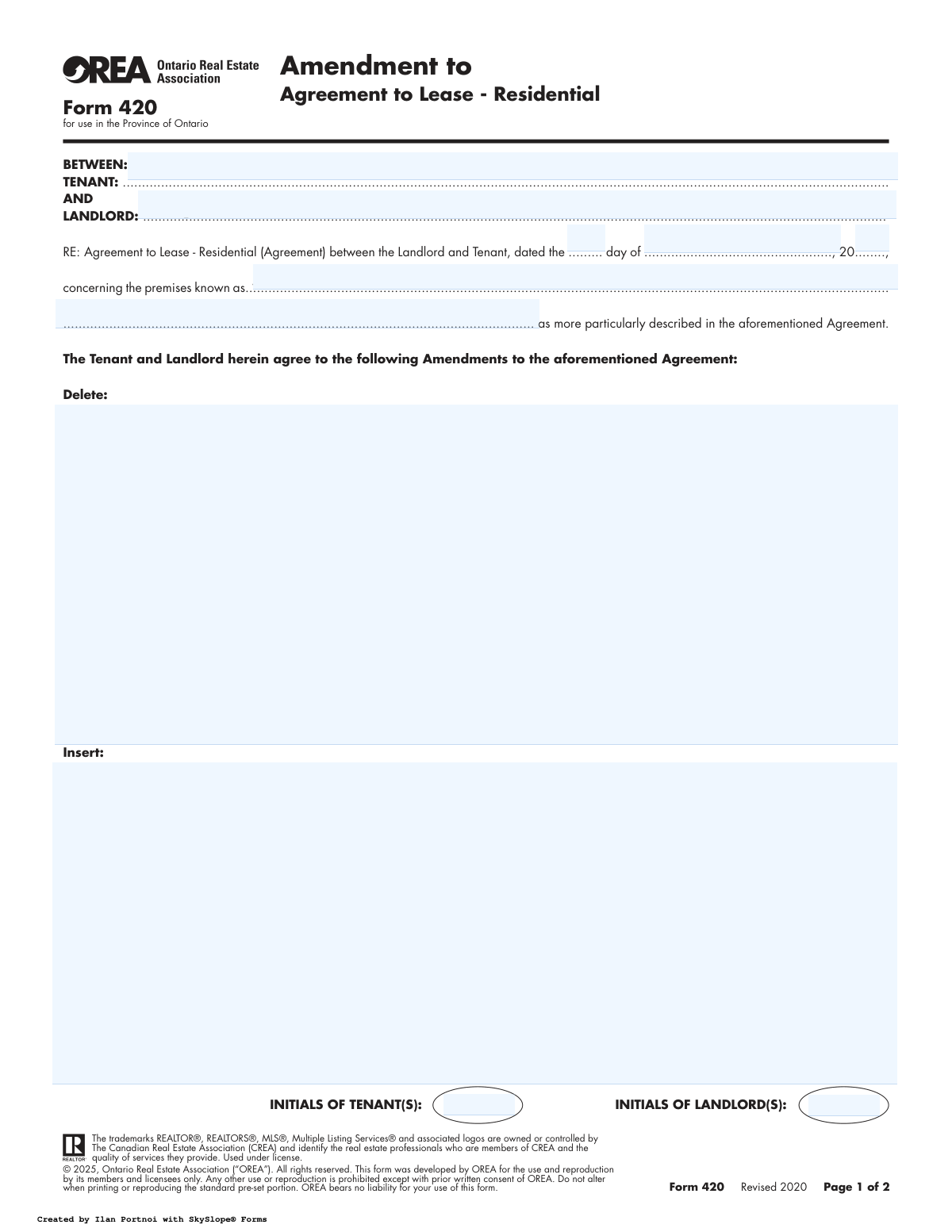
Yes! You can use AI to fill out Form 420, Amendment to Agreement to Lease - Residential

OREA Form 420 is a legal document used in the province of Ontario to make official changes to an existing Agreement to Lease for a residential property. It allows landlords and tenants to formally record amendments, such as altering terms, adding clauses, or correcting information, ensuring that all modifications are legally binding. Today, this form can be filled out quickly and accurately using AI-powered services like Instafill.ai, which can also convert non-fillable PDF versions into interactive fillable forms.
Form 420 is part of the lease agreement forms and residential lease forms categories on Instafill.
Our AI automatically handles information lookup, data retrieval, formatting, and form filling.
It takes less than a minute to fill out Form 420 using our AI form filling.
Securely upload your data. Information is encrypted in transit and deleted immediately after the form is filled out.

Form specifications

Form name: Form 420, Amendment to Agreement to Lease - Residential
Number of fields: 57
Number of pages: 2
Language: English
main-image

Instafill Demo: How to fill out PDF forms in seconds with AI

How to Fill Out Form 420 Online for Free in 2026

Are you looking to fill out a FORM 420 form online quickly and accurately? Instafill.ai offers the #1 AI-powered PDF filling software of 2026, allowing you to complete your FORM 420 form in just 37 seconds or less.
Follow these steps to fill out your FORM 420 form online using Instafill.ai:
  1. 1 Navigate to Instafill.ai and upload or select OREA Form 420.
  2. 2 Use the AI assistant to input the details of the original Agreement to Lease, including the date, landlord and tenant names, and the property address.
  3. 3 Specify the exact terms or clauses from the original agreement to be deleted and enter the new terms to be inserted.
  4. 4 Complete the irrevocability section, defining which party is making the offer and setting the deadline for acceptance.
  5. 5 Enter the contact information for both parties and their respective lawyers, if applicable.
  6. 6 Review all the information populated by the AI for accuracy, then electronically sign the document and invite the other party to sign.
  7. 7 Download the fully executed amendment for your records and for distribution to all relevant parties.

Our AI-powered system ensures each field is filled out correctly, reducing errors and saving you time.

Why Choose Instafill.ai for Your Fillable Form 420 Form?

Speed

Complete your Form 420 in as little as 37 seconds.

Up-to-Date

Always use the latest 2026 Form 420 form version.

Cost-effective

No need to hire expensive lawyers.

Accuracy

Our AI performs 10 compliance checks to ensure your form is error-free.

Security

Your personal information is protected with bank-level encryption.

Frequently Asked Questions About Form Form 420

This form is used to make official changes to an existing residential Agreement to Lease that has already been signed by both the landlord and the tenant in Ontario.

Both the landlord(s) and the tenant(s) who are parties to the original Agreement to Lease must agree to and sign this amendment for the changes to be legally binding.

You will need the exact date the original Agreement to Lease was signed and the full address of the rental property to correctly identify the agreement being amended.

In the 'Delete' section, you write the exact clause from the original agreement that you want to remove. In the 'Insert' section, you write the new clause that will be added or will replace the deleted text.

This clause creates a binding offer to amend the lease that cannot be withdrawn by the person making it until a specified date and time. If the other party doesn't accept by the deadline, the offer to amend becomes void.

Yes, the form states that all other terms and conditions of the original Agreement to Lease remain the same. Only the specific items detailed in this amendment are changed.

You can simply leave the 'Delete' section blank and write the new term you wish to add into the 'Insert' section. This will add the new condition to your existing agreement.

This section is used to record the exact time and date that both parties reached a final agreement on the amendment. It is signed by either the landlord or tenant to confirm final acceptance.

Yes, services like Instafill.ai use AI to help you accurately auto-fill form fields with your information, which saves time and helps prevent errors.

You can upload the PDF of Form 420 to Instafill.ai, which will make it an interactive, fillable document. You can then type your information directly into the fields, save, and download the completed form.

You can use a service like Instafill.ai, which can convert non-fillable PDFs into interactive forms. Just upload the file, and the tool will automatically identify the fields for you to fill out online.

Yes, the form includes spaces for witness signatures next to the landlord and tenant signatures. A witness observes the signing and also signs the document to confirm they saw it happen.

Initialing each page confirms that both the landlord and tenant have reviewed and acknowledged all parts of the amendment, not just the signature page.

Compliance Form 420
Validation Checks by Instafill.ai

1
Ensures Tenant and Landlord Names are Provided
This check verifies that the full legal names of both the Tenant and the Landlord have been entered. These fields are critical as they identify the primary parties to the amendment, and leaving them blank would render the document legally ambiguous and unenforceable. Failure to provide these names will prevent form submission.
2
Validates Original Agreement Date
This check ensures that the day, month, and year entered for the original Agreement to Lease form a valid, complete date that occurs in the past. An amendment cannot be made to an agreement that does not yet exist or is dated in the future. An invalid or future date will trigger an error, as it indicates a logical impossibility.
3
Requires Complete Premises Address
This validation confirms that the full street address of the rental premises is entered. This is essential for unambiguously identifying the property to which the amendment applies, preventing disputes over the subject matter of the contract. An incomplete or missing address will result in a validation failure.
4
Ensures Amendment Contains Changes
This validation ensures that at least one of the 'Delete' or 'Insert' fields contains text. An amendment must specify what is being changed in the original agreement. Submitting a blank amendment serves no purpose and indicates a user error, so the form should not proceed without content in at least one of these sections.
5
Validates Irrevocability Party
This check verifies that the 'Irrevocable by' field contains exactly 'Landlord' or 'Tenant'. This field defines which party is making the binding offer to amend, and any other value would create legal uncertainty. The system should reject any input other than the two specified options to ensure the offer's terms are clear.
6
Verifies Irrevocability Expiry is in the Future
This validation ensures the irrevocability expiry date and time are set to a point in the future relative to the moment of form creation. An offer cannot expire in the past, as this would make it void upon creation. This check prevents logically flawed and invalid offers from being submitted.
7
Validates Confirmation of Acceptance Date Logic
This check confirms the 'Confirmation of Acceptance' date and time are on or after the signature dates but on or before the 'Irrevocability expiry' date and time. Acceptance must occur after the offer is made and before it expires to be valid. This logical check ensures the timeline of the agreement's formation is legally sound.
8
Ensures Witness for Every Signature
This validation checks that for every signature provided in the 'SIGNED, SEALED AND DELIVERED' sections, a corresponding witness name or signature is also provided. Witnessing is often a legal requirement for sealed documents to be considered validly executed. A missing witness for a present signature will flag an error for incompleteness.
9
Validates Lawyer Email Address Format
This check ensures that any value entered into the 'Landlord's Lawyer Email' or 'Tenant's Lawyer Email' fields follows the standard email format (e.g., [email protected]). This is important for ensuring that legal communications and document forwarding can be successfully delivered. An incorrectly formatted email address will be rejected.
10
Validates Phone and Fax Number Format
This validation verifies that all telephone and fax number fields contain a valid sequence of numbers, potentially including parentheses, spaces, or hyphens, consistent with North American numbering plans. This ensures the contact information is usable for communication regarding the lease. Gibberish or incorrectly formatted numbers will fail validation.
11
Requires Tenant and Landlord Initials
This check ensures that the initial fields for both the Tenant(s) and Landlord(s) on the first page are filled. These initials serve as an acknowledgement that both parties have reviewed the terms of the amendment on that page. Missing initials can weaken the assertion that all parties were aware of the amendment's content and will result in a completeness error.
12
Ensures Acknowledgement Date Follows Acceptance
This validation confirms that the dates entered in the 'Landlord Acknowledgement' and 'Tenant Acknowledgement' sections are on or after the 'Confirmation of Acceptance' date. A party cannot acknowledge receipt of a finalized agreement before it has been formally accepted. This check maintains the logical and chronological integrity of the document's execution.
13
Requires Signatory Role to be Specified
This check ensures that the role of each signatory (i.e., 'Tenant' or 'Landlord') is specified next to their respective signature line. This is crucial for eliminating ambiguity about who signed the document and in what capacity. Failure to specify the role could lead to disputes about the parties bound by the amendment.
14
Validates Signature Dates are Chronologically Sound
This check ensures that all dates associated with signatures are on or after the original 'Agreement Date'. A party cannot sign an amendment to an agreement before the original agreement itself was created. This validation prevents anachronistic and logically inconsistent data entry.

Common Mistakes in Completing Form 420

Incorrectly Referencing the Original Agreement

Users often enter the wrong date or an incomplete property address when referencing the original Agreement to Lease. This mistake happens when filers don't have the original document handy and rely on memory. An incorrect reference can make the amendment legally ambiguous or even void, as it may not be clear which agreement is being modified. Always double-check the date and property details against the original lease before filling out this section.

Vague Language in 'Delete' and 'Insert' Clauses

A critical error is using ambiguous terms in the amendment sections. For example, writing "Increase rent" instead of "Delete Clause 4(a) in its entirety and Insert: 'The monthly rent shall be $2,500.00 CAD'." This ambiguity leads to disputes over the amendment's intended meaning and scope. To avoid this, be explicit about which clauses are being removed and provide the exact, complete text for any new clauses being added.

Missing Initials on Each Page

The form requires both the Tenant(s) and Landlord(s) to initial each page, but these fields are frequently missed. This happens when parties focus only on the main signature blocks at the end. Missing initials can be used to argue that a party was not aware of or did not agree to the terms on a specific page, potentially weakening the enforceability of the amendment. It is crucial to review every page for the initial boxes.

Improperly Completing the Irrevocability Clause

This section creates a binding offer for a set period, but users often make mistakes with the date, time, or AM/PM designation. Forgetting to specify who is making the offer ('Landlord' or 'Tenant') or setting an unrealistic deadline can render the offer invalid. This can cause the deal to fall through or lead to confusion about when the offer expires. AI-powered tools like Instafill.ai can help prevent this by using data validation to ensure time and date formats are correct.

Signing in the Wrong Signature Block

This form has multiple signature areas: one for making the offer, another for accepting it, and a final one for acknowledgement. Parties often sign in the wrong place, for instance, the accepting party might sign in the initial offer section. This creates significant confusion about the document's status—is it an offer, a counter-offer, or a fully accepted agreement? Carefully read the text above each signature line to ensure you are signing in the correct capacity.

Forgetting Witness Signatures

Signatures on legal documents like this often require a witness to be validly executed. People frequently sign the document alone and leave the witness fields blank, or have the other party to the contract act as a witness, which is improper. A lack of a proper, independent witness can give a party grounds to challenge the authenticity of a signature and the validity of the entire amendment. Always sign in the presence of an independent adult witness.

Using Incomplete or Incorrect Party Names

Filers sometimes use nicknames, abbreviations, or fail to include all parties listed on the original lease. The full legal names of all Tenants and Landlords, exactly as they appear on the original agreement, must be used. Mismatched names can create a legal loophole, allowing one party to claim the amendment does not apply to them. Using a tool like Instafill.ai can help ensure consistency by saving and pre-populating correct legal names across related documents.

Errors in the 'Confirmation of Acceptance' Section

This section finalizes the agreement by recording the exact time and date of final acceptance. Users often forget to fill this out or enter an incorrect time, especially after a series of back-and-forth negotiations. This date and time are legally significant as they establish when the amendment became a binding contract. An error here could be critical in a dispute over contract timing.

Leaving 'Address for Service' Blank

The 'Address for Service' and lawyer contact sections are often overlooked as mere contact information. However, this address is the legally designated location for delivering official notices regarding the lease. Leaving it blank or providing incomplete information can lead to significant communication delays and disputes over whether a notice was properly served. Always provide a complete and reliable address where you can receive important legal documents.

Inconsistent or Illogical Dating

The form contains multiple date fields for signing, acceptance, and acknowledgement, which can lead to inconsistencies. A common mistake is putting an acknowledgement date that is earlier than the acceptance date, which is logically impossible. Such errors can be used to question the integrity and timeline of the document's execution. It's important to fill out the form chronologically as events happen to ensure all dates align correctly. Since this form is a non-fillable PDF, a tool like Instafill.ai can convert it into a smart, fillable version with date-pickers to help ensure proper formatting.
Saved over 80 hours a year

“I was never sure if my IRS forms like W-9 were filled correctly. Now, I can complete the forms accurately without any external help.”

Kevin Martin Green

Your data stays secure with advanced protection from Instafill and our subprocessors

Robust compliance program

Transparent business model

You’re not the product. You always know where your data is and what it is processed for.

ISO 27001, HIPAA, and GDPR

Our subprocesses adhere to multiple compliance standards, including but not limited to ISO 27001, HIPAA, and GDPR.

Security & privacy by design

We consider security and privacy from the initial design phase of any new service or functionality. It’s not an afterthought, it’s built-in, including support for two-factor authentication (2FA) to further protect your account.

Fill out Form 420 with Instafill.ai

Worried about filling PDFs wrong? Instafill securely fills form-420-amendment-to-agreement-to-lease-residential forms, ensuring each field is accurate.