
Yes! You can use AI to fill out Authorization to Disclose Information
Don't type 1 fields by hand. Tell our AI about yourself, or upload a document you already have, and it fills every field in seconds. You check it, then download, print or sign.
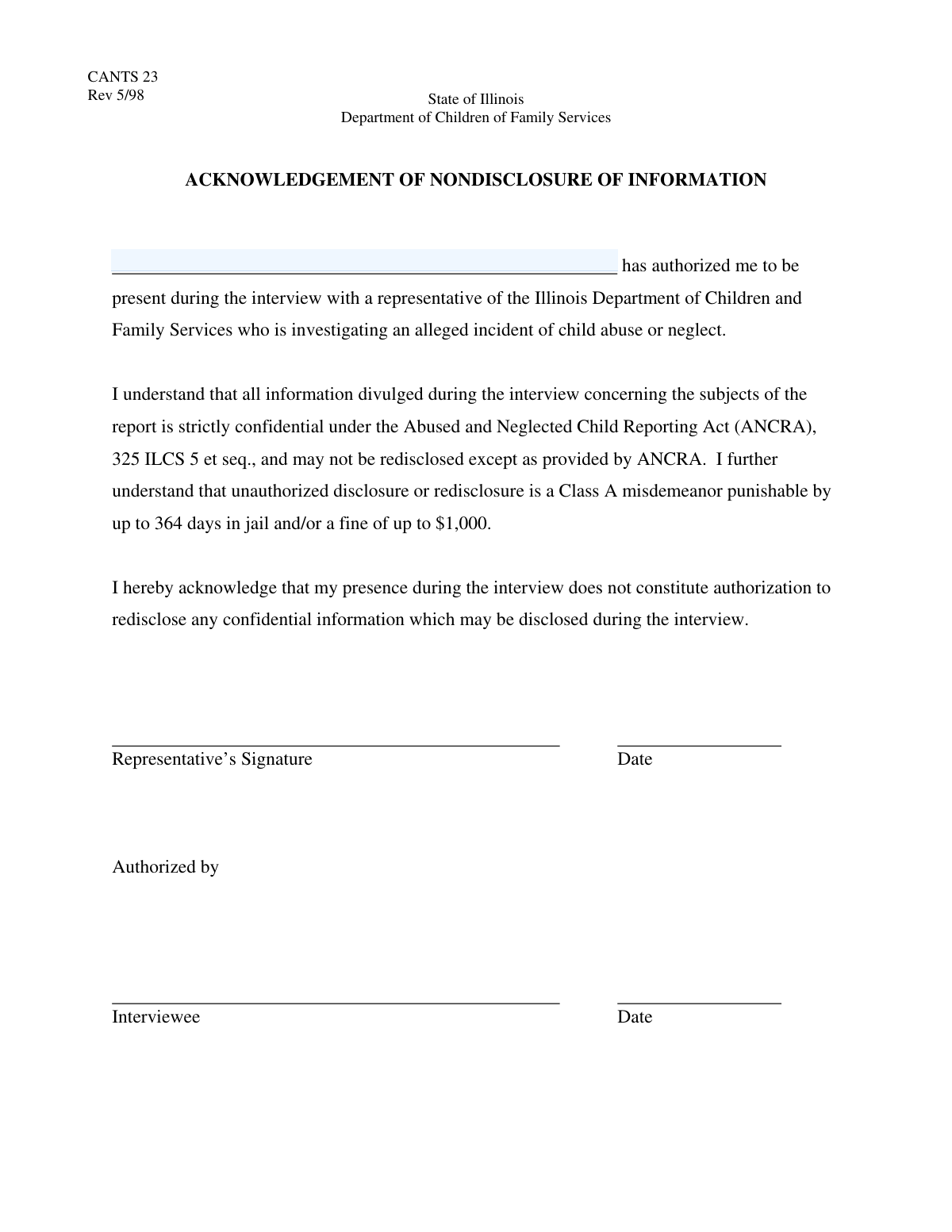
The AI does the filling. You just check it.
No typing into boxes, nothing to install.
What this form asks for
The AI fills all of it, from your answers or your documents.
The AI checks your answers before you download
12 checks built for this form, so a wrong date or a missing answer is caught before anyone else sees it.
This check verifies that the 'Authorizing Person's Name' field is not submitted empty or with only whitespace characters. It is a mandatory field because the identity of the authorizing person is critical for the form's validity. If this check fails, the form submission will be blocked and the user will be prompted to enter a name.
This validation ensures the entered name meets a minimum character threshold, such as three characters, after trimming whitespace. This prevents nonsensical or accidental single-character inputs like 'A' or 'X'. A name failing this check is considered invalid, and the user will be asked to provide a more complete name.
This check confirms that the provided name does not exceed a predefined character limit, for example, 100 characters. This is important for maintaining data consistency and preventing buffer overflow errors in the database. If a name is too long, the submission is rejected, and the user is notified of the character limit.
This validation ensures the name field only contains alphabetic characters, hyphens, apostrophes, periods, and spaces. It prohibits numbers and special symbols (e.g., @, #, $, %) which are not part of a standard name. This maintains data integrity and prevents potential cross-site scripting (XSS) or data corruption issues.
This check specifically identifies and rejects inputs that consist entirely of numbers. Users may mistakenly enter an ID number or phone number in the name field. This validation ensures the data is contextually appropriate, preventing incorrect data types from being saved.
This validation scans the input for common placeholder values like 'N/A', 'None', 'Test', 'Full Name', or 'First Last'. Such entries indicate the user has not provided the actual required information. The form submission is blocked to compel the user to enter the real name of the authorizing person.
And 6 more checks
- Checks for 'Full Name' Structure
- Validates Against Excessive Internal Spacing
- Screens for Profanity and Offensive Language
- Rejects Common Test Names
- Sanitizes Input to Prevent Code Injection
- Ensures Name is Not an Email or URL
Let AI fill out your Authorization Form
No typing. Every field filled in seconds, checked, ready to sign.
How to Fill Out Authorization Form Online for Free in 2026
What the AI walks you through.
- Navigate to Instafill.ai and upload your Authorization to Disclose Information form or select it from our library.
- Provide your personal details, such as your full name, address, and contact information, as the authorizing party.
- Clearly identify the person or organization you are authorizing to disclose the information.
- Specify the recipient (the person or entity who will receive the information) and the exact information or records to be disclosed.
- State the purpose of the disclosure and set an expiration date for the authorization if required.
- Review all the information for accuracy, then electronically sign and date the form to validate the authorization.
Common Mistakes in Completing Authorization Form
The ones the AI is built to catch.
Entering a Nickname Instead of a Legal Name
Misspelling the Authorizing Person's Name
Omitting the Middle Name or Initial
Leaving the Authorizing Person Field Blank
Entering a Department or Company Instead of a Person's Name
Using an Initial Instead of a Full First Name
Omitting Critical Suffixes like Jr., Sr., or III
Using a Job Title Instead of a Specific Name
Adding Extraneous Notes or Characters in the Name Field
Incorrectly Ordering Name Components
Frequently Asked Questions About Authorization Form
Is it really free for 7 days?
Can I fill other forms too?
How do I cancel?
How does the AI fill out Authorization Form?
What happens to my information?
How complex is Authorization Form to fill out?
What is the purpose of this form?
Who is required to fill out this form?
What name should I enter in the 'Authorizing Person's Name' field?
What if I don't know the authorizing person's full name?
Do I need to submit any other documents with this form?
Where do I submit the completed form?
What happens after I submit the form?
What if a department, not a single person, authorized my visit?
Can I use an AI tool to help fill out this form?
How can I fill this form out online using Instafill.ai?
My PDF form is not fillable. What can I do?
How long does it take to process this form?
What should I do if my request for presence is still pending?
Get your Authorization Form filled out by AI
$0 today. Cancel before Nov 10 and you pay nothing.
Other forms like this one
authorization forms: Form I-765, Application for Employment Authorization, Form CMS-588, EFT Authorization Agreement, Form 8821, Tax Information Authorization, Form 8879, IRS e-file Signature Authorization, Form SSA-827, Authorization to Disclose Information, Form I-905, Application for Authorization to Issue Certification for Health Care Workers, Form G-1650, Authorization for ACH Transactions, Arizona Form 285, General Disclosure/Representation Authorization Form, Arizona Form 285-I, Individual Income Tax Disclosure/Representation Authorization Form, The Department of Medical Assistance Services Applied Behavior Analysis Preservice Service Authorization Request Form (Effective Dates of Service 09/01/2025 and after), Form CH-006: PA-BH-Res-PCS, Oregon Behavioral Health Support Program Plan of Care Authorization (Plan of Care Request for Behavioral Health Residential or Personal Care Services), Continental American Insurance Company (CAIC) / Aflac Group Critical Illness Claim Form (with Attending Physician’s Statement, HIPAA Authorization to Obtain Information, and Electronic Funds Transaction Authorization), HIPAA Authorization Form, Authorization for the Release of Protected Health Information, Form G-1450, Authorization for Credit Card Transactions, Prior Authorization (PA) Request Form – Adult Palliative Care (Alameda Alliance for Health), Alameda Alliance for Health Prior Authorization (PA) Request Form – Adult Palliative Care, Manulife Group Benefits Drug Prior Authorization Form – Mounjaro (Tirzepatide) (GL5197E), Manulife Group Benefits Drug Prior Authorization Form (Ozempic/Semaglutide) – GL5197E, Out-of-Network Pre-Authorization and Exception Request Form, Form SSA-827 (06-2024), Authorization to Disclose Information to the Social Security Administration (SSA)
Let AI fill out your Authorization Form
Your trial starts once a card is added. You pay nothing before Nov 10.
Our AI already knows this form, all 1 fields of it. Skip the typing: tell it about yourself, or upload what you have, and it fills the whole form in seconds.
- AI fills every field on the form, checkboxes included
- No typing into boxes: answer a few questions, or upload a document you already have, an old copy of this form, a photo of a document
- The AI checks the answers; you review and change anything before you download
- Download the finished PDF, print it, or sign it online
- Encrypted, and never used to train AI
Cancel before Nov 10 and you pay nothing.
A card is needed to start the trial. Cancel in two clicks from your account.
Terms · Privacy