Compliance GL5197E (Mounjaro)
Validation Checks by Instafill.ai
1
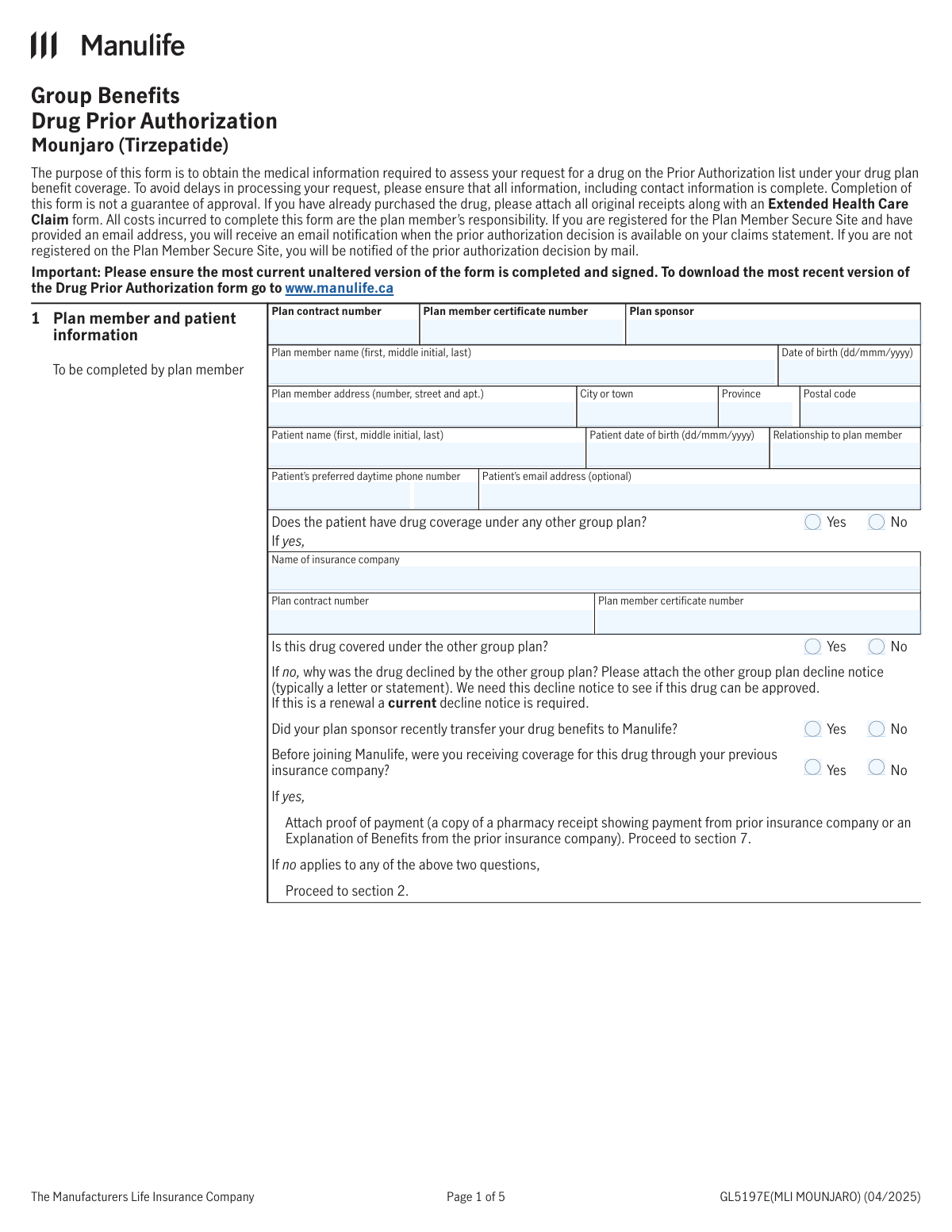
Validates required plan identifiers are present and non-empty
Checks that Plan contract number, Plan member certificate number, and Plan sponsor are provided because they are essential to locate the correct group plan and member record. The validation should reject submissions where any of these identifiers are blank, whitespace-only, or clearly placeholder text (e.g., “N/A” when a value is required). If validation fails, the request should be returned for completion to prevent misrouting or inability to adjudicate the prior authorization.
2
Ensures plan contract number and certificate number follow allowed character rules
Validates that plan contract number and certificate number contain only expected characters (letters, digits, and permitted separators such as hyphens/spaces) and are within reasonable length limits. This reduces downstream matching errors caused by OCR artifacts or accidental punctuation. If the format is invalid, the system should flag the field and require correction before submission.
3
Validates member and patient names are complete and plausibly formatted
Checks that Plan member name and Patient full name include at least a first and last name, and that the middle initial (if present) is a single letter. It should also detect obviously invalid entries (numbers-only, excessive symbols, or repeated characters) that indicate data entry errors. If validation fails, the submission should be held and the user prompted to correct the name fields to avoid identity mismatches.
4
Validates date of birth fields use the required format and are real calendar dates
Ensures Plan member date of birth and Patient date of birth match the required format (dd/mmm/yyyy) and represent valid dates (e.g., not 31/Feb/2020). This prevents parsing errors and incorrect age calculations used in eligibility and clinical review. If validation fails, the form should be rejected with a clear message indicating the expected date format.
5
Checks date of birth plausibility and age constraints
Validates that both DOBs are not in the future and fall within plausible human ranges (e.g., not older than 120 years). It should also flag cases where the patient is a minor but the relationship indicates something inconsistent (e.g., “spouse” with a child-aged DOB). If validation fails, the system should request confirmation/correction to prevent coverage and consent issues.
6
Validates Canadian address completeness and province/postal code consistency
Checks that Plan member address, City/Town, Province, and Postal code are all present and that the postal code matches Canadian format (A1A 1A1) and is consistent with the selected province where feasible. This is important for mailing decisions (Quebec vs outside Quebec) and for accurate member records. If validation fails, the submission should be returned for address correction to avoid misdelivery and processing delays.
7
Validates patient daytime phone number and extension formatting
Ensures the Patient preferred daytime phone number includes a valid North American numbering plan format (10 digits, allowing separators) and that the extension (if provided) is numeric and within a reasonable length. Reliable phone contact is critical for case management and missing-information outreach. If validation fails, the system should block submission or require correction depending on whether phone is mandatory for the workflow.
8
Validates patient email address format when provided
If Patient email address is entered, validates it against standard email structure (local@domain) and rejects clearly invalid values (spaces, missing domain, etc.). This matters because the form indicates email notifications may be sent via the Plan Member Secure Site workflow. If validation fails, the system should prompt the user to correct the email or leave it blank (since it is optional).
9
Enforces mutual exclusivity for Yes/No checkbox pairs across the form
Checks that for each Yes/No question (e.g., other group plan coverage, drug covered under other plan, sponsor transfer, prior coverage, provincial application, provincial approval, PAP enrollment, clinical criteria questions), exactly one option is selected. Selecting both or neither creates ambiguity and can route the request incorrectly. If validation fails, the system should require the user/physician to select a single clear answer.
10
Validates conditional completion of other group plan details
If 'Does the patient have drug coverage under any other group plan?' is Yes, requires completion of the other plan insurer name, contract number, certificate number, and the 'Is this drug covered under the other group plan?' Yes/No selection. If the answer is No, these fields should be empty (or ignored) to prevent conflicting data. If validation fails, the submission should be stopped and the missing/extra fields highlighted.
11
Requires decline reason and attachment indicator when other plan does not cover the drug
If other group plan coverage is Yes and 'Is this drug covered under the other group plan?' is No, requires a non-empty decline reason and an indication that the decline notice is attached (or a required upload in digital workflows). The form explicitly states a decline notice is needed, including for renewals, to assess approval. If validation fails, the request should be marked incomplete and not sent to clinical review.
12
Validates sponsor transfer and prior coverage logic with proof-of-payment requirement
If the plan sponsor recently transferred benefits to Manulife is Yes and previously receiving coverage for this drug is Yes, the workflow should require proof of payment/EOB attachment as stated on the form. If previously receiving coverage is No, the form routes to provincial plan questions; the system should enforce that those provincial fields are completed instead. If validation fails, the submission should be routed back for the correct supporting documentation or required provincial-plan section completion.
13
Validates provincial program section completeness when applicable
When the provincial plan section is applicable (e.g., prior coverage through previous insurer is No), requires an answer to 'Has application been made?' and, if No, requires 'Reason application not made'. It also requires an answer to 'Has the patient been approved?' and, if No, requires 'Reason provincial coverage was declined' (and, where relevant, an approval/denial document indicator such as EAP in Ontario). If validation fails, the request should be held because provincial coordination is required for correct adjudication.
14
Validates Patient Assistance Program (PAP) conditional fields
If PAP enrollment is Yes, requires a PAP ID Number and Case Manager name/contact details; if PAP enrollment is No, these fields should be blank. This ensures Manulife can coordinate with the program and avoids storing unnecessary third-party identifiers when not applicable. If validation fails, the system should prompt for the missing PAP details or clear the inapplicable fields.
15
Validates treatment administration location selection and facility details
Requires exactly one treatment administration location (Home, MD Office, Private Clinic, Hospital In-patient, Hospital Out-patient). If the location is not Home, requires facility name, telephone, address, city, province, and postal code; if MD Office is selected, requires the 'Is the MD office located in a hospital?' Yes/No response and, if Yes, the descriptive hospital administration details. If validation fails, the submission should be blocked because site-of-care affects clinical handling and potential vendor/case management routing.
16
Validates Mounjaro strength/dosage format and maximum dose consistency
Checks that Drug strength and dosage includes a numeric value and unit (e.g., mg) and is not free-text only (e.g., “as directed” without any strength). It should also cross-check the 'Will dose exceed 15 mg once weekly?' response against the entered dosage when parseable, flagging contradictions (e.g., dosage indicates 15 mg weekly but 'exceed' marked Yes). If validation fails, the prescriber should be prompted to correct the dosage or the dose-limit answer to prevent unsafe or non-covered dosing.
17
Validates diagnosis selection and required clinical criteria completion (Initial vs Renewal)
Requires that at least one diagnosis pathway is selected (Type 2 Diabetes Mellitus or Any other diagnosis) and that the corresponding criteria questions are fully answered. For Type 2 Diabetes Mellitus, the system should ensure the relevant Initial and/or Renewal criteria fields are completed based on the request type, and that 'Any other diagnosis' includes the specific diagnosis and supporting evidence text. If validation fails, the request should not proceed to assessment because clinical eligibility cannot be determined.
18
Validates drug history entries for internal date logic and outcome completeness
For each prior therapy row with a drug name, requires a start date (yyyy/mmm) and validates that end date (if provided) is not earlier than the start date. If 'Continuing on this medication' is No, an end date should be present; if Yes, end date should be blank or treated as ongoing, and at least one outcome (intolerance or inadequate response) should be captured where applicable. If validation fails, the system should request correction because prior therapy history is central to prior authorization decisions.
19
Validates physician information and signature/date requirements
Ensures prescribing physician’s name, specialty, office address, city, province, postal code, telephone, and fax (if required by business rules) are present and plausibly formatted. It also requires physician signature and date signed in dd/mmm/yyyy format, and validates the signed date is not in the future. If validation fails, the submission should be rejected because the authorization is not valid without complete prescriber identification and attestation.
20
Validates plan member authorization signature and date signed
Requires the plan member’s signature and date signed (dd/mmm/yyyy) to be present and valid, and checks the date is not in the future. This is critical for consent to collect/use/disclose personal information and to process the prior authorization request. If validation fails, the request should not be processed and must be returned for proper consent completion.