AI Training & Customization
Improve field-level accuracy for your specific forms through fine-tuning, field flagging, and example-based style learning
Overview
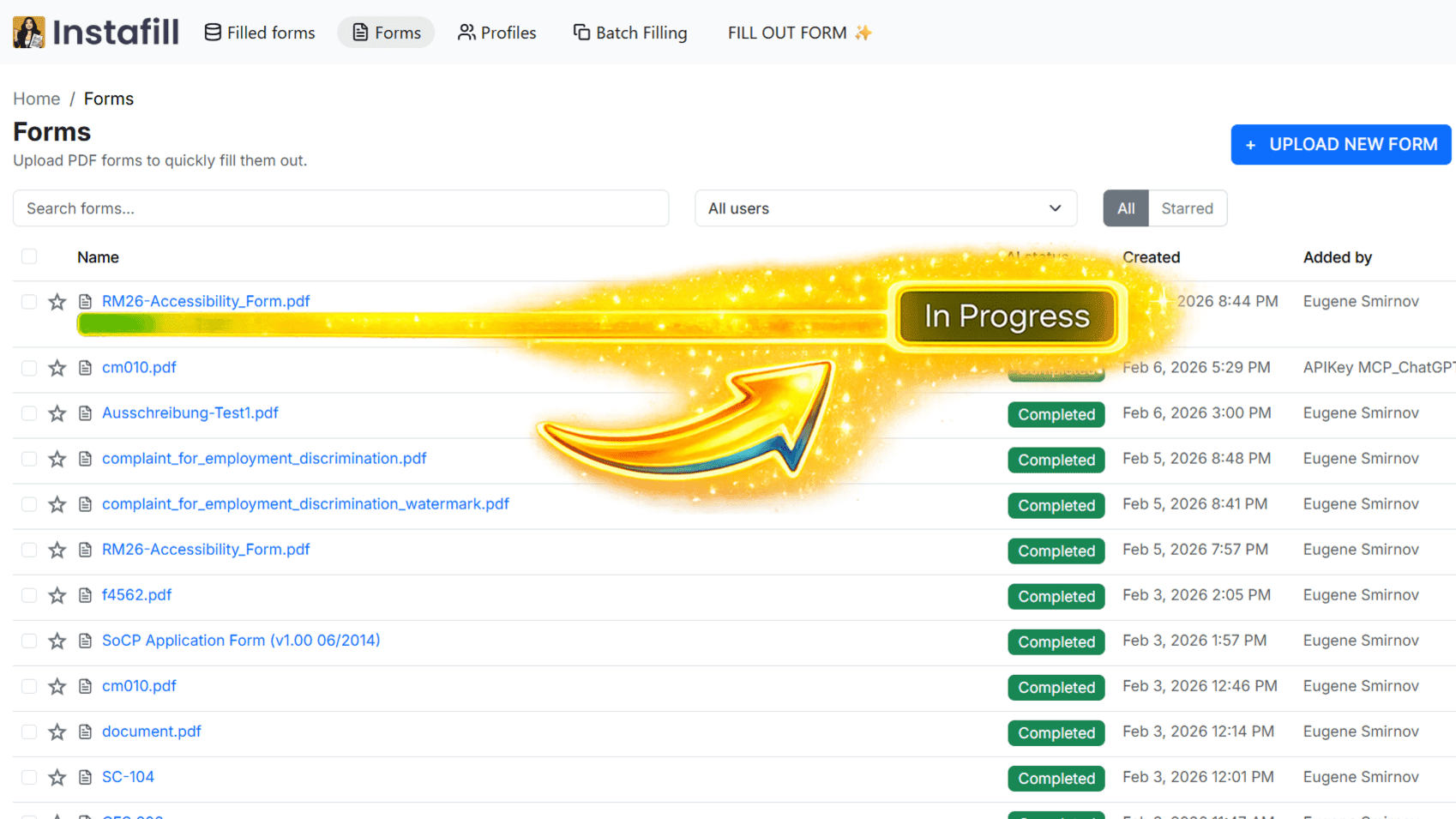
When a form is added to Instafill.ai, it can be submitted for AI fine-tuning. The system first checks whether fine-tuning is already in progress for that form to prevent duplicate runs, then initializes a training status record and begins processing the form page by page, tracking progress after each page completes.
Fine-tuning is a one-time process per form - it usually takes less than 20 minutes, and after that, the same form can be filled as an ai pdf filler in under 60 seconds using any source data.
Free-tier workspaces process only the first two pages of the document. Once the main fine-tuning run finishes, post-processing tasks execute asynchronously to sync updated field data back to the form record.
A key architectural detail: fine-tuning results are tied to a field-based hash computed from the form's field structure. If two users upload identical forms - such as a W-9 or I-9 - they share the same hash, so fine-tuning applied to one propagates to all copies across all workspaces that reference that hash.
Key Capabilities
- Duplicate-Trigger Prevention: Before queuing a form for fine-tuning, the system checks whether fine-tuning is already in progress for that form hash, preventing redundant processing
- Page-by-Page Progress Tracking: The training status record updates after each page, so the UI can report partial progress on long forms
- Free vs. Full Tier Processing: Free-tier workspaces process pages 1-2 only; paid tiers run fine-tuning across all pages
- Post-Processing Hook: After the main pass completes, post-processing tasks run asynchronously to sync updated field hints to the form record
- Hash-Based Propagation: Fine-tuning outcomes sync across all forms sharing the same field hash, so popular government forms (W-9, I-9, CMS-1500, W-4) benefit from community fine-tuning without reprocessing
- Status Tracking: The training status record tracks fields total, fields processed, cost, duration, and version - with a flag indicating whether only the first two pages were processed (free-tier runs)
- AI Prompt Observability: Every AI prompt issued during fine-tuning is logged for debugging and cost attribution
How It Works
- Trigger Fine-Tuning: A form owner initiates fine-tuning from the form detail page. The system performs a duplicate-trigger check before proceeding.
- Initialize Status: A training status record is created indicating the run is in progress, with the total field count set and processed count starting at zero.
- Page Processing: The system iterates through each page. For each page, the AI receives the field layout and surrounding text context, then generates improved field recognition hints. The processed count increments after each page.
- Free-Tier Limit: If the workspace is on the free plan, only pages 1 and 2 are processed. The training status record indicates this is a partial run.
- Post-Processing: After the main run, post-processing executes asynchronously to sync updated field data back to the form record and trigger any downstream cache invalidation.
- Status Resolution: Training status is updated to completed on success or failed if an unrecoverable error occurs. The record also captures cost, duration, and version for audit purposes.
- Hash-Based Sync: Because fine-tuning outcomes are keyed by field hash, identical forms shared across workspaces (e.g., the IRS W-4 or USCIS I-485) receive the improvement without each workspace needing to re-run the process.
Keeping Fine-Tuning Current
Instafill.ai ships AI and processing improvements regularly - better handling of tables, repeatable sections, cross-page structures, and field grouping. Forms fine-tuned several months ago may not reflect these improvements.
Regenerate fine-tuning applies the latest AI to your existing form in one click, while preserving all your manual edits. Field names, descriptions, groups, dependencies, and ignored fields stay exactly as you set them. Only fields you have not manually edited are regenerated.
You can also trigger a targeted fine-tune for specific fields only - useful when a particular section is producing errors and you want to refresh the AI's understanding of just that area without reprocessing the whole form.
Regenerate fine-tuning is available for all users on paid plans. The button is in the form details panel of any form with completed fine-tuning.
For full details on regenerating fine-tuning and multi-field editing, see 3 new form management updates in Instafill.ai.
Field Flagging - Report Errors Directly
If a filled form contains an error, you can flag the exact field that is wrong, add a comment explaining the issue, and submit it directly to the Instafill.ai team. This creates a feedback loop: the team reviews the flagged field, fixes it, and the AI learns from the correction so the same mistake does not recur on future fills of that form type.
How to flag a field:
- Open your filled form and click "Flag incorrect fields" at the bottom-right of the screen.
- Click "Flag fields" in the top toolbar and draw a rectangle over the field with the problem.
- Add a comment in the text box that appears (example: "wrong date format" or "missed middle initial"). Every text box must be filled before submitting.
- Click "Submit" when finished.
Once submitted, your flagged request appears on your Improvement requests page, where you can track its status: Open, In Progress, or Resolved.
The flagged copy is created as a temporary encrypted file in a secure admin workspace. Your original form remains completely unchanged and inaccessible to the team. The flagged copy is deleted automatically once the issue is resolved.
Field flagging is available for all Instafill.ai users and works only with fillable forms.
For the full walkthrough with screenshots, see Introducing Instafill.ai's field flagging and accuracy improvement feature.
Upload Examples to Match Your Style
Fine-tuning sets the baseline for how well the AI understands a form's structure. For narrative fields and text-heavy sections, you can go further by uploading previously filled forms as examples. The AI reads how you filled those forms - how you abbreviate, format dates and numbers, phrase narrative answers - and replicates that style in future sessions of the same form. The more examples you provide, the more accurately the AI matches your filling patterns.
Read the full guide: Introducing Examples - Instafill.ai can replicate your voice. See also the Style Replication feature page.
Use Cases
Fine-tuning is most valuable when the default AI extraction produces systematic errors on a particular form type.
Legal and immigration forms. Immigration attorneys and law firms processing multi-page applications (I-485, I-9, court filings) fine-tune each form once, then benefit from accurate fills across every subsequent session. Field flagging lets paralegals report specific field errors directly without writing vague emails describing the problem.
Real estate law - flat PDF court and transaction form automation: A solo real estate attorney in Illinois converted flat PDF forms from Cook County courts and municipal courthouses into reusable fillable templates, then applied custom fine-tuning to each form for improved accuracy. Forms span closings, evictions, leases, court appearances, and courthouse-specific filings - many of which had no fillable versions available anywhere online. Read the real estate law flat PDF form automation case study.
Healthcare and credentialing. Healthcare teams processing credentialing packets, CMS-1500 claim forms, or patient intake forms fine-tune for their specific templates. When the AI misreads a field, flagging it feeds that correction back into the system.
Healthcare credentialing form automation - insurance enrollment and federal credentialing forms: A healthcare technology company used Instafill.ai to automate credentialing and enrollment forms across federal, state, and insurance databases for over 1,000 physicians. Fine-tuning was central to achieving the accuracy required for production use at that scale. Read the healthcare credentialing form automation case study.
High-volume batch processing. Teams using batch processing to fill the same form repeatedly benefit most from fine-tuning - a well-trained form produces consistent results across every row in the spreadsheet without per-submission review.
Benefits
- Targeted Accuracy Gains: Fine-tuning focuses on the exact fields causing errors in your forms, rather than retraining a general model
- Shared Improvement for Common Forms: Government forms like the W-4, I-9, W-9, and CMS-1500 benefit from fine-tuning performed by any workspace that shares the same field hash, reducing per-workspace cost
- Transparent Progress: The training status record gives real-time progress on large multi-page forms - fields processed out of total fields
- Free-Tier Access: Basic fine-tuning (first two pages) is available on the free plan; full-document fine-tuning requires a paid plan
- Auditability: Every fine-tuning run records cost, duration, and version in the status record, and individual prompt calls are logged for observability
Common Questions
What does the training status record contain and where is it visible?
The training status record contains:
- Status: In Progress, Completed, or Failed
- Type: Automatic (system-initiated) or Manual (user-initiated)
- Fields total: Total number of fields detected on the form
- Fields processed: Fields processed so far, updates per page
- Cost: Estimated token cost of the fine-tuning run
- Duration: Wall-clock time in seconds
- Version: Incremented integer tracking which fine-tuning pass this is
- Partial run flag: Indicates whether only the first two pages were processed (free tier)
The form detail page in the UI reads this record to display a progress bar during active runs and a completion summary afterward.
Why does fine-tuning on one workspace's W-9 improve results for another workspace?
When a PDF is processed, a field-based hash is computed from the form's field structure. Two uploads of the same W-9 produce the same hash. Fine-tuning outcomes are stored against this hash rather than against a workspace-specific form ID. When the system resolves field recognition hints at fill time, it retrieves the best available hints for that hash - regardless of which workspace originally ran the fine-tuning. This means heavily-used government forms accumulate community fine-tuning over time without each workspace paying the full processing cost.
What happens if fine-tuning fails partway through?
If an error occurs during page processing, the training status is updated to Failed. The fields processed count reflects how many fields were processed before the failure. Pages already fine-tuned are not rolled back - partial improvements are retained. The form remains usable for filling sessions; it simply continues using whatever field hints existed before the failed run. A new fine-tuning job can be triggered manually from the form detail page to retry.
Does the free-tier two-page limit affect accuracy for longer forms?
Yes. Free-tier processing covers only pages 1 and 2, so field recognition improvements apply only to those pages. For a form like the I-485 (20+ pages), pages 3 onward use the base AI model without the fine-tuned hints. The training status record indicates this is a partial run. Upgrading to a paid plan enables full-document fine-tuning across all pages.
What is the difference between fine-tuning and regenerating fine-tuning?
Fine-tuning is the initial process of teaching the AI your form's structure and field layout. Regenerating fine-tuning applies the latest AI improvements to an already-trained form in one click, while preserving all manual edits you have made to field names, descriptions, groups, and dependencies. If you added forms several months ago, regenerating is recommended - Instafill.ai has shipped major improvements to how it handles tables, repeatable sections, and cross-page structures.
Is field flagging available on all plans?
Yes. Field flagging is available for all Instafill.ai users at no additional cost. It works only with fillable forms.