Yes! You can use AI to fill out Form SY018, Claim for ABSTUDY

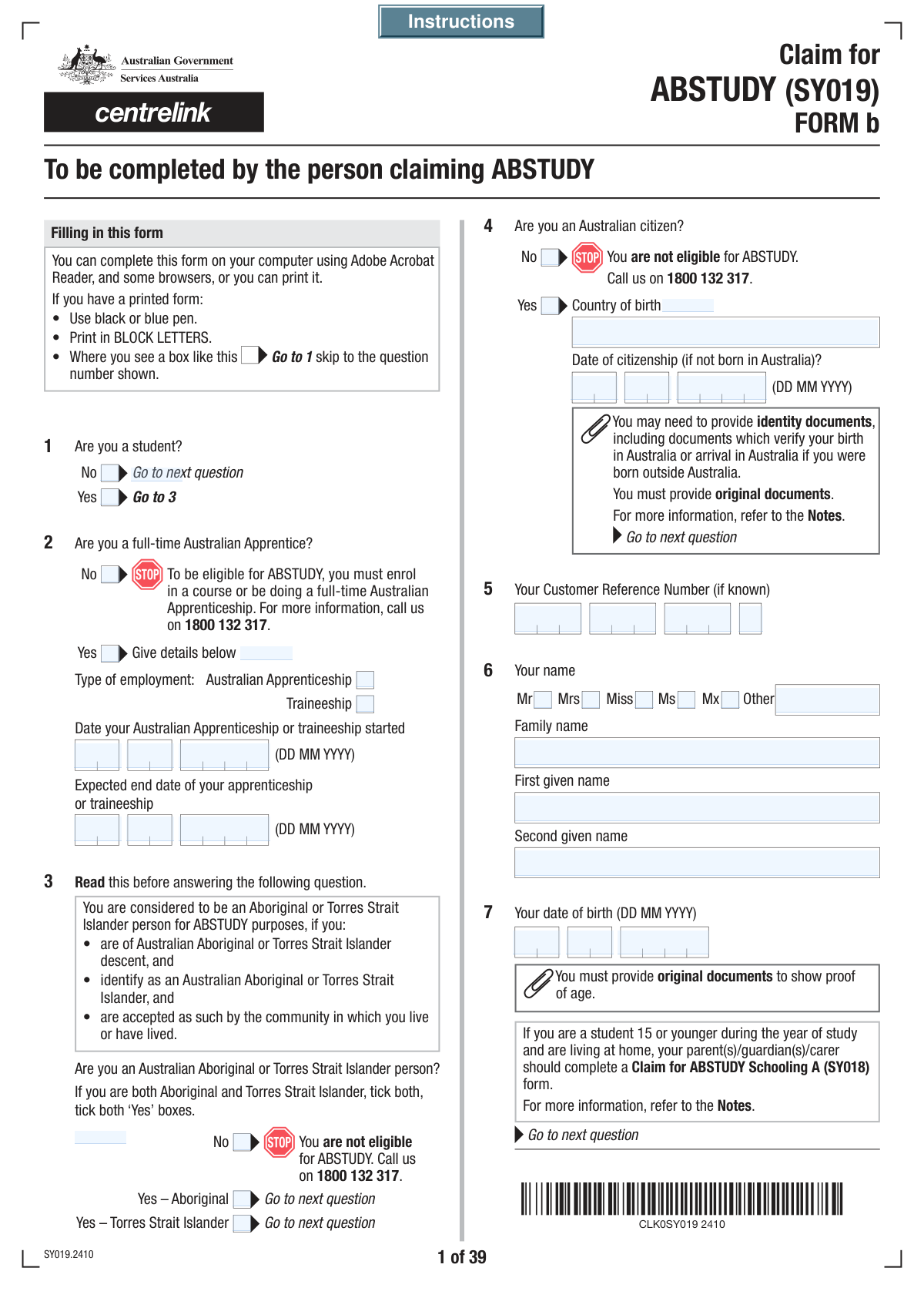
Form SY018, Claim for ABSTUDY, is an official Australian Government document used by Aboriginal and Torres Strait Islander Australians to apply for financial support while they are studying or undertaking an Australian Apprenticeship. The form gathers detailed information about the applicant's personal circumstances, study details, income, assets, and family situation to determine eligibility and the correct payment rate. Completing this extensive form is now simpler than ever; AI-powered services like Instafill.ai can help you fill it out quickly and accurately, and can also convert non-fillable PDF versions into an interactive, easy-to-use format.
SY018 is part of the VA claim forms category on Instafill.
Our AI automatically handles information lookup, data retrieval, formatting, and form filling.
It takes less than a minute to fill out SY018 using our AI form filling.
Securely upload your data. Information is encrypted in transit and deleted immediately after the form is filled out.

Form specifications

Form name: Form SY018, Claim for ABSTUDY
Number of fields: 1362
Number of pages: 59
Language: English
main-image

Instafill Demo: How to fill out PDF forms in seconds with AI

How to Fill Out SY018 Online for Free in 2026

Are you looking to fill out a SY018 form online quickly and accurately? Instafill.ai offers the #1 AI-powered PDF filling software of 2026, allowing you to complete your SY018 form in just 37 seconds or less.
Follow these steps to fill out your SY018 form online using Instafill.ai:
  1. 1 Navigate to Instafill.ai and upload your PDF of the Claim for ABSTUDY form, or select it from our library of official documents.
  2. 2 Use the AI assistant to fill in your personal information, including your name, date of birth, contact details, and Customer Reference Number.
  3. 3 Provide details about your course or Australian Apprenticeship, such as the institution name, course dates, and study load, letting the AI guide you through the required fields.
  4. 4 Detail your income and assets, as well as those of your partner or parents if applicable. Instafill.ai's smart fields will help you navigate the complex financial sections for both the base and current tax years.
  5. 5 Answer questions about your living situation, accommodation, and any dependent children to help determine your eligibility for related allowances.
  6. 6 Review the checklist of required supporting documents, then digitally sign the declaration sections for yourself, your partner, or your parent/guardian as needed.
  7. 7 Perform a final review of all the information, then download the completed, signed form, ready for submission to Services Australia.

Our AI-powered system ensures each field is filled out correctly, reducing errors and saving you time.

Why Choose Instafill.ai for Your Fillable SY018 Form?

Speed

Complete your SY018 in as little as 37 seconds.

Up-to-Date

Always use the latest 2026 SY018 form version.

Cost-effective

No need to hire expensive lawyers.

Accuracy

Our AI performs 10 compliance checks to ensure your form is error-free.

Security

Your personal information is protected with bank-level encryption.

Frequently Asked Questions About Form SY018

This form is an application for ABSTUDY, a group of payments for Aboriginal and Torres Strait Islander Australians who are studying or undertaking an Australian Apprenticeship. It gathers personal, study, and financial information to assess your eligibility for assistance.

Aboriginal or Torres Strait Islander students or apprentices need to complete this form. Depending on your circumstances, such as your age or independence status, your parent(s), guardian(s), or partner may also need to provide their details.

You may need to provide various documents, including proof of identity, age, enrolment, income, and assets. The checklist at the end of the form specifies which documents are required based on your answers throughout the form.

You should indicate that you are a full-time Australian Apprentice near the beginning of the form. You will then be prompted to provide details about your apprenticeship, including your employer, start date, and expected end date.

A Customer Reference Number (CRN) is your unique identifier for Australian Government services like Centrelink. You can find it on letters you have received from Centrelink or by logging into your myGov account.

The form includes a section (around question 24) to declare if you share accommodation with people other than immediate family. You will need to provide their name, age, relationship to you, and details about your living arrangement.

The form has sections for parents/guardians (around question 129) to report if their income has decreased and is expected to remain low. This allows your eligibility to be assessed based on their current financial situation rather than a previous tax year.

You should declare your status as 'Separated' and indicate that you live in the same home as your ex-partner. You may be required to submit an additional form, 'Relationship details - Separated under one roof (SS293)', to clarify your situation.

Providing your TFN is not compulsory, but if you don't, your payment may be taxed at the highest rate. The form has sections for you, your partner, and your parents/guardians to provide their TFNs.

The form has a dedicated section (around question 26) for your payment destination. You can choose to have payments made to your account or a parent/guardian's account and must provide the BSB, account number, and account holder's name.

Question 75 asks if you will be living away from home to study or work. If you answer 'Yes', you will be guided through subsequent questions to provide details about your accommodation type and the reason you need to live away from home.

Yes, services like Instafill.ai use AI to help you accurately auto-fill form fields, which can save you significant time and reduce errors. This is especially helpful for long and complex forms like this one.

Simply upload the form to the Instafill.ai platform. The AI will identify the fields, and you can then answer questions in a user-friendly interface to have the form filled out automatically and accurately.

You can use a service like Instafill.ai, which can convert flat, non-fillable PDFs into interactive, fillable forms. This allows you to easily type your information directly into the fields online without needing to print the form.

Compliance SY018
Validation Checks by Instafill.ai

1
Ensures Mutually Exclusive Status Selection
This validation checks that for any question with mutually exclusive options, such as 'Yes' and 'No' checkboxes for Student Status or Apprentice Status, only one option is selected. This is crucial for maintaining data integrity and preventing ambiguity in the applicant's responses. If both or neither are selected for a mandatory question, the form submission should be rejected with an error message prompting the user to select exactly one option.
2
Conditional Requirement for Apprenticeship Details
This check ensures that if an applicant selects 'Yes (Apprentice Status)', the corresponding 'Apprenticeship Details' and 'Apprenticeship Start Date' fields are completed. This is a conditional logic validation essential for gathering all necessary information based on the applicant's status. Failure to provide these details when required would result in an incomplete application, so the system should prevent submission and highlight the required fields.
3
Validates Apprenticeship Start and End Date Chronology
This validation confirms that the 'Apprenticeship End Date' is chronologically after the 'Apprenticeship Start Date'. This logical check prevents data entry errors and ensures the timeline of the apprenticeship is valid. If the end date is before or the same as the start date, the system should display an error and require the user to correct the dates before proceeding.
4
Verifies Date of Birth Validity and Consistency
This check validates that the 'Date of Birth' is a real, past date and is logically consistent with any age-based declarations made elsewhere in the form, such as selecting an option for being 'younger than 22'. This is critical for determining eligibility for age-dependent benefits or statuses. If the DOB is in the future, invalid, or contradicts an age claim, the submission must be flagged for correction.
5
Enforces Logical Consistency for Citizenship Status and Date
This validation enforces the rule that if an applicant selects 'Yes (Citizenship Status)', the 'Date of Citizenship' fields must be empty. Conversely, if 'No (Citizenship Status)' is selected and the applicant indicates they are now a citizen, the 'Date of Citizenship' fields become mandatory and must contain a valid date before the present day. This ensures accurate and logical data collection regarding citizenship history.
6
Conditional Requirement for 'Other Names' Details
This validation ensures that if a user checks 'Yes (Other Names Question)', they must provide information in at least the 'First Other Name' field. Conversely, if 'No' is checked, all 'Other Names' fields must be empty to prevent stray data. This maintains form cleanliness and ensures all declared information is captured correctly. A failure would block submission and guide the user to either provide the name or uncheck the 'Yes' box.
7
Ensures Single Selection for Relationship Status
This check verifies that only one relationship status (e.g., Married, De facto, Separated, Never married) is selected from the available options in the relationship history section. Since these statuses are mutually exclusive, selecting more than one would create a data conflict and affect eligibility assessments. The system should use radio buttons or a similar control to enforce this, but a server-side check is still necessary to prevent invalid submissions.
8
Validates Australian Business Number (ABN) Format
This validation checks that the ABN, entered across four fields, combines to form an 11-digit number and conforms to the official Australian Business Number validation algorithm. This is crucial for correctly identifying employers for income and employment verification. An invalid ABN would prevent proper data matching, so the form should reject incorrect entries and inform the user of the format error.
9
Validates Bank State Branch (BSB) Number Format
This check ensures the 'BSB Number' field contains exactly 6 digits. Correct BSB numbers are essential for processing payments to the applicant's bank account, and an incorrect format will cause the payment to fail. The system should validate the format on entry and on submission, stripping any hyphens before validation.
10
Verifies Investment Share Summation for New Home Purchase
This validation performs a logical check to ensure that the sum of 'Your Investment Share' and 'Partner's Investment Share' equals the 'Total Intended Amount for New Home'. This cross-field validation is important for verifying financial declarations and preventing mathematical errors in the application. If the amounts do not reconcile, the form should display an error message asking the user to review and correct the financial figures.
11
Requires Sub-selection for Government Assistance Declaration
This check ensures that if 'Yes (Government Assistance for Study)' is selected, the applicant must also select at least one specific type of assistance from the sub-list (e.g., 'Youth Allowance/Austudy', 'any other assistance'). This prevents a vague 'Yes' answer and forces the applicant to provide the specific details needed for assessment. A submission with a 'Yes' but no sub-selection should be blocked until the details are provided.
12
Cross-references Partner Details with Declared Relationship Status
This validation checks for consistency between an applicant's declared relationship status and the provision of partner details. If an applicant claims to be married, in a registered relationship, or de facto, they must provide partner details in the partner section. Conversely, if they claim to be single or separated, the partner section should be empty or handled differently. This logical check is vital for correctly assessing the applicant's household composition and income.
13
Ensures Australian Postcode Format
This validation rule checks that all postcode fields (e.g., 'Permanent Address Postcode', 'Postal Address Postcode') contain a valid 4-digit number. Correct postcodes are essential for address verification, mail delivery, and determining eligibility for location-based assistance. The system should reject any entry that is not a 4-digit number, preventing invalid address data from being submitted.
14
Validates Standard Email Address Format
This check ensures the value entered in the 'Email Address' field adheres to a standard email format (e.g., [email protected]). A valid email address is critical for communication with the applicant, including sending confirmations, requests for more information, and status updates. If an invalid format is detected, the system should prompt the user to correct it before submission can be completed.

Common Mistakes in Completing SY018

Incorrectly Navigating Conditional Questions

This form uses extensive conditional logic, such as 'Go to Question 26' or 'Fill only if Yes is selected'. Applicants frequently miss these instructions, leading them to fill out irrelevant sections or skip mandatory ones. This results in an incomplete or logically inconsistent application, causing significant processing delays or outright rejection. To avoid this, it is crucial to read every instruction carefully, and AI-powered form filling tools like Instafill.ai can be particularly helpful as they can automatically show or hide relevant questions based on your answers, ensuring you only fill out what's necessary.

Inconsistent or Incorrect Date Formatting

The form requires numerous dates (birth, marriage, course start dates) to be entered into separate Day, Month, and Year fields. Common errors include transposing the day and month, using a two-digit year instead of four, or leaving a field blank. Such errors can lead to failed identity verification, incorrect eligibility periods, and processing delays. Always double-check dates against official documents and ensure each part (DD, MM, YYYY) is in its correct field.

Misreporting Income and Assets

The form demands detailed disclosure of financial information for multiple tax years, including fringe benefits, superannuation, and investment losses. Applicants often underestimate or forget certain income sources, confuse gross versus net amounts, or misreport asset values. These inaccuracies can be considered fraudulent and may lead to benefit denial, repayment orders, and other penalties. It is vital to gather all financial statements and tax documents before starting; using a tool like Instafill.ai can help by providing clear definitions and ensuring all required financial fields are addressed.

Errors in Segmented ID Numbers

Identifiers like the Customer Reference Number, ABN, and Tax File Number are broken into multiple input fields. It is very common for users to make transcription errors, transpose digits between boxes, or misalign the number segments. An incorrect ID number will cause an immediate data mismatch, halting the application process until it is corrected. Carefully transcribing these numbers and double-checking them is essential to prevent delays.

Confusing Applicant, Partner, and Parent/Guardian Sections

The form contains long, repetitive sections for the applicant, their partner, and their parents/guardians. A parent filling out the form for their child might accidentally enter their own details in the applicant's section, or vice-versa. This confusion leads to incorrect data being associated with the wrong individual, causing major processing delays and requiring the form to be re-submitted. Before filling out a section, always confirm who it pertains to (e.g., 'Your Partner's Details' vs. 'Your Details').

Providing Incomplete Shared Accommodation Details

The section on shared accommodation (Questions 24-25) asks for highly specific and sensitive information about housemates, including financial links and relationship status. Applicants often provide vague answers or skip sub-questions they find difficult or intrusive. Incomplete information in this section directly impacts rent assistance calculations and can trigger a manual review or further investigation into the applicant's living arrangements.

Misclassifying Relationship Status

The form makes legal distinctions between 'Married', 'Registered relationship', and 'De facto relationship', each requiring specific dates. Applicants often confuse these categories or are unsure of the correct start date for a de facto relationship. An incorrect classification can affect eligibility and payment rates, potentially leading to underpayments or a debt that must be repaid.

Failing to Provide All Required Supporting Documents

The final checklist (Question 167) references numerous documents that may be required based on answers given throughout the form (e.g., lease agreements, proof of income, medical evidence). A very common and critical mistake is submitting the form without all the necessary attachments. This guarantees the application will be marked as incomplete, stopping the assessment process until all required documentation is received. Always use the checklist to gather your documents before submission.

Providing Contradictory Information

On a long and complex form, it's easy to provide answers that contradict each other. For example, an applicant might state they are single in the relationship section (Q19) but then list a partner with joint financial commitments in the shared accommodation section (Q25). These inconsistencies are red flags that will halt the application and trigger a manual review or request for clarification. AI-powered form fillers like Instafill.ai can help by cross-referencing answers to ensure consistency throughout the document.

Mishandling a Non-Fillable PDF Version

If this form is only available as a flat, non-fillable PDF, applicants must print it and fill it by hand. This makes navigating the complex conditional logic ('Go to QXX', 'Fill only if...') extremely difficult and error-prone, often resulting in a messy and confusing document. To avoid this, applicants can use a service like Instafill.ai, which can convert non-fillable PDFs into an interactive, smart web form that handles the conditional logic automatically, preventing these errors.
Saved over 80 hours a year

“I was never sure if my IRS forms like W-9 were filled correctly. Now, I can complete the forms accurately without any external help.”

Kevin Martin Green

Your data stays secure with advanced protection from Instafill and our subprocessors

Robust compliance program

Transparent business model

You’re not the product. You always know where your data is and what it is processed for.

ISO 27001, HIPAA, and GDPR

Our subprocesses adhere to multiple compliance standards, including but not limited to ISO 27001, HIPAA, and GDPR.

Security & privacy by design

We consider security and privacy from the initial design phase of any new service or functionality. It’s not an afterthought, it’s built-in, including support for two-factor authentication (2FA) to further protect your account.

Fill out SY018 with Instafill.ai

Worried about filling PDFs wrong? Instafill securely fills form-sy018-claim-for-abstudy forms, ensuring each field is accurate.