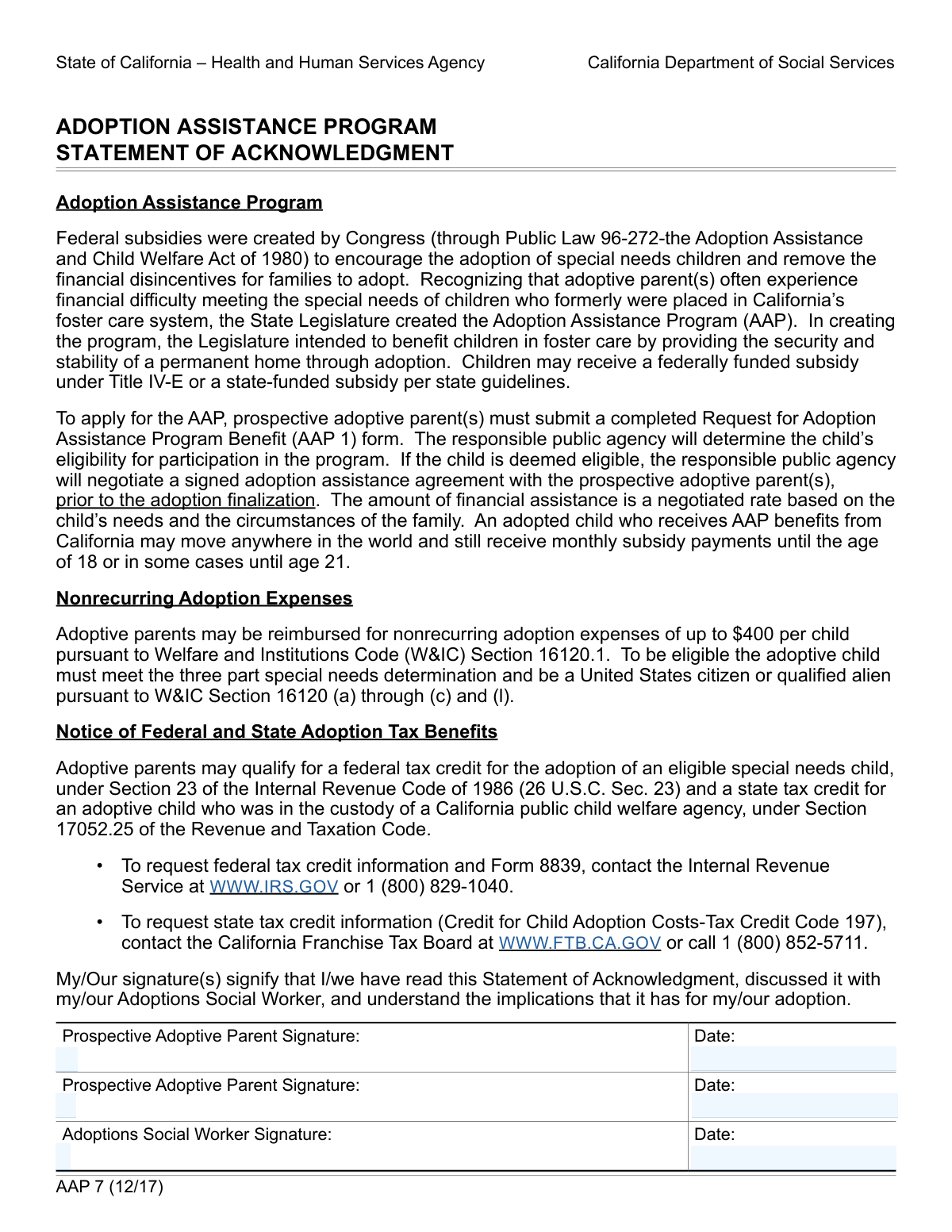
Yes! You can use AI to fill out Statement of Prospective Adoptive Parent(s)
This form serves as a formal declaration by prospective adoptive parents, acknowledging their responsibilities and the terms of the adoption process. It is a critical step that is reviewed and co-signed by an adoptions social worker to ensure all parties are in agreement before proceeding. Today, this form can be filled out quickly and accurately using AI-powered services like Instafill.ai, which can also convert non-fillable PDF versions into interactive fillable forms.
Our AI automatically handles information lookup, data retrieval, formatting, and form filling.
It takes less than a minute to fill out Adoption Statement using our AI form filling.
Securely upload your data. Information is encrypted in transit and deleted immediately after the form is filled out.
Form specifications
| Form name: | Statement of Prospective Adoptive Parent(s) |
| Number of fields: | 6 |
| Number of pages: | 1 |
| Language: | English |
| Categories: | NJ state forms, PA state forms |
Instafill Demo: How to fill out PDF forms in seconds with AI
How to Fill Out Adoption Statement Online for Free in 2026
Are you looking to fill out a ADOPTION STATEMENT form online quickly and accurately? Instafill.ai offers the #1 AI-powered PDF filling software of 2026, allowing you to complete your ADOPTION STATEMENT form in just 37 seconds or less.
Follow these steps to fill out your ADOPTION STATEMENT form online using Instafill.ai:
- 1 Navigate to Instafill.ai and upload or select the Statement of Prospective Adoptive Parent(s) form.
- 2 Use the AI assistant to automatically detect and label the fields for the prospective parent(s) and the social worker.
- 3 The first prospective adoptive parent provides their digital signature and the current date in the designated fields.
- 4 If applicable, the second prospective adoptive parent adds their digital signature and the corresponding date.
- 5 Securely share the partially completed form with the assigned Adoptions Social Worker for their review and signature.
- 6 The Adoptions Social Worker adds their signature and the date to finalize the statement.
- 7 Download, print, or securely store the completed and fully executed document for your records and submission.
Our AI-powered system ensures each field is filled out correctly, reducing errors and saving you time.
Why Choose Instafill.ai for Your Fillable Adoption Statement Form?
Speed
Complete your Adoption Statement in as little as 37 seconds.
Up-to-Date
Always use the latest 2026 Adoption Statement form version.
Cost-effective
No need to hire expensive lawyers.
Accuracy
Our AI performs 10 compliance checks to ensure your form is error-free.
Security
Your personal information is protected with bank-level encryption.
Frequently Asked Questions About Form Adoption Statement
This form is used to capture the official signatures of the prospective adoptive parent(s) and their social worker. It serves as a formal agreement or acknowledgment at a key stage of the adoption process.
The form must be signed by the prospective adoptive parent or parents, as well as the assigned Adoptions Social Worker. If two parents are adopting together, both must provide their signatures.
If you are adopting as a single parent, you only need to complete the 'First Prospective Adoptive Parent' signature and date fields. You can leave the section for the second parent blank.
No, it is not required for both parents to sign on the same day. Each parent should write the actual date they are signing the document next to their own signature.
Typically, the prospective adoptive parent(s) will sign the form first. The Adoptions Social Worker will then sign to acknowledge and process the document.
Once all signatures are collected, the form becomes an official record in your adoption file. Your social worker will then proceed with the next steps in the adoption journey.
You should confirm with your adoption agency whether they accept digital or electronic signatures. While many do, some may still require a traditional 'wet' ink signature.
If you make an error, it is best to request a new copy of the form from your agency. Avoid using correction fluid or scribbling out information, as this could invalidate the document.
You should enter the date at the same time you provide your signature. The date should reflect the day you actually signed the form.
Yes, services like Instafill.ai use AI to help you accurately auto-fill form fields, which can save time and help prevent errors. You can also use them to add legally binding digital signatures.
Simply upload the form's PDF to the Instafill.ai platform. The service will make the document fillable online, allowing you to type your information and add your signature digitally.
If your PDF is a flat, non-fillable scan, you can use a tool like Instafill.ai. It can convert the static document into an interactive form that you can easily complete on your computer or mobile device.
The social worker's signature confirms they have reviewed the document and are officially involved in the case. It is a necessary step for maintaining official records and moving the adoption process forward.
Compliance Adoption Statement
Validation Checks by Instafill.ai
1
First Parent Signature Presence
This check verifies that the signature field for the first prospective adoptive parent is not empty. The signature is a fundamental requirement for legal consent and to validate the adoption agreement. If the signature is missing, the form is considered incomplete and cannot be processed.
2
Conditional Date for First Parent Signature
This validation ensures that if the first prospective adoptive parent's signature is provided, the corresponding signature date is also filled. The date is legally crucial as it establishes when the document was signed. A signature without a date makes the document's timeline ambiguous and will cause the submission to be rejected until the date is provided.
3
Adoptions Social Worker Signature Presence
This check confirms that the Adoptions Social Worker has provided their signature. The social worker's signature serves as an official endorsement and is necessary for the application's approval. A missing signature from the social worker renders the form invalid from a procedural standpoint.
4
Conditional Date for Social Worker Signature
This validation ensures that if the Adoptions Social Worker's signature is present, the corresponding signature date is also completed. This date marks a key milestone in the adoption process timeline. Failure to provide the date alongside the signature will result in an incomplete form that requires correction.
5
Second Parent Signature and Date Consistency
This check validates that the second prospective adoptive parent's signature and date fields are either both filled or both empty. This prevents partial entries for a second parent, which can create legal ambiguity. The form should only be submitted with complete information for a second parent or none at all.
6
Valid Date Format for All Signature Dates
This check verifies that all entered signature dates (for parents and the social worker) adhere to a standard format, such as MM/DD/YYYY. An invalid format can cause data processing errors and misinterpretation of the legal signing date. The system should reject non-standard date formats and prompt the user for correction.
7
Signature Date Plausibility Check (No Future Dates)
This validation ensures that no signature date entered on the form is a future date. A signature cannot be dated for a time that has not yet occurred, and such an entry is always a user error. This check maintains the chronological integrity and legal validity of the document.
8
Logical Date Sequence of Signatures
This check verifies that the Adoptions Social Worker's signature date is on or after the prospective adoptive parents' signature dates. The social worker's signature typically acts as a final review or countersignature. A date preceding the parents' signatures would indicate a procedural error and will flag the form for review.
9
Reverse Dependency Check for Signature Dates
This validation ensures that if any signature date field is filled, its corresponding signature field must also be filled. A date without an associated signature is meaningless and indicates an incomplete data entry. This check prevents orphaned data and ensures each signature block is internally consistent.
10
Signature Field Content Validation
This check verifies that the signature fields contain actual signature data (e.g., an image or vector data from a signature pad) and are not blank or filled with simple typed text. This is critical for ensuring the signature is legally binding and not easily repudiated. A failed validation would require the user to properly re-sign the document.
11
Reasonable Date Range for Signatures
This check ensures that the signature dates are not excessively old, for instance, more than 180 days in the past. An old signature date might indicate the form is stale and circumstances may have changed, potentially requiring re-signature. This validation helps flag documents that may no longer be current.
12
Consistency of Parent Signature Dates
This validation checks if the signature dates for two prospective adoptive parents are on the same day or within a very close timeframe (e.g., 1-2 business days). While not a strict legal requirement, significantly different dates could indicate a procedural issue or that the parents were not in agreement at the same time. It serves as a soft check to flag potential inconsistencies for review.
Common Mistakes in Completing Adoption Statement
Applicants often overlook a signature field, especially when multiple signatures are required on one page. This is a critical error as a missing signature invalidates the entire document, bringing the adoption process to a halt until a correctly signed form is submitted. To avoid this, meticulously review every page for all required signature blocks before submission; AI-powered tools like Instafill.ai can help by highlighting all mandatory fields to ensure none are missed.
When filling out a PDF digitally, some people simply type their name in the signature box, sometimes using a cursive font, instead of using a valid electronic signature method. This is often not considered a legally binding signature and can lead to the form's rejection, requiring you to re-submit the document correctly. Always use the software's designated digital signature tool to draw or create a verified signature, or print the form for a physical 'wet' signature if required.
People frequently enter dates in a format different from what is specified (e.g., DD-MM-YYYY instead of MM/DD/YYYY). This can happen due to habit or not noticing the placeholder text. Such inconsistencies can cause data entry errors on the receiving end or lead to rejection by automated systems, delaying the process. To prevent this, carefully check the required format; using a smart form filler like Instafill.ai can eliminate this issue by automatically formatting the date correctly based on the field's requirements.
A common oversight is to provide a signature but leave the adjacent date field blank. The date is crucial as it legally establishes when the document was executed, so an undated signature renders the entry incomplete and will almost certainly result in the form being returned for correction. Always fill in the date immediately after signing; some digital platforms and tools like Instafill.ai can enforce this by making the date field mandatory if the signature field is completed.
In a rush, a prospective parent might accidentally sign in the space reserved for the second parent or, more critically, in the section meant for the Adoptions Social Worker. This error invalidates the document because the required official's signature is missing and an incorrect one is present, forcing the form to be redone from scratch. Avoid this by carefully reading the label of each signature line before you sign, and remember that official sections are to be left blank for the agency to complete.
This occurs when the dates entered do not reflect the logical sequence of signing, such as a social worker's signature being dated before the adoptive parents' signatures. This chronological error raises questions about the document's integrity and can trigger a review or require the form to be re-signed. Ensure the date you enter is the actual date you are signing, and if possible, review the fully executed document to check for logical consistency before final submission.
For couples applying to adopt jointly, forgetting the second prospective parent's signature is a frequent and critical mistake. This renders the application incomplete for a joint adoption and will stop the process until the omission is corrected. To prevent this, both partners should review the document to confirm their respective signatures and dates are present before submitting the form.
Applicants might intentionally or accidentally enter a future date (post-dating) or a past date (back-dating) that is not the actual date of signing. This is a serious issue that can be viewed as misrepresentation or fraud, potentially jeopardizing the entire adoption process and carrying legal consequences. Always enter the current, accurate date at the moment you are signing the document to maintain its legal validity.
Many official forms are only available as flat, non-fillable PDFs, and applicants simply use a text tool to place text over the lines. This can result in misaligned text, an unprofessional appearance, and may not be accepted by the agency. To avoid this, use a tool like Instafill.ai, which can convert any non-fillable PDF into an interactive, fillable form, ensuring all your entries are clean, aligned, and professional.
Saved over 80 hours a year
“I was never sure if my IRS forms like W-9 were filled correctly. Now, I can complete the forms accurately without any external help.”
Kevin Martin Green
Your data stays secure with advanced protection from Instafill and our subprocessors

Robust compliance program
Transparent business model
You’re not the product. You always know where your data is and what it is processed for.
ISO 27001, HIPAA, and GDPR
Our subprocesses adhere to multiple compliance standards, including but not limited to ISO 27001, HIPAA, and GDPR.
Security & privacy by design
We consider security and privacy from the initial design phase of any new service or functionality. It’s not an afterthought, it’s built-in, including support for two-factor authentication (2FA) to further protect your account.
Fill out Adoption Statement with Instafill.ai
Worried about filling PDFs wrong? Instafill securely fills statement-of-prospective-adoptive-parents forms, ensuring each field is accurate.