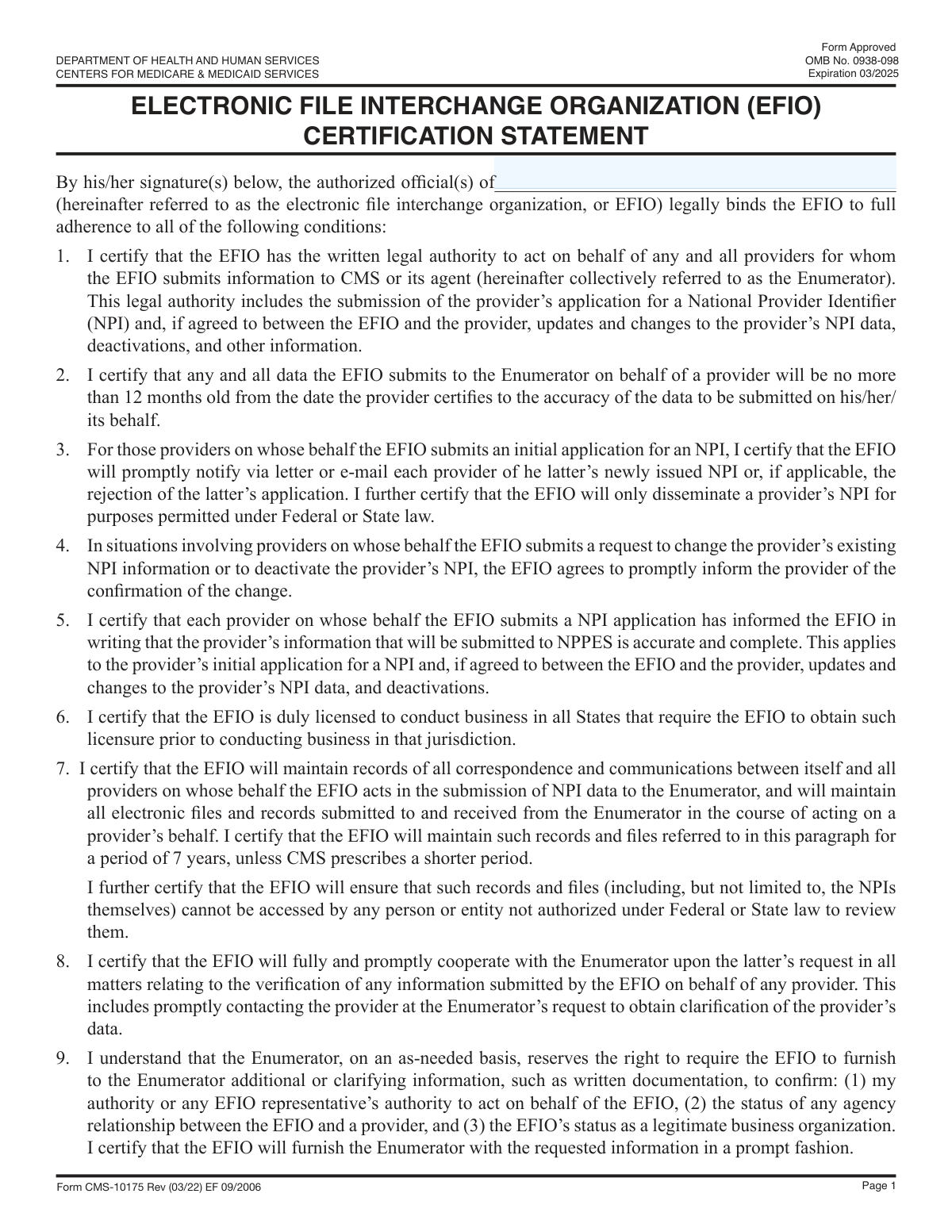
Yes! You can use AI to fill out Form 8633, Application to Participate in the IRS e-file Program
Form 8633 is the official application submitted to the Internal Revenue Service (IRS) by businesses seeking authorization to participate in the IRS e-file program as an Electronic File Interchange Organization (EFIO). Completing this form is a critical step for tax professionals, software developers, and transmitters who wish to electronically file tax returns. Today, this form can be filled out quickly and accurately using AI-powered services like Instafill.ai, which can also convert non-fillable PDF versions into interactive fillable forms.
Our AI automatically handles information lookup, data retrieval, formatting, and form filling.
It takes less than a minute to fill out Form 8633 using our AI form filling.
Securely upload your data. Information is encrypted in transit and deleted immediately after the form is filled out.
Form specifications
| Form name: | Form 8633, Application to Participate in the IRS e-file Program |
| Number of fields: | 8 |
| Number of pages: | 3 |
| Language: | English |
| Categories: | IRS forms |
Instafill Demo: How to fill out PDF forms in seconds with AI
How to Fill Out Form 8633 Online for Free in 2026
Are you looking to fill out a FORM 8633 form online quickly and accurately? Instafill.ai offers the #1 AI-powered PDF filling software of 2026, allowing you to complete your FORM 8633 form in just 37 seconds or less.
Follow these steps to fill out your FORM 8633 form online using Instafill.ai:
- 1 Navigate to Instafill.ai and upload your Form 8633 or select it from the platform's template library.
- 2 Provide your business's legal name, 'Doing Business As' (DBA) name, and complete address in the EFIO Information section.
- 3 Enter the full name, title, and telephone number for each principal and responsible official associated with the business.
- 4 Answer all required questions regarding your business structure, the e-file services you will provide, and background information.
- 5 Review all the information auto-filled by the AI for accuracy and make any necessary edits.
- 6 The authorized official must sign and date the application in the designated signature field.
- 7 Download, print, or securely submit your completed Form 8633 as instructed by the IRS.
Our AI-powered system ensures each field is filled out correctly, reducing errors and saving you time.
Why Choose Instafill.ai for Your Fillable Form 8633 Form?
Speed
Complete your Form 8633 in as little as 37 seconds.
Up-to-Date
Always use the latest 2026 Form 8633 form version.
Cost-effective
No need to hire expensive lawyers.
Accuracy
Our AI performs 10 compliance checks to ensure your form is error-free.
Security
Your personal information is protected with bank-level encryption.
Frequently Asked Questions About Form Form 8633
This form is used to register or update information for an Electronic File Interchange Organization (EFIO). It gathers essential business details and identifies an official who is authorized to act on the organization's behalf.
This form must be completed by an Authorized Official of an Electronic File Interchange Organization (EFIO). An EFIO is a business that handles the electronic transmission of files, often for other businesses or government agencies.
The 'EFIO Name' is the name your organization is commonly known by for electronic filing purposes. The 'Legal Business Name' is the official name registered with the government for legal and tax purposes.
If your organization does not use a 'Doing Business As' (DBA) name, you can leave this field blank. Only fill it in if you operate under a name different from your legal business name.
An Authorized Official is a person with the legal authority to sign documents and make binding commitments for the organization. This is typically a high-level individual such as a CEO, President, owner, or another designated officer.
You will need your organization's full legal name, any DBA names, the primary business address, and the full name, title, and telephone number of the person authorized to sign for the company.
Signature requirements depend on how you submit the form. If submitting a physical copy, a wet ink signature is usually required; for electronic submissions, follow the specific instructions for digital signatures provided by the receiving agency.
The form fields do not include submission instructions. Please refer to the official instructions that came with the form or visit the website of the agency requiring this information to find out where and how to submit it.
Yes, it is crucial to keep this information current. You should submit a new, updated form whenever there is a change in your business name, address, or the designated Authorized Official.
Yes, AI-powered services like Instafill.ai can help you complete this form quickly and accurately. These tools can auto-fill your information, reducing manual data entry and saving you time.
Simply upload the form to the Instafill.ai platform. The AI will identify the fields, and you can then have it automatically populate your saved business and personal information with a single click.
If you have a flat, non-fillable PDF, you can use a service like Instafill.ai to make it interactive. Upload the PDF, and the tool will convert it into a fillable form that you can complete online, save, and print.
Compliance Form 8633
Validation Checks by Instafill.ai
1
Ensures EFIO Name is Provided
Checks that the 'EFIO Name (Page 1)' field is not left blank. This name is a primary identifier for the organization throughout the filing process, and its absence would make the form incomplete and unprocessable. Failure to provide this name will result in a validation error, preventing form submission.
2
Ensures Legal Business Name is Provided
Verifies that the 'Legal Business Name' field is filled out, as it is a required field. The legal name is necessary for official identification, verification, and legal purposes. Submitting a form without the legal business name would render it invalid for any official record-keeping and will be rejected.
3
Validates Consistency Between EFIO Name and Legal Name
This check compares the 'EFIO Name (Page 1)' with the 'Legal Business Name' to ensure they are identical. This consistency is crucial for preventing confusion and ensuring the correct entity is identified on all parts of the form. A mismatch could lead to processing delays or rejection while the discrepancy is investigated.
4
Ensures Authorized Official's Full Name is Provided
This validation confirms that the 'Authorized Official Full Name' field is not empty. The official's name is required to identify the individual legally authorized to sign and submit the form on behalf of the organization. An empty field would invalidate the authorization and cause the submission to be rejected.
5
Validates Format of Authorized Official's Full Name
Checks that the 'Authorized Official Full Name' contains at least two separate words, representing a first and last name, and does not contain numbers or invalid special characters. This helps ensure a complete name is provided, rather than a single name or an initial. An improperly formatted name can cause issues with identity verification and will require correction.
6
Ensures Authorized Official's Title is Provided
Verifies that the 'Authorized Official Title/Position' field is completed. The title is necessary to confirm that the individual signing the form holds a position of authority within the organization, such as 'President' or 'Director'. Without a title, the official's authority cannot be verified, and the form may be deemed invalid.
7
Validates Format of Authorized Official's Telephone Number
This check ensures the 'Authorized Official Telephone Number' conforms to a standard 10-digit format, with or without common separators like parentheses, spaces, or hyphens. A valid phone number is essential for contact purposes if questions arise during form processing. An invalid format will trigger an error, requiring the user to correct the number before submission.
8
Ensures Business Address is Complete
This validation checks that all required components of the 'Business Address' field (such as street, city, state, and ZIP code) are filled in. A complete physical address is mandatory for official mailings, location verification, and legal jurisdiction purposes. Incomplete addresses will halt the submission process until all required parts are provided.
9
Validates Business Address ZIP Code Format
Scrutinizes the ZIP code within the 'Business Address' to ensure it is a valid 5-digit or 9-digit (ZIP+4) numeric format. Correct ZIP codes are critical for mail deliverability and data accuracy in government or corporate databases. An invalid ZIP code will result in a validation failure, preventing submission until corrected.
10
Validates Business Address State
Checks the state portion of the 'Business Address' against a list of valid two-letter US state or territory abbreviations. This prevents typographical errors and ensures the address corresponds to a real location. An invalid state code would make the address undeliverable and will be flagged as an error.
11
Logical Check for 'Doing Business As' (DBA) Name
This rule verifies that if the 'Doing Business As Name' field is filled out, its value is not identical to the 'Legal Business Name'. A DBA name is by definition different from the legal name, and entering the same name in both fields is redundant and likely an error. This check helps ensure data quality and prevents user mistakes.
12
Ensures Presence of Authorized Official's Signature
Confirms that the 'First Authorized Official Signature' field contains data, indicating that a signature has been applied (digitally or as an image). The signature is the legal attestation that the information is true and correct, and its absence makes the entire form legally non-binding. The form cannot be submitted without a signature.
Common Mistakes in Completing Form 8633
Applicants often interchange the Legal Business Name, 'Doing Business As' (DBA) name, and the specific EFIO Name. The legal name is the official name registered with the government, while a DBA is a trade name, and the EFIO name might be a program-specific identifier. This confusion can lead to data mismatches and processing delays, as each name serves a distinct legal and administrative purpose.
It is common for individuals to enter a nickname, a shortened first name, or just an initial instead of their full legal name in the 'Authorized Official Full Name' field. This happens out of habit but can cause verification to fail if the name does not match government-issued IDs or other official records. To avoid this, always provide the complete, printed name as it appears on official documentation.
When asked for the 'Authorized Official Title/Position', people sometimes use an internal or overly generic title like 'Manager' or 'Team Lead'. Such titles may not clearly convey the individual's authority to act on behalf of the organization, leading to follow-up questions and delays. It is crucial to use the official, externally-recognized title (e.g., 'Chief Executive Officer', 'Director of Finance') that confirms the person's capacity to legally bind the company.
A frequent error is entering the 'Authorized Official Telephone Number' without the area code or with incorrect punctuation like parentheses or dashes when a specific format is expected. This simple mistake can prevent the reviewing agency from contacting the official for verification, potentially stalling the application. Using AI-powered form filling tools like Instafill.ai can help prevent this by automatically validating and formatting phone numbers into the required format.
Applicants may use a common abbreviation or forget to include the corporate suffix (e.g., 'LLC', 'Inc.') in the 'Legal Business Name' field. The name provided must exactly match the one registered with the Secretary of State or other government entity. Any deviation can cause a legal mismatch and result in the form's rejection, requiring a corrected resubmission.
This field is often misused; some applicants mistakenly re-enter the legal business name, while others who do operate under a DBA forget to list it. This creates confusion and can lead to incorrect records. The DBA field should only be completed if the company publicly operates under a name different from its legal one; otherwise, it should be left blank or marked 'N/A'.
Common mistakes in the 'Business Address' field include omitting a suite or apartment number, using a P.O. Box when a physical address is required, or simple typos in the street name or ZIP code. An incomplete or incorrect address can lead to failed mail delivery of important notices and cause significant delays. Address auto-completion features in tools like Instafill.ai can help ensure accuracy and completeness.
The signature of the authorized official must legibly match the printed name provided; a significant discrepancy can invalidate the form. Furthermore, if the form is a non-fillable PDF that requires a physical 'wet' signature, typing a name or using an improper digital image is not acceptable. Advanced tools like Instafill.ai can convert such flat PDFs into fillable versions that support compliant, legally binding e-signatures.
Applicants frequently overlook required fields, especially if they are on a separate page or in a less prominent section of the form. A submission with missing information, such as the authorized official's title or phone number, is automatically considered incomplete and will be rejected. AI-powered form fillers can prevent this by highlighting all mandatory fields and ensuring they are all completed before submission is possible.
A user might enter the full EFIO name on Page 1 but use an acronym or slightly different wording in the 'EFIO Information' section later in the document. This internal inconsistency creates ambiguity for the processor and may require clarification, delaying the review. It is essential to use the exact same name and spelling in all related fields throughout the form.
Sometimes, an administrative assistant or another employee without legal signing authority fills out and signs the form on behalf of the company. The 'Authorized Official' must be a person with the legal power to bind the organization, such as a corporate officer, partner, or owner. Submitting a form signed by an unauthorized individual can render the entire document legally void.
Saved over 80 hours a year
“I was never sure if my IRS forms like W-9 were filled correctly. Now, I can complete the forms accurately without any external help.”
Kevin Martin Green
Your data stays secure with advanced protection from Instafill and our subprocessors

Robust compliance program
Transparent business model
You’re not the product. You always know where your data is and what it is processed for.
ISO 27001, HIPAA, and GDPR
Our subprocesses adhere to multiple compliance standards, including but not limited to ISO 27001, HIPAA, and GDPR.
Security & privacy by design
We consider security and privacy from the initial design phase of any new service or functionality. It’s not an afterthought, it’s built-in, including support for two-factor authentication (2FA) to further protect your account.
Fill out Form 8633 with Instafill.ai
Worried about filling PDFs wrong? Instafill securely fills form-8633-application-to-participate-in-the-irs-e-file-program forms, ensuring each field is accurate.