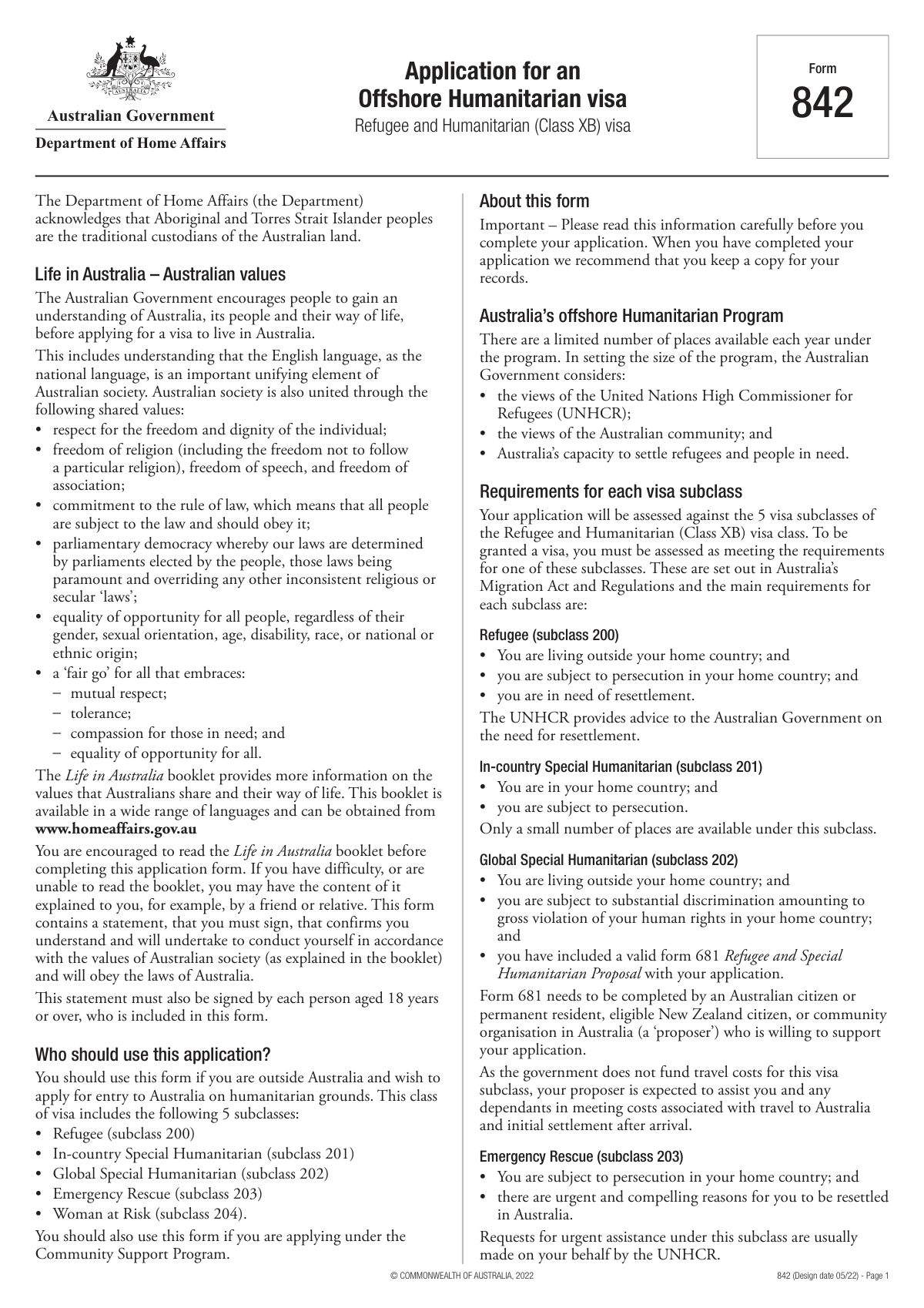
Yes! You can use AI to fill out Australian Department of Home Affairs — Application for a Protection visa (subclass 866) (Form 866)

Form 866 is the Australian Department of Home Affairs application used by eligible people in Australia to request a Protection visa (subclass 866). It collects detailed information about the main applicant and included family members (identity, citizenship, residence history, relationships, documents, travel, employment/education, and character/health), as well as the applicant’s protection claims and supporting details. Accurate completion is important because the information is used to assess eligibility, identity, security/character requirements, and the basis of the protection claim. Today, this form can be filled out quickly and accurately using AI-powered services like Instafill.ai, which can also convert non-fillable PDF versions into interactive fillable forms.
Our AI automatically handles information lookup, data retrieval, formatting, and form filling.
It takes less than a minute to fill out Form 866 (Protection visa) using our AI form filling.
Securely upload your data. Information is encrypted in transit and deleted immediately after the form is filled out.

Form specifications

Form name: Australian Department of Home Affairs — Application for a Protection visa (subclass 866) (Form 866)
Number of pages: 34
Language: English
Categories: IRS forms, Australian immigration forms, visa application forms, Home Affairs forms, protection visa forms, visa forms
main-image

Instafill Demo: filling out a legal form in seconds

How to Fill Out Form 866 (Protection visa) Online for Free in 2026

Are you looking to fill out a FORM 866 (PROTECTION VISA) form online quickly and accurately? Instafill.ai offers the #1 AI-powered PDF filling software of 2026, allowing you to complete your FORM 866 (PROTECTION VISA) form in just 37 seconds or less.
Follow these steps to fill out your FORM 866 (PROTECTION VISA) form online using Instafill.ai:
  1. 1 Go to Instafill.ai and upload the Form 866 PDF (or select the Protection visa application form from the form library).
  2. 2 Let the AI detect and map fields, then import your details from existing documents (passport, birth certificate, prior visa records, UNHCR documents) or type them once for reuse.
  3. 3 Complete the main applicant section: names, sex, date/place of birth, citizenship, current country of residence, arrival date, and immigration status code.
  4. 4 Fill in relationship and family composition details: number of people included, marital/de facto status, multiple-partner questions (if applicable), and details for each included person (spouse/partner/dependants/other persons).
  5. 5 Enter identity and travel/visa history: identity documents, previous visa applications/notifications, links to Australia, addresses, contact details, and residence history.
  6. 6 Complete protection-claim and background sections: fear/harm narrative, departures/returns, UNHCR or camp history (if relevant), military/service history, interpreter needs, languages, education, employment, and character/health declarations with explanations where required.
  7. 7 Use Instafill.ai’s review/validation to catch missing conditional fields, then export the completed form for submission/printing and save a copy for your records.

Our AI-powered system ensures each field is filled out correctly, reducing errors and saving you time.

Why Choose Instafill.ai for Your Fillable Form 866 (Protection visa) Form?

Speed

Complete your Form 866 (Protection visa) in as little as 37 seconds.

Up-to-Date

Always use the latest 2026 Form 866 (Protection visa) form version.

Cost-effective

No need to hire expensive lawyers.

Accuracy

Our AI performs 10 compliance checks to ensure your form is error-free.

Security

Your personal information is protected with bank-level encryption.

Frequently Asked Questions About Form Form 866 (Protection visa)

This form collects detailed personal, family, identity, travel, and background information for the main applicant and any people included in the application. It’s used to assess eligibility and verify identity, relationships, and history.

Enter the total number of people covered by this application, including you (the main applicant) and any dependants or family members included. Count every person whose details you will provide in the form.

Enter your family name (surname) and all given/middle names exactly as shown on your identity documents (such as a passport or birth certificate). Avoid nicknames, abbreviations, or different spellings.

Select “Indeterminate / Intersex / Unspecified” if that best matches your situation or preference. Choose only one option that reflects how you want your record to be captured.

Your current country of residence is where you are living now. The arrival date is the date you first arrived in that country to live (not a short visit), unless the form instructions for your program specify otherwise.

Enter the code or short description that matches your legal status in your current country of residence (for example, C = Citizen, PR = Permanent Resident). If you’re unsure, use the wording from your visa/residence permit or official documentation.

Tick the option(s) that accurately reflect how your relationship is formally recognized (legal/civil, traditional/custom, and/or religious). If multiple apply, select all that are true and ensure the event date/place details match your current status.

No—those event details are only required when your relationship status is something other than “Never married or been in a de facto relationship.” If you select “Never married
,” leave the event date/place fields blank.

It asks whether you currently have another partner besides any partner included in this application. If you answer “Yes,” you must provide details of the additional current partner (name, DOB, relationship nature and duration, and other identifying information).

For each listed person, enter their name, sex, date/place of birth, citizenship, and relationship status as shown on their official documents. Then specify their relationship to the main applicant and whether they are biologically related, providing an explanation or precise biological relationship as requested.

Briefly describe the connection (for example, spouse, step-child, adopted child, cousin by marriage, guardian, or family friend) and any context that clarifies the relationship. Keep it factual and consistent with any supporting documents you may provide.

Have passports/birth certificates, citizenship/nationality details, current residence and arrival dates, contact information, relationship history (dates/places), and any prior visa/application details available. You may also need UNHCR registration/mandate information, travel history, employment/education history, and any relevant legal/health background details if applicable.

Yes—AI tools can help organize your information and auto-fill fields to reduce errors and save time. Services like Instafill.ai use AI to map your details into the correct form fields and help you complete the PDF more efficiently.

Upload the PDF to Instafill.ai, then provide your information (or upload supporting documents) when prompted. Instafill.ai will auto-fill the form fields, after which you can review, edit, and export the completed form for submission.

If the PDF is “flat” (non-fillable), you can use Instafill.ai to convert it into an interactive fillable form and then auto-fill it. Alternatively, you may need to print and complete it by hand if your submission method requires paper.

Compliance Form 866 (Protection visa)
Validation Checks by Instafill.ai

1
Validates total number of people included is a positive integer and matches provided person sections
Checks that 'Number of people included in this application' is a whole number greater than or equal to 1 (must include the main applicant). It also verifies that the count aligns with the number of populated person records (e.g., Other person 1/2 and additional member blocks like m.* 3-6, dependants, newborns) and that no extra person blocks are filled beyond the declared total. This prevents missing applicants/dependants or accidental inclusion of unintended people. If the validation fails, the submission should be blocked and the user prompted to correct the count or complete/remove person entries.
2
Ensures main applicant name fields are complete and contain only valid characters
Validates that the main applicant 'Family name' and 'Given names' are not blank, are within reasonable length limits, and do not contain invalid characters (e.g., digits-only, control characters, or excessive punctuation). Names should allow common legal-name characters such as letters, spaces, hyphens, and apostrophes. This is important for identity matching against passports/birth certificates and downstream record creation. If invalid, the form should require correction before acceptance.
3
Enforces single selection for sex fields per person (mutual exclusivity)
Checks that exactly one sex option is selected for each person (Male/Female/Indeterminate-Intersex-Unspecified) and that multiple boxes are not checked simultaneously. It also flags cases where none are selected when the person record is otherwise populated. This ensures consistent demographic data and avoids contradictory entries. If the validation fails, the user must select one option or correct conflicting selections.
4
Validates date of birth format and plausibility for all persons
Ensures each date of birth is a valid calendar date in the expected format and is not in the future. It also applies plausibility bounds (e.g., not older than a configured maximum such as 120 years) and requires DOB when a person’s name is provided. This reduces data entry errors and supports eligibility/identity checks. If invalid, the system should reject the submission or require correction for the affected person.
5
Validates birthplace fields completeness and country normalization
Checks that place of birth town/city and country are provided for the main applicant and any other person records that are included, and that country values come from an approved list (or are normalized to standard country names/codes). It also flags placeholder values like 'Select' or empty strings. Accurate birthplace data is critical for identity verification and jurisdictional processing. If validation fails, the user must provide valid town/city and a recognized country.
6
Validates citizenship field presence and handles stateless rule
Ensures citizenship/nationality is provided for each included person and is not a placeholder (e.g., 'Select'). If the applicant indicates statelessness (by entering 'stateless' or equivalent), the system must require the previous country of citizenship as instructed. This is important for legal status assessment and document checks. If the rule fails, the submission should be blocked until citizenship information is corrected or completed.
7
Validates current country of residence and arrival date consistency
Checks that 'Current country of residence' is present and valid (not 'Select') and that 'Date you arrived in this country' is a valid date not in the future. It also verifies the arrival date is after the applicant’s date of birth and is logically consistent with residence history start dates if provided (e.g., ap.resi start date). This prevents impossible timelines and supports residency-based assessments. If inconsistent, the user must correct the country or date values.
8
Validates immigration/status code field is present and conforms to allowed pattern
Ensures 'Status in this country (code)' is provided and matches an allowed pattern (e.g., 1–10 characters, letters/numbers, no long free-text paragraphs). Optionally, it can validate against a configured set such as C/PR/TR/BRIDGING depending on program rules. This field drives eligibility and routing, so malformed values can break downstream logic. If validation fails, the system should prompt for a valid code/short status text.
9
Enforces relationship status selection rules and prevents contradictory statuses
Validates that at least one relationship status option is selected for the main applicant (and for each other person where relationship status is captured), and that mutually incompatible combinations are not selected together (e.g., 'Never married' with 'Married legally', or 'Widowed' with 'Engaged'). Where multiple selections are allowed by design, it should still flag logically conflicting pairs. This ensures consistent marital/relationship representation for legal and dependency determinations. If conflicts exist, the user must revise selections before submission.
10
Requires relationship event details when applicable (date/place/previous name)
If the relationship status is anything other than 'Never married or been in a de facto relationship', the system must require 'Date relationship status occurred' and 'Place relationship status occurred' and validate the date format. It should also require 'Previous name (if applicable)' to be either explicitly blank with a confirmation (e.g., checkbox) or provided when the status implies a likely name change (e.g., marriage), depending on business rules. These details support legal verification and identity history. If missing or invalid, the submission should be blocked and the missing fields highlighted.
11
Validates multiple current partners branching and required details
Ensures exactly one of 'Yes' or 'No' is selected for 'Do you currently have more than one partner?'. If 'Yes' is selected, 'Additional current partner — details' must be present and meet minimum content requirements (e.g., includes name and at least one identifying detail such as DOB or birthplace). If 'No' is selected, the additional partner details field must be empty to avoid contradictory data. If validation fails, the user must correct the selection or provide/remove the required details.
12
Validates 'other current relationship' branching for engaged/never-married scenarios
When relationship status is 'Engaged' or 'Never married or been in a de facto relationship', the form’s 'Other/current relationship details' Yes/No must be answered (mutually exclusive). If 'Yes' is selected, the narrative details field must be completed with sufficient information (e.g., other person’s name and relationship start timing). This prevents incomplete disclosures and ensures the correct follow-up processing. If the branching rules are not satisfied, the system should block submission until corrected.
13
Validates biological relationship Yes/No exclusivity and dependent explanation fields
For each 'Other person' record, checks that exactly one of 'biologically related: Yes' or 'No' is selected. If 'No' is selected, the 'Explain how they are related' field must be completed; if 'Yes' is selected, the 'Describe the precise biological relationship' field must be completed. This ensures relationship claims are supported and reduces ambiguity in dependency/eligibility decisions. If validation fails, the user must provide the required explanation or correct the selection.
14
Validates contact information formats (phone numbers and email) and conditional requirements
Validates phone components (country code, area code, number) and mobile number to contain only allowed characters and meet length constraints; it should also prevent impossible combinations (e.g., country code present but no number). For email, if 'ap.com email_yes' is selected, at least one email field (ap.email 1/2/3) must be present and match standard email format; if 'email_no' is selected, email fields should be empty. Correct contact data is essential for notifications and identity verification. If invalid, the system should require correction and may warn that processing could be delayed.
15
Validates document entries when document presence is marked 'Yes' (type/number/country/issue/expiry)
For each document block (ap1.doc through ap7.doc), if the corresponding doc_yes is selected, the system must require document type, document number, issuing country, date of issue, and (if applicable) date of expiry and place of issue. It must validate that issue/expiry dates are valid, that expiry is after issue, and that document numbers meet basic format/length rules (alphanumeric, no illegal characters). This prevents unusable identity documents and downstream verification failures. If validation fails, the submission should be blocked until document details are corrected.
16
Validates required declarations/consents checkboxes are all affirmed
Checks that mandatory declaration fields (e.g., ap.check1_yes through ap.check16_yes, and declaration name fields ap.dec name 1-7 where required) are completed according to the form’s rules. It should ensure no required declaration is left unchecked and that declaration names are not blank when a signature/name is required. These attestations are legally significant and often required to accept the application. If any required declaration is missing, the system must prevent submission and prompt the applicant to complete the declarations.

Common Mistakes in Completing Form 866 (Protection visa)

Incorrect total number of people included in the application

Applicants often enter only the number of dependants (or only themselves) instead of the total number of people included, which must include the main applicant plus all dependants. This creates mismatches with the “Other person” and dependant sections and can trigger follow-up requests or delays. Recount everyone who will be assessed under the application and ensure the number aligns with the number of additional person blocks you complete. AI-powered tools like Instafill.ai can cross-check the declared total against the number of person sections filled and flag inconsistencies before submission.

Name fields not matching identity documents (order, spelling, or missing middle names)

A very common error is entering nicknames, shortened given names, omitting middle names, or swapping family and given names—especially for applicants from cultures with different naming conventions. This can cause identity verification issues and inconsistencies with passports, birth certificates, and prior visa records, leading to processing delays. Enter names exactly as shown on official documents, including all given and middle names in full, and keep the same spelling/diacritics where possible. Instafill.ai can help by extracting names from uploaded documents and formatting them consistently across all repeated name fields.

Selecting multiple or no options for sex

Because sex is presented as three separate checkboxes (Male/Female/Indeterminate/Intersex/Unspecified), people sometimes tick more than one or forget to tick any. This can make the form internally invalid or require manual clarification by the case officer. Choose exactly one option that matches the person’s identity documents or preference where allowed, and repeat consistently for each “Other person” section. Instafill.ai can validate single-choice checkbox groups and prevent multiple selections.

Date format errors and inconsistent timelines (DOB, arrival dates, relationship dates)

Applicants frequently mix date formats (DD/MM/YYYY vs MM/DD/YYYY), enter partial dates, or create impossible sequences (e.g., arrival date before date of birth, relationship event date after separation/divorce). These inconsistencies can undermine credibility and trigger requests for clarification or supporting evidence. Use one consistent date format as required by the form and sanity-check that all timelines make sense across residence, travel, relationships, and employment. Instafill.ai can standardize date formats and run logic checks to catch timeline conflicts.

Confusing place of birth town/city vs country fields

People often put the country in the town/city field, use a province/state instead of a city, or use informal abbreviations that don’t match official records. This can cause mismatches with identity documents and complicate background checks. Enter the specific town/city in the town/city field and the country name in the country field, using the same wording as the passport/birth certificate where possible. Instafill.ai can auto-suggest standardized country names and keep location fields correctly separated.

Citizenship/nationality entered incorrectly (especially dual citizenship or stateless cases)

A common mistake is listing ethnicity, place of birth, or “resident” status instead of citizenship, or listing only one citizenship when the person holds multiple. For stateless applicants, people often leave the field blank instead of providing the previous country of citizenship as instructed. Incorrect citizenship details can lead to additional screening, document requests, or delays. List all current citizenships/nationalities exactly, and if stateless, follow the instruction to provide the previous country of citizenship; Instafill.ai can prompt for missing required details based on the stateless/dual-citizen scenario.

Leaving placeholder dropdowns as 'Select' or not providing required codes

This form includes multiple fields that appear as dropdown placeholders (e.g., 'Select') and a “Status in this country (code)” field that expects a short code like C or PR. Applicants often leave 'Select' unchanged or type a long explanation instead of the requested code, which can make the form incomplete or inconsistent with the form’s expected values. Always choose an actual option from dropdowns and use the exact code/short text requested for status, adding details only where a narrative field exists. Instafill.ai can detect unmodified 'Select' placeholders and validate that status fields match expected code formats.

Relationship status misunderstandings and multiple boxes checked

Because relationship status is presented as many checkboxes (married legally, married by tradition, religiously, engaged, de facto, separated, divorced, widowed, never married), applicants sometimes tick several that conflict (e.g., divorced and married) or tick “never married” while also providing marriage details. This can create credibility issues and force the assessor to request clarification. Select the single current status that best describes the legal/current situation, and only add additional context in the appropriate detail fields if the form allows. Instafill.ai can flag mutually exclusive selections and guide you to the correct combination.

Not completing conditional fields when required (or completing them when not allowed)

Several fields are conditional—e.g., relationship event date/place/previous name should be filled only when the status is not “Never married,” and additional partner details should be filled only if “Yes” to having more than one partner. Applicants often skip required conditional details (causing incomplete sections) or fill them despite selecting “No,” creating contradictions. Review each Yes/No and status selection and ensure the corresponding detail fields are completed only when triggered. Instafill.ai can enforce conditional logic so the right fields appear, are required, and are consistent with your selections.

Inconsistent 'Other person' details across repeated sections (Person 1/2/3+)

When the form repeats similar blocks for multiple people, applicants commonly copy/paste and forget to update a date of birth, citizenship, or relationship-to-applicant field, or they mix up which person is “Other person 1” vs “Other person 2.” This leads to internal inconsistencies and can cause serious processing delays if identities appear duplicated or mismatched. Fill one person at a time, double-check each block’s name/DOB/citizenship, and ensure the relationship to the main applicant is correct for each individual. Instafill.ai can reuse verified data safely while preventing accidental carryover errors between person blocks.

Biological relationship section completed incorrectly (Yes/No mismatch and missing explanation)

Applicants often tick both “biologically related: Yes” and “No,” or they select “No” but leave the explanation blank, or select “Yes” but don’t describe the precise biological relationship. This can create ambiguity about family composition and eligibility considerations. Choose only one (Yes or No) and then complete the corresponding required text field: explain the non-biological connection or specify the exact biological relationship (e.g., biological mother, half-sibling). Instafill.ai can ensure only the correct follow-up field is completed and that it’s not left empty when required.
Saved over 80 hours a year

“I was never sure if my IRS forms like W-9 were filled correctly. Now, I can complete the forms accurately without any external help.”

Kevin Martin Green

Your data stays secure with advanced protection from Instafill and our subprocessors

Robust compliance program

Transparent business model

You’re not the product. You always know where your data is and what it is processed for.

ISO 27001, HIPAA, and GDPR

Our subprocesses adhere to multiple compliance standards, including but not limited to ISO 27001, HIPAA, and GDPR.

Security & privacy by design

We consider security and privacy from the initial design phase of any new service or functionality. It’s not an afterthought, it’s built-in, including support for two-factor authentication (2FA) to further protect your account.

Fill out Form 866 (Protection visa) with Instafill.ai

Worried about filling PDFs wrong? Instafill securely fills australian-department-of-home-affairs-application-for-a-protection-visa-subclass-866-form-866 forms, ensuring each field is accurate.