
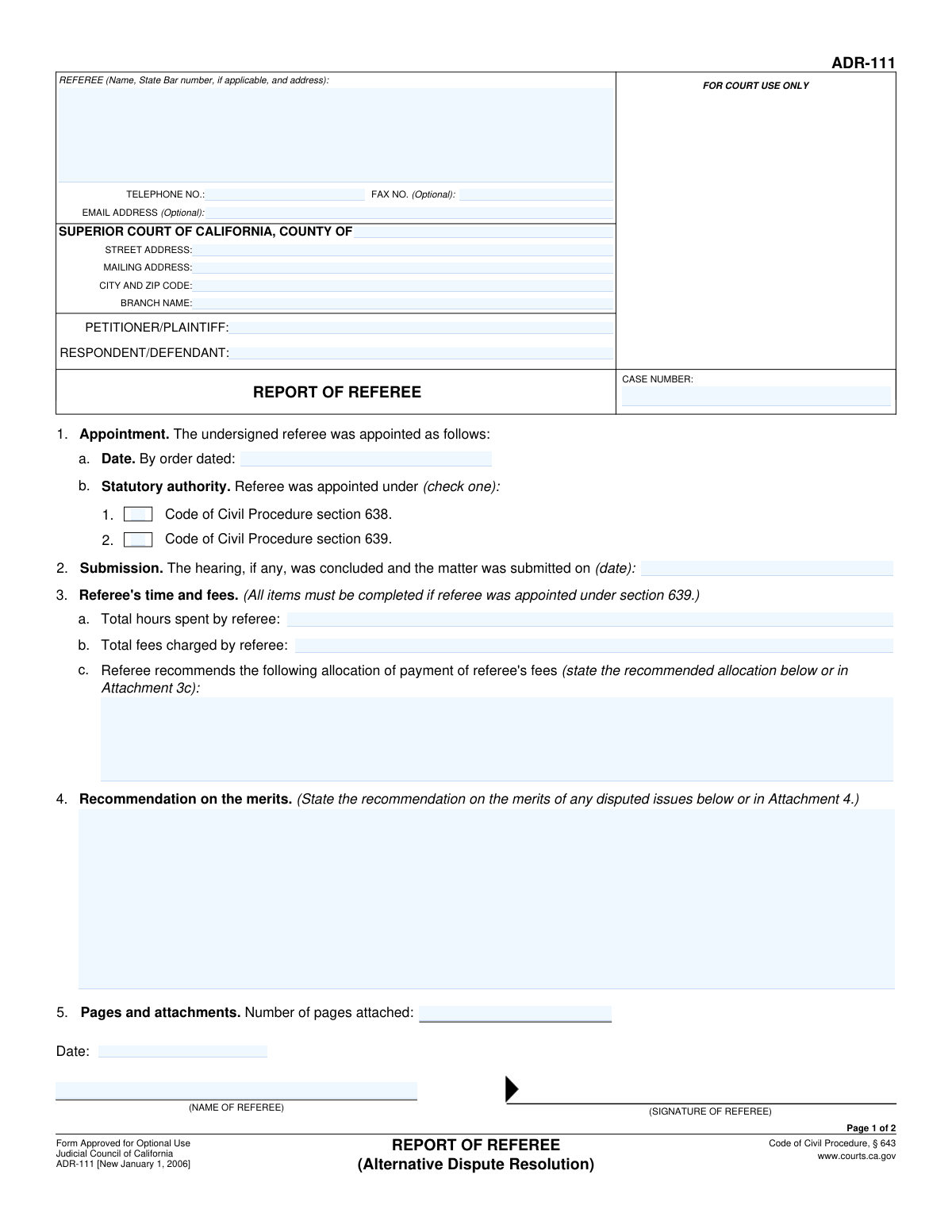
Yes! You can use AI to fill out Form ADR-108, Referee's Report (Code Civ. Proc., §§ 638, 639)
Don't type 39 fields by hand. Tell our AI about yourself, or upload a document you already have, and it fills every field in seconds. You check it, then download, print or sign.
The AI does the filling. You just check it.
No typing into boxes, nothing to install.
What this form asks for
The AI fills all of it, from your answers or your documents.
The AI checks your answers before you download
12 checks built for this form, so a wrong date or a missing answer is caught before anyone else sees it.
This validation ensures that the 'Case Number', 'Petitioner/Plaintiff Name', and 'Respondent/Defendant Name' fields are identical in all sections where they appear (e.g., 'Party Information' and 'Case Information'). Inconsistent data can lead to filing errors and legal complications, as it creates ambiguity about the case being referenced. If the values do not match, the user must be prompted to correct the discrepancy before submission.
This check verifies that only one of the appointment type checkboxes ('Code of Civil Procedure section 638' or 'Code of Civil Procedure section 639') is selected. Appointing a referee under both sections simultaneously is legally incoherent and would invalidate the report's basis. The form should enforce a choice of one or the other, preventing submission if both or neither are selected.
This validation enforces the rule that 'Total Hours Spent', 'Total Fees Charged', and 'Fee Allocation Recommendation' must be filled out if and only if the appointment was made under 'Code of Civil Procedure section 639'. This is critical because fee reporting requirements are specific to section 639 appointments. Failure to provide this information when required, or providing it when not required, can lead to report rejection or requests for clarification from the court.
This check ensures that the dates on the form follow a logical chronological order: 'Order Date' must be on or before the 'Submission Date', which must be on or before the 'Report Date'. An illogical date sequence undermines the credibility of the report and suggests a data entry error. The system should flag any chronological inconsistencies to the user for correction.
This validation ensures that if either 'Deposited with USPS' or 'Placed for Collection' is checked, then the 'Date of Deposit', 'Place of Deposit', and 'Addressee Information' fields must be completed. These details are essential for a valid proof of service by mail. If the service method is indicated but the corresponding details are missing, the proof of service is incomplete and legally insufficient.
This check verifies that the referee's name entered in the 'Referee Information' section matches the name provided in the 'Referee Name (Signature Block)'. This consistency is crucial for authenticating the report and ensuring the person preparing it is the same person signing it. A mismatch could call the entire document's validity into question, so the user must correct it before proceeding.
And 6 more checks
- State Bar Number Format Validation
- Valid Date Format for All Date Fields
- Referee Telephone Number Format
- Completeness of Core Case Information
- Numeric Fields Positivity and Type Check
- Declaration and Service Date Logic
Let AI fill out your ADR-108
No typing. Every field filled in seconds, checked, ready to sign.
How to Fill Out ADR-108 Online for Free in 2026
What the AI walks you through.
- Navigate to Instafill.ai and upload your Form ADR-108, or select it from their library of official documents.
- Provide the case details, including the court information, case number, and the names of the petitioner/plaintiff and respondent/defendant.
- Enter your information as the referee, including your name and contact details, and specify the date and authority (CCP § 638 or § 639) of your appointment.
- If appointed under CCP § 639, report the total hours spent and fees charged. Provide your recommendations on the merits of the disputed issues, attaching additional pages if necessary.
- Complete the Proof of Service by First-Class Mail section, detailing how and when the report was served to all parties involved.
- Carefully review all the entered information for accuracy. The AI will highlight any missing fields. Once complete, date and sign the report and the declaration of service.
- Download the completed, signed Form ADR-108 and file it with the appropriate court and serve it to all parties as required.
Common Mistakes in Completing ADR-108
The ones the AI is built to catch.
Incorrect or Incomplete Case Number
Confusing Petitioner/Plaintiff with Respondent/Defendant
Selecting the Incorrect Appointment Authority (CCP §638 vs. §639)
Omitting Required Fee and Time Information for CCP §639 Appointments
Entering Inconsistent or Illogical Dates
Providing Incomplete Court Address Information
Mismatch Between Stated and Actual Number of Attached Pages
Forgetting to Complete the Proof of Service Declaration
Omitting the Referee's State Bar Number
Incomplete Addressee Information on Proof of Service
Frequently Asked Questions About ADR-108
Is it really free for 7 days?
Can I fill other forms too?
How do I cancel?
How does the AI fill out ADR-108?
What happens to my information?
How complex is ADR-108 to fill out?
What is the purpose of this form?
Who is required to fill out this form?
What is the difference between an appointment under Code of Civil Procedure section 638 and 639?
Why do I only fill out the 'Total Hours Spent' and 'Total Fees Charged' if appointed under CCP 639?
What information should I include in the 'Recommendation on the Merits' section?
What do I do if my fee allocation recommendation is too long for the space provided?
What is the 'Proof of Service' section at the end of the form for?
How do I submit this form?
What information do I need to have ready before I start filling out the form?
Can AI tools help me fill out this Referee's Report?
How can I use Instafill.ai to complete this form online?
The PDF version of this form I have is not fillable. What can I do?
What is the difference between 'Deposited with USPS' and 'Placed for Collection' in the Proof of Service?
Get your ADR-108 filled out by AI
$0 today. Cancel before Oct 30 and you pay nothing.
Other forms like this one
California court forms: Judicial Council of California Form SC-105, Request for Court Order and Answer (Small Claims), Judicial Council of California Form SC-120, Defendant’s Claim and ORDER to Go to Small Claims Court (Small Claims), Judicial Council of California Form SER-001, Request for Sheriff to Serve Court Papers, Judicial Council of California Form SER-001, Request for Sheriff to Serve Court Papers, Affidavit for Collection of Personal Property California Probate Code Section 13100, Form POS-040, Proof of Service—Civil, Declaration of Facts of Death (California Superior Court), declaration-of-marriage-for-court-proceeding-california-family-law, ADOPT-200, Adoption Request, ADOPT-200, Stepparent Adoption Request, ADOPT-210, Adoption Agreement, ADOPT-310, Contact After Adoption Agreement, Judicial Council of California Form ADOPT-200, Adoption Request, Form ADR-107, Mediation Attendance Sheet, Form ADR-110, Order Appointing Referee, Form ADR-109, Stipulation or Motion for Order Appointing Referee, Form ADR-102, Request for Trial De Novo After Judicial Arbitration, Form ADR-106, Petition to Confirm, Correct, or Vacate Contractual Arbitration Award, Form ADR-104, Rejection of Award and Request for Trial After Attorney-Client Fee Arbitration, Form ADR-103, Petition to Confirm, Correct, or Vacate Attorney-Client Fee Arbitration Award
Let AI fill out your ADR-108
Your trial starts once a card is added. You pay nothing before Oct 30.
Our AI already knows this form, all 39 fields of it. Skip the typing: tell it about yourself, or upload what you have, and it fills the whole form in seconds.
- AI fills every field on both pages, checkboxes included
- No typing into boxes: answer a few questions, or upload a document you already have, an old copy of this form, a photo of a document
- The AI checks the answers; you review and change anything before you download
- Download the finished PDF, print it, or sign it online
- Encrypted, and never used to train AI
Cancel before Oct 30 and you pay nothing.
A card is needed to start the trial. Cancel in two clicks from your account.
Terms · Privacy