Yes! You can use AI to fill out Form SU683 - Details of study, training, work or other activities
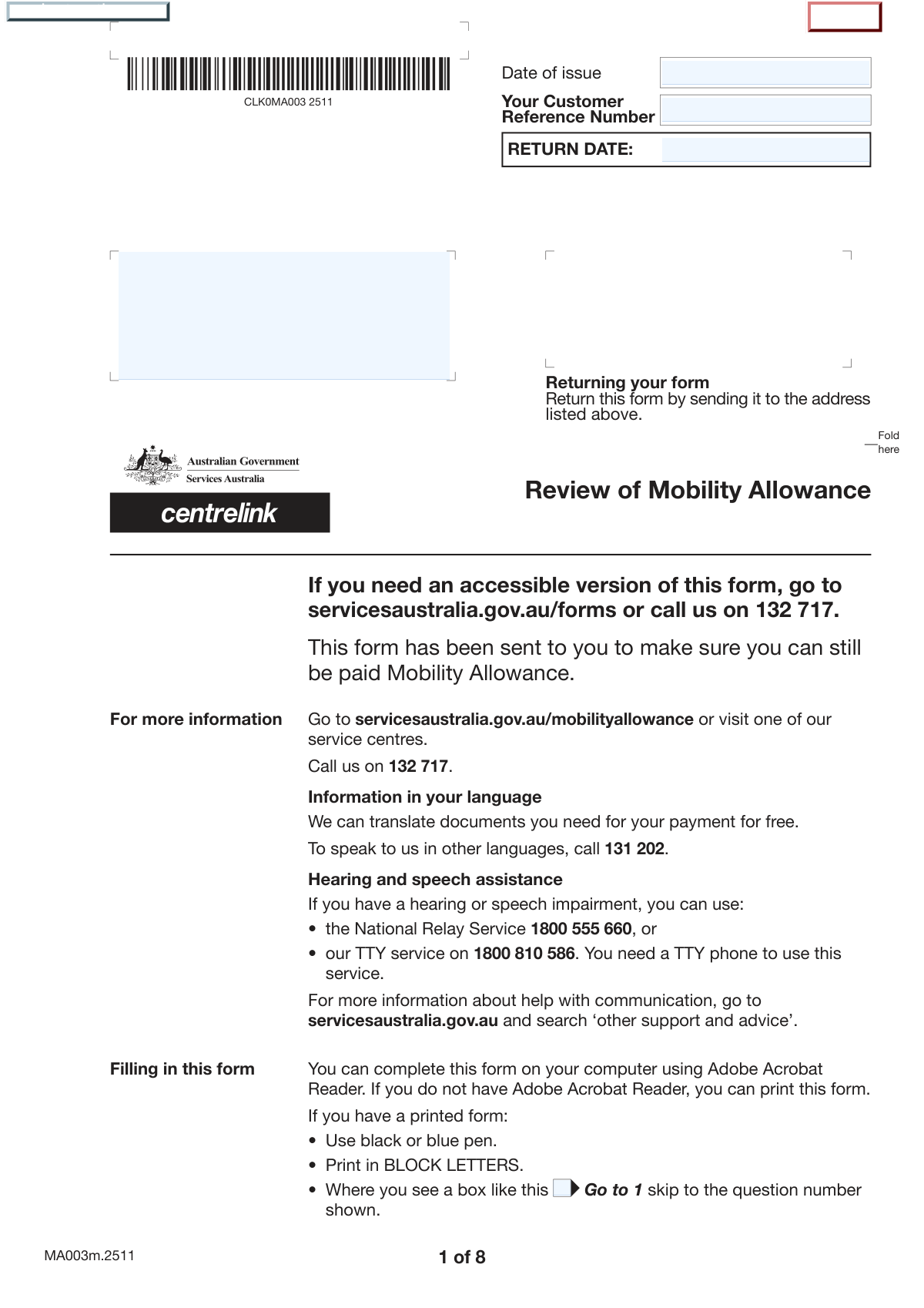
Form SU683, Details of study, training, work or other activities, is a comprehensive document used by Australian government agencies like Services Australia to gather information about a person's current situation. It covers various activities such as employment, self-employment, vocational training, voluntary work, and job searching to assess eligibility for payments and ensure mutual obligation requirements are met. Today, this form can be filled out quickly and accurately using AI-powered services like Instafill.ai, which can also convert non-fillable PDF versions into interactive fillable forms.
SU683 is part of the
ETA forms category on Instafill.
Our AI automatically handles information lookup, data retrieval, formatting, and form filling.
It takes less than a minute to fill out SU683 using our AI form filling.
Securely upload your data. Information is encrypted in transit and deleted immediately after the form is filled out.
Form specifications
| Form name: | Form SU683 - Details of study, training, work or other activities |
| Number of fields: | 234 |
| Number of pages: | 8 |
| Filled form examples: | Form SU683 Examples |
| Language: | English |
More forms in ETA forms
Instafill Demo: How to fill out PDF forms in seconds with AI
How to Fill Out SU683 Online for Free in 2026
Are you looking to fill out a SU683 form online quickly and accurately? Instafill.ai offers the #1 AI-powered PDF filling software of 2026, allowing you to complete your SU683 form in just 37 seconds or less.
Follow these steps to fill out your SU683 form online using Instafill.ai:
- 1 Navigate to Instafill.ai and upload your copy of Form SU683, or select it from their template library.
- 2 Allow the AI to process the document and identify all the fillable fields, including checkboxes, text areas, and date fields.
- 3 Provide your personal and contact information. Instafill.ai can securely store and pre-fill this information for you on future forms.
- 4 Systematically answer the questions about your activities, such as NDIS status, employment, self-employment, vocational training, and voluntary work, following the form's conditional logic.
- 5 If required, upload and attach supporting documents, such as proof of job search activities or employer details, directly through the platform.
- 6 Carefully review all the information you've entered for accuracy and completeness before proceeding to the final step.
- 7 Electronically sign the declaration section to certify your answers, then download the completed form, ready for submission to the relevant government agency.
Our AI-powered system ensures each field is filled out correctly, reducing errors and saving you time.
Why Choose Instafill.ai for Your Fillable SU683 Form?
Speed
Complete your SU683 in as little as 37 seconds.
Up-to-Date
Always use the latest 2026 SU683 form version.
Cost-effective
No need to hire expensive lawyers.
Accuracy
Our AI performs 10 compliance checks to ensure your form is error-free.
Security
Your personal information is protected with bank-level encryption.
Frequently Asked Questions About Form SU683
This form collects detailed information about your current circumstances, including employment, training, and participation in programs like NDIS. It is used to review your details and assess your eligibility for payments or support.
Your Customer Reference Number is a unique identifier that is usually printed on letters or other documents you have received from the issuing department. If you cannot find it, you may need to contact them directly.
If you receive a funded package from the National Disability Insurance Scheme (NDIS), you must check 'Yes' for that question. Answering 'Yes' will guide you to skip several subsequent sections of the form, as they may not apply to you.
Vocational training includes a broad range of studies like tertiary education, TAFE courses, secondary education, and other courses at institutions offering academic or trade qualifications. If you are undertaking any such course, you should provide the details in the relevant section.
If your hours vary, you should calculate an average over the specified period to the best of your ability. Use your recent activity as a guide to provide the most accurate estimate possible.
You may need to provide proof for the activities you declare, such as employment, self-employment, or training. The 'Provided Documents' checklist near the end of the form will help you identify which documents to include based on your answers.
In the employment section, there is a specific question asking if you work for an Australian Disability Enterprise. Answering 'Yes' to this question will ensure your employment details are categorized correctly.
This information helps determine if you are eligible for any travel or transport-related allowances or supplements. It is important to answer accurately for each activity you report.
The 'Return Date' is the deadline for submitting the form. Failing to return the form by this date could result in delays or affect your payments or services, so it is important to submit it on time.
Yes, you can use AI-powered services like Instafill.ai to help complete this form. These tools can auto-fill fields accurately from your saved information, saving you time and helping to prevent errors.
To fill this form online, you can upload the PDF to Instafill.ai. The platform makes the form interactive, allowing you to easily type in your answers, save your progress, and download the completed document.
If your PDF is a 'flat' or non-fillable file, you can use a service like Instafill.ai to instantly convert it into an interactive, fillable form. This allows you to type your information directly into the fields before printing.
Compliance SU683
Validation Checks by Instafill.ai
1
Return Date Chronology
This validation ensures that the 'Return Date' entered in the Form Identification Details is not earlier than the 'Date of Issue'. This is crucial for maintaining logical consistency in the form's timeline, as a form cannot be due for return before it has been issued. If this check fails, the system should prompt the user to correct one or both of the dates.
2
NDIS Conditional Logic Enforcement
Verifies that sections related to vocational training, self-employment, and general employment are only filled out if the user has selected 'No' for 'NDIS Support Status'. The form instructions explicitly state this dependency. This check prevents the submission of irrelevant or contradictory information, ensuring data integrity and proper processing based on the applicant's primary support scheme.
3
Employment Services Provider Details Completeness
If the user checks 'Yes' for 'Employment Services Program Participation Status', this validation confirms that all related provider details are filled, including 'Provider Name', 'Address', 'Postcode', 'Phone Number', and 'Program Start Date'. This is a conditional requirement check to ensure that a positive declaration is supported by the necessary details for verification. Failure to provide these details would render the 'Yes' answer incomplete and unactionable.
4
Program Duration Date Logic
This check validates that the 'Program Expected Finish Date' is chronologically after the 'Program Start Date' for an employment services program. Submitting a finish date that is before the start date is a logical impossibility and indicates a data entry error. This validation is essential for accurately calculating program duration and eligibility for related support.
5
Australian Business Number (ABN) Structure and Validity
This validation combines the four ABN segments and checks if they form a valid 11-digit Australian Business Number. It should verify the numeric format and apply the official modulus 89 checksum algorithm to confirm the ABN's authenticity. An invalid ABN can cause significant issues with identity verification and payment processing, so this check is critical for accuracy.
6
Mutually Exclusive Selection Check
Ensures that for any question with distinct 'Yes' and 'No' checkboxes (e.g., 'NDIS Support Status', 'Vehicle Assistance Scheme Status'), only one of the two options is selected. This prevents ambiguous or contradictory answers on the form. If both or neither are selected for a mandatory question, the form submission should be blocked until the user makes a single, clear choice.
7
Australian Postcode Format
This validation checks that all postcode fields (e.g., 'Employer's Postcode', 'Business Postcode') contain exactly four numerical digits. This ensures the address data is properly formatted for mailing and location services. An incorrectly formatted postcode can lead to returned mail and delays in processing.
8
Phone Number Format Validation
Verifies that all phone number fields are entered in a plausible format, such as a 10-digit number for Australian phone numbers including the area code. The check can look for the correct number of digits and ensure only valid characters (numbers, and perhaps spaces or hyphens that are stripped before validation) are present. This ensures that the contact information is usable for follow-up communication.
9
Work Hours Logical Consistency
This check compares the values entered for 'Hours Worked Over 2 Weeks' and 'Hours Worked Over 4 Weeks'. It flags any significant discrepancy, such as the 4-week total not being approximately double the 2-week total. While not a strict failure, it would trigger a warning to the user to confirm their entries, preventing simple data entry errors that could affect benefit calculations.
10
Composite Date Validity
Ensures that any date constructed from separate Day, Month, and Year fields (e.g., 'Start Date Day', 'Start Date Month', 'Start Date Year') forms a valid calendar date. For example, it would reject an entry like '31 April 2023'. This fundamental check prevents invalid date data from entering the system, which could cause crashes or incorrect calculations.
11
Declaration Date Sanity Check
This validation confirms that the 'Declaration Date' is not in the future and is not earlier than the form's 'Date of Issue'. The declaration signifies that the information is true and correct at the time of signing. A future date is invalid, and a date before the form was issued is logically impossible, so this check ensures the declaration's temporal validity.
12
Voluntary Work Details Completeness
If a user answers 'Yes' to the 'Voluntary Work Question', this validation ensures that the subsequent required fields are completed. Specifically, it checks for the presence of 'Organisation Name', 'Type of Work', 'Voluntary Work Hours', and the 'Voluntary Work Start Date'. This ensures that the declaration of voluntary work is substantiated with the minimum required information for assessment.
13
Provided Documents Cross-Reference
This check ensures consistency between the main form answers and the 'Provided Documents' checklist at the end. For example, if the 'Details of vocational training' box is ticked, the validation verifies that the answer to 'Are you doing vocational training?' is indeed 'Yes'. This prevents applicants from indicating they are providing documents for an activity they have not declared, ensuring the submission package is coherent.
14
Vehicle Possession Acknowledgement
This validation is triggered if the user answers 'Yes' to receiving a vehicle under the 'Vehicle Assistance Scheme' and 'Yes' to 'Current Motor Vehicle Possession Status'. It then checks that the 'Acknowledgement' field is not empty. This ensures that the user has formally acknowledged their current possession of the asset as required by that specific question path.
Common Mistakes in Completing SU683
The form contains many fields with instructions like 'Fill only if 'Yes' is 'Yes'' and buttons to 'go to question X'. Users often miss these cues, leading them to either skip required sections or fill out sections that are irrelevant to them. This results in an incomplete or logically inconsistent form that cannot be processed correctly, causing significant delays. To avoid this, carefully follow the instructions for each question; AI-powered tools like Instafill.ai can automatically hide or show relevant sections based on your answers, ensuring a complete and accurate submission.
The form has nearly identical sets of questions for 'Vocational Training', 'Independent Living Skills', 'Self-Employment', 'Employment', and 'Voluntary Work'. A frequent mistake is entering information in the wrong section, such as putting paid employment details in the 'Voluntary Work' area. This misclassification can lead to an incorrect assessment of your eligibility and obligations. Before entering data, always double-check the main heading of the section to ensure you are in the correct part of the form.
Several sections ask for the total hours worked or spent on an activity over a '2-week period' or a '4-week period'. People often make errors by providing their weekly hours, miscalculating the total, or simply guessing. This inaccurate data can directly impact payment calculations and eligibility assessments. It is crucial to take a moment to accurately calculate this figure based on your schedule before entering it into the form.
Many date fields are split into separate inputs for Day, Month, and Year. Common errors include entering the full date in one box, transposing the day and month, or leaving one of the three fields blank. This creates ambiguity and can cause processing delays or errors when establishing timelines for employment or training. Always ensure each component of the date is entered into its corresponding field.
The ABN is required for employers and self-employment, and it is split across four separate fields. This format increases the chance of typos, transposing digits, or entering numbers in the wrong boxes. An incorrect ABN prevents the agency from verifying crucial details, which will halt the processing of the application. Before submitting, double-check the 11-digit ABN against an official record and ensure it is entered correctly across the four fields.
The form uses specific terms like 'Supported Wage System', 'Australian Disability Enterprise', and 'mutual obligation requirements'. Applicants who are unfamiliar with these precise definitions may answer incorrectly based on their own assumptions. Answering 'Yes' or 'No' incorrectly can place you on the wrong assessment pathway, so it is vital to look up any unfamiliar terms on the relevant government websites before answering.
Due to the form's complexity and branching questions, it is easy to provide conflicting information. For example, a user might check 'No' for 'Are you employed and earning money?' but then proceed to fill out the employer details section. These contradictions create confusion and will require the processing agency to contact the applicant for clarification, delaying the outcome. A final review of all answers is essential to catch these inconsistencies.
When asked for an employer or provider's name, people often use common abbreviations, acronyms, or trading names instead of the full legal entity name. This makes it difficult for the agency to officially verify the organization, potentially leading to delays. Always use the full, official name of the business or organization as it appears on legal documents or payslips.
The final declaration, which requires a signature and date, is one of the most critical parts of the form, yet it is frequently missed. An unsigned or undated form is considered invalid and cannot be processed, leading to an automatic rejection or delay until it is corrected. Always make it a final checklist item to sign and date the form in the designated areas. AI form-fillers like Instafill.ai often have validation checks to remind you to complete these mandatory final steps.
The form includes many 'Button - Click to go to question...' prompts, which are useless on a printed or non-interactive PDF. When filling out a paper copy, users often get lost in the complex navigation, miss entire sections, or answer questions they were supposed to skip. This results in a fundamentally flawed submission. If you only have a non-fillable PDF, a tool like Instafill.ai can convert it into a smart, fillable version that handles this navigation automatically, guiding you through the correct question sequence.
Saved over 80 hours a year
“I was never sure if my IRS forms like W-9 were filled correctly. Now, I can complete the forms accurately without any external help.”
Kevin Martin Green
Your data stays secure with advanced protection from Instafill and our subprocessors

Robust compliance program
Transparent business model
You’re not the product. You always know where your data is and what it is processed for.
ISO 27001, HIPAA, and GDPR
Our subprocesses adhere to multiple compliance standards, including but not limited to ISO 27001, HIPAA, and GDPR.
Security & privacy by design
We consider security and privacy from the initial design phase of any new service or functionality. It’s not an afterthought, it’s built-in, including support for two-factor authentication (2FA) to further protect your account.
Fill out SU683 with Instafill.ai
Worried about filling PDFs wrong? Instafill securely fills form-su683-details-of-study-training-work-or-other-activities forms, ensuring each field is accurate.



