Yes! You can use AI to fill out Vanguard Personal Investor – Unregulated Trust details – Account information update
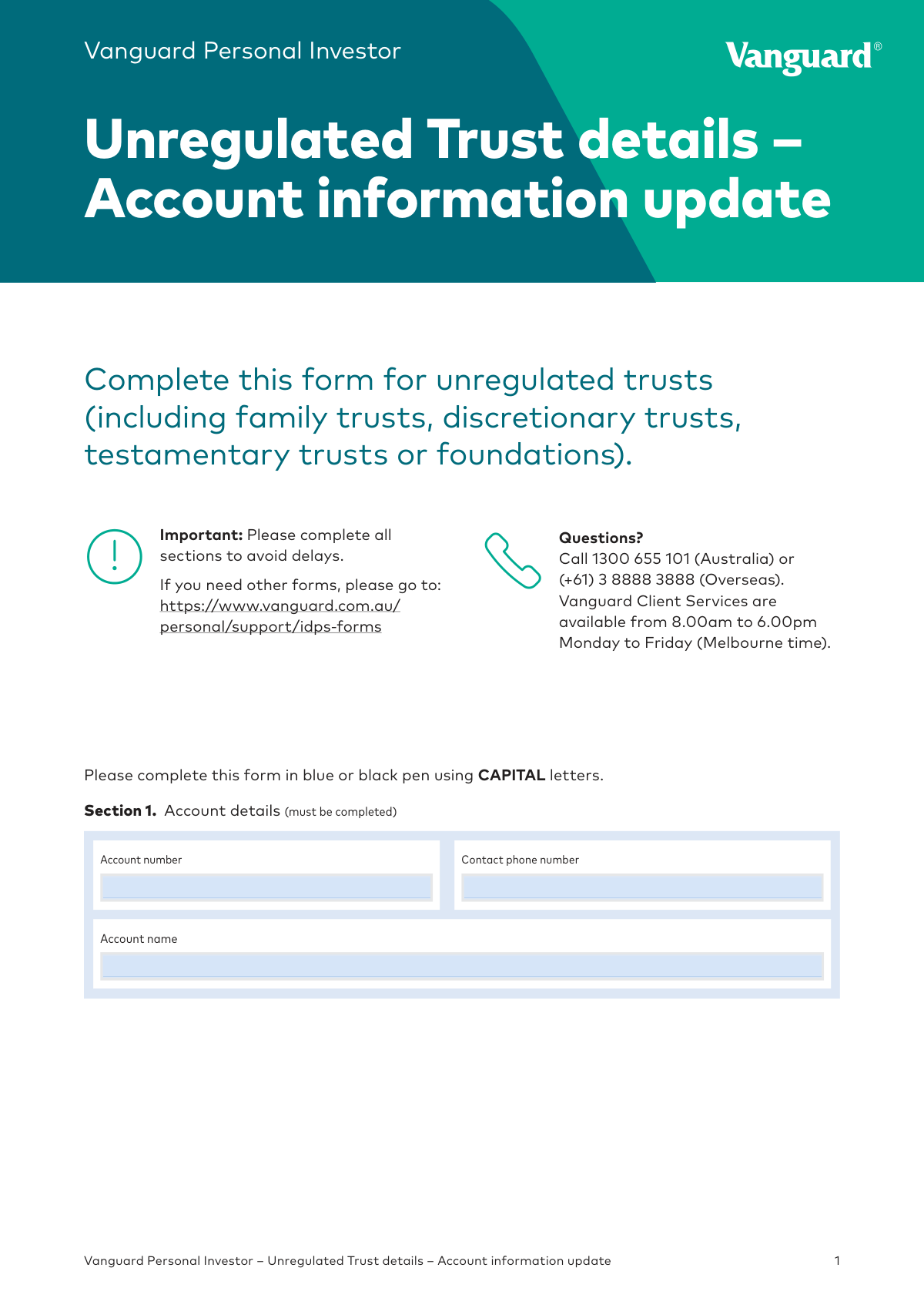
This form, officially titled 'Vanguard Personal Investor – Unregulated Trust details – Account information update', is used by trustees to provide or update essential information about an unregulated trust's structure, beneficiaries, and controlling persons for their Vanguard investment account. It is crucial for compliance with legal and tax regulations, including FATCA/CRS reporting. Today, this form can be filled out quickly and accurately using AI-powered services like Instafill.ai, which can also convert non-fillable PDF versions into interactive fillable forms.
Our AI automatically handles information lookup, data retrieval, formatting, and form filling.
It takes less than a minute to fill out REFORMAIUUT 92024 using our AI form filling.
Securely upload your data. Information is encrypted in transit and deleted immediately after the form is filled out.
Form specifications
| Form name: | Vanguard Personal Investor – Unregulated Trust details – Account information update |
| Number of pages: | 1 |
| Language: | English |
| Categories: | trust forms, Vanguard forms |
Instafill Demo: How to fill out PDF forms in seconds with AI
How to Fill Out REFORMAIUUT 92024 Online for Free in 2026
Are you looking to fill out a REFORMAIUUT 92024 form online quickly and accurately? Instafill.ai offers the #1 AI-powered PDF filling software of 2026, allowing you to complete your REFORMAIUUT 92024 form in just 37 seconds or less.
Follow these steps to fill out your REFORMAIUUT 92024 form online using Instafill.ai:
- 1 Navigate to Instafill.ai and upload or select the 'Unregulated Trust details – Account information update' form.
- 2 Provide your Vanguard account number and name in Section 1 to identify the account being updated.
- 3 Complete Section 2 with detailed information about the trust, including its type, legal name, establishment date, settlor, and beneficiaries.
- 4 Fill out the appropriate trustee section: Section 3 for individual trustees or Section 4 for corporate trustees, including details on directors and beneficial owners.
- 5 Provide the trust's tax information in Sections 5, 6, and 7, including TFN/ABN and FATCA/CRS details for the trust and its controlling persons.
- 6 Review all the information auto-filled by the AI for accuracy, then proceed to Section 8 to have all authorized signatories sign and date the declaration.
- 7 Download the completed form, gather and certify all required identification documents as per the checklist, and mail them to Vanguard.
Our AI-powered system ensures each field is filled out correctly, reducing errors and saving you time.
Why Choose Instafill.ai for Your Fillable REFORMAIUUT 92024 Form?
Speed
Complete your REFORMAIUUT 92024 in as little as 37 seconds.
Up-to-Date
Always use the latest 2026 REFORMAIUUT 92024 form version.
Cost-effective
No need to hire expensive lawyers.
Accuracy
Our AI performs 10 compliance checks to ensure your form is error-free.
Security
Your personal information is protected with bank-level encryption.
Frequently Asked Questions About Form REFORMAIUUT 92024
This form is used to update the account information for an unregulated trust, such as a family, discretionary, or testamentary trust, that holds a Vanguard Personal Investor account. It must be completed by the trustee(s) of the trust.
If your trust has a corporate trustee, you must complete Section 4. Section 3 is only for trusts that have individuals acting as trustees.
You must submit certified copies of identification for all individual trustees, directors, and beneficial owners, as well as a certified copy of the trust deed. If you have a corporate trustee, a current ASIC company extract is also required.
If you need more space to list all beneficiaries, trustees, or directors, please provide the additional details on a separate page and attach it to your completed form.
Providing a TFN or ABN is optional. However, if you choose not to provide one and do not have an exemption, Vanguard is required by law to deduct tax from income distributions at the highest marginal tax rate.
This information is required under global tax reporting standards (FATCA/CRS) to identify and report on tax residents of countries other than Australia. Completing these sections is mandatory to ensure compliance and avoid issues with your account.
A 'Controlling Person' refers to the individuals who have ultimate control over the trust. This typically includes the trustees, the appointor, the settlor, and in some cases, specific beneficiaries or beneficial owners of a corporate trustee.
A 'Beneficial Owner' is an individual who owns 25% or more of the corporate trustee. If no individual meets this criteria, you must instead provide details for the 'Senior Managing Official,' such as the CEO or another top executive.
If the trust has individual trustees, all trustees must sign. If it has a corporate trustee, the form must be signed by at least two directors, or by the sole director and the company secretary.
Mail your completed and signed form, along with all required certified documents, to Vanguard Investments Australia Ltd, GPO Box 1837, Melbourne VIC 3001.
Yes, services like Instafill.ai use AI to auto-fill form fields accurately and save time. This can help reduce errors and make the process of completing complex forms much faster.
If your PDF is not interactive, you can use a tool like Instafill.ai to make it fillable. Simply upload the document to the platform, and it will convert the flat PDF into an interactive form you can complete online.
To fill this form using Instafill.ai, upload the PDF to their website. The AI will identify the fields, allowing you to type your information directly, and then you can download the completed form for printing and signing.
An Appointor is an individual with the power to appoint or remove trustees, as specified in the trust deed. If your trust has an appointor, you must provide their details in the relevant part of Section 2.
Compliance REFORMAIUUT 92024
Validation Checks by Instafill.ai
1
Ensures Exclusive Trustee Section Completion
This check verifies that information is provided in either Section 3 (Individual trustees) or Section 4 (Corporate trustees), but not both. A trust can have either individual trustees or a corporate trustee, so completing both sections indicates a data entry error. If this validation fails, the form submission should be halted with an error message prompting the user to correct the conflicting information.
2
Validates Declaration Signatories Against Trustee/Director Records
This validation cross-references the signatories in Section 8 with the individuals listed in Section 3 (Individual Trustees) or Section 4 (Directors). The number of signatories and their roles must match the provided trustee/director details as per the form's instructions (e.g., all individual trustees must sign). This ensures proper authorization for the account update. A mismatch would invalidate the declaration and prevent processing.
3
Verifies Conditional Completion of Beneficial Owner or Senior Managing Official
In Section 4, this check enforces the logic for identifying controlling persons. If the user answers 'No' to the 25% non-beneficial ownership question, they must either provide details for at least one 'Beneficial owner' or, if none exist, complete the 'Senior Managing Official' section. This is a critical AML/CTF requirement. Failure to provide one of these will result in an incomplete and non-compliant submission.
4
Enforces PO Box Restriction for Physical Addresses
This check scans all address fields explicitly marked as 'must not be a PO Box', such as the trust's business address and individuals' residential addresses. Regulatory requirements often mandate a physical address for identification and legal purposes. If 'PO Box' or similar variants are detected, the validation will fail, requiring the user to provide a valid street address.
5
Validates Date of Birth Format and Plausibility
This check ensures all date of birth fields (for beneficiaries, trustees, directors, etc.) are in the correct DDMMYYYY format and represent a logical past date. It prevents future dates or impossible dates from being entered. For roles like trustee or director, it could also check if the individual is over 18, ensuring they are of legal age to hold the position.
6
Validates Australian Company/Business Number (ACN/ARBN) Format
For corporate trustees in Section 4, this validation confirms that the provided ACN/ARBN is a 9-digit number. This is a basic structural check to catch typos and formatting errors early. While it doesn't verify the number against the ASIC database, it ensures the data is in the correct format for subsequent processing and verification, reducing downstream errors.
7
Ensures Uniqueness of Individual Email and Mobile Numbers
This validation verifies that every email address and mobile number provided for an individual (trustee, director, appointor) is unique across the entire form. The form states this is required for online registration and security purposes. Duplicate entries could lead to account access issues or incorrect contact information being linked to multiple individuals.
8
Validates Conditional Requirement for Foreign Tax Information
In Section 7, if the user answers 'Yes' to any controlling person being a tax resident of another country, this check ensures the corresponding details are completed. The controlling person's name, role, country of tax residency, and Tax Identification Number (TIN) or a reason for its absence become mandatory. This is essential for complying with global tax reporting standards like FATCA and CRS.
9
Enforces Explanation for Missing Tax Identification Number (TIN)
In Sections 6 and 7, if a foreign tax residency is declared but no TIN is provided, the user must select a reason (A, B, or C). This check specifically validates that if Reason B ('The Individual is unable to obtain a TIN') is selected, the corresponding free-text explanation field is not left empty. This ensures complete data capture for regulatory reporting and audit trails.
10
Requires Specification for 'Other' Selections
This check applies to all fields where an 'Other' checkbox is an option, such as 'Type of trust' and 'Source of funds'. If the 'Other' checkbox is ticked, the corresponding 'please specify' text field must be filled in. This prevents incomplete data entry and ensures that the necessary details for non-standard selections are captured for proper classification and review.
11
Validates Trust Establishment Date Logic
This check ensures the 'Date the trust was established' in Section 2 is a valid date in DDMMYYYY format and is not a date in the future. A trust cannot be established on a future date, so this check prevents logical impossibilities and data entry errors. An invalid or future date would cause rejection of the form.
12
Verifies Completeness of Mandatory Sections
This validation confirms that all sections explicitly marked as '(must be completed)', such as Section 1 (Account details) and Section 8 (Declaration), are filled out. These sections contain foundational information required to identify the account and authorize the update. An incomplete mandatory section would render the form invalid and block the submission process until the required information is provided.
Common Mistakes in Completing REFORMAIUUT 92024
In Section 2, applicants often incorrectly enter the name of the trustee (the person or company managing the trust) in the field for the 'Full legal name of trust'. This happens because the roles can be confusing and the form is a static PDF. This error leads to incorrect legal documentation and significant processing delays. To avoid this, carefully refer to the trust deed to distinguish between the trust entity and the trustee. Since the form is a non-fillable PDF, using a tool like Instafill.ai can convert it into an interactive version, making field labels clearer and reducing entry errors.
Sections 3 and 4 require details for all individual trustees or corporate directors, but applicants frequently list only the primary contact. The form also requires a unique email and mobile number for each person, which is often overlooked. Missing information or shared contacts will halt the application process. To prevent this, ensure every required individual is listed with their unique contact details. AI-powered tools can help by flagging mandatory fields that have been left empty.
Section 4's rules for identifying beneficial owners (individuals with >=25% ownership) or nominating a Senior Managing Official (SMO) are complex and often misinterpreted. Applicants may fail to identify all beneficial owners or fill out the wrong subsection. This is a critical anti-money laundering (AML) requirement, and errors will result in rejection and requests for clarification. Carefully review ownership structures in the ASIC company extract and follow the form's logic to determine who to list.
The form explicitly states that business and residential addresses 'must not be a PO Box' in multiple sections. People often enter a PO Box out of habit, but this violates regulatory requirements for physical address verification. This error will cause the form to be returned for correction. To avoid this, always provide a full physical street address. Form-filling tools like Instafill.ai can automatically validate addresses and flag PO Boxes in fields where they are not permitted.
Section 6 requires the applicant to classify the trust's tax status (e.g., Active NFE, Passive NFE), which involves complex definitions unfamiliar to most people. Applicants often guess or leave this section blank, leading to improper tax reporting and compliance issues. An incorrect classification can cause problems with the ATO and foreign tax authorities. If unsure, it is crucial to consult a tax advisor to determine the correct status before completing the form.
In Sections 6 and 7, if a trust or controlling person is a tax resident of another country, their Tax Identification Number (TIN) for that country is required. Applicants often leave this blank or fail to select a valid reason code (A, B, or C) if a TIN is unavailable. This omission leads to processing delays while the financial institution requests the missing information. Ensure you have the TINs for all foreign tax residencies or provide a valid reason for their absence.
Section 8 has specific instructions for who must sign: all individual trustees, or at least two directors for a corporate trustee. A common error is having only one person sign when multiple signatures are required, which invalidates the declaration. This requires the form to be re-signed and resubmitted, causing significant delays. Carefully read the instructions in Section 8 to ensure all required authorised signatories sign the form in black pen as specified.
The form requires certified copies of many documents, including trust deeds and photo IDs. Applicants often submit plain photocopies or documents that are not certified according to Vanguard's specific guidelines. This is a major compliance failure that will halt the entire process until correctly certified documents are received. Always use an eligible certifier and ensure they follow the instructions in the linked certification guide precisely.
Several sections require selecting an occupation from the specific list in 'Appendix A'. Applicants often write in their precise job title (e.g., 'Software Architect') instead of choosing the closest category (e.g., 'Other professional'). This deviation from the required format can cause data entry errors and require follow-up. To ensure smooth processing, always select one of the predefined occupations. AI tools can convert this list into a dropdown menu to prevent free-text errors.
This is an 'Account information update' form, and the very first field is the 'Account number'. Applicants, focused on the new information, can easily forget to enter this crucial data point. Without the account number, the processing team cannot identify which account to update, rendering the submission useless. Always double-check that the existing Vanguard account number is clearly written at the top of the form before submission.
Saved over 80 hours a year
“I was never sure if my IRS forms like W-9 were filled correctly. Now, I can complete the forms accurately without any external help.”
Kevin Martin Green
Your data stays secure with advanced protection from Instafill and our subprocessors

Robust compliance program
Transparent business model
You’re not the product. You always know where your data is and what it is processed for.
ISO 27001, HIPAA, and GDPR
Our subprocesses adhere to multiple compliance standards, including but not limited to ISO 27001, HIPAA, and GDPR.
Security & privacy by design
We consider security and privacy from the initial design phase of any new service or functionality. It’s not an afterthought, it’s built-in, including support for two-factor authentication (2FA) to further protect your account.
Fill out REFORMAIUUT 92024 with Instafill.ai
Worried about filling PDFs wrong? Instafill securely fills vanguard-personal-investor-unregulated-trust-details-account-information-update forms, ensuring each field is accurate.