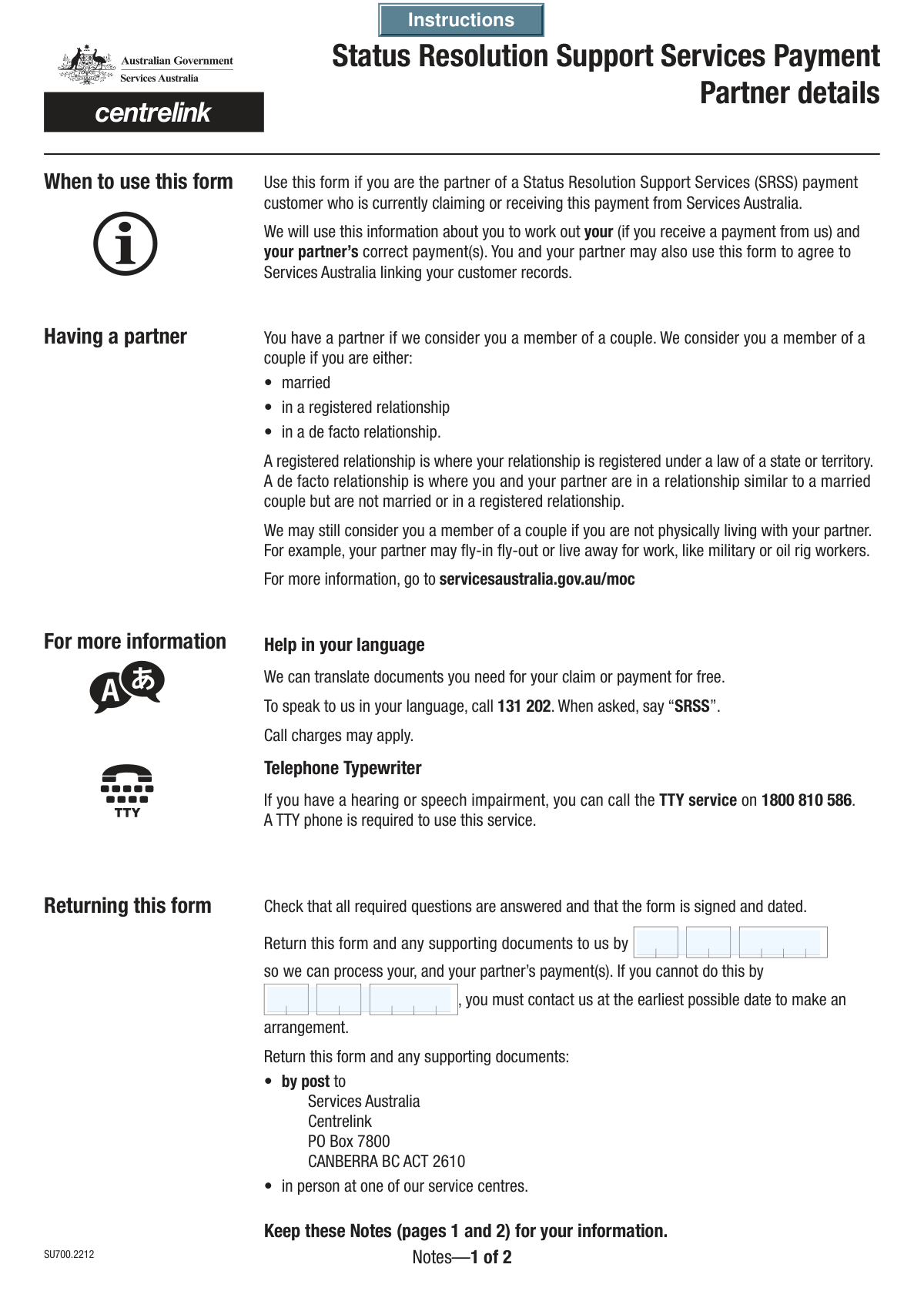
Yes! You can use AI to fill out Mod P, Details of your partner
The Mod P, Details of your partner form, is an official Services Australia document required when you start a relationship while receiving Centrelink payments. It collects comprehensive information about your partner's identity, income, and assets to reassess your eligibility and payment rate as a couple. Submitting this form accurately and promptly is crucial to ensure you receive the correct payment amount and avoid potential overpayments or debts. Today, this form can be filled out quickly and accurately using AI-powered services like Instafill.ai, which can also convert non-fillable PDF versions into interactive fillable forms.
Mod P is part of the
ETA forms category on Instafill.
Our AI automatically handles information lookup, data retrieval, formatting, and form filling.
It takes less than a minute to fill out Mod P using our AI form filling.
Securely upload your data. Information is encrypted in transit and deleted immediately after the form is filled out.
Form specifications
| Form name: | Mod P, Details of your partner |
| Number of fields: | 165 |
| Number of pages: | 7 |
| Filled form examples: | Form Mod P Examples |
| Language: | English |
More forms in ETA forms
Instafill Demo: How to fill out PDF forms in seconds with AI
How to Fill Out Mod P Online for Free in 2026
Are you looking to fill out a MOD P form online quickly and accurately? Instafill.ai offers the #1 AI-powered PDF filling software of 2026, allowing you to complete your MOD P form in just 37 seconds or less.
Follow these steps to fill out your MOD P form online using Instafill.ai:
- 1 Navigate to Instafill.ai and upload the Mod P form, or select it from their library of templates.
- 2 Provide your personal information, including your name, date of birth, and Customer Reference Number (CRN).
- 3 Enter your partner's details, such as their name, date of birth, and CRN, as requested by the form.
- 4 Answer the questions about your relationship status, living arrangements, and combined income from all sources, including employment, investments, and other payments.
- 5 Declare all shared assets, such as property, vehicles, and financial investments, providing estimated market values.
- 6 Review all the information pre-filled by the AI for accuracy, then electronically sign the declaration section along with your partner.
- 7 Download the completed Mod P form and submit it to Centrelink along with any required supporting documents like lease agreements or payslips.
Our AI-powered system ensures each field is filled out correctly, reducing errors and saving you time.
Why Choose Instafill.ai for Your Fillable Mod P Form?
Speed
Complete your Mod P in as little as 37 seconds.
Up-to-Date
Always use the latest 2026 Mod P form version.
Cost-effective
No need to hire expensive lawyers.
Accuracy
Our AI performs 10 compliance checks to ensure your form is error-free.
Security
Your personal information is protected with bank-level encryption.
Frequently Asked Questions About Form Mod P
This form is used to declare your and your partner's detailed personal and financial circumstances to an agency, likely for social security or benefits assessment. It should be completed by individuals who are in a relationship and need to report their combined situation.
A Customer Reference Number (CRN) is a unique ID assigned to you by the agency (e.g., Centrelink). You can typically find your CRN on letters, emails, or by logging into your online account with the agency.
If you cannot meet the submission deadline, you must provide a date in the 'Contact for Arrangement Date' field. This is the date by which you will contact the agency to make an alternative arrangement.
A 'registered relationship' is formally recognized under an Australian state or territory law. A 'de facto' relationship is when you live with your partner as a couple but are not married or in a registered relationship.
If you cannot separate the costs for meals (board) and accommodation (lodgings), select 'No' at question 15. You will then be asked to provide the total amount you pay and how often you pay it.
You must declare all income sources and assets for both yourself and your partner. This includes employment income, investments, rental income, vehicles, property, and even valuable personal items like jewellery or antiques.
Depending on your answers, you may need to attach documents such as payslips from the last 8 weeks, a full copy of your signed lease agreement, or letters detailing other income. The form includes a checklist to guide you.
Yes, the declaration section at the end of the form includes signature fields for both you and your partner. Both signatures are required for the form to be considered complete.
Giving consent allows the agency to connect your customer record with your partner's record. This helps them assess your household's circumstances accurately and determine correct entitlements.
Yes, if you have been known by any other names, you must select 'Yes' at the 'Other Names Inquiry' and provide details. This includes previous married names, maiden names, or aliases.
Yes, services like Instafill.ai use AI to auto-fill form fields accurately and save time. This can be particularly useful for complex forms like this one, helping to reduce errors and speed up completion.
You can upload the PDF form to the Instafill.ai platform. The AI will make the form interactive, allowing you to easily type in your information and navigate through the different sections online.
Services like Instafill.ai can convert flat, non-fillable PDFs into interactive forms. This allows you to type your answers directly onto the form on your computer, saving you the hassle of printing and filling it out by hand.
Compliance Mod P
Validation Checks by Instafill.ai
1
Logical Date Sequence for Deadlines
This check ensures that the 'Contact for Arrangement Date' is on or after the 'Submission Deadline Date'. This is a logical consistency check to prevent users from setting a contact date that precedes the deadline they are trying to extend. If the arrangement date is before the deadline date, the form should display an error message prompting the user to correct the date, as it is illogical to arrange for a missed deadline before the deadline has passed.
2
Conditional Requirement for 'Other Name Details'
This validation verifies that if the 'Yes' checkbox for 'Other Names Inquiry' is selected, then the 'Other Name Details' field (and related fields like 'Other Name' and 'Type of Other Name') must not be empty. This is crucial for completeness, ensuring that a user who indicates they have other names provides the necessary information. Failure to provide details after selecting 'Yes' will block submission and prompt the user to fill in the required fields.
3
Mutually Exclusive Relationship Status
This check ensures that a user can only select one relationship status from the available options: 'Married', 'Registered relationship', or 'De facto'. Allowing multiple selections would create conflicting and unusable data for assessing relationship status. If a user tries to select more than one, the system should either automatically deselect the previous choice or display an error message.
4
Valid Email Address Format
This validation ensures that the value entered in the 'Email Address' field conforms to a standard email format (e.g., '[email protected]'). This is critical for ensuring that communication with the applicant can be successfully established. An invalid format would prevent the system from sending notifications or correspondence, so the form should reject invalid entries and prompt for a correction.
5
Minimum Age Verification from Date of Birth
This check validates that the 'Date of Birth' for both the applicant and their partner corresponds to an age that is legally considered adult (e.g., 18 years or older). This is important for forms dealing with legal agreements, finances, or government services where the applicant must be of legal age. If the calculated age is below the threshold, the submission should be flagged or blocked with a message explaining the age requirement.
6
Conditional Requirement for 'Other Title'
This validation ensures that the 'Other Title' free-text field is only enabled and can only be filled if the 'Mx' checkbox is selected for the corresponding person (applicant or partner). This prevents users from providing an 'Other Title' while also selecting a standard title like 'Mr' or 'Ms'. If 'Mx' is not selected, this field should be disabled or its input ignored upon submission.
7
Completeness of Contact Information
This check verifies that at least one of the contact fields ('Home Phone Number', 'Mobile Phone Number', or 'Email Address') has been filled out. It is essential to have at least one valid method of contacting the applicant for follow-up questions or notifications. If all three fields are left blank, the form should display an error message requiring the user to provide at least one form of contact before proceeding.
8
Cross-Validation of Income Source Confirmation
This check ensures consistency between the income sources selected in question 26 and the confirmation in question 27. If any checkbox from 'Income from financial investments' to 'Other sources of payments or income' is ticked, the 'Yes' box at 'Confirmation of Income Sources' must also be ticked. This validation prevents contradictory statements and ensures the form's internal logic is followed, prompting the user to correct the discrepancy if one is found.
9
Required Name Fields
This validation ensures that the 'Family Name' and 'First Given Name' fields are not empty for both the applicant and, if applicable, their partner. These fields are fundamental for identifying the individuals associated with the form submission. A submission without this core information is incomplete and should be rejected, with an error message highlighting the mandatory fields.
10
Postcode Format Validation
This check verifies that the 'Postcode' for both the permanent and postal addresses matches the valid format for the relevant country (e.g., a 4-digit number for Australia). Correctly formatted postcodes are essential for mail delivery and data integrity for address verification systems. The form should reject any entry that does not conform to the expected format and guide the user to enter a valid postcode.
11
Logical Consistency of Relationship Date
This validation ensures that the 'Date Married or Reconciled', 'Date Registered Relationship', or 'Date De Facto Relationship' occurs after the birth dates of both the applicant and their partner. It is logically impossible for a relationship to have started before either individual was born. If an invalid date is entered, the system should present an error message explaining the logical conflict.
12
Conditional Requirement for Board and Lodgings Details
This check validates the complex logic in the board and lodgings section. If 'Yes' is selected for 'Separable Board and Lodgings Costs', then the 'Board (Meals) Amount' and 'Lodgings (Accommodation) Amount' fields become required. Conversely, if 'No' is selected, the 'Total Board and Lodgings Amount (Cannot Separate)' field becomes required. This ensures that users provide the correct financial details based on their ability to separate costs, preventing incomplete or contradictory information.
13
Conditional Document Checklist Validation
This validation checks that if a user answers 'Yes' to questions requiring supporting documentation (e.g., question 20 for lease agreements, question 24 for payslips), they must also check the corresponding box in the 'Documents Provided' section. This serves as a reminder and confirmation that the user understands which documents are required for their application to be complete. A warning should be displayed if the answer and the document checklist are inconsistent.
14
Signature Date Validity
This check ensures the 'Your Signature Date' and 'Partner's Signature Date' are valid dates that are not in the future. The signature date legally attests to the information being correct as of that day, so a future date is invalid. The date should ideally be on or before the current date of submission, and the form should reject any future dates entered.
Common Mistakes in Completing Mod P
The form asks for CRNs for both the applicant and their partner, and the applicant's CRN is split into four separate fields. People often enter their partner's CRN in their own section or vice versa, or they miss one of the four parts of their own number. This critical error can lead to significant processing delays or the inability to link the form to the correct customer records. To avoid this, carefully read the label for each CRN field and ensure all four parts of your own CRN are entered completely and in the correct boxes.
Many questions require you to check 'Yes' and then provide details in a subsequent field, such as providing 'Other Name Details' after selecting 'Yes' for the 'Other Names Inquiry'. A common error is checking 'Yes' but failing to provide the required information, or filling in details without checking the corresponding 'Yes' box. This leaves the application incomplete and requires follow-up, delaying the outcome. If the form is a non-fillable PDF, tools like Instafill.ai can convert it into an interactive version that helps guide you through these conditional fields.
The form contains multiple date fields (Date of Birth, relationship start date, submission deadline). Common mistakes include using an incorrect format (e.g., MM/DD/YYYY instead of DD/MM/YYYY), entering a future date for a past event like a date of birth, or providing conflicting dates. These errors can invalidate sections of the form and require clarification. To avoid this, double-check all dates for accuracy and logical consistency. AI-powered form filling tools like Instafill.ai can help prevent these errors by automatically validating date formats.
Applicants sometimes forget to declare all sources of income or assets, especially smaller or irregular ones like money from a boarder, hobby collections, or small financial investments. After ticking an asset box, it's also common to forget to provide the 'Estimated Current Market Value'. Omitting this information can be seen as a non-disclosure and may lead to payment recalculations or penalties later. To prevent this, review the list carefully and declare all items, providing a best estimate for their value where required.
The form specifies that certain documents, like a lease agreement or recent payslips, must be provided if you answer 'Yes' to corresponding questions. People frequently submit the form without these essential documents, assuming they can be sent later. This will halt the processing of your application until all required paperwork is received. Create a checklist of the documents needed based on your answers as you fill out the form to ensure everything is submitted together.
An unsigned form is invalid. Applicants often forget to sign and date the declaration, or they miss getting their partner's signature and date where required. The date must reflect the actual day of signing. Submitting an unsigned or incorrectly dated form will result in its immediate return and will require you to resubmit, causing significant delays. Always double-check that both you and your partner (if applicable) have signed and dated the form correctly before submission.
The section on board and lodgings is complex, asking if costs can be separated into meals (board) and accommodation (lodgings). Applicants often get confused and provide a total amount when a separated amount is needed, or they fail to specify the payment frequency (e.g., week, fortnight). This can lead to an incorrect assessment of your living expenses. Carefully read whether you need to provide a total or a separated cost, and always include both the amount and the payment period (e.g., '$200 per week').
The form requests both a permanent and a postal address. Even if both addresses are the same, both sections must be filled out completely. Applicants often fill in their permanent address and assume the postal address section can be left blank if it's identical, which can lead to important mail being sent to an old or incorrect address. To ensure you receive all correspondence, complete both the permanent and postal address sections, even if the information is repetitive.
This form requires significant input from a partner, including their personal details, consent to link records, and a signature. The primary applicant may fill out the form on their partner's behalf and forget to obtain the necessary signatures or explicit consent for each permission question. This invalidates the partner-related sections and can stop the application from being processed. It is crucial to fill out the form with your partner and ensure they personally check the consent boxes and sign the declaration.
Several sections, such as 'Accommodation Type' and 'Assets Owned', include an 'Other' checkbox with a corresponding field to provide details. A frequent mistake is to check the 'Other' box but then leave the details field blank. This makes the selection meaningless and requires the processing agency to contact you for clarification, delaying your application. Always provide a clear and specific description whenever you select an 'Other' category.
Saved over 80 hours a year
“I was never sure if my IRS forms like W-9 were filled correctly. Now, I can complete the forms accurately without any external help.”
Kevin Martin Green
Your data stays secure with advanced protection from Instafill and our subprocessors
Robust compliance program
Transparent business model
You’re not the product. You always know where your data is and what it is processed for.
ISO 27001, HIPAA, and GDPR
Our subprocesses adhere to multiple compliance standards, including but not limited to ISO 27001, HIPAA, and GDPR.
Security & privacy by design
We consider security and privacy from the initial design phase of any new service or functionality. It’s not an afterthought, it’s built-in, including support for two-factor authentication (2FA) to further protect your account.
Fill out Mod P with Instafill.ai
Worried about filling PDFs wrong? Instafill securely fills mod-p-details-of-your-partner forms, ensuring each field is accurate.