Yes! You can use AI to fill out State of Michigan Blank Court Form

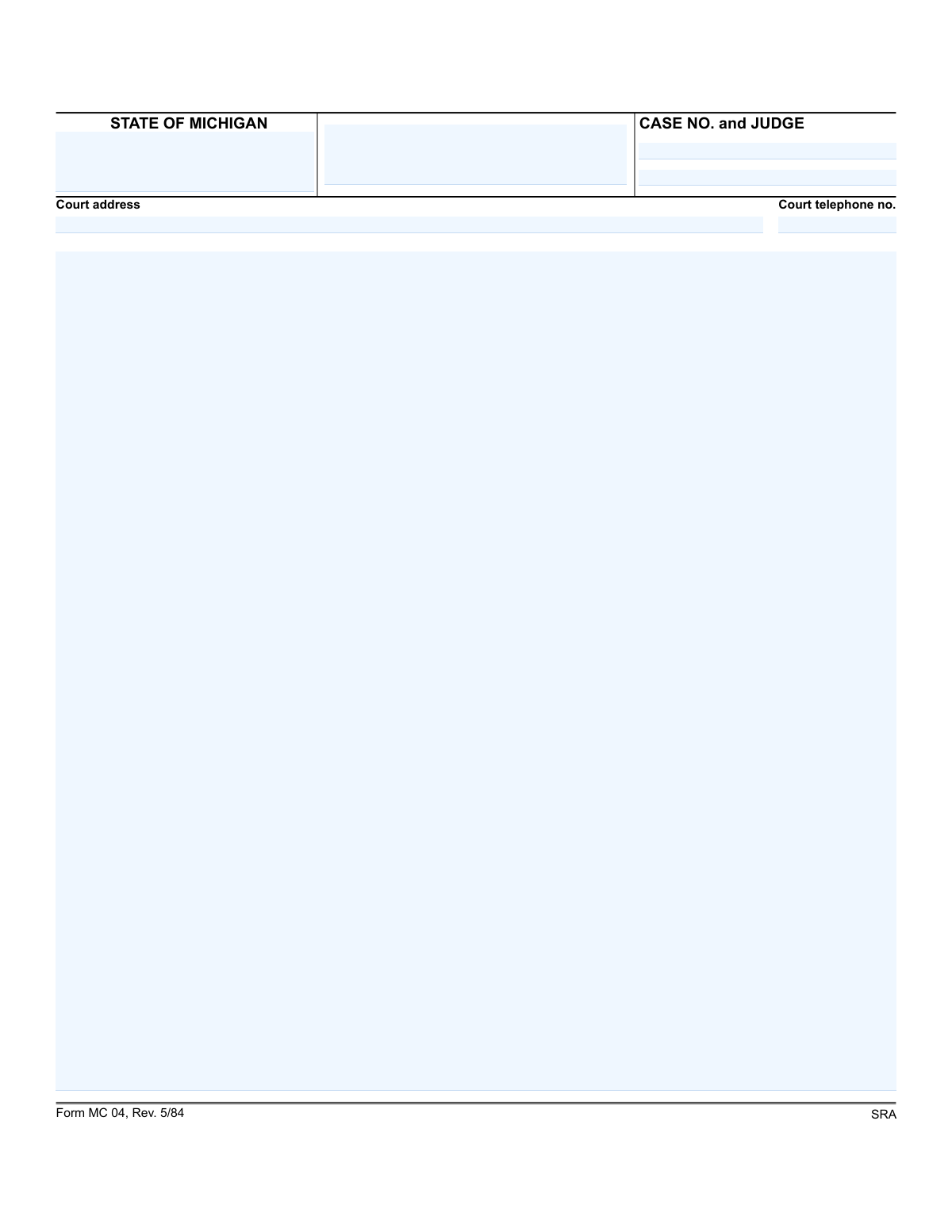
Michigan Form MC 04 is a blank, non-SCAO-approved template used for various legal filings within the state's court system. It provides a standardized header for essential case information, including the court address, case number, and judge, while leaving the main body empty for custom legal arguments, motions, or pleadings. Today, this form can be filled out quickly and accurately using AI-powered services like Instafill.ai, which can also convert non-fillable PDF versions into interactive fillable forms.
MC 04 is part of the Michigan court forms category on Instafill.
Our AI automatically handles information lookup, data retrieval, formatting, and form filling.
It takes less than a minute to fill out MC 04 using our AI form filling.
Securely upload your data. Information is encrypted in transit and deleted immediately after the form is filled out.

Form specifications

Form name: State of Michigan Blank Court Form
Number of fields: 7
Number of pages: 1
Language: English
main-image

Instafill Demo: How to fill out PDF forms in seconds with AI

How to Fill Out MC 04 Online for Free in 2026

Are you looking to fill out a MC 04 form online quickly and accurately? Instafill.ai offers the #1 AI-powered PDF filling software of 2026, allowing you to complete your MC 04 form in just 37 seconds or less.
Follow these steps to fill out your MC 04 form online using Instafill.ai:
  1. 1 Navigate to Instafill.ai and upload or select the MC 04 form.
  2. 2 Use the AI assistant to automatically populate the court address and telephone number.
  3. 3 Enter your specific Case Number and the name of the presiding Judge in the designated fields.
  4. 4 In the 'title' field, clearly state the name of the document you are filing (e.g., 'Motion for Summary Disposition').
  5. 5 Draft the body of your legal document, including all necessary facts, arguments, and requests, in the large blank section.
  6. 6 Carefully review all the information you've entered, including the header and the body text, to ensure accuracy and completeness.
  7. 7 Download, print, and sign the completed form for filing with the appropriate court.

Our AI-powered system ensures each field is filled out correctly, reducing errors and saving you time.

Why Choose Instafill.ai for Your Fillable MC 04 Form?

Speed

Complete your MC 04 in as little as 37 seconds.

Up-to-Date

Always use the latest 2026 MC 04 form version.

Cost-effective

No need to hire expensive lawyers.

Accuracy

Our AI performs 10 compliance checks to ensure your form is error-free.

Security

Your personal information is protected with bank-level encryption.

Frequently Asked Questions About Form MC 04

This is the standard case caption header for a document filed in a Michigan court. It is not a standalone form but the top section of a legal document used to identify the case, court, and judge.

Any party involved in a court case (or their attorney) who is filing a document with the court must complete this header. This ensures the document is correctly associated with the proper case file.

The Case Number and the name of the presiding Judge are assigned by the court when the case is initiated. This information can be found on any official notices or previously filed documents related to your case.

SCAO stands for the State Court Administrative Office, which approves official Michigan court forms. This note indicates the form is a generic template and not the final, officially approved version, which would have an SCAO seal.

You should enter the full mailing address and main public telephone number for the specific court where your case is being heard. This information is usually available on the court's official website.

MC 04 is the form number, which historically corresponds to a 'Subpoena, Order to Appear and/or Produce' in Michigan courts. However, given the old revision date (5/84), you must ensure you are using the most current version required by the court.

SRA is an outdated designation likely related to a specific court rule or act from the 1980s. Modern SCAO-approved forms do not typically use this abbreviation, so it can usually be disregarded when using current forms.

This header is part of a larger document, not submitted by itself. You will complete the entire document and file it with the court clerk according to that court's specific filing rules (e.g., e-filing, mail, or in-person).

Yes, services like Instafill.ai use AI to auto-fill repetitive information like court details and case numbers accurately. This saves time and helps prevent errors, especially when filling out multiple documents for the same case.

Upload the complete PDF document to Instafill.ai. The platform will make the form interactive, allowing you to use AI-powered tools to quickly populate the case caption and all other required fields.

You can use a service like Instafill.ai to solve this problem. It can convert flat, non-fillable PDFs into interactive forms that you can easily fill out on your computer.

The large blank area is where the body of your legal document begins. For example, this is where you would write the text of your motion, answer, or other pleading.

Compliance MC 04
Validation Checks by Instafill.ai

1
Case Number Format Adherence
Validates that the Case Number adheres to the standard Michigan court format, which is typically `YYYY-######-XX`. This is crucial for uniquely identifying and processing the case within the court's electronic system. Submissions with incorrectly formatted case numbers will be rejected for manual correction to prevent data entry errors and ensure the document is filed to the correct case.
2
Required Field: Case Number
Ensures that the Case Number field is not left blank. The case number is the primary identifier for any legal proceeding, and its absence makes it impossible to associate the document with the correct file. Forms submitted without a case number will be returned to the filer as incomplete.
3
Required Field: Judge's Name
Verifies that the name of the presiding Judge has been provided. This information is essential for routing the document to the correct judge's chambers and ensuring it is reviewed by the appropriate judicial officer. Failure to provide a judge's name will result in a processing delay and a request for the missing information.
4
Court Name Validation Against Master List
Checks the entered Court name against an official list of recognized Michigan courts (e.g., '3rd Circuit Court', '54B District Court'). This validation prevents filings intended for one court from being sent to another due to typos or ambiguity. An invalid court name will trigger an error, requiring the user to select a valid court from a predefined list or correct their entry.
5
Court Address Completeness and Format
This check ensures the Court Address field is filled out and follows a standard address structure including street, city, state, and ZIP code. A complete and accurate address is necessary for official correspondence and verifying the court's physical location. Incomplete or malformed addresses will be flagged for review to avoid misdirected mail or confusion about the venue.
6
Court Telephone Number Format
Validates that the Court Telephone Number is in a recognized U.S. format, such as `(###) ###-####` or `###-###-####`. Proper formatting is essential for automated dialing systems and ensures the contact information is usable and professional. Numbers that do not match the expected format will be rejected, prompting the user to re-enter the information correctly.
7
Cross-Validation: Court Name and Address
Performs a logical consistency check to ensure the provided Court Address corresponds to the official address of the specified Court name. This is a critical integrity check to confirm the filer has identified the correct court location. A mismatch will generate a warning or error, preventing the form from being filed at the wrong venue.
8
Cross-Validation: Court and Telephone Area Code
Verifies that the area code of the Court Telephone Number is consistent with the geographical location of the specified Court. This simple cross-check helps catch data entry errors where the court name might be correct but the phone number belongs to a different region. A discrepancy would flag the entry for manual review or correction.
9
Judge Name Plausibility
Checks that the Judge field contains a plausible name, filtering out entries that are purely numerical, contain special characters, or use common placeholders like 'TBD'. This basic quality check helps maintain data integrity and ensures the field is used as intended. An implausible entry would require user confirmation or correction before submission.
10
Form Revision Validity Check
This validation checks the form's revision date ('Rev. 5/84') against a database of currently accepted form versions. Courts periodically update their forms, and using an obsolete version can lead to rejection because it may lack required fields or legal language. If the form version is outdated, the system will notify the user that a newer version must be used.
11
SCAO Approval Presence
For scanned documents, this validation would use image analysis to check for the presence of the State Court Administrative Office (SCAO) approval mark. SCAO approval indicates that the form meets statewide standards, and its absence can render a form invalid for official use. A missing SCAO mark would cause the submission to be flagged for rejection or manual verification.
12
Case Number Existence in Court System
This check queries the court's database to confirm that the entered Case Number corresponds to an actual, existing case. This prevents documents from being filed under non-existent or closed case numbers, which would create significant administrative problems. If the case number is not found, the submission is blocked until a valid number is provided.

Common Mistakes in Completing MC 04

Entering an Incorrect or Incomplete Court Name

Filers often confuse different court levels (District, Circuit, Probate) or use a generic county name instead of the specific court designation, like '52-1 District Court'. This mistake can lead to the document being filed in the wrong jurisdiction, causing significant delays, outright rejection, and potentially missing statutory deadlines. To avoid this, always verify the exact court name and division from official court websites or previous case documents. AI-powered tools like Instafill.ai can help by suggesting and auto-filling the correct, official court name and address based on the jurisdiction.

Providing an Incomplete or Incorrect Case Number

The case number is the single most important identifier for a legal action, but transposing digits or omitting parts of it is a frequent error, especially when hand-copying. An incorrect case number will cause the court clerk to reject the document or misfile it, as it cannot be associated with the correct case file. Always double-check the case number against official court notices. Using a tool like Instafill.ai can minimize this risk, as it can save and accurately reuse the case number across all related documents for a matter.

Submitting a Form with Illegible Handwriting

When filling out a non-fillable PDF by hand, poor handwriting can make critical information like names, case numbers, and addresses unreadable. This is a common reason for court clerks to reject a document, as they cannot accurately enter the data into the court's system, forcing the filer to redo the paperwork. Since this form is a flat PDF, using a service like Instafill.ai to convert it into a fillable version ensures all entries are typed and perfectly legible, eliminating this risk.

Improperly Formatting the Case Title

The 'title' field requires a specific format, usually 'Plaintiff/Petitioner Name(s) v. Defendant/Respondent Name(s)'. People often just write their own name or a generic description of the case, which doesn't properly identify the parties. This can lead to confusion and rejection of the filing. Filers must use the full, official names of all parties and designate them correctly. Advanced form-filling software can help structure this information correctly by providing guided fields for plaintiffs and defendants.

Misspelling or Omitting the Judge's Name

Filers may not know the assigned judge's name, misspell it, or forget to include their title (e.g., 'Hon.'). While a clerk might sometimes correct this, it can cause delays or confusion, especially in large courts, as the document may not be routed to the correct judge's chambers promptly. It's crucial to confirm the judge's full name and correct spelling from the court's docket or prior filings. Digital form fillers can store this information once and apply it consistently.

Leaving Essential Case Information Blank

People sometimes leave fields like 'Judge' or 'Case Number' blank, assuming the clerk will fill them in. However, for any filing after the initial complaint, this information is mandatory and known to the filer. Leaving these fields empty will almost certainly result in the document being rejected, delaying the legal process. Smart form-filling tools can flag mandatory fields and prompt the user to enter the information before finalizing the document.

Using an Outdated Version of the Form

This form is marked 'Rev. 5/84,' which is extremely old. Courts frequently update their forms to comply with new laws or rules, and submitting an obsolete version can lead to automatic rejection. Always check the official State Court Administrative Office (SCAO) or local court website for the most current, approved version of any form before filling it out. Services that manage legal forms often provide access to the latest approved versions, helping you avoid this error.

Misinterpreting the Purpose of Unlabeled Blank Spaces

The form contains a large blank area with no specific label. Filers may incorrectly put their personal address, the wrong attorney's information, or leave it empty altogether. This space is typically for the filer's (or their attorney's) name, bar number, address, and phone number. Misusing this space can lead to rejection or the court being unable to send proper notifications. AI-powered tools like Instafill.ai are trained to correctly identify the purpose of such spaces, ensuring your contact information is placed correctly.

Entering the Wrong Court Telephone Number

Filers might guess the phone number, pull an incorrect one from a general web search, or use a non-public number for a judge's chambers. Providing the wrong number hinders communication if the clerk needs to contact the filer about the document. It is essential to find the specific public number for the Clerk of the Court's office from the official court website. Tools like Instafill.ai maintain a database of court information and can automatically insert the correct, verified phone number.
Saved over 80 hours a year

“I was never sure if my IRS forms like W-9 were filled correctly. Now, I can complete the forms accurately without any external help.”

Kevin Martin Green

Your data stays secure with advanced protection from Instafill and our subprocessors

Robust compliance program

Transparent business model

You’re not the product. You always know where your data is and what it is processed for.

ISO 27001, HIPAA, and GDPR

Our subprocesses adhere to multiple compliance standards, including but not limited to ISO 27001, HIPAA, and GDPR.

Security & privacy by design

We consider security and privacy from the initial design phase of any new service or functionality. It’s not an afterthought, it’s built-in, including support for two-factor authentication (2FA) to further protect your account.

Fill out MC 04 with Instafill.ai

Worried about filling PDFs wrong? Instafill securely fills state-of-michigan-blank-court-form forms, ensuring each field is accurate.