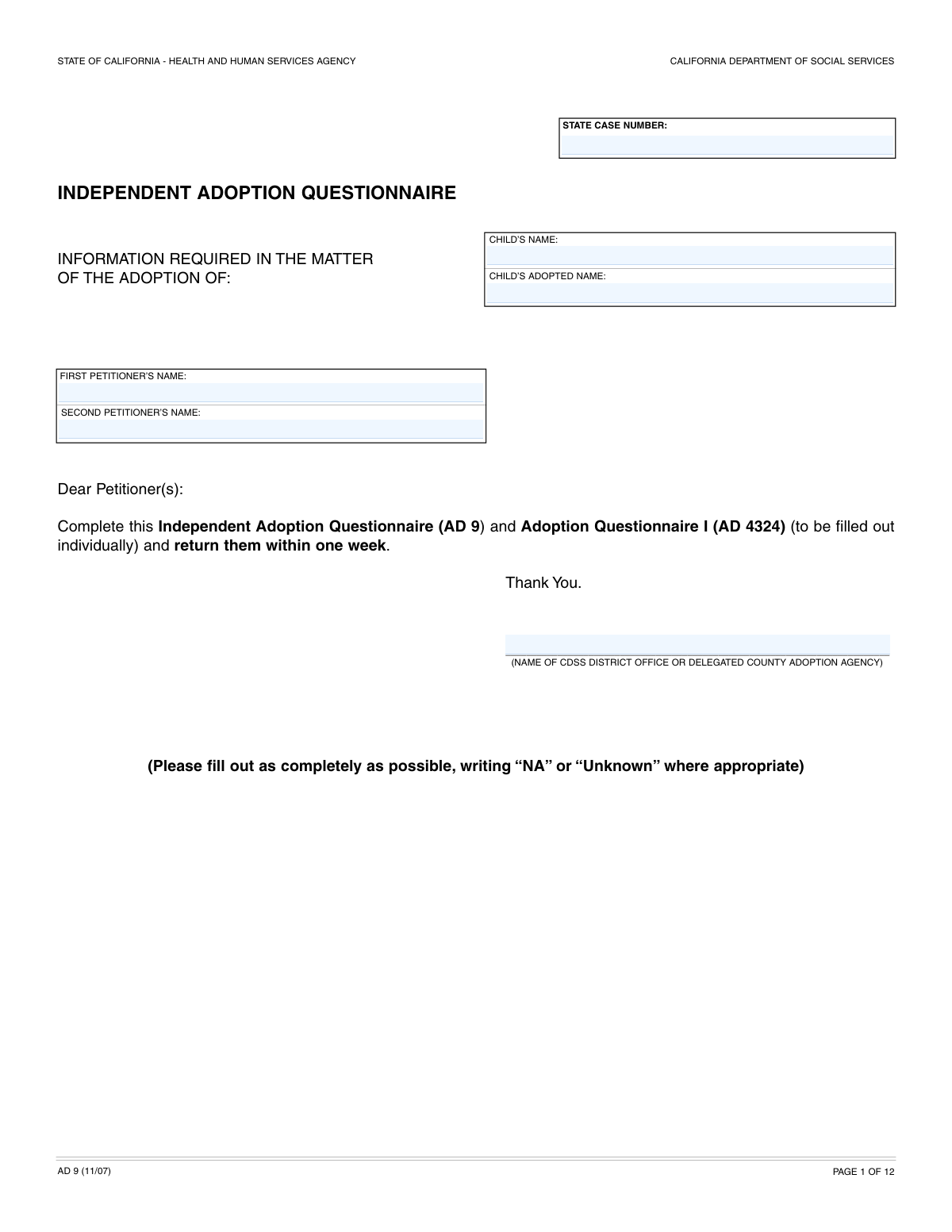
Yes! You can use AI to fill out Form AD 9, Independent Adoption Questionnaire

Form AD 9, the Independent Adoption Questionnaire, is a comprehensive document used in California for independent adoptions. It collects detailed personal, financial, health, and background information from the prospective adoptive parent(s) to facilitate the required home study investigation and ensure a safe environment for the child. Today, this form can be filled out quickly and accurately using AI-powered services like Instafill.ai, which can also convert non-fillable PDF versions into interactive fillable forms.
Our AI automatically handles information lookup, data retrieval, formatting, and form filling.
It takes less than a minute to fill out AD 9 using our AI form filling.
Securely upload your data. Information is encrypted in transit and deleted immediately after the form is filled out.

Form specifications

Form name: Form AD 9, Independent Adoption Questionnaire
Number of fields: 600
Number of pages: 12
Language: English
Categories: adoption forms
main-image

Instafill Demo: How to fill out PDF forms in seconds with AI

How to Fill Out AD 9 Online for Free in 2026

Are you looking to fill out a AD 9 form online quickly and accurately? Instafill.ai offers the #1 AI-powered PDF filling software of 2026, allowing you to complete your AD 9 form in just 37 seconds or less.
Follow these steps to fill out your AD 9 form online using Instafill.ai:
  1. 1 Navigate to Instafill.ai and upload or select the AD 9, Independent Adoption Questionnaire.
  2. 2 Use the AI assistant to provide detailed personal information for each petitioner, including identity, contact details, employment, and background history.
  3. 3 Complete the extensive sections on marital history, family information (parents and siblings), and details about any other children.
  4. 4 Fill out the comprehensive financial disclosure, including income, expenses, assets, debts, and all insurance policies.
  5. 5 Provide information about your home, complete the environmental safety checklist, and list all other household members.
  6. 6 Enter information about the child being adopted, the birth parents, and provide the required personal references.
  7. 7 Carefully review all the auto-filled information for accuracy, e-sign the document, and download it for your records and submission.

Our AI-powered system ensures each field is filled out correctly, reducing errors and saving you time.

Why Choose Instafill.ai for Your Fillable AD 9 Form?

Speed

Complete your AD 9 in as little as 37 seconds.

Up-to-Date

Always use the latest 2026 AD 9 form version.

Cost-effective

No need to hire expensive lawyers.

Accuracy

Our AI performs 10 compliance checks to ensure your form is error-free.

Security

Your personal information is protected with bank-level encryption.

Frequently Asked Questions About Form AD 9

This form is a comprehensive application for prospective adoptive parents, also known as petitioners. It gathers detailed personal, financial, and background information to assess your suitability for adopting a child.

Anyone petitioning to adopt a child through the specified agency must complete this form. If you are petitioning with a spouse or partner, both individuals will need to provide their information in the 'First Petitioner' and 'Second Petitioner' sections.

If you are applying to adopt as a single individual, you only need to complete the sections for the 'First Petitioner'. You can leave all fields designated for the 'Second Petitioner' blank.

It is helpful to gather documents such as your driver's license, Social Security card, recent pay stubs, tax returns, and records of any previous marriages or divorces. Having these ready will make filling out the form much faster.

Yes, the form requires you to disclose any arrests for offenses other than minor traffic infractions, regardless of the outcome. You will be given space to explain the circumstances and the final disposition of the charges.

The agency needs to verify that you have the financial stability to provide for a child's needs. This includes assessing your income, expenses, assets, and debts to get a complete picture of your financial health.

This checklist helps the agency confirm that your home is a safe environment for a child. It covers important safety measures like smoke detectors, securing medications, and pool safety to ensure potential hazards are addressed.

The agency must assess the safety and stability of the entire home environment where the adopted child will live. This includes understanding the background and dynamics of all household members to ensure a safe placement.

If the provided lines are insufficient for a detailed explanation, you should attach a separate sheet of paper. Clearly label the attachment with your name and the form section you are referencing.

After submission, the adoption agency will review your application as a key part of the home study process. This process will also likely involve background checks, interviews, and a home visit to further assess your eligibility to adopt.

Yes, services like Instafill.ai use AI to help you auto-fill form fields accurately and save time. This can be especially helpful for long and detailed applications like this one.

You can upload the form's PDF to the Instafill.ai platform. The AI will identify the fields, allowing you to enter your information once and have it securely and automatically populated throughout the document.

If you have a non-fillable or 'flat' PDF, you can use a service like Instafill.ai. It can convert the document into an interactive, fillable form, so you can easily type your answers directly into the fields.

You should provide the most accurate information you have available. If certain details are unknown, it is best to write 'Unknown' in that field rather than leaving it blank.

Compliance AD 9
Validation Checks by Instafill.ai

1
Ensures Arrest History Explanation is Provided
This check verifies that if a petitioner answers 'YES' to having an arrest history, the corresponding explanation field is not empty. This is crucial for background checks and assessing the petitioner's suitability for adoption. Failure to provide an explanation will result in an incomplete application and prevent the form from being submitted until the required details are entered.
2
Validates Military Service Date Sequence
This validation ensures that the 'Date of Discharge' is on or after the 'Date of Service' for military service. An illogical date sequence indicates a data entry error that must be corrected for accurately documenting a petitioner's history. A failure will prompt the user to review and correct the dates before proceeding.
3
Validates Social Security Number Format
This check ensures that the 'Social Security Number' field contains a 9-digit number, optionally formatted as XXX-XX-XXXX. Correct SSN formatting is essential for identity verification and background checks required in the adoption process. An invalid format will trigger an error message, requiring the user to re-enter the number correctly to ensure data integrity.
4
Enforces Naturalization Details for Naturalized Citizens
This validation confirms that if a petitioner checks 'United States Citizen - Yes' and also provides a date for 'Arrival Date in US', then the 'Naturalization Date', 'Place of Naturalization', and 'Naturalization Certificate Number' fields must be filled. This information is legally required to verify citizenship status for the adoption proceedings. If these fields are empty when required, the submission will be blocked with a message indicating the missing information.
5
Verifies Completeness of Second Petitioner Information
This check ensures that if the 'Second Petitioner's Name' field is filled, all associated required fields for the second petitioner (e.g., Birth Date, SSN, Occupation) are also completed. This is critical for conducting a thorough assessment of both petitioners. An incomplete section for the second petitioner will render the application invalid and require the user to fill in all mandatory fields for that section.
6
Ensures Exclusive Selection for Yes/No Questions
This validation applies to all pairs of Yes/No checkboxes, such as 'Military Service: Yes' and 'Military Service: No'. It verifies that only one of the two options is selected for each question. Selecting both or neither can lead to ambiguity and processing errors, so this check is vital for data clarity.
7
Validates Accuracy of Financial Summary Fields
This check automatically calculates the sum of individual debt payments and compares it to the 'Total Monthly Payment' field for consumer debt. This ensures the financial data provided is arithmetically correct, which is fundamental for assessing the petitioners' financial stability. A mismatch will trigger a warning, asking the user to review and correct their financial entries.
8
Validates Chronological Order of Marriage and Divorce Dates
This validation ensures that for any former marriage listed, the 'Divorce/RDP Termination Date' is after the 'Marriage/RDP Date'. Entering a divorce date before a marriage date is a logical impossibility and indicates a clear data entry error. Correcting this is essential for establishing an accurate marital history for the petitioner.
9
Verifies Child's Placement Date is After Birthdate
This check confirms that the 'Child #1 Date Placed In Home' is on or after the child's 'Child #1 Birthdate'. A placement date before the birthdate is logically impossible and points to a significant data error. Accurate timelines are critical for legal and procedural correctness in the adoption process, and the system will flag this inconsistency for correction.
10
Ensures Bankruptcy Reason is Provided When Applicable
This validation rule checks that if the 'Yes' box for 'Bankruptcy History' is selected, the 'Bankruptcy Reason' text field is not left empty. Understanding the context of a past bankruptcy is important for the agency's financial assessment of the petitioners. Failure to provide this explanation will result in an incomplete application, and the user will be prompted to provide the necessary details.
11
Validates Chronology of US and California Arrival Dates
This validation checks that if both 'Arrival Date in US' and 'Arrival Date in California' are provided, the California arrival date is on or after the US arrival date. It is logically impossible to arrive in California before arriving in the United States. This check prevents data entry errors and ensures the petitioner's residency timeline is accurate.
12
Cross-Validates Age and Date of Death for Relatives
This check ensures that if a 'Date of Death' is entered for a parent or sibling, the 'Age' field for that person is not also filled out as a current age. This prevents contradictory information, such as providing a current age for a deceased individual. Maintaining data consistency is important for creating an accurate family history report.
13
Validates Consistency of Petitioner Name Fields
This check verifies that the name entered in the 'First Petitioner's Name' field matches the combined 'First Name', 'Middle Name', and 'Last Name' fields in the detailed petitioner section. This ensures data consistency and prevents confusion about the identity of the petitioner. A mismatch would indicate a typo or error, and the system would require the user to correct the names to match.
14
Requires Explanation for 'Other' Expenses
This validation ensures that if an amount is entered in an 'Other Expense' field, the corresponding description field is also filled out. This provides necessary context for all declared expenses, which is vital for a complete financial review. An empty description for a listed expense will halt submission and prompt the user for clarification.

Common Mistakes in Completing AD 9

Incomplete Disclosure on 'Yes/No' History Questions

Applicants often check 'Yes' to sensitive questions about arrests, domestic violence, or child neglect investigations but fail to provide the mandatory detailed explanation. This may happen due to oversight, embarrassment, or not having the details readily available. Failing to provide a complete explanation will halt the application process, as reviewers cannot proceed without this critical information, leading to significant delays or outright rejection. To avoid this, gather all relevant documents and details before starting the form and write a clear, factual explanation for any 'Yes' answer. AI-powered tools like Instafill.ai can flag these conditional requirements, ensuring you don't submit an incomplete form.

Confusing Gross and Net Income

This form asks for both 'Monthly Salary' (gross) and 'Net Wages'. Many people mistakenly enter their take-home pay (net) for both fields or confuse the two. This leads to an inaccurate financial assessment, potentially making the applicant appear less financially stable than they are. To prevent this, carefully check your pay stubs, which typically list both gross earnings and net pay after deductions. Using a tool like Instafill.ai can help by providing clear definitions for such fields and ensuring consistency across the financial section.

Mismanaging Conditional Citizenship and Immigration Fields

The form has complex conditional logic for citizenship status, requiring naturalization details only if a citizen, or arrival dates and Alien Registration Numbers if a permanent resident. Applicants frequently make errors like checking 'United States Citizen - Yes' but leaving the 'Naturalization Date' and 'Certificate Number' fields blank. These omissions create processing delays as the agency must request the missing information. Always double-check the instructions for conditional fields; AI form-fillers can automatically show or hide these dependent fields based on your answers, preventing such errors.

Inconsistent or Incomplete Second Petitioner Information

When two petitioners are applying jointly, it's common for the extensive information required for the second petitioner to be incomplete, inconsistent with the first petitioner's data, or simply forgotten. This happens due to the form's length and the repetitive nature of the questions. An incomplete second petitioner section invalidates the entire joint application, requiring resubmission. To avoid this, both petitioners should review their respective sections carefully for accuracy and completeness before submission. Instafill.ai can help manage complex multi-person forms by creating separate profiles and ensuring all required fields for each individual are completed.

Omitting or Providing Incomplete Former Marriage Details

Applicants often fail to provide complete information for former marriages or domestic partnerships, such as exact dates, locations of marriage/divorce, or a former spouse's maiden name. People may not have this information memorized or may not realize its importance. This missing data can delay or stall mandatory background checks, which are a critical part of the adoption process. Before filling out the form, locate and reference official documents like marriage certificates and divorce decrees to ensure every detail is accurate.

Providing Vague or Insufficient Narrative Explanations

Fields like 'Child Learning and Adoption Details' or explanations for arrest histories require detailed narrative answers, but applicants often provide brief, vague responses. This forces reviewers to guess or request more information, slowing down the evaluation. For example, instead of 'Met through a friend,' a better answer would detail who the intermediary was, when the introduction occurred, and the context of the meeting. To avoid this, treat each narrative field as a short interview question and provide a comprehensive answer covering who, what, when, where, and why. If the form is a non-fillable PDF, a tool like Instafill.ai can convert it to a fillable version with expandable text boxes, making it easier to provide complete answers.

Data Entry Errors in Critical Identification Numbers

Simple typographical errors in fields like 'Social Security Number', 'Driver License Number', or 'State Case Number' are extremely common. A single transposed digit can lead to failed background checks, incorrect record matching, and immediate rejection of the form. This often happens when rushing or typing from memory. The best way to prevent this is to slow down and carefully transcribe the numbers directly from the physical cards or documents, double-checking each digit. AI-powered form fillers can help by validating the format of these numbers (e.g., ensuring an SSN has 9 digits) and storing them securely for accurate reuse.

Failing to Differentiate Child's Current vs. Adopted Name

The form asks for both the 'Child's Name' (current legal name) and the 'Child's Adopted Name' (the name they will have after adoption). Applicants sometimes enter the same name in both fields or reverse them. This mistake can cause significant confusion and lead to errors in the drafting of final legal adoption decrees, which could require costly and time-consuming corrections. To avoid this, carefully read the label for each field and provide the distinct current and future names as requested.

Inaccurately Completing the Environmental Safety Checklist

Applicants may rush through the 'Environmental Safety Checklist', ticking boxes without physically verifying that each safety measure is in place. For example, they might assume the hot water heater is at a safe temperature or that all smoke detectors are operational without actually checking. This is not only falsifying information but can lead to failing the home study inspection and, more importantly, poses a real danger to a child. Before checking any box, physically walk through your home and car to confirm each item, from fire extinguisher charge to the presence of a first-aid kit.

Incorrectly Listing Household Members and Relatives

This extensive form asks for information on petitioners, the child being adopted, other children in the home, other household members, parents, and siblings across multiple sections. It is very easy to get confused and omit a person, list them in the wrong section, or forget to provide details for every relative. This can paint an incomplete picture of the family structure and support system, raising questions during the review process. To avoid this, create a list of all relevant individuals and their details before starting, and carefully match them to the correct section on the form.
Saved over 80 hours a year

“I was never sure if my IRS forms like W-9 were filled correctly. Now, I can complete the forms accurately without any external help.”

Kevin Martin Green

Your data stays secure with advanced protection from Instafill and our subprocessors

Robust compliance program

Transparent business model

You’re not the product. You always know where your data is and what it is processed for.

ISO 27001, HIPAA, and GDPR

Our subprocesses adhere to multiple compliance standards, including but not limited to ISO 27001, HIPAA, and GDPR.

Security & privacy by design

We consider security and privacy from the initial design phase of any new service or functionality. It’s not an afterthought, it’s built-in, including support for two-factor authentication (2FA) to further protect your account.

Fill out AD 9 with Instafill.ai

Worried about filling PDFs wrong? Instafill securely fills form-ad-9-independent-adoption-questionnaire forms, ensuring each field is accurate.