Fill out ministry forms
with AI.
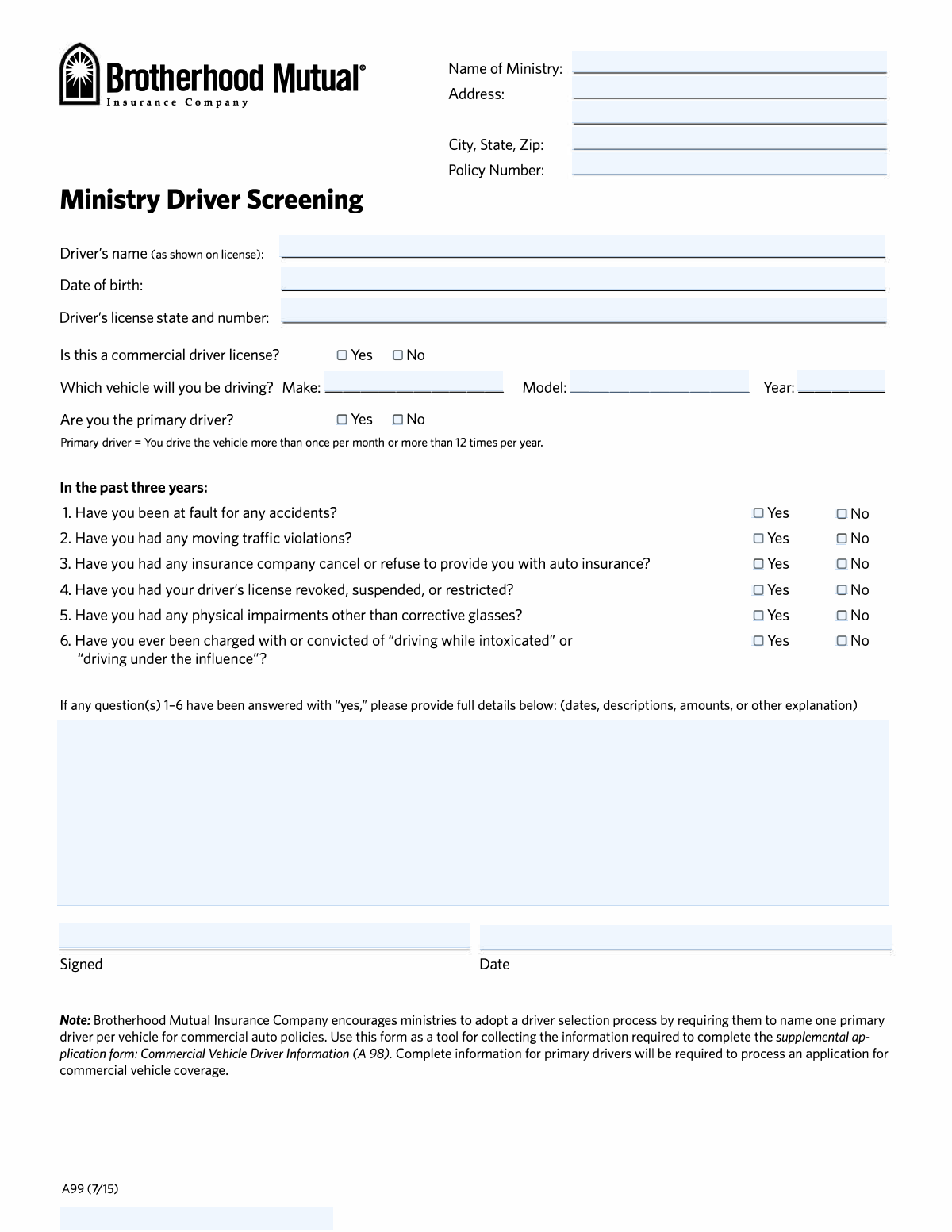
Ministry forms cover a range of administrative and compliance documents that churches, religious organizations, and faith-based nonprofits need to manage their operations, insurance coverage, and legal responsibilities. These forms are often required by insurers, government agencies, or internal governance structures to ensure that ministries operate safely and within established guidelines. One prominent example in this category is the Brotherhood Mutual Ministry Driver Screening Form (A99), which helps ministries document and evaluate the driving history of anyone who may operate a ministry-owned or ministry-used vehicle — a critical step in managing risk and maintaining appropriate insurance coverage.
By continuing, you acknowledge Instafill's Privacy Policy and agree to get occasional product update and promotional emails.
About ministry forms
These forms are typically needed by ministry administrators, church office staff, risk managers, and volunteer coordinators. Whether a church is adding a new driver to its vehicle policy, responding to an insurer's underwriting requirements, or simply keeping records up to date, having accurate and complete documentation is essential. Errors or omissions on forms like the A99 can affect underwriting decisions and delay the processing of commercial vehicle coverage, making careful completion a practical necessity rather than a formality.
For ministry staff who may be juggling multiple responsibilities, tools like Instafill.ai use AI to fill these forms in under 30 seconds, handling the data accurately and securely — a straightforward way to reduce paperwork without sacrificing precision.
Every form on this page can be completed without typing. Instafill is form filling software that reads a PDF and fills it for you — including flat and scanned documents that carry no fillable fields at all.
Forms in This Category
The forms in this category have a median Form Complexity Index of 40/100 (Basic), measured across 1 forms by field count, input difficulty, length, conditional logic and structure. See how it is calculated.
| Form Name | Pages | FCI | |
|---|---|---|---|
| 1. | Brotherhood Mutual Insurance Company Ministry Driver Screening Form (A99) | 1 | Basic 40 |
- Enterprise-grade security & data encryption
- 99%+ accuracy powered by AI
- 1,000+ forms from all industries
- Complete forms in under 60 seconds
How to Choose the Right Form
Selecting the Right Ministry Driver Form
When managing a ministry, transportation safety is a critical component of risk management. Currently, the primary focus for organizations using Brotherhood Mutual insurance is the Brotherhood Mutual Insurance Company Ministry Driver Screening Form (A99). Because ministries often rely on volunteers and staff for transportation, having a standardized way to vet drivers is essential for both safety and insurance compliance.
When to Use the Ministry Driver Screening Form (A99)
This form is the standard requirement for any ministry employee or volunteer who will be operating a ministry-owned, leased, or borrowed vehicle. You should select and complete this form in the following scenarios:
- Onboarding New Drivers: Use this form to document a new driver's history before they are authorized to transport members or equipment.
- Annual Risk Assessment: Insurance providers often require updated records regarding accidents, license violations, or DUI/DWI history to maintain or renew your commercial auto coverage.
- Eligibility Verification: Use this form to determine if a specific individual qualifies as a primary or secondary driver based on their recent driving record and license status.
How It Fits Your Insurance Workflow
The Brotherhood Mutual Ministry Driver Screening Form (A99) acts as a foundational risk-screening questionnaire. It is designed to support the completion of related commercial auto supplemental applications, specifically the Commercial Vehicle Driver Information (A 98). While the A99 focuses on the individual driver's history and eligibility, the A98 is typically used to provide broader information for the commercial vehicle application itself.
Choosing the A99 ensures that your ministry captures accurate data on impairments, license actions, and incident history, which directly impacts underwriting decisions. By using Instafill.ai, you can quickly turn these PDF requirements into interactive forms, making it easier for your staff and volunteers to provide the necessary information accurately.
Form Comparison
| Form | Primary Purpose | Who Needs to Complete It | Key Information Collected | When to Use |
|---|---|---|---|---|
| Brotherhood Mutual Insurance Company Ministry Driver Screening Form (A99) | Evaluates driver eligibility and risk for ministry vehicle insurance coverage. | Ministry staff or volunteers designated to drive organization-owned vehicles. | Driving history, past accidents, traffic violations, and current license status. | Before authorizing new drivers or during annual insurance policy renewals. |
Tips for ministry forms
Ensure you have a current copy of the driver's license and a recent Motor Vehicle Report (MVR) on hand. Having these documents ready allows you to accurately report license status and any past violations without relying on memory.
Always disclose recent accidents or traffic violations, even if they seem minor or occurred in a personal vehicle. Accurate reporting is crucial for underwriting, as omissions can lead to coverage delays or issues during a claim.
Keep a secure, organized folder for all driver screening forms to streamline annual insurance renewals. This central repository makes it easier to track which volunteers or staff members are currently authorized to operate ministry vehicles.
Ministry needs and driver statuses change frequently, so it is best practice to re-screen drivers every year. Regular updates ensure your insurance provider has the most current risk assessment and helps maintain the safety standards of your organization.
Since these forms contain sensitive data like driver’s license numbers and personal history, handle them with strict confidentiality. Store completed digital or physical copies in a restricted area to comply with privacy best practices for your ministry.
AI-powered tools like Instafill.ai can complete these ministry forms in under 30 seconds with high accuracy. Your data stays secure during the process, making it a reliable time-saver for administrators managing multiple driver applications.
Ensure the information on the A99 driver screening form matches the details provided in your Commercial Vehicle Driver Information (A98) supplemental application. Consistency across different insurance documents prevents administrative errors and speeds up the underwriting process.
Frequently Asked Questions
Ministry forms are specialized documents used by churches, religious nonprofits, and faith-based organizations to manage risk, insurance coverage, and administrative tasks. They help ensure that the organization remains compliant with safety standards and insurance requirements while protecting its members, staff, and assets.
These forms are generally completed by staff members, volunteers, or administrators of ministries that carry insurance through Brotherhood Mutual. They are used to collect specific data regarding personnel, property, and vehicle usage to help the insurer assess risk and provide appropriate coverage levels for the organization.
Driver screening helps ministries identify potential risks before allowing an individual to operate organization-owned vehicles or transport members. By documenting driving history and license status, ministries can maintain a safer environment and ensure their insurance policies remain valid and effective.
It is generally recommended to update driver information annually or whenever a new driver is added to the ministry's roster. Keeping these records current helps avoid gaps in coverage and ensures the ministry is aware of any recent incidents or license changes that might affect its liability.
Most ministry insurance forms require detailed information about the organization's activities, the individuals involved in leadership or high-risk roles, and a history of past claims. For vehicle-related coverage, you will typically need driver license numbers, accident history, and details about the primary use of the vehicles.
Yes, AI tools like Instafill.ai can be used to fill out various ministry forms in under 30 seconds. These systems use advanced data extraction to accurately pull information from your existing source documents and place it directly into the required fields, significantly reducing manual entry errors.
While manual entry for insurance and screening forms can take 15 to 20 minutes, using an AI-powered service can complete the process in less than 30 seconds. This efficiency allows ministry administrators to spend less time on paperwork and more time on their core mission.
While not always mandated by state law, these forms are often a contractual requirement for maintaining specialized insurance coverage. Failing to complete the necessary documentation could result in a denial of coverage or higher premiums for the organization if an incident occurs.
Once a form is completed, it is typically submitted to the ministry’s designated insurance agent or directly to Brotherhood Mutual’s underwriting department. It is also important to maintain a digital or physical copy for the ministry’s internal records to track compliance over time.
If a driver receives a violation, is involved in an accident, or has their license suspended, the ministry should update their screening forms immediately. Providing timely updates to the insurer ensures that the policy accurately reflects the current risk level and helps prevent future claim disputes.
Glossary
- Form Complexity Index
- Instafill’s 0–100 measure of how much effort a form takes to complete, calculated deterministically from the form’s own structure rather than estimated. It combines the number of fillable fields (the largest factor), how difficult those fields are to complete based on their type, the number of pages that contain fields, the amount of conditional “fill-only-if” logic, and how many sections the form is divided into, then adds modifiers for tables and repeating lists, bundled instruction pages, and dense page layouts. A higher score means the form is harder to fill out by hand. The forms in this category have a median Form Complexity Index of 40/100 (Basic). See exactly how it is calculated.
- Brotherhood Mutual
- A specialized insurance company that provides property and casualty insurance specifically designed for Christian ministries and churches.
- Underwriting
- The process an insurance company uses to evaluate the risk of insuring a driver or organization and to determine appropriate coverage and premiums.
- Supplemental Application
- An additional form required alongside a standard insurance application to provide specific details on high-risk areas, such as driver history.
- MVR (Motor Vehicle Record)
- A report of a person's driving history, including traffic violations and accidents, used by insurers to verify the information provided on screening forms.
- Primary Driver
- The individual who operates a specific ministry vehicle most frequently and is the main subject of risk assessment for that vehicle's coverage.
- Risk Screening
- A systematic review of a driver's past behavior and legal history to ensure they meet the safety standards required by a ministry's insurance policy.
- A99 Form
- The specific identification code for the Ministry Driver Screening questionnaire used to document driver eligibility for Brotherhood Mutual policies.
- Commercial Auto Coverage
- A type of insurance policy that protects vehicles owned and operated by an organization, such as church buses, vans, or staff cars.