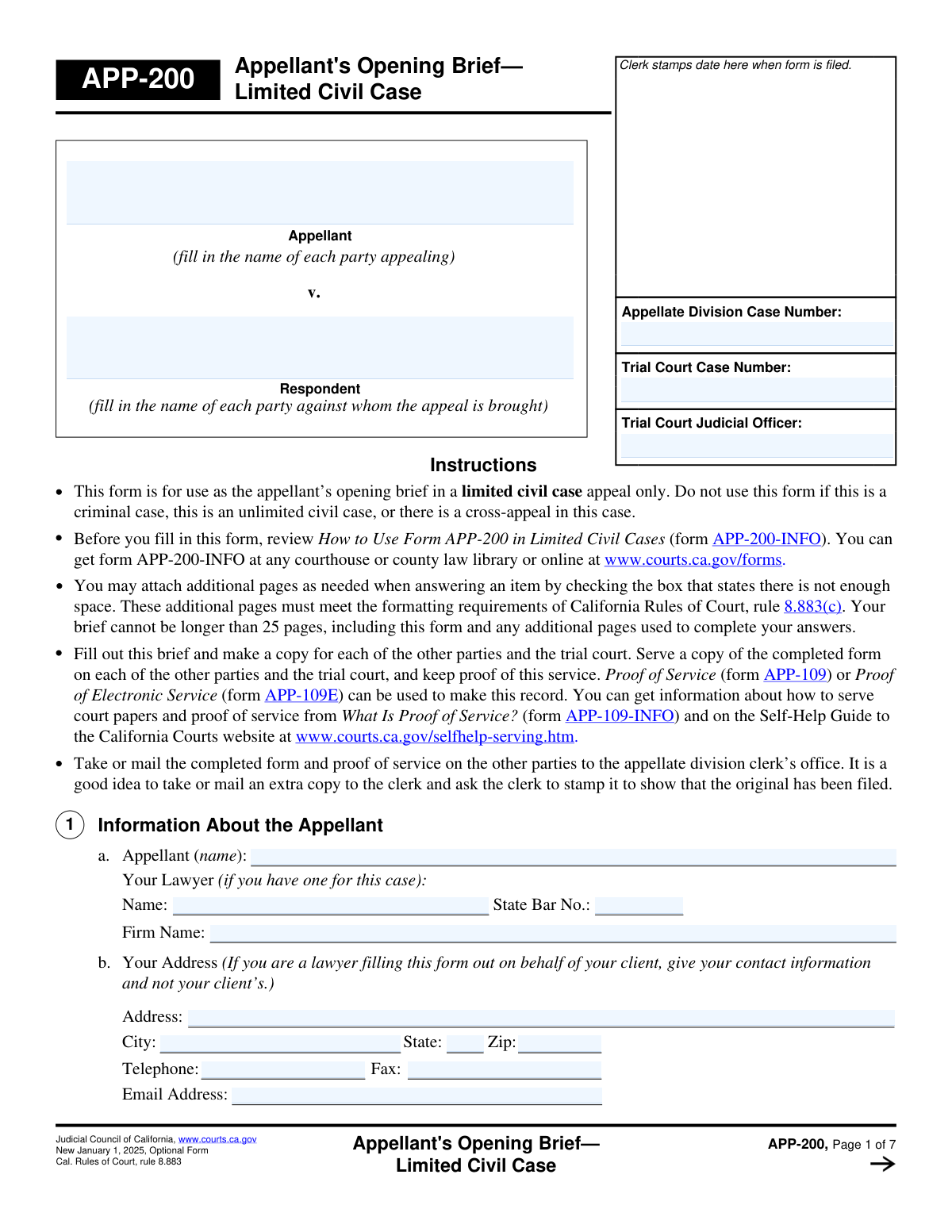
Yes! You can use AI to fill out Form APP-014, Appellant's Proposed Statement on Appeal (Limited Civil Case)
Form APP-014, Appellant's Proposed Statement on Appeal (Limited Civil Case), is a crucial legal document filed by an appellant to outline the case history, the trial court's alleged errors, and the legal arguments supporting the appeal. This statement provides the appellate court with the necessary context and justification for why the lower court's decision should be reviewed and potentially overturned. Today, this form can be filled out quickly and accurately using AI-powered services like Instafill.ai, which can also convert non-fillable PDF versions into interactive fillable forms.
Our AI automatically handles information lookup, data retrieval, formatting, and form filling.
It takes less than a minute to fill out APP-014 using our AI form filling.
Securely upload your data. Information is encrypted in transit and deleted immediately after the form is filled out.
Form specifications
| Form name: | Form APP-014, Appellant's Proposed Statement on Appeal (Limited Civil Case) |
| Number of fields: | 74 |
| Number of pages: | 7 |
| Language: | English |
| Categories: | appellant forms, civil appeal forms, NJ state forms, PA state forms |
Instafill Demo: How to fill out PDF forms in seconds with AI
How to Fill Out APP-014 Online for Free in 2026
Are you looking to fill out a APP-014 form online quickly and accurately? Instafill.ai offers the #1 AI-powered PDF filling software of 2026, allowing you to complete your APP-014 form in just 37 seconds or less.
Follow these steps to fill out your APP-014 form online using Instafill.ai:
- 1 Navigate to Instafill.ai and upload or select Form APP-014, Appellant's Proposed Statement on Appeal.
- 2 Provide essential case information, including the appellate and trial court case numbers, and identify the parties involved.
- 3 Use the AI assistant to clearly specify the order or judgment being appealed and confirm the timeliness of your appeal by entering relevant dates.
- 4 Detail the procedural history and facts of the case, citing the record as prompted by the smart fields.
- 5 Articulate your legal arguments, explaining what you believe the trial court did wrong and what action you want the appellate division to take.
- 6 Carefully review all the information auto-filled by the AI for accuracy, then sign and date the form electronically.
- 7 Securely download, print, or share the completed Form APP-014 for filing with the court.
Our AI-powered system ensures each field is filled out correctly, reducing errors and saving you time.
Why Choose Instafill.ai for Your Fillable APP-014 Form?
Speed
Complete your APP-014 in as little as 37 seconds.
Up-to-Date
Always use the latest 2026 APP-014 form version.
Cost-effective
No need to hire expensive lawyers.
Accuracy
Our AI performs 10 compliance checks to ensure your form is error-free.
Security
Your personal information is protected with bank-level encryption.
Frequently Asked Questions About Form APP-014
This form is used to present your case to the Appellate Division when appealing a decision from a trial court. It outlines the facts, the trial court's alleged errors, and the outcome you are requesting from the appeal.
This form must be completed by the appellant, who is the party appealing the trial court's decision, or by the appellant's attorney.
The 'Trial Court Case Number' is the original number from the lower court case. The 'Appellate Division Case Number' is the new number assigned specifically for your appeal in the higher court.
You must provide key dates, such as when the judgment was entered and served, and when you filed the notice of appeal. This information is critical for the court to verify that your appeal was filed within the legal time limits.
Many sections have a checkbox to indicate you need more space. If you check this box, you can continue your answer on a separate sheet of paper, making sure to label it as the correct attachment (e.g., 'Attachment 5').
If your situation is not one of the pre-listed options, select the 'Other action' checkbox. You must then provide a description of the trial court's action, the date it was taken, and an explanation of why it is an appealable order.
In the 'Argument' sections, you must clearly state the legal error you believe the court made. Support your position by referencing specific laws and facts from the trial court record.
If the defendant filed a 'cross-complaint', you must check 'Yes' for that question. You will then need to describe the legal claims the defendant made and what they asked the court to do.
Yes, if there have been any other appeals in this case, you must check the 'Yes' box under 'Other Appeals' and provide the case number and decision date for each prior appeal.
In this section, you must clearly state the specific action you want the appellate court to take. This could be reversing the judgment, ordering a new trial, or sending the case back to the trial court for further action.
Yes, services like Instafill.ai use AI to accurately auto-fill form fields, which saves time and helps prevent errors. However, AI cannot provide the legal advice needed for your arguments.
To fill this form online, upload the PDF to the Instafill.ai platform. The service will make the document interactive, allowing you to easily enter your information and generate a completed, accurate form.
You can use a service like Instafill.ai to make it fillable. Instafill.ai can convert flat, non-fillable PDFs into interactive forms that you can complete and save digitally.
Compliance APP-014
Validation Checks by Instafill.ai
1
Ensures Consistent Appellate Case Number
This check verifies that the 'Appellate Division Case Number' entered in multiple sections of the form is identical. Consistency is critical for correct document routing and filing, preventing the form from being associated with the wrong case. If the numbers do not match, the user will be prompted to correct the discrepancy before submission.
2
Validates State Bar Number Format
This validation ensures the 'State Bar Number' conforms to the expected format, which is typically a numeric or alphanumeric string of a specific length. This is crucial for accurately identifying the lawyer and verifying their standing with the state bar. An invalid format will trigger an error, asking the user to re-enter the number correctly.
3
Requires Description for 'Other' Appealable Action
This check enforces that if the 'Other action' checkbox is selected under 'Order Being Appealed', the corresponding 'Description of Other Action' text area must be filled. This is necessary to provide the court with essential context about the appeal's basis when it doesn't fit standard categories. Failure to provide a description will block submission and prompt the user to explain the 'Other action'.
4
Ensures Motion Details are Provided When Applicable
This validation rule checks that if the user indicates a post-judgment motion was filed ('Yes' under Timeliness of Appeal), then the 'Type of Motion', 'Date Motion Filed', and 'Date Motion Denied' fields must be completed. These details are legally required to determine if the appeal was filed within the statutory time limits. If these fields are empty despite the 'Yes' selection, the form will be considered incomplete.
5
Verifies Chronological Order of Key Dates
This check validates that the 'Date Notice of Appeal Filed' is on or after the 'Date of Entry of Judgment'. This logical sequence is fundamental to establishing the appeal's jurisdiction and timeliness. An appeal filed before the judgment it contests is invalid, so the system will flag this as an error and require correction.
6
Verifies Chronological Order of Motion Dates
This validation ensures the 'Date Motion Denied' is on or after the 'Date Motion Filed'. This logical sequence is necessary for establishing a correct timeline of events for the court. A motion cannot be denied before it is filed, and an incorrect sequence would prompt a validation error.
7
Ensures at Least One Order Being Appealed is Selected
This validation confirms that the user has selected at least one checkbox from the 'Order Being Appealed' section. This selection defines the specific trial court decision that is the subject of the appeal and is the foundational element of the entire document. The form cannot be submitted without specifying which order is being challenged.
8
Validates Mutually Exclusive Client Role
This check ensures that the user selects either 'Plaintiff' or 'Defendant' for the 'Client Role', but not both. A party cannot simultaneously be the primary plaintiff and defendant in the same action being appealed. This validation prevents logical impossibilities in the case data and ensures clarity on the appellant's role.
9
Requires Details for Prior Appeals
This validation rule ensures that if the user checks 'Yes' for 'Other Appeals', the 'Prior Appeals Information' text field is filled out. This information is crucial for the appellate court to understand the full procedural history of the case and avoid conflicting rulings. If the box is checked but the description is missing, the user will be prompted to provide the necessary details.
10
Requires Description for Cross-Complaint
This check validates that if the 'Yes' box for 'Cross-Complaint Filing Status' is checked, the 'Cross-Complaint Description' field must be filled. This ensures that the court receives the necessary details about the cross-complaint's claims and requested actions. The submission will be blocked if the description is missing when a cross-complaint is indicated.
11
Validates Email Address Format
This check verifies that the value entered in the 'Email Address' field follows the standard '[email protected]' format. A valid email is essential for official communication, service of documents, and notifications from the court. An invalid format will prevent submission and prompt the user to enter a correctly formatted email address.
12
Validates Zip Code Format
This validation ensures the 'Zip Code' field contains a valid 5-digit or 9-digit (ZIP+4) numeric value. An accurate zip code is critical for the reliable delivery of physical mail and legal notices. The system will reject non-numeric or incorrectly formatted entries to prevent mail delivery failures.
13
Ensures Signature Date is Valid and Not in the Future
This check confirms that the 'Signature Date' is a real, valid calendar date and is not set to a future date. The signature date legally attests to when the document was executed, which has significant legal implications. A future date is logically impossible and would invalidate the signature, so the system will require the user to enter the current or a past date.
14
Ensures First Legal Argument is Provided
This check verifies that the 'Argument 1' text area is not empty, as it represents the primary legal basis for the appeal. An appeal without at least one argument explaining the alleged trial court error is fundamentally incomplete and has no merit. The form submission will be blocked until the appellant provides their core argument.
Common Mistakes in Completing APP-014
This form requires the 'Appellate Division Case Number' to be entered on multiple pages. Filers often mistype the number or forget to fill it in on subsequent pages, leading to inconsistencies. This can cause processing delays or confusion at the clerk's office. To avoid this, carefully review every page of the form before filing, ensuring the case number is identical in all instances.
People frequently enter the 'Trial Court Case Number' in the field designated for the 'Appellate Division Case Number', or vice versa. This happens because both numbers are central to the case, but they serve different tracking purposes. Submitting a form with swapped numbers can lead to misfiling or outright rejection, delaying the appeal. Always double-check that you are entering the correct number in the corresponding field.
The form has multiple checkboxes for indicating that an answer is continued on an attachment (e.g., 'Attachment 5', 'Attachment 8a'). A common error is checking a box but failing to include the attachment, or including an attachment without checking the box. This results in an incomplete filing and can cause the court to disregard the information on the attachment. Create a checklist to ensure all referenced attachments are included and correctly labeled before submission.
When selecting 'Other action' under the 'Order Being Appealed' section, filers must provide a description and explain why the action is appealable. Many filers provide a vague description or fail to explain the legal basis for the appealability of the order. This is a critical error, as an appeal can be dismissed if it is not based on an appealable order. Be specific and clearly state the date of the order and the legal reason it can be appealed.
This section contains complex conditional logic related to post-judgment motions that affects the appeal deadline. Filers often make errors, such as selecting 'Yes' to a motion being filed but then failing to provide the required dates, or entering dates that are not in chronological order. An error here can be fatal to the case, as it may lead the court to conclude the appeal was not filed on time and dismiss it. Carefully map out the timeline of events before filling in these dates.
The form explicitly requires filers to cite the page(s) of the record that support each fact presented in the 'Facts of This Case' section. Inexperienced filers or pro se litigants often write a narrative without these crucial citations. Without citations, the appellate court may disregard the stated facts, significantly weakening the argument. To prevent this, methodically go through the trial court record and link every factual assertion to a specific page number.
Lawyers or their staff sometimes forget to enter the attorney's 'State Bar Number' or enter it with a typo. This number is a unique identifier required by the court to verify the attorney's standing and eligibility to practice. An omission or error can delay the processing of the filing while the clerk's office verifies the attorney's identity. This mistake can be easily avoided by using tools like Instafill.ai, which can securely store and accurately autofill such repetitive information.
The form separately asks for 'Plaintiff's Legal Claims' (e.g., breach of contract) and what the 'Complaint's Request to Court' was (e.g., award $50,000 in damages). Filers often merge these two concepts, providing an unclear or non-responsive answer. This confusion can obscure the core issues of the case for the reviewing court. To avoid this, clearly distinguish between the legal theory of the case and the specific outcome or remedy that was sought.
In the section 'Your Request of the Appellate Division,' filers may write something generic like 'I want the court to rule in my favor.' This is insufficient, as the court needs to know the specific legal remedy being sought. A proper request should be precise, such as 'Reverse the judgment of the trial court' or 'Remand the case for a new trial on the issue of damages.' Failing to specify the relief sought can result in an undesirable outcome even if the court agrees with your arguments.
It is a surprisingly common mistake for a filer to sign the document but forget to enter the date of the signature or their printed name. An undated or improperly identified signature can render the document invalid, leading to its rejection by the court clerk. Always perform a final check of the signature block before printing or submitting the form. AI-powered tools like Instafill.ai can help by automatically populating the date and printed name fields when a document is finalized.
This form contains many fields that only need to be filled out if a specific checkbox is selected (e.g., providing 'Cross-Complaint Details' only if 'Yes' is checked for 'Cross-Complaint Filing Status'). Filers often check 'Yes' but then neglect to provide the required follow-up information. This leaves the court with an incomplete picture of the case. To avoid this, treat each 'Yes' checkbox as a trigger for a required subsequent action. Since this form is a non-fillable PDF, a tool like Instafill.ai can convert it into a smart, fillable version that can help guide users through this conditional logic.
Saved over 80 hours a year
“I was never sure if my IRS forms like W-9 were filled correctly. Now, I can complete the forms accurately without any external help.”
Kevin Martin Green
Your data stays secure with advanced protection from Instafill and our subprocessors

Robust compliance program
Transparent business model
You’re not the product. You always know where your data is and what it is processed for.
ISO 27001, HIPAA, and GDPR
Our subprocesses adhere to multiple compliance standards, including but not limited to ISO 27001, HIPAA, and GDPR.
Security & privacy by design
We consider security and privacy from the initial design phase of any new service or functionality. It’s not an afterthought, it’s built-in, including support for two-factor authentication (2FA) to further protect your account.
Fill out APP-014 with Instafill.ai
Worried about filling PDFs wrong? Instafill securely fills form-app-014-appellants-proposed-statement-on-appeal-limited-civil-case forms, ensuring each field is accurate.