Yes! You can use AI to fill out Form APP-015, Respondent's Proposed Corrections to/Additions to Appellant's Proposed Settled Statement (Unlimited Civil Case)
Form APP-015 is a crucial document in the California appellate process for unlimited civil cases, used by the respondent to propose corrections or additions to the appellant's summary of trial court proceedings (Form APP-014). This ensures the respondent's perspective is included and that the record on appeal is accurate and complete before the court makes a decision. Today, this form can be filled out quickly and accurately using AI-powered services like Instafill.ai, which can also convert non-fillable PDF versions into interactive fillable forms.
APP-015 is part of the
appellant forms, California court forms, California state forms, civil court forms, NJ state forms, PA state forms and state ID forms categories on Instafill.
Our AI automatically handles information lookup, data retrieval, formatting, and form filling.
It takes less than a minute to fill out APP-015 using our AI form filling.
Securely upload your data. Information is encrypted in transit and deleted immediately after the form is filled out.
Form specifications
| Form name: | Form APP-015, Respondent's Proposed Corrections to/Additions to Appellant's Proposed Settled Statement (Unlimited Civil Case) |
| Number of fields: | 68 |
| Number of pages: | 3 |
| Language: | English |
Instafill Demo: How to fill out PDF forms in seconds with AI
How to Fill Out APP-015 Online for Free in 2026
Are you looking to fill out a APP-015 form online quickly and accurately? Instafill.ai offers the #1 AI-powered PDF filling software of 2026, allowing you to complete your APP-015 form in just 37 seconds or less.
Follow these steps to fill out your APP-015 form online using Instafill.ai:
- 1 Navigate to Instafill.ai and upload or select Form APP-015.
- 2 Use the AI assistant to automatically populate case information, including court details, case numbers, and the names of all parties involved.
- 3 Carefully review the Appellant's Proposed Settled Statement (Form APP-014) to identify any inaccuracies or omissions you wish to correct.
- 4 For each section (items 3-7), indicate whether you are requesting changes. If so, provide your specific proposed corrections or additions and the reasons for them in the corresponding text boxes.
- 5 Check the appropriate boxes if you are attaching additional pages (Attachments 1-5) to provide more detailed information or evidence.
- 6 Review the entire completed form for accuracy, then enter the date and your printed name before signing the document.
- 7 Download the finalized Form APP-015, ready for filing with the Superior Court and serving on the other parties in the appeal.
Our AI-powered system ensures each field is filled out correctly, reducing errors and saving you time.
Why Choose Instafill.ai for Your Fillable APP-015 Form?
Speed
Complete your APP-015 in as little as 37 seconds.
Up-to-Date
Always use the latest 2026 APP-015 form version.
Cost-effective
No need to hire expensive lawyers.
Accuracy
Our AI performs 10 compliance checks to ensure your form is error-free.
Security
Your personal information is protected with bank-level encryption.
Frequently Asked Questions About Form APP-015
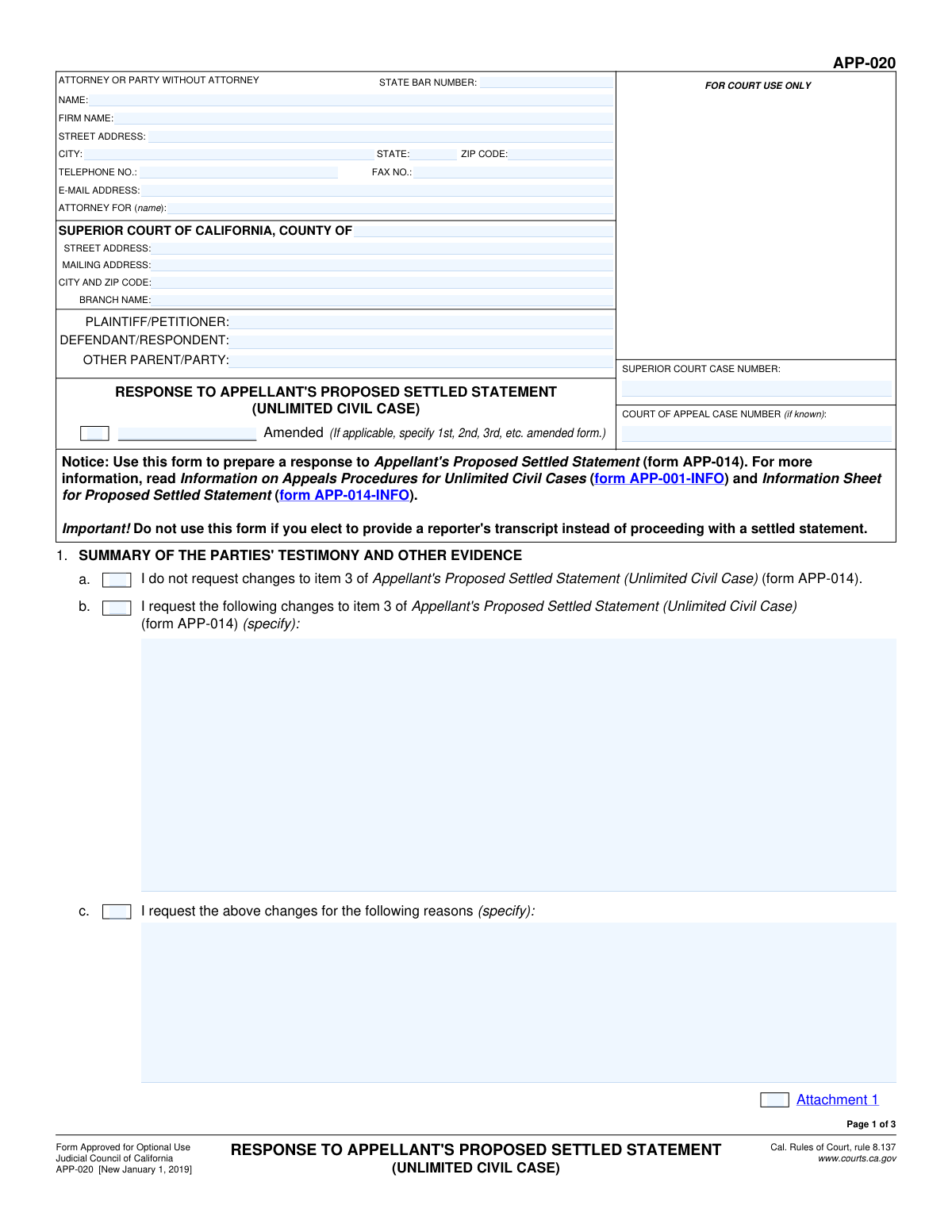
This form is used to respond to an Appellant's Proposed Settled Statement (Form APP-014) in an unlimited civil appeal. You use it to either agree with the appellant's summary of the trial court proceedings or to propose specific changes.
The respondent in a court of appeal case should fill out this form if the appellant has chosen to use a 'settled statement' as the record for the appeal. It serves as your official response to the appellant's summary of the case.
The Superior Court case number is from the original trial, while the Court of Appeal case number is newly assigned for the appeal. You must provide the Superior Court number, and you should provide the Court of Appeal number if it has been assigned and you know it.
Enter your own name, address, and contact information where it asks for attorney details. You can leave the 'State Bar Number' and 'Firm Name' fields blank, and write your own name again in the 'Attorney For (Name)' field.
You should only check the 'Amended' box if you are filing a corrected version of this same form that you have already submitted to the court. If this is the first time you are filing it, leave this box unchecked.
To propose a correction, check the box that says 'I request the following changes...' for that item. Then, you must write your proposed changes and the reasons for them in the text boxes provided.
If you agree with a section and have no corrections, simply check the box that says 'I do not request changes...' for that item. You do not need to provide any further information for that section.
Use an attachment if you need more space to detail your proposed changes or explain your reasons than the form allows. If you add an attachment, make sure to check the corresponding 'Attachment' box on the form.
You will need the Superior Court case number, the names of all parties (plaintiff/petitioner, defendant/respondent), and a copy of the Appellant's Proposed Settled Statement (form APP-014) that you are responding to.
Yes, for each item listed (Summary of Evidence, Witness Testimony, etc.), you must indicate whether you are requesting changes or not. You cannot leave a section blank.
Yes, services like Instafill.ai use AI to accurately auto-fill repetitive information like your name, address, case numbers, and party details, which saves time and helps reduce errors.
To fill this form out online, upload the PDF to the Instafill.ai website. The platform will make the document interactive, allowing you to type your information directly into the fields and save your progress.
If you have a non-fillable or 'flat' PDF, you can use a tool like Instafill.ai to convert it into an interactive, fillable form. Simply upload the document, and the service will automatically identify the fields for you to complete online.
After filling out all the required sections, you must print the form, sign and date it where indicated, and then file it with the court and serve a copy on the other parties in the case.
Compliance APP-015
Validation Checks by Instafill.ai
1
Superior Court Case Number Requirement
This check ensures that the 'Superior Court Case Number' field is not empty. This number is the primary identifier for the case at the trial court level and is essential for correctly routing and filing the document. A failure to provide this number will result in an error, as the form cannot be associated with a specific legal matter.
2
Party Identification Completeness
Validates that at least one 'Plaintiff/Petitioner' and one 'Defendant/Respondent' have been entered in the parties section. These fields are fundamental to defining the case and identifying the primary individuals or entities involved. If either is missing, the submission is considered incomplete and cannot be processed.
3
Attorney/Party Contact Information Completeness
Ensures that the 'Name', 'Street Address', 'City', 'State', 'Zip Code', and 'Telephone Number' fields are all filled out for the filing party. This information is critical for the court and other parties to send official correspondence and notifications. An incomplete address or missing phone number can lead to missed deadlines and communication failures.
4
Email Address Format Validation
This check verifies that the value entered in the 'Email Address' field follows the standard '[email protected]' format. An incorrectly formatted email address will prevent electronic service and notifications, which is a primary method of communication in modern legal practice. The validation prevents typos and ensures the address is structurally valid.
5
Zip Code Format Validation
Verifies that the 'Zip Code' for both the attorney/party and the court is in a valid 5-digit or 9-digit (ZIP+4) format. This is important for ensuring mail is delivered correctly and without delay by the postal service. An invalid format could cause returned mail and significant delays in the legal process.
6
Conditional 'Amended Form Specification' Requirement
This validation checks that if the 'Amended' checkbox is checked, the corresponding 'Amended Form Specification' text field is filled out (e.g., with '1st', '2nd'). This provides necessary context about which version of the form is being filed. If the box is checked but the specification is missing, the form is ambiguous and will be rejected.
7
Mutually Exclusive Change Request for Item 3
Ensures that the user has not checked both 'No changes to item 3' and 'Request changes to item 3' simultaneously. These options are mutually exclusive, and selecting both creates a logical contradiction. The system should force the user to choose only one option to clarify their intent regarding the Summary of Evidence.
8
Conditional Requirement for 'Details of Changes to Item 3'
This check validates that if the 'Request changes to item 3' checkbox is selected, the 'Details of Changes to Item 3' text area is not empty. It is not sufficient to simply request a change; the specific change must be detailed for the court to consider it. Failure to provide details will result in an incomplete and ineffective request.
9
Conditional Requirement for 'Reasons for Changes to Item 4'
Verifies that if the 'Request changes for following reasons' checkbox under Item 4 is checked, the corresponding 'Reasons for Changes' text area must be filled. The court requires a justification for any proposed changes to the record. If the checkbox is ticked without an accompanying explanation, the request lacks a legal basis and will be considered incomplete.
10
Case Information Consistency Across Sections
This validation compares the values entered for 'Superior Court Case Number', 'Plaintiff/Petitioner Name', and 'Defendant/Respondent Name' across all sections of the form where they appear. These key identifiers must be identical throughout the document to ensure consistency and prevent administrative confusion. Mismatched information could lead to filing errors or rejection of the document.
11
Signature Date Validity
Checks that the 'Date' field in the signature section contains a valid date in a recognized format (e.g., MM/DD/YYYY) and is not a future date. The signature date attests to when the document was finalized and signed, which has legal significance. An invalid or future date would invalidate the signature and render the submission void.
12
Signature Printed Name Requirement
Ensures the 'Printed Name' field in the signature section is filled out before the form can be submitted. This field confirms the identity of the person signing the document, which is a legal requirement for all court filings. A missing printed name makes the signature unidentifiable and the document invalid.
13
Conditional 'Attorney For' Requirement
This check ensures that if a 'State Bar Number' is provided, the 'Attorney For (Name)' field is also filled out. An attorney filing a document must explicitly state which party they are representing in the case. Failure to do so creates ambiguity about their role and could lead to the document being rejected.
14
Conditional Requirement for 'Proposed Changes to Item 6'
This validation ensures that if the 'I request the following changes to item 6' checkbox is selected, the 'Proposed Changes to Item 6' text area is not left empty. A request for changes is meaningless without the specific proposed text. This check prevents incomplete submissions where intent is stated but the necessary details are missing.
Common Mistakes in Completing APP-015
Users often transpose digits or omit prefixes/suffixes when entering the Superior Court or Court of Appeal case numbers. This happens due to manual data entry from other documents. An incorrect case number can lead to the document being rejected by the court clerk or misfiled, causing critical delays in the legal process. To avoid this, meticulously double-check the numbers against official court notices.
Filers frequently misspell party names, use abbreviations, or reverse the Plaintiff/Petitioner and Defendant/Respondent roles across different sections of the form. This creates confusion and can invalidate the filing if the parties are not clearly and consistently identified. Always copy the full, official names exactly as they appear on the initial complaint or prior court orders to ensure accuracy.
A common error is checking a box to 'Request changes' but then failing to provide the required explanation in the corresponding text box. This renders the request incomplete and legally ineffective, as the court has no specific change to consider. To prevent this, carefully review each section and ensure that if you check a box indicating a follow-up action, you provide the necessary details in the specified field.
People sometimes check both 'Do not request changes' and 'Request changes' within the same item section (e.g., for item 3, 4, or 5). This makes the filer's intent ambiguous and will likely cause the court to disregard the request or reject the form for clarification. Before submitting, review all checkbox selections to ensure they are logical and not contradictory.
Filers may check a box indicating that an attachment is included (e.g., 'Attachment 4') but then forget to physically attach the corresponding document to the filing. This makes the submission incomplete, and the court cannot consider the evidence or arguments contained in the missing document. Create a checklist of all attachments and verify they are included and correctly labeled before filing.
When requesting changes, users often provide vague reasons like 'the summary is wrong' instead of specific, actionable details. Such requests are typically denied because they don't give the court or opposing counsel enough information to evaluate the proposed amendment. To be effective, you must state the exact text to be removed or added and provide a clear reason supported by evidence.
Attorneys filing the form on behalf of a client sometimes forget to enter their State Bar Number. This is a crucial piece of identifying information that the court uses to verify the attorney's credentials and good standing. Omitting it can lead to processing delays or rejection of the filing. This error can be prevented by using tools that save and auto-populate recurring information.
The form requires repeating the case number and party names in the header of multiple pages, and users often fill them out inconsistently or leave them blank on subsequent pages. This can cause confusion or result in pages being misplaced if they become separated. AI-powered form filling tools like Instafill.ai can prevent this by automatically populating this repetitive data consistently across the entire document.
Forgetting to sign and date the form is a simple but critical mistake that completely invalidates the document. An unsigned filing will be immediately rejected by the court, which can result in missing a strict legal deadline. Always make signing and dating the form the final step before you consider the document complete and ready for filing.
Filers may list the wrong court branch name or address, especially in large counties with multiple courthouse locations. This results in the document being sent to the wrong place, causing rejection and significant delays as it must be rerouted or refiled. Always verify the specific, correct court branch and its mailing address for your case number on the official county court website before filling out the form. If the form is a non-fillable PDF, a tool like Instafill.ai can make it fillable, reducing the chance of handwriting errors.
Saved over 80 hours a year
“I was never sure if my IRS forms like W-9 were filled correctly. Now, I can complete the forms accurately without any external help.”
Kevin Martin Green
Your data stays secure with advanced protection from Instafill and our subprocessors




Robust compliance program
Transparent business model
You’re not the product. You always know where your data is and what it is processed for.
ISO 27001, HIPAA, and GDPR
Our subprocesses adhere to multiple compliance standards, including but not limited to ISO 27001, HIPAA, and GDPR.
Security & privacy by design
We consider security and privacy from the initial design phase of any new service or functionality. It’s not an afterthought, it’s built-in, including support for two-factor authentication (2FA) to further protect your account.
Fill out APP-015 with Instafill.ai
Worried about filling PDFs wrong? Instafill securely fills form-app-015-respondents-proposed-corrections-toadditions-to-appellants-proposed-settled-statement-unlimited-civil-case forms, ensuring each field is accurate.
