Yes! You can use AI to fill out State of California Level of Care Rate Determination Protocol Matrix

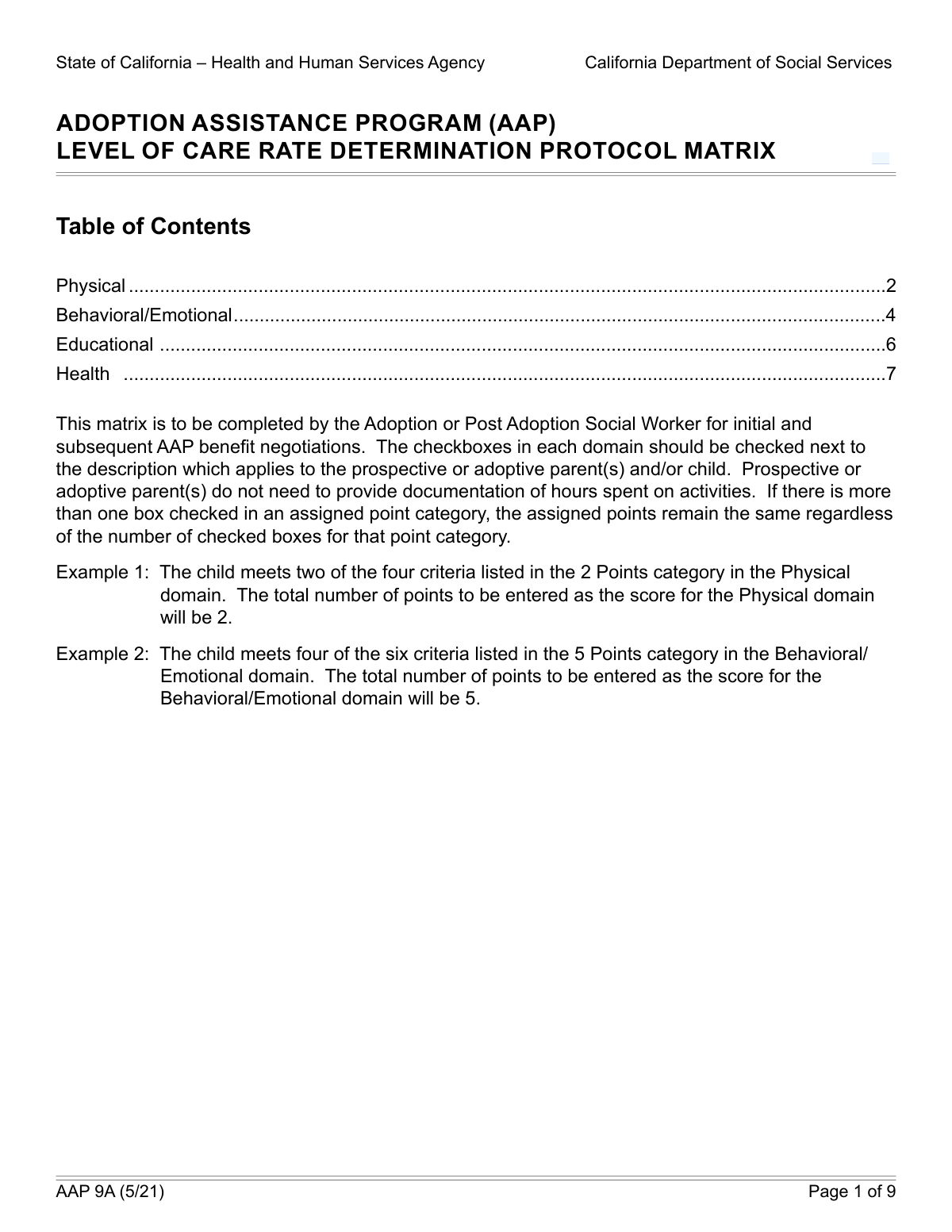
The Level of Care (LOC) Rate Determination Protocol Matrix is a comprehensive assessment tool used by the State of California to evaluate the caregiving capabilities and responsibilities of prospective or adoptive parents. It scores parents across four domains—Physical, Behavioral/Emotional, Educational, and Health—to determine a rate that reflects the child's specific needs. Today, this form can be filled out quickly and accurately using AI-powered services like Instafill.ai, which can also convert non-fillable PDF versions into interactive fillable forms.
Our AI automatically handles information lookup, data retrieval, formatting, and form filling.
It takes less than a minute to fill out LOC Protocol Matrix using our AI form filling.
Securely upload your data. Information is encrypted in transit and deleted immediately after the form is filled out.

Form specifications

Form name: State of California Level of Care Rate Determination Protocol Matrix
Number of fields: 66
Number of pages: 9
Language: English
Categories: CAR forms, California state forms, NJ state forms, PA state forms, L.A. Care forms
main-image

Instafill Demo: How to fill out PDF forms in seconds with AI

How to Fill Out LOC Protocol Matrix Online for Free in 2026

Are you looking to fill out a LOC PROTOCOL MATRIX form online quickly and accurately? Instafill.ai offers the #1 AI-powered PDF filling software of 2026, allowing you to complete your LOC PROTOCOL MATRIX form in just 37 seconds or less.
Follow these steps to fill out your LOC PROTOCOL MATRIX form online using Instafill.ai:
  1. 1 Navigate to Instafill.ai and upload or select the California Level of Care Rate Determination Protocol Matrix form.
  2. 2 Carefully review the criteria within each of the four domains: Physical, Behavioral/Emotional, Educational, and Health.
  3. 3 Using the AI-assisted interface, check the boxes corresponding to the specific care, support, and activities you provide for the child.
  4. 4 Allow the AI tool to help you tally the points associated with each selected option in the different domains.
  5. 5 Enter the total calculated score for each individual domain (Physical, Behavioral, etc.) into the designated 'Scoring' section.
  6. 6 Calculate the final 'Total Score' by summing the scores from all four domains and input it into the appropriate field.
  7. 7 Review the entire completed matrix for accuracy and completeness before saving, printing, or submitting the document.

Our AI-powered system ensures each field is filled out correctly, reducing errors and saving you time.

Why Choose Instafill.ai for Your Fillable LOC Protocol Matrix Form?

Speed

Complete your LOC Protocol Matrix in as little as 37 seconds.

Up-to-Date

Always use the latest 2026 LOC Protocol Matrix form version.

Cost-effective

No need to hire expensive lawyers.

Accuracy

Our AI performs 10 compliance checks to ensure your form is error-free.

Security

Your personal information is protected with bank-level encryption.

Frequently Asked Questions About Form LOC Protocol Matrix

This form is used to assess the level of care and support a prospective or adoptive parent provides to a child. The assessment covers physical, behavioral, educational, and health domains to help determine an appropriate care rate based on the child's needs.

This form is typically completed by social workers or agency staff in collaboration with the prospective or adoptive parents. It serves as a standardized tool to document the specific care and supervision activities the parents provide for a child.

The 'Protocol Matrix Identifier' is a unique identification number assigned to this specific assessment document by the State of California. You should enter the official ID number provided for your case to ensure proper tracking.

The form assigns points for various caregiving activities, with more intensive or frequent support earning higher points. You check the boxes that apply to the care you provide, and the points are summed to calculate a score for each domain and a final total score.

The form has separate criteria for school-aged and preschool children to capture the different types of educational support needed for each group. You should only select the options that apply to the child's specific age, as some fields are mutually exclusive.

Yes, you should check all boxes that accurately describe the care and support you provide across all categories. The total score is an aggregation of all applicable points, so it's important to select every relevant activity to reflect the full scope of care.

While the form is a checklist, it's wise to have documentation ready to support your selections. This could include therapy schedules, communication logs with professionals, school records, or a journal of behaviors and interventions.

The score for each domain (Physical, Behavioral/Emotional, Educational, Health) is the sum of the points from all the boxes checked within that section. The 'Total Score' is the sum of all four individual domain scores.

This refers to providing the necessary level of supervision for a child's specific age and developmental stage, which may include verbal cues or physical assistance for life skills. The form awards more points for supervising a greater number of skills or providing more intensive daily intervention.

If you have a non-fillable PDF, you can use a service like Instafill.ai to instantly convert it into an interactive, fillable form. This allows you to easily type your answers directly into the fields before printing or submitting.

Yes, AI-powered services like Instafill.ai can help you complete this form more efficiently. These tools can auto-fill recurring information and help you navigate the fields, saving you time and reducing potential errors.

Simply upload the Level of Care Rate Determination Protocol Matrix form to the Instafill.ai platform. The AI will make the form fillable, allowing you to click on the checkboxes and text fields to enter the required information before downloading the completed document.

The points increase with the frequency and intensity of the support provided. Arranging therapy once per month is a 2-point activity, while arranging it more frequently reflects a higher level of need and parental involvement, thus earning more points.

This form uses a standardized matrix, so you should select the options that most closely match the support you provide. It is important to discuss any unique or unlisted care needs with your social worker to ensure they are properly documented elsewhere.

Compliance LOC Protocol Matrix
Validation Checks by Instafill.ai

1
Protocol Matrix Identifier Presence
This check ensures that the 'Protocol Matrix Identifier' field is not empty. This ID is crucial for tracking, auditing, and referencing the specific assessment document within the State of California's system. A failure to provide this identifier would render the form submission untraceable and invalid, requiring the user to enter the correct ID before proceeding.
2
Total Score Calculation Accuracy
This validation verifies that the value in the 'Total Score' field is the exact sum of the 'Physical Score', 'Behavioral/Emotional Score', 'Educational Score', and 'Health Score' fields. This is important for ensuring the final aggregated score is arithmetically correct and reflects the sum of the individual domain assessments. If the sum is incorrect, the system will flag the error and may automatically recalculate the total or prompt the user to correct it.
3
Mutually Exclusive Therapy Frequencies
This check prevents the selection of multiple, contradictory options related to the frequency of arranging therapy. For example, a user cannot select both an option for therapy 'no more than once per month' (2 points) and an option for 'at least four or more times monthly' (4 points). Enforcing the selection of only one, most accurate option ensures logical consistency in the reported level of care and prevents incorrect scoring.
4
Hierarchical Supervision Level Selection
This validation ensures that only the single most applicable supervision level is selected across different point values. A parent cannot provide supervision for 'at least three' life skills (4 points) and also for 'at least four' life skills (5 points) simultaneously as distinct scoring categories. The system should enforce that only the highest-level, most accurate description is checked, preventing redundant or illogical point accumulation.
5
Conditional Check for Infant Sleep Supervision
This check enforces the rule that the 'Supervise Chronic Infant Sleep Issues' option can only be selected if the 'Provides Daily Living Activities and Mobility Assistance for Young Children (birth to age 4 years)' option is also selected. This ensures that specialized infant care needs are only documented when the parent is already providing basic care for that specific age group. If the dependency is not met, the user will be blocked from selecting the infant sleep issue option.
6
Mutually Exclusive Educational Support Type
This validation confirms that for any given point level in the Educational section (e.g., 1 Point, 2 Points), a user cannot select options for both 'School aged children' and 'Preschool children'. These categories are mutually exclusive to ensure the assessment accurately reflects the age group of the child receiving support. If both are selected at the same point level, the user must choose only one to proceed.
7
Domain Score Matches Selections
This validation verifies that the numeric score entered for each domain (Physical, Behavioral/Emotional, Educational, Health) correctly sums the points of all checkboxes selected within that domain. This is critical for ensuring the integrity of the scoring process and preventing discrepancies between the detailed checklist and the summary scores. If a domain's score does not match the sum of its selected items, the submission will be flagged for correction.
8
Score Fields Numeric Value and Range
This check ensures that all score fields ('Physical Score', 'Behavioral/Emotional Score', 'Educational Score', 'Health Score', 'Total Score') contain only non-negative numeric values. This prevents data corruption from non-numeric text and ensures scores are valid. A failed validation would prompt the user to enter a valid number, such as '15' instead of 'fifteen' or '-5'.
9
Hierarchical Mental Health Consultation Frequency
This check prevents the simultaneous selection of different frequencies for mental health consultations. A user cannot claim to consult with professionals 'at least once a month' and also 'at least two times a month' as separate items. The validation ensures that only the highest, most accurate frequency is selected to avoid ambiguity and incorrect scoring. An error would require the user to select only the single best-fitting option.
10
Hierarchical At-Home Exercise Frequency
This validation ensures logical consistency when selecting options for at-home exercises, which are offered at different frequencies (e.g., 'at least once per month', 'at least three times per month'). A user should only select the single option that most accurately reflects the frequency of care provided. Selecting a higher frequency (e.g., 3x/month) makes a lower frequency option (1x/month) redundant and logically inconsistent for scoring purposes.
11
Conditional Check for Advanced Educational Support
This validation enforces the rule that the 'School Aged Children Educational Assistance (Page 7)' option (for 7+ hours/week) can only be selected if the basic 'School aged children (1 Point)' option is also checked. This dependency ensures that advanced support hours are only claimed for a child who has been properly identified as school-aged within the assessment. An error will occur if the advanced option is checked without its prerequisite.
12
Conditional Health Actions for Preschoolers
This check validates that options for arranging specialist appointments (e.g., 'Arranges healthcare specialist appointments (4 Points Actions)') can only be selected if a 'Preschool children' option has been checked in the Educational section. This rule links specific health activities to the preschool age group, ensuring relevance and preventing incorrect claims for children outside this demographic. A validation failure would prevent checking the health action until the preschool prerequisite is met.

Common Mistakes in Completing LOC Protocol Matrix

Ignoring Conditional Logic and Dependencies

Many fields have 'Fill only if...' conditions, creating dependencies between answers. For example, certain 'Health' section options can only be selected if a 'Preschool children' option is checked in the 'Educational' section. People often miss these instructions, leading to an invalid form that requires correction and delays processing. To avoid this, carefully read all instructions for each field. AI-powered tools like Instafill.ai can automatically handle these dependencies, preventing users from making invalid selections.

Misinterpreting Frequency Requirements

The form specifies exact frequencies for activities, such as 'at least two days a week,' 'up to three times per month,' or 'at least six or more times monthly.' Users may check a box if they perform an activity, but without meeting the specific frequency threshold. This results in an inaccurate assessment and an incorrect rate determination. Always double-check that the frequency of your activity matches the requirement exactly before selecting an option.

Inaccurate Calculation of Domain and Total Scores

The form requires the applicant to check boxes corresponding to points and then manually sum them for each domain (Physical, Behavioral, etc.) and for the total score. Simple arithmetic errors are very common, causing a mismatch between the selected items and the final scores. This discrepancy will flag the form for review and correction. To prevent this, use a calculator and double-check your math. Automated form-filling solutions like Instafill.ai can eliminate this error by calculating scores automatically as options are selected.

Selecting Mutually Exclusive Options

Within several sections, particularly 'Educational,' there are options that are mutually exclusive (e.g., selecting an option for 'School aged children' and another for 'Preschool children' at the same point level). Applicants may accidentally check both, creating a contradiction. This requires clarification and can delay the approval process. Ensure you only select one option from any mutually exclusive set.

Misunderstanding Different Levels of Supervision

The form uses specific, nuanced terms for supervision like 'age-appropriate,' 'enhanced,' 'line of sight,' and 'constant.' Applicants might not grasp the precise legal or clinical meaning of each term and select a level of supervision that doesn't accurately reflect their situation. This can lead to an incorrect assessment of the child's needs and the parent's required effort. It is crucial to read the full description and choose the term that most accurately describes the daily reality of care.

Confusing Similar-Sounding Activities

The form contains many similarly worded options with subtle but important differences, such as the number of skills supported or the frequency of an intervention. For example, one option might be for 'at least two independence or life skills' while another is for 'at least three.' Rushing through the form can cause someone to select the wrong option, misrepresenting the level of care provided. Carefully compare similar options to ensure you are selecting the one that precisely matches your circumstances.

Incorrectly Entering the Protocol Matrix Identifier

The 'Protocol Matrix Identifier' is a specific identification number for the document. Users often make simple data entry errors, such as transposing numbers, entering the wrong document version number, or leaving it blank. An incorrect identifier can lead to the form being misfiled or rejected, causing significant processing delays. Always verify the number against the source document before entering it. If the form is a non-fillable PDF, a tool like Instafill.ai can convert it to a fillable version, reducing the chance of manual entry errors.

Inconsistent Reporting of Appointment Frequency

The 'Health' and 'Behavioral/Emotional' sections have tiered options based on the number of appointments per month or year (e.g., 'up to 3x/month,' 'at least four or more times monthly'). A user might be unsure of the exact number and select an incorrect tier, or check multiple conflicting tiers. This leads to an inaccurate score for the health domain. It is best to review calendars or records to confirm the exact frequency of appointments before filling out this section.

Misinterpreting 'Age/Developmentally Appropriate'

This phrase is used throughout the form, but its meaning is subjective and can be easily misinterpreted by applicants. A parent might believe the support they provide is appropriate, but it may not align with the clinical or agency standards for a child's specific developmental stage or condition. This can lead to an over- or under-estimation of the support provided. When in doubt, it is best to consult with a caseworker to clarify the definition as it applies to the child.

Failing to Distinguish Between 'Arranging' and 'Providing' Services

Some questions ask if the parent 'arranges' services (e.g., scheduling appointments), while others ask if they 'provide' or 'engage' in them (e.g., at-home exercises). An applicant might check a box for 'arranging' therapy when they only provide transportation, which is a different level of involvement. This confusion can misrepresent the parent's role and the time commitment involved. Carefully read the verb in each question—'arranges,' 'facilitates,' 'provides,' 'engages'—to ensure your answer is accurate.
Saved over 80 hours a year

“I was never sure if my IRS forms like W-9 were filled correctly. Now, I can complete the forms accurately without any external help.”

Kevin Martin Green

Your data stays secure with advanced protection from Instafill and our subprocessors

Robust compliance program

Transparent business model

You’re not the product. You always know where your data is and what it is processed for.

ISO 27001, HIPAA, and GDPR

Our subprocesses adhere to multiple compliance standards, including but not limited to ISO 27001, HIPAA, and GDPR.

Security & privacy by design

We consider security and privacy from the initial design phase of any new service or functionality. It’s not an afterthought, it’s built-in, including support for two-factor authentication (2FA) to further protect your account.

Fill out LOC Protocol Matrix with Instafill.ai

Worried about filling PDFs wrong? Instafill securely fills state-of-california-level-of-care-rate-determination-protocol-matrix forms, ensuring each field is accurate.