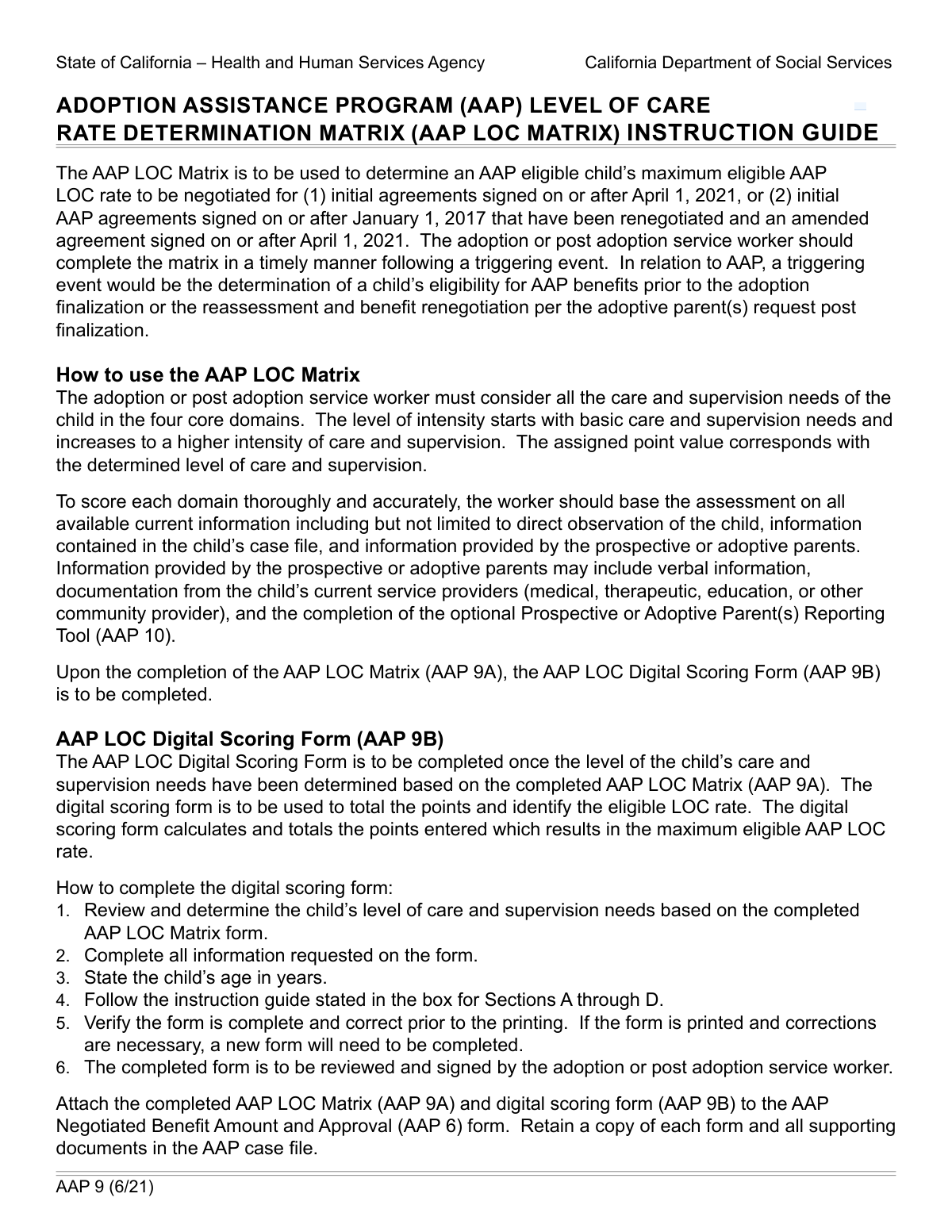
Yes! You can use AI to fill out State of California Accessible Form
This is an official document issued by the State of California for various administrative, legal, or personal purposes. Completing these forms correctly is crucial for compliance with state regulations and accessing government services. Today, you can fill out this form quickly and accurately using AI-powered services like Instafill.ai, which can also convert non-fillable PDF versions into interactive fillable forms.
Our AI automatically handles information lookup, data retrieval, formatting, and form filling.
It takes less than a minute to fill out California State Form using our AI form filling.
Securely upload your data. Information is encrypted in transit and deleted immediately after the form is filled out.
Form specifications
| Form name: | State of California Accessible Form |
| Number of fields: | 1 |
| Number of pages: | 1 |
| Language: | English |
| Categories: | California state forms, NJ state forms, PA state forms |
Instafill Demo: How to fill out PDF forms in seconds with AI
How to Fill Out California State Form Online for Free in 2026
Are you looking to fill out a CALIFORNIA STATE FORM form online quickly and accurately? Instafill.ai offers the #1 AI-powered PDF filling software of 2026, allowing you to complete your CALIFORNIA STATE FORM form in just 37 seconds or less.
Follow these steps to fill out your CALIFORNIA STATE FORM form online using Instafill.ai:
- 1 Navigate to Instafill.ai and upload your State of California form or select it from our template library.
- 2 Allow the AI to automatically identify and label all the required fields on the form.
- 3 Answer simple questions in a chat-like interface, and watch as the AI populates the form with your information.
- 4 Review the completed form to ensure all information is accurate and complete.
- 5 Securely sign the document electronically if a signature is required.
- 6 Download the finished form as a high-quality PDF, ready for submission to the appropriate California state agency.
Our AI-powered system ensures each field is filled out correctly, reducing errors and saving you time.
Why Choose Instafill.ai for Your Fillable California State Form Form?
Speed
Complete your California State Form in as little as 37 seconds.
Up-to-Date
Always use the latest 2026 California State Form form version.
Cost-effective
No need to hire expensive lawyers.
Accuracy
Our AI performs 10 compliance checks to ensure your form is error-free.
Security
Your personal information is protected with bank-level encryption.
Frequently Asked Questions About Form California State Form
The specific purpose is detailed in the form's title and instructions. Generally, these forms are used for official state business, so you should review the first page carefully to understand its requirements.
This form should be completed by individuals or businesses as required by California state law or regulations. The form's instructions or the relevant agency's website will clarify who is required to file.
This is an accessibility instruction for users with screen readers. Browse mode lets you read all text on the page, while forms mode is used specifically for typing information into the form fields.
Yes, this form was created to be accessible. It includes specific instructions to help users of assistive technologies, like screen readers, navigate and complete the form successfully.
The required information depends on the form's purpose, but it's wise to have personal identification, contact details, and any specific documents related to the form's subject matter ready. Reviewing the entire form beforehand can help you prepare.
Submission instructions are typically provided on the form itself, often on the first or last page. They will specify whether to mail the form, submit it online, or deliver it in person to the correct state department.
If you make an error, it is best to start over with a fresh copy to ensure it is legible and accurate. If using a fillable PDF, you can simply edit the incorrect field before you save or print.
Processing times vary significantly depending on the specific form and the responsible state agency. For the most accurate estimate, check the website of the department that issued the form.
Yes, services like Instafill.ai use AI to auto-fill form fields accurately and save time. This can help you complete the form more quickly and with fewer errors.
To fill this form using Instafill.ai, upload the PDF to their platform. The AI will make the form fillable online, and you can use your saved profile to populate your information into the correct fields instantly.
If you have a non-fillable or 'flat' PDF, you can use a tool like Instafill.ai. It can convert the document into an interactive, fillable form that you can easily complete on your computer.
Most official forms require a signature to be valid. Look for a designated signature line or box, which is typically located at the end of the document.
For questions about the form's content, you should contact the State of California department that issued it. Their contact information is usually listed on the form or on their official website.
Compliance California State Form
Validation Checks by Instafill.ai
1
Ensures Full Legal Name is Provided
This check verifies that the first name and last name fields are not empty and do not contain invalid characters. A full legal name is essential for official identification and record-keeping on state documents. Failure to provide a valid name would render the submission anonymous and cause it to be rejected for processing.
2
Validates Social Security Number (SSN) Format
This check ensures the SSN is entered in the correct format (XXX-XX-XXXX or XXXXXXXXX) and contains only numbers. The SSN is a critical unique identifier for most government services and records. An incorrectly formatted number would prevent identity verification and lead to processing delays or rejection.
3
Verifies Date of Birth is a Valid and Plausible Date
This validation confirms that the Date of Birth is a real calendar date, is in the past, and represents a plausible age for the applicant (e.g., not more than 120 years ago). This is fundamental for verifying identity and eligibility for age-restricted services or benefits. An invalid or future date would fail the submission.
4
Checks for a Complete California Mailing Address
Ensures that the street address, city, and ZIP code fields are all filled out, and that the state field is set to 'California' or 'CA'. A complete address is necessary for sending official correspondence and notices. An incomplete address would prevent communication and could lead to the form being returned or discarded.
5
Validates ZIP Code Format and State Consistency
This check verifies the ZIP code is in a valid 5-digit or 9-digit (ZIP+4) format. It also cross-references the ZIP code with the city to ensure they correspond to a real location within California. This improves mail deliverability and data accuracy for regional processing.
6
Ensures Phone Number Follows a Standard Format
Validates that the phone number field contains 10 digits and optionally follows a standard format like (XXX) XXX-XXXX. This ensures the contact information is usable for state agencies needing to reach the applicant. Invalid numbers would prevent direct communication if issues arise with the submission.
7
Validates Email Address Syntax
This check ensures the provided email address follows the standard '[email protected]' format. A valid email is critical for sending electronic notifications, confirmations, and other important communications. An invalid format would cause email delivery to fail, potentially leaving the applicant unaware of their form's status.
8
Confirms Digital or Physical Signature is Present
Verifies that the signature field is not empty, whether it's a digital signature, a typed name, or an uploaded image. A signature is a legal requirement on most official forms to attest to the accuracy of the information provided. A missing signature will almost always result in immediate rejection of the form.
9
Ensures Signature Date is Current and Logical
This validation checks that the signature date is not in the future and is on or after any other dates entered on the form, such as an application start date. This confirms the applicant is signing off on the completed information as of a specific, valid date. An illogical date could call the form's legal validity into question.
10
Verifies Acknowledgment of Terms and Conditions
Checks if a mandatory checkbox, such as 'I agree to the terms' or 'I certify under penalty of perjury...', has been ticked. This is a crucial legal step to ensure the applicant understands their responsibilities. Failure to acknowledge these terms would make the form legally incomplete and invalid.
11
Validates County is Selected from a Predefined List
Since this is a State of California form, it likely has a dropdown for selecting a county. This check ensures that the value submitted for the county field is one of the 58 official counties in California. This is important for routing the form to the correct local office and for accurate data collection.
12
Ensures Numeric-Only Fields Contain No Text
This validation applies to fields intended for numbers only, such as income, number of dependents, or monetary amounts. It checks that no letters or special characters are entered. This prevents data corruption and calculation errors in backend systems.
Common Mistakes in Completing California State Form
Government agencies, including those in the State of California, frequently update their forms to reflect new laws or requirements. Submitting an outdated version can lead to immediate rejection, as it may be missing critical fields or contain obsolete information. To avoid this, always download the form directly from the official government website immediately before you intend to fill it out.
The form's accessibility notes suggest it may be a non-fillable PDF that users print and complete by hand. Poor or unclear handwriting can lead to data entry errors by government staff, causing significant processing delays or rejection. To prevent this, use a tool like Instafill.ai, which can convert flat, non-fillable PDFs into digitally fillable versions, ensuring every entry is perfectly legible.
Applicants often use a nickname, initials, or a shortened version of their name instead of their full legal name as it appears on their Social Security card or driver's license. This discrepancy causes identity verification to fail, which can halt the entire application process. Always use your complete and official legal name unless the form specifically asks for an alias.
An unsigned or undated form is considered legally incomplete and will be automatically rejected. This is one of the most common and easily avoidable mistakes that forces applicants to restart the submission process. Before you submit, do a final check specifically for the signature and date fields to ensure they are properly completed.
In a rush, it's easy to overlook fields, especially in dense government forms. However, any field marked as required (often with an asterisk *) is essential for processing. Missing even one mandatory piece of information will typically result in the form being returned, delaying your request by weeks.
State of California forms often require a specific date format, such as MM/DD/YYYY. Entering a date in a different format (e.g., DD/MM/YYYY or using a two-digit year) can cause errors in automated processing systems and may lead to rejection. Pay close attention to instructions or placeholder text (e.g., 'mm/dd/yyyy') in date fields to ensure compliance.
A frequent mistake is omitting an apartment, suite, or unit number from a street address. Another common error is providing a P.O. Box when a physical residential address is required for verification purposes. These errors can result in critical documents being returned as undeliverable, stopping your application from moving forward.
The form explicitly provides instructions for users with screen readers regarding 'forms mode' and 'browse mode'. Ignoring this guidance can cause a user to miss important contextual information or instructions that are only audible in the correct mode. This can easily lead to misunderstanding questions and filling out the form incorrectly.
Accidentally swapping digits in a Social Security Number (SSN), Driver's License number, or Taxpayer ID Number (TIN) is a critical error. These numbers are primary identifiers, and even a small mistake will cause a data mismatch, leading to an automatic failure to process the form. Using an autofill tool like Instafill.ai can help prevent these errors by accurately populating saved information.
Many government forms require manual calculations for income, taxes, or fees. A simple arithmetic mistake can lead to incorrect payments, benefit miscalculations, or even trigger an audit. Always double-check your math, or preferably, use a fillable PDF with built-in calculation functions to ensure accuracy.
Saved over 80 hours a year
“I was never sure if my IRS forms like W-9 were filled correctly. Now, I can complete the forms accurately without any external help.”
Kevin Martin Green
Your data stays secure with advanced protection from Instafill and our subprocessors

Robust compliance program
Transparent business model
You’re not the product. You always know where your data is and what it is processed for.
ISO 27001, HIPAA, and GDPR
Our subprocesses adhere to multiple compliance standards, including but not limited to ISO 27001, HIPAA, and GDPR.
Security & privacy by design
We consider security and privacy from the initial design phase of any new service or functionality. It’s not an afterthought, it’s built-in, including support for two-factor authentication (2FA) to further protect your account.
Fill out California State Form with Instafill.ai
Worried about filling PDFs wrong? Instafill securely fills state-of-california-accessible-form forms, ensuring each field is accurate.