Yes! You can use AI to fill out Form SA474, Claim for an Australian Survivor Pension for a person living outside Australia
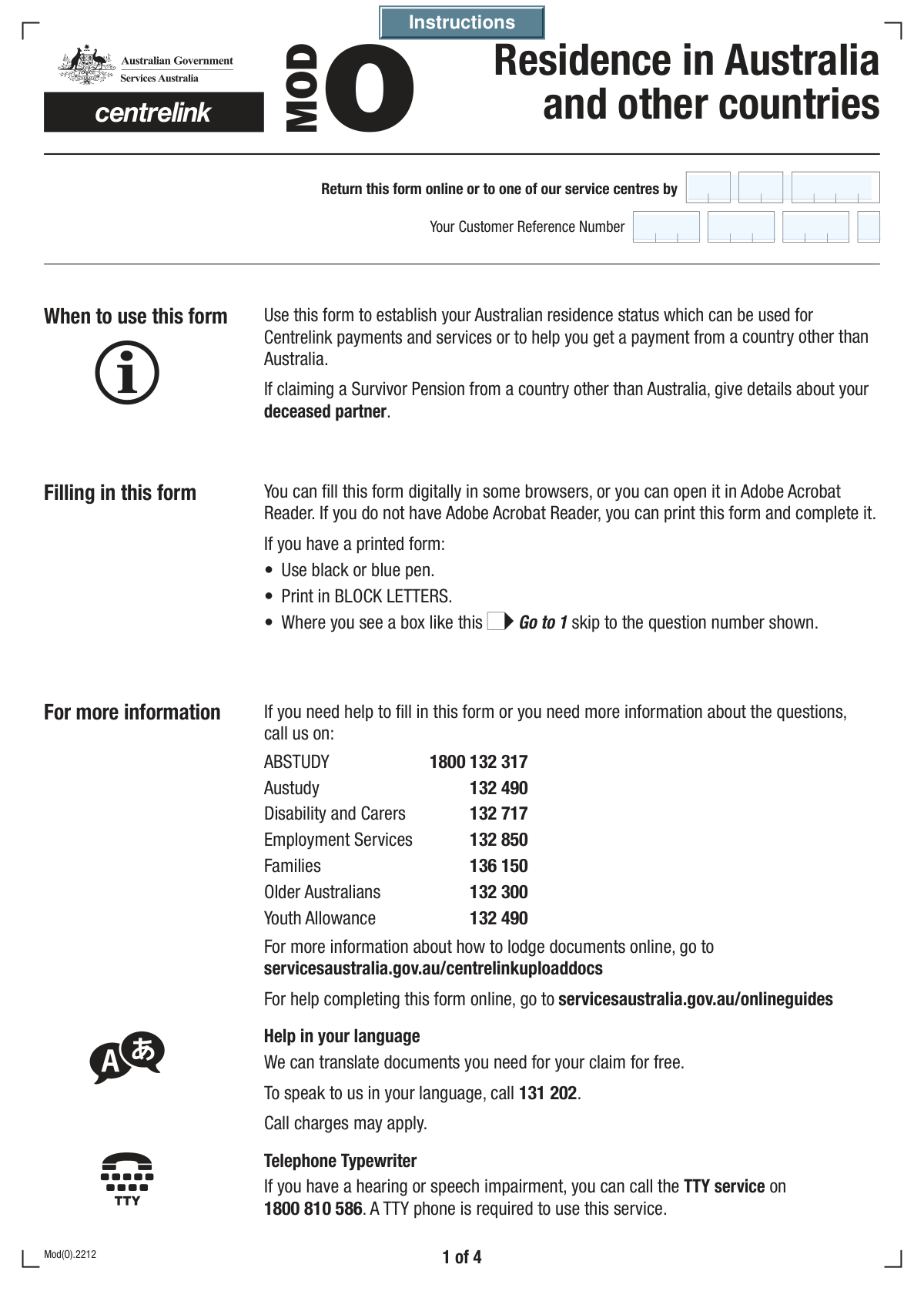
Form SA474 is an application submitted to Services Australia to claim an Australian Survivor Pension for individuals residing outside of Australia. This comprehensive form gathers essential information about the claimant, their deceased partner, and their residency history both in and out of Australia to determine eligibility for the pension. Today, this form can be filled out quickly and accurately using AI-powered services like Instafill.ai, which can also convert non-fillable PDF versions into interactive fillable forms.
Our AI automatically handles information lookup, data retrieval, formatting, and form filling.
It takes less than a minute to fill out SA474 using our AI form filling.
Securely upload your data. Information is encrypted in transit and deleted immediately after the form is filled out.
Form specifications
| Form name: | Form SA474, Claim for an Australian Survivor Pension for a person living outside Australia |
| Number of fields: | 104 |
| Number of pages: | 4 |
| Filled form examples: | Form SA474 Examples |
| Language: | English |
More forms in Pension claim forms
Instafill Demo: How to fill out PDF forms in seconds with AI
How to Fill Out SA474 Online for Free in 2026
Are you looking to fill out a SA474 form online quickly and accurately? Instafill.ai offers the #1 AI-powered PDF filling software of 2026, allowing you to complete your SA474 form in just 37 seconds or less.
Follow these steps to fill out your SA474 form online using Instafill.ai:
- 1 Navigate to Instafill.ai and upload your Form SA474, or select it from their template library.
- 2 Provide your personal information, including your full name, date of birth, and contact details.
- 3 Enter the required details about your deceased partner and your relationship.
- 4 Answer the detailed questions about your Australian residency, citizenship status, and travel history. The AI can help guide you through complex sections regarding visas and periods lived abroad.
- 5 Declare any other pensions you are claiming from other countries and provide details about anyone who assisted you with the form.
- 6 Carefully review all the information pre-filled by the AI for accuracy, make any necessary edits, and then electronically sign and date the declaration.
- 7 Download the completed, signed SA474 form, ready to be submitted to Services Australia as per their instructions.
Our AI-powered system ensures each field is filled out correctly, reducing errors and saving you time.
Why Choose Instafill.ai for Your Fillable SA474 Form?
Speed
Complete your SA474 in as little as 37 seconds.
Up-to-Date
Always use the latest 2026 SA474 form version.
Cost-effective
No need to hire expensive lawyers.
Accuracy
Our AI performs 10 compliance checks to ensure your form is error-free.
Security
Your personal information is protected with bank-level encryption.
Frequently Asked Questions About Form SA474
This form is used to gather detailed information about your personal history, residency, and citizenship status. It appears to be part of an application for a Survivor Pension in Australia.
Your Customer Reference Number is a unique identifier assigned to you by the agency. You can typically find this number on any letters or previous correspondence you have received from them.
You must indicate that you are claiming from another country and specify which one. You will also need to provide the full name and country of residence of your deceased partner.
You need to declare if you have ever travelled outside Australia, including for short trips or holidays. If you have, you must provide your passport number, the country that issued it, and the year you last entered Australia.
You should indicate you were not born in Australia and state your country of birth. You will then be asked to provide the date your Australian citizenship was granted.
Provide the information to the best of your ability, as it is important for establishing your residency status. If you are unsure, you can select 'Not sure' for your visa type on arrival, but it's best to check your official immigration documents.
If you started living in Australia before 1965, you must provide details of your first arrival. This includes the year, the name of the ship or airline, where you disembarked, and the name you used at that time.
An Assurance of Support is a legal commitment made by someone to provide you with financial support upon your migration to Australia. You need to state whether you had an assurer, as this can affect eligibility for certain payments.
Yes, you must state that someone helped you and provide their name. You can also give permission for the agency to contact this person if they have questions about the information provided.
Ensure you have signed, dated, and completed all required sections before the 'Form Return Date'. Follow the submission instructions provided with the form, which may include mailing it to a specific address or uploading it online.
Yes, services like Instafill.ai use AI to accurately auto-fill form fields from your saved information. This can save you time and help reduce errors, especially on complex forms like this one.
To fill this form online, you can upload the PDF to a platform like Instafill.ai. Their technology will help you fill in the fields quickly and accurately using your securely saved personal information.
If you have a non-fillable or 'flat' PDF, you can use a service like Instafill.ai. It can convert the static document into an interactive, fillable form that you can easily complete and save on your computer.
Compliance SA474
Validation Checks by Instafill.ai
1
Date of Birth is a Valid Past Date
This check verifies that the 'Date of Birth' provided is a complete, valid date that occurs in the past. It is crucial for verifying the applicant's identity, age, and eligibility for certain benefits. A failed validation would prevent submission, as an invalid, future, or impossible date indicates a critical data entry error.
2
Ensures Mutually Exclusive Title Selection
This validation ensures that only one title option ('Mr', 'Mrs', 'Miss', 'Ms', 'Mx') is selected. If the 'Other Title' text field is filled, it confirms that none of the standard title checkboxes are checked. This prevents data ambiguity and ensures the applicant's title is recorded correctly, and a failure would prompt the user to select only one option.
3
Customer Reference Number Completeness
This check ensures that all four parts of the Customer Reference Number are filled out. This number is likely a primary key for identifying the customer's record in the system. Its completeness is critical for associating the form with the correct individual and preventing processing delays or errors.
4
Conditional Requirement for Foreign Pension Details
This validation enforces a logical rule: if the user checks 'Yes, Claiming from another country', the 'Other Country Claim' text field must be filled. This ensures that claims involving other countries are properly documented with the required specifics. A failure would result in an incomplete submission that cannot be processed correctly.
5
Conditional Requirement for Travel Details
This check validates that if the user answers 'Yes' to having travelled outside Australia, the 'Year Last Entered Australia', 'Passport Number', and 'Passport Country of Issue' fields are all mandatory. This information is essential for verifying residency status and history. A failure would result in an error message requiring the user to provide the missing travel information.
6
Logical Consistency of 'Year Last Entered Australia'
This validation checks that the 'Year Last Entered Australia' is a valid 4-digit year that is not in the future. It also cross-references this year against the applicant's 'Date of Birth' to ensure the travel occurred after they were born. This prevents logical impossibilities and ensures the timeline of events is coherent.
7
Citizenship Grant Date Consistency
This check ensures that any citizenship grant date provided (e.g., 'Australian Citizenship Month and Year') occurs after the applicant's 'Date of Birth'. Granting citizenship to someone before they are born is a logical impossibility. This validation maintains data integrity and flags significant data entry errors for correction.
8
Conditional Requirement for Visa Details on Arrival
This rule is triggered if the applicant has lived in Australia and selected 'Permanent' or 'Temporary' for their 'Visa Type on Arrival'. It ensures that both the 'Visa Subclass' and 'Date Visa Granted' fields are completed. This information is vital for establishing the applicant's legal residency status from their point of entry.
9
Validates Year of First Arrival for Pre-1965 Claim
If the user checks 'Yes' for starting to live in Australia before 1965, this validation confirms that the 'Year of First Arrival' entered is a year prior to 1965. This check verifies the consistency of the user's claim with the question asked. A failure indicates a contradiction in the provided information that must be resolved.
10
Conditional Provision of Helper's Contact Information
This check ensures that if a user indicates 'Yes' to receiving help and 'Yes' to giving permission to contact the helper, then the helper's name, address, and phone number fields must be filled. This rule enforces the collection of necessary contact details only when consent is explicitly given. A failure would prompt the user to either provide the details or change their permission status.
11
Signature Date Logical Validation
This validation ensures the 'Signature Date' is a valid date and is not in the future. It should also be on or after the 'Form Return Date' and close to the current submission date. This helps establish a valid timeline for the form's completion and confirms the declaration is current.
12
Mandatory Family and First Name Fields
This is a completeness check to ensure that both the 'Family Name' and 'First Given Name' fields are not left empty. These fields are fundamental pieces of personally identifiable information required to identify the applicant. A failed validation would prevent form submission until these core fields are completed.
13
Contact Phone Number Format Validation
This check verifies that the 'Contact Phone Number' field contains a value that conforms to a valid phone number format, including an area code. It should ensure it contains the correct number of digits to be a usable number. A valid phone number is essential for the organization to be able to contact the applicant regarding their submission.
14
Conditional Requirement for Country of Birth
This validation rule ensures that if a user selects 'No, not born in Australia' for their citizenship status, the 'Country of Birth' field must be filled out. This information is critical for determining residency and citizenship pathways. Failure to provide this information when required would result in an incomplete application.
Common Mistakes in Completing SA474
The form requires the Customer Reference Number to be split across four separate fields. Applicants often make transcription errors, transpose digits between the fields, or try to enter the entire number into the first box. This happens due to rushing or misreading the instructions, and it will cause an immediate data mismatch, leading to significant processing delays or outright rejection of the form until corrected.
This form contains numerous questions with conditional logic (e.g., 'If Yes, go to question X'). A very common error is answering the initial 'Yes' or 'No' but then failing to complete the required follow-up sections. For example, checking 'Yes' for having travelled outside Australia but leaving the passport details blank. This creates an incomplete record, forcing the processing agency to return the form or contact the applicant for clarification, delaying the claim.
Applicants frequently enter dates in a format different from what is required, such as using the American MM/DD/YYYY format instead of the DD/MM/YYYY format common in Australia. This ambiguity, especially for days and months under 12, can lead to incorrect data entry and potential issues with eligibility calculations based on age or residency periods. To avoid this, carefully check for any specified format (e.g., 'DD MM YYYY') next to the date field.
Providing the correct Visa Subclass number and grant date is critical, but many applicants are unsure of these details or enter them incorrectly. Guessing a subclass or providing an approximate date can lead to failed verification against immigration records. This can halt the entire application process, as legal residency status is a key eligibility criterion. It is crucial to refer to official visa grant notifications or immigration documents for this information.
The form asks for all countries lived in since birth, but people often only list recent countries, forgetting long-term stays or countries they lived in as a child. This omission can be seen as a failure to disclose and can complicate the assessment of residency-based entitlements. To prevent this, take time to reconstruct your entire life timeline before filling out the form, consulting family members or personal records if necessary.
Applicants, particularly those from cultures where the family name is written first, may accidentally enter their family name in the 'First Given Name' field and vice versa. This simple mistake creates an incorrect identity record in the system, which can cause problems with identity verification and linking to other government records. Always double-check that 'Family Name' corresponds to your surname and 'Given Name' to your first name.
Many questions offer an 'Other' checkbox (e.g., for 'Title' or 'Country of Residence'). A frequent mistake is to check the 'Other' box but then forget to write the specific details in the corresponding text field. This leaves the answer incomplete and requires the processing agent to guess or follow up. Always ensure that if you select 'Other', you provide the necessary information in the space provided.
When asked for the deceased partner's country of residence, some applicants mistakenly provide the partner's country of birth or citizenship. The question specifically asks for the country where the partner was living at the time of their passing. This distinction is crucial for determining eligibility under international social security agreements and can significantly impact the claim's outcome.
If someone helps an applicant fill out the form, the applicant might check 'Yes' to receiving help but then fail to complete the helper's details or neglect to grant permission for contact. This section is important for accountability and for clarification purposes. An incomplete section may raise red flags or simply delay processing if the agency needs to verify information with the person who provided assistance.
After meticulously filling out a long and complex form, it is surprisingly common for applicants to forget the final, crucial step: signing and dating the declaration. An unsigned form is legally invalid and cannot be processed. This simple oversight will result in the form being immediately returned, causing unnecessary delays. Always perform a final review of the entire form, paying special attention to the signature box.
Saved over 80 hours a year
“I was never sure if my IRS forms like W-9 were filled correctly. Now, I can complete the forms accurately without any external help.”
Kevin Martin Green
Your data stays secure with advanced protection from Instafill and our subprocessors

Robust compliance program
Transparent business model
You’re not the product. You always know where your data is and what it is processed for.
ISO 27001, HIPAA, and GDPR
Our subprocesses adhere to multiple compliance standards, including but not limited to ISO 27001, HIPAA, and GDPR.
Security & privacy by design
We consider security and privacy from the initial design phase of any new service or functionality. It’s not an afterthought, it’s built-in, including support for two-factor authentication (2FA) to further protect your account.
Fill out SA474 with Instafill.ai
Worried about filling PDFs wrong? Instafill securely fills form-sa474-claim-for-an-australian-survivor-pension-for-a-person-living-outside-australia forms, ensuring each field is accurate.



