Yes! You can use AI to fill out The Principal Pension Plan Summary Plan Description: Traditional and Cash Balance Formulas for Employees and Individual Field
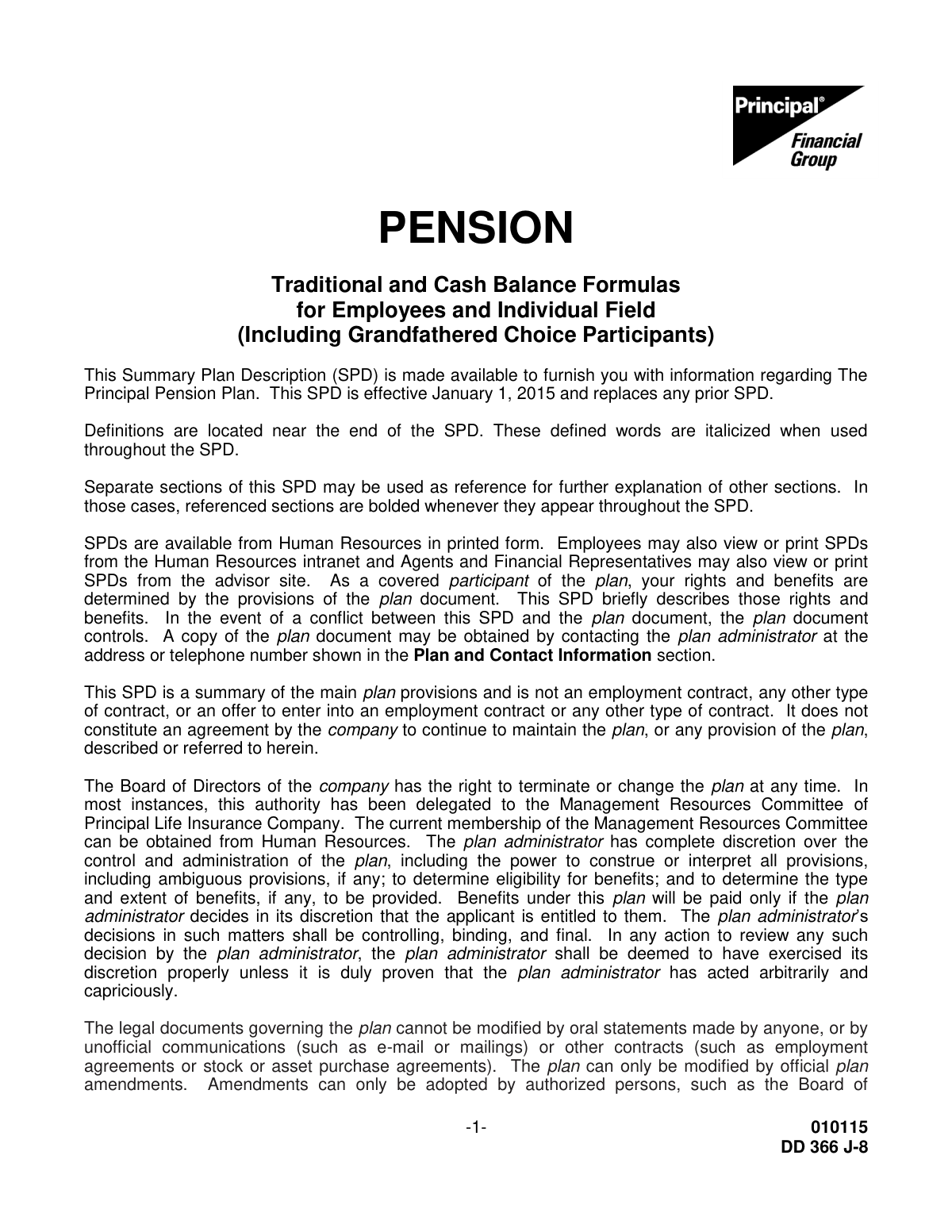
Form DD 366 J-8 is the Summary Plan Description (SPD) for The Principal Pension Plan, detailing the rules, benefits, and options for participants. It explains complex topics like vesting, retirement eligibility, payment options, and death benefits under both traditional and cash balance formulas. When applying for these pension benefits, participants must complete separate application forms, which can be filled out quickly and accurately using AI-powered services like Instafill.ai. These tools can also convert non-fillable PDF versions of application forms into interactive fillable forms.
DD 366 J-8 is part of the
employee forms, pension forms, Principal forms and pension plan forms categories on Instafill.
Rather not fill this in by hand? Instafill is an online form filler that completes PDF forms automatically — upload the blank form, answer a few questions, and the AI fills every field.
Form specifications
| Form name: | The Principal Pension Plan Summary Plan Description: Traditional and Cash Balance Formulas for Employees and Individual Field |
| Number of pages: | 1 |
| Language: | English |
Our AI automatically handles information lookup, data retrieval, formatting, and form filling.
It takes less than a minute to fill out DD 366 J-8 using our AI form filling.
Securely upload your data. Information is encrypted in transit and deleted immediately after the form is filled out.
Instafill Demo: How to fill out PDF forms in seconds with AI
How to Fill Out DD 366 J-8 Online for Free in 2026
Are you looking to fill out a DD 366 J-8 form online quickly and accurately? Instafill.ai offers the #1 AI-powered PDF filling software of 2026, allowing you to complete your DD 366 J-8 form in just 37 seconds or less.
Follow these steps to fill out your DD 366 J-8 form online using Instafill.ai:
- 1 Navigate to Instafill.ai and upload the relevant pension application or benefit election form associated with The Principal Pension Plan.
- 2 Use the AI chat feature to ask questions about the plan details found in the DD 366 J-8 SPD, such as clarifying payment options or beneficiary rules.
- 3 Provide your personal details like name, address, and Social Security Number for the AI to accurately populate the required fields on the application.
- 4 Review the different retirement options (e.g., Life Annuity, Survivorship Annuity) described in the SPD and instruct the AI to select your chosen option on the form.
- 5 Enter the information for your designated beneficiaries, ensuring you follow the spousal consent requirements outlined in the plan document.
- 6 Carefully review the entire auto-filled application, cross-referencing critical information with the SPD to ensure all selections are correct before finalizing.
- 7 Securely download the completed form, print it, obtain any necessary signatures (like spousal consent), and submit it to the plan administrator as instructed.
Our AI-powered system ensures each field is filled out correctly, reducing errors and saving you time.
Why Choose Instafill.ai for Your Fillable DD 366 J-8 Form?
Speed
Complete your DD 366 J-8 in as little as 37 seconds.
Up-to-Date
Always use the latest 2026 DD 366 J-8 form version.
Cost-effective
No need to hire expensive lawyers.
Accuracy
Our AI performs 10 compliance checks to ensure your form is error-free.
Security
Your personal information is protected with bank-level encryption.
Frequently Asked Questions About DD 366 J-8
This is a Summary Plan Description (SPD) for The Principal Pension Plan, effective January 1, 2015. It is intended for eligible employees and agents who entered the plan before December 31, 2001.
Your benefits are calculated using two methods: a 'traditional benefit' formula and a 'cash balance' formula. At the time of distribution, the two are compared, and you will receive the benefit from the formula that provides the more valuable amount.
Vesting means you have earned a nonforfeitable right to your pension benefit. You become 100% vested after completing three years of vesting service (or five years if you left before Jan 1, 2008) or upon reaching age 65.
If you terminate your employment before your vesting date, any retirement benefit you have accrued is forfeited and no benefits will be paid from the plan.
To apply for benefits, you must contact a plan representative in Human Resources. They will provide you with the necessary forms and information to begin the claims process.
A lump-sum payment is only an option if the cash balance formula provides a more valuable benefit than the traditional formula. If the traditional formula is more valuable, a lump-sum is not available.
For questions, you can call the Participant Contact Center at 800-547-7754 or the Human Resources Service Center at 1-866-524-MYHR (6947).
A court may issue a Qualified Domestic Relations Order (QDRO) that assigns a portion of your pension benefits to an alternate payee, like a former spouse. You should notify the Participant Contact Center if a court order will involve your plan benefits.
If you are vested and die before retirement, a death benefit may be payable to your surviving spouse or designated beneficiary. The benefit amount is determined by comparing the traditional and cash balance formulas.
No, this document is only a summary. In the event of a conflict between this SPD and the official plan document, the plan document is the controlling legal authority.
You can obtain a copy of the official plan document by contacting the plan administrator at the address or telephone number shown in the 'Plan and Contact Information' section.
Yes, services like Instafill.ai use AI to accurately auto-fill pension application forms and other related paperwork, which can save you time and help prevent errors.
Simply upload your pension form to the Instafill.ai platform. Its AI will automatically populate the fields, and you can then review, edit, and download the completed document.
If you have a non-fillable PDF, you can use a service like Instafill.ai. It can convert flat PDFs into interactive, fillable forms that you can easily complete and sign online.
Compliance DD 366 J-8
Validation Checks by Instafill.ai
1
Validates Social Security Number Format
This check ensures that the Social Security Number (SSN) for the participant, spouse, or beneficiary is entered in a valid 9-digit format (e.g., XXX-XX-XXXX or XXXXXXXXX). It is crucial for accurate record-keeping, tax reporting, and unique identification within the system. If the format is incorrect or represents a known invalid SSN, the submission will be blocked until the user corrects the entry.
2
Ensures Spousal Consent for Non-Survivorship Annuity Options
If a married participant selects a payment option other than the default '50% survivorship annuity', this check verifies that a legally valid spousal consent has been provided. This is a mandatory requirement under federal law (ERISA) to protect the rights of the spouse. Failure to provide consent will prevent the selection of the alternate payment option, and the user will be prompted to either obtain consent or change their selection.
3
Confirms Eligibility for Early Retirement
This validation confirms that a participant applying for early retirement meets the plan's specific criteria, such as being at least age 57 with at least 10 years of vesting service. The system cross-references the participant's date of birth and service history against the requested retirement date. An application from an ineligible participant will be rejected, with a message explaining which specific requirements have not been met.
4
Verifies Eligibility for Lump-Sum Payment
This check ensures that the lump-sum payment option is only available if the participant's benefit is determined to be more valuable under the 'Cash Balance Formula'. The system must first perform the comparison calculation between the Traditional and Cash Balance formulas as outlined in the plan. If the Traditional formula provides the more valuable benefit, the lump-sum option will be disabled or an error will be displayed, as the plan explicitly forbids this choice.
5
Validates Age for Social Security Adjustment Option
This check enforces the rule that the 'Social Security Adjustment' option is only available to participants who retire after age 57 but before age 62. The validation compares the participant's age at the selected retirement commencement date. If the participant is age 62 or older, this option will be unavailable for selection, preventing an invalid benefit election.
6
Confirms Participant is Vested Before Processing Benefit Claim
Before processing any retirement or termination benefit application, this check verifies the participant has met the plan's vesting requirements (e.g., three years of vesting service). It calculates the participant's total vesting service based on their employment history. If the participant is not vested upon termination, the application is rejected with an explanation that no benefits are payable from the plan.
7
Requires Contingent Annuitant for Survivorship Annuities
This validation ensures that if a participant selects any 'Survivorship Annuity' or 'Special Survivorship Annuity' option, they must provide the complete details for a contingent annuitant. The form cannot be submitted without this information, as it is essential for administering the benefit after the participant's death. A failure will result in a prompt for the user to add the required beneficiary information.
8
Validates Spouse as Contingent Annuitant for Married Participants
If a married participant chooses a survivorship option and names a contingent annuitant other than their spouse, this check confirms that a valid spousal consent form has been submitted. This enforces federal law protecting spousal rights to survivor benefits. Without the required consent, the submission is blocked, and the user must either name their spouse as the contingent annuitant or obtain and provide the consent.
9
Ensures Completeness of Qualified Domestic Relations Order (QDRO) Details
When a QDRO is submitted, this check verifies that all legally required fields are present, including the full names and addresses of the participant and alternate payee, the plan name, and the specific amount or percentage of benefits to be paid. Incomplete QDRO submissions are legally invalid and cause significant administrative delays. This validation flags all missing fields to ensure the order can be properly qualified and processed.
10
Identifies Accounts for Mandatory Automatic Rollover
For a terminated participant who does not make a distribution election, this check assesses the value of their vested pension benefit. If the value is between $1,000 and $5,000, it automatically triggers the rollover process to a Principal Bank Safe Harbor IRA as required by plan rules and Department of Labor regulations. This ensures compliance and helps preserve retirement savings for former employees.
11
Validates Minimum Age for Plan Participation
This check confirms that the employee or agent was at least 21 years old on their plan participation date. It compares the individual's date of birth with their hire date and service hours to determine the correct participation start date. This validation is important to ensure eligibility rules were correctly applied and to prevent incorrect benefit accruals for individuals who joined the company before age 21.
12
Verifies One-Year Marriage Requirement for Spousal Death Benefits
When a claim for a spousal death benefit is filed, this validation checks that the participant and spouse were married for at least one full year prior to the participant's death. This is a specific condition for several death benefits, including the deferred spouse's pension. A claim failing this check would be flagged for denial or require further documentation and manual review.
13
Restricts Selection of Legacy 'Life Annuity with Re-Elect' Option
This check restricts the selection of the 'Life Annuity with Re-Elect at Age 65' option to only those participants who entered the plan before September 30, 1999. It cross-references the participant's plan entry date from their master record. This prevents newer participants from selecting a legacy payment option that has been discontinued for them, ensuring they only see and choose from currently available options.
14
Applies Annual Compensation Limit to Benefit Calculations
When calculating pension benefits, this validation ensures that the compensation used for any given year does not exceed the legally mandated limit set by the IRS for that year (e.g., $265,000 for 2015). This is a critical compliance check to ensure the plan remains qualified. Any compensation earned above the annual limit is automatically disregarded by the system during the benefit calculation process.
Common Mistakes in Completing DD 366 J-8
Married participants often attempt to select a payment option other than the default 50% survivorship annuity without providing a valid spousal consent form. This mistake occurs because they are unaware of the federal requirement or underestimate the formality, which includes the spouse's signature being witnessed by a plan representative or a Notary Public. A missing or improperly executed consent will cause the election to be rejected, defaulting the payment to the survivorship annuity, which may not align with the participant's financial goals.
The plan documents state that a participant must receive the 'more valuable benefit' between the traditional and cash balance formulas, and federal law prohibits them from choosing the lesser-valued option. A common error is filling out an election form to request a lump-sum payment (only available under the cash balance formula) when their 'more valuable benefit' is determined to be the traditional formula, which only permits annuities. This leads to the rejection of their election and requires them to resubmit their application, delaying retirement payments.
Following a divorce, participants or their attorneys frequently submit a standard divorce decree that does not meet the plan's specific QDRO requirements. The document explicitly lists necessary details, such as the full plan name, participant and alternate payee addresses, and the specific amount or percentage of benefits. Failure to include this precise information renders the order non-qualified, delaying the division of assets and potentially causing significant legal and financial complications for both parties.
Participants may incorrectly assume they have complete freedom in naming a beneficiary, especially for pre-retirement death benefits. The plan gives specific rights to a surviving spouse, who is often the default beneficiary for the most valuable death benefit unless they formally waive that right. Naming a child or a trust as the primary beneficiary on a form without securing a valid spousal waiver can lead to the designation being overridden, causing benefits to be paid contrary to the participant's wishes.
Individuals often miscalculate their 'vesting service' or 'accrual service,' leading them to believe they are eligible for early retirement or a certain benefit amount before they actually are. This happens due to confusion over how breaks in service, re-employment, or hire dates affect the calculation. Applying for benefits with insufficient service years will result in a denied claim, forcing the participant to postpone their retirement plans.
When filling out benefit election forms, a participant might choose the 'Social Security Adjustment' option believing it provides a higher, level income throughout retirement. They often fail to understand that this option provides a larger payment until age 62, after which the plan's payment is permanently reduced, regardless of whether they actually begin receiving Social Security benefits. This misunderstanding can lead to a sudden, unexpected drop in income and severe financial strain in later years.
When submitting claim forms or contacting the plan administrator, individuals sometimes provide an incorrect Social Security Number or an outdated mailing address. A simple typo in an SSN can prevent access to account information, while an old address can cause critical documents, such as decision letters or tax forms, to be lost. This can lead to significant delays in receiving payments and may even cause a participant to miss strict deadlines for appealing a denied claim.
A frequent and serious oversight is failing to submit a new beneficiary designation form after a major life event like a marriage, divorce, or the death of a previously named beneficiary. The plan will pay benefits to the beneficiary on file at the time of death, regardless of the participant's current relationships or intentions. This can result in benefits being paid to an ex-spouse instead of a current spouse, leading to lengthy and costly legal disputes for the family.
The plan has distinctly different benefit formulas, early retirement factors, and COLA rules for 'grandfathered choice participants.' A common mistake is for a participant to use the incorrect tables or rules when estimating their own pension, leading to a significant miscalculation of their expected retirement income. This error results in flawed financial planning and can cause distress when the official benefit calculation from the plan administrator is much different than anticipated.
The plan specifies that a payment option choice must be made within the 180-day period prior to the desired retirement date. Participants sometimes miss this window, either by trying to make an election too far in advance or by waiting until the last minute. An invalid election timing can delay the retirement start date or result in the plan imposing a default payment option, which may not be the participant's preferred choice.
Saved over 80 hours a year
“I was never sure if my IRS forms like W-9 were filled correctly. Now, I can complete the forms accurately without any external help.”
Kevin Martin Green
Your data stays secure with advanced protection from Instafill and our subprocessors




Robust compliance program
Transparent business model
You’re not the product. You always know where your data is and what it is processed for.
ISO 27001, HIPAA, and GDPR
Our subprocesses adhere to multiple compliance standards, including but not limited to ISO 27001, HIPAA, and GDPR.
Security & privacy by design
We consider security and privacy from the initial design phase of any new service or functionality. It’s not an afterthought, it’s built-in, including support for two-factor authentication (2FA) to further protect your account.
Fill out DD 366 J-8 with Instafill.ai
Worried about filling PDFs wrong? Instafill securely fills the-principal-pension-plan-summary-plan-description-traditional-and-cash-balance-formulas-for-employees-and-individual forms, ensuring each field is accurate.
