
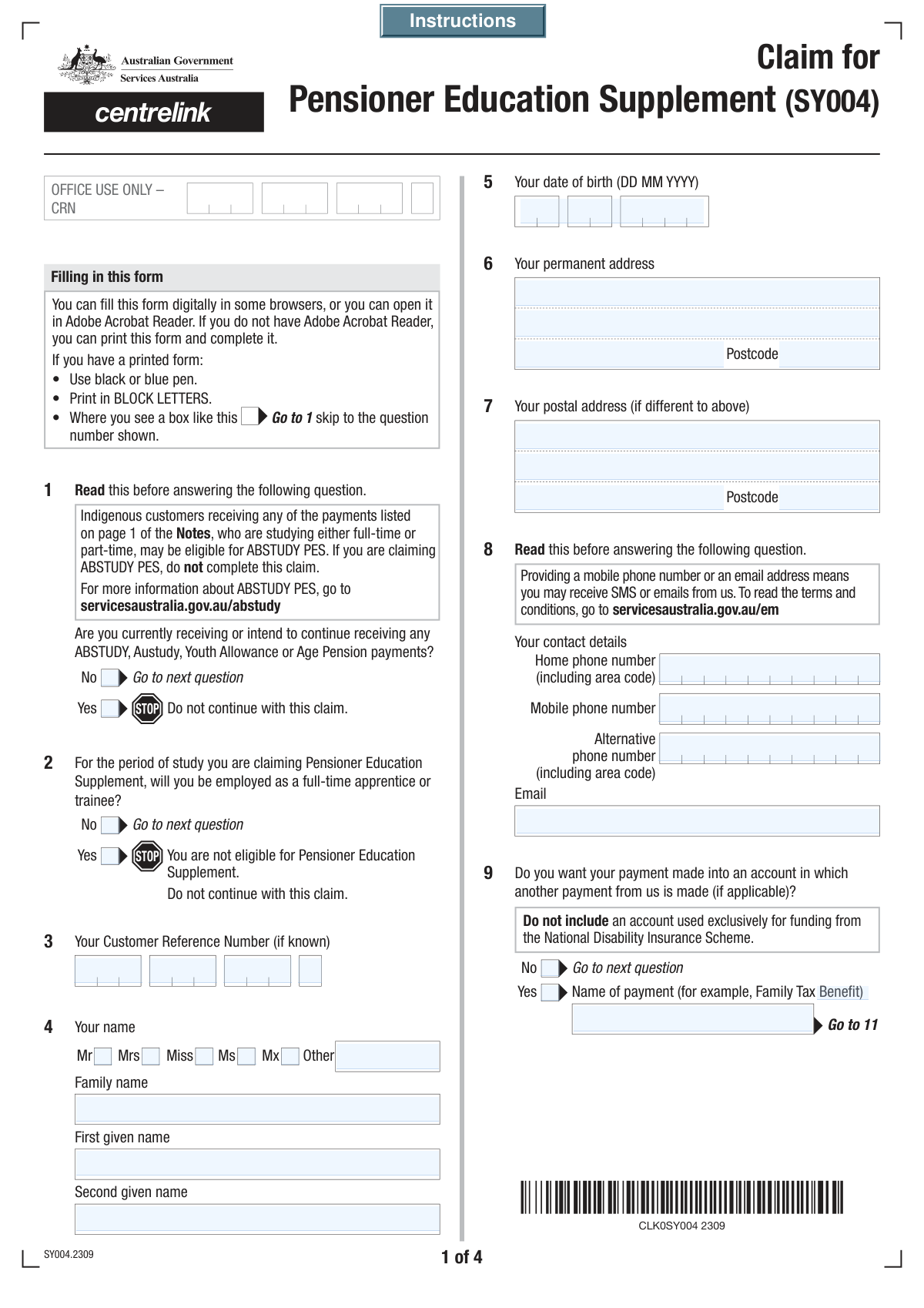
Yes! You can use AI to fill out Form SY029 - Claim for Pensioner Education Supplement
Don't type 129 fields by hand. Tell our AI about yourself, or upload a document you already have, and it fills every field in seconds. You check it, then download, print or sign.
The AI does the filling. You just check it.
No typing into boxes, nothing to install.
What this form asks for
The AI fills all of it, from your answers or your documents.
The AI checks your answers before you download
15 checks built for this form, so a wrong date or a missing answer is caught before anyone else sees it.
This check ensures the combined Customer Reference Number (CRN) fields form a valid 10-character string, typically 9 digits followed by a letter. This is crucial for correctly identifying the applicant in the Services Australia system. An invalid CRN will prevent the form from being linked to the correct customer record, halting the application process.
This validation confirms that the 'Date of Birth' is a real date formatted correctly and is in the past. It also checks if the calculated age is plausible for a student (e.g., over 14 years old). This prevents data entry errors and ensures the applicant meets basic age-related eligibility for educational supplements.
This validation checks if the user has selected 'Yes' for 'Apprentice or Trainee Employment Status'. As the form states this makes the applicant ineligible, the system should display a prominent warning or block submission. This prevents individuals who do not meet the criteria from submitting a futile application, saving time for both the applicant and the processing agency.
This validation applies to all pairs of 'Yes' and 'No' checkboxes, such as for 'Veterans' Affairs Pension Details' or 'Study Break Information'. It ensures that for each pair, one and only one option is selected before submission. This is critical for completeness and avoids ambiguity in the applicant's responses, which is necessary for accurate eligibility assessment.
This check ensures that the 'Bank Name', 'Branch Number (BSB)', and 'Account Number' fields are required only if the applicant selects 'No' to using an existing payment account. This prevents unnecessary data collection and reduces errors by guiding the user to fill only relevant sections. If the user selects 'Yes' but fills these fields, a warning should be shown.
This validation checks that the 'Branch Number (BSB)' field contains exactly 6 digits. The BSB is essential for routing payments to the correct bank branch in Australia. An incorrect format will lead to payment failure and delays in receiving funds.
And 9 more checks
- Verifies Logical Order of Course Dates
- Validates Completeness of Conditional Veterans' Affairs Details
- Validates Consistency Between Study Load Category and Percentage
- Verifies Logical Consistency of Study Break Dates
- Ensures At Least One Contact Method is Provided
- Validates Australian Postcode Format
- Validates Consistency of Document Checklist with Form Answers
- Ensures Declaration Date is Present and Valid
- Requires Full Name for Submission
Let AI fill out your SY029
No typing. Every field filled in seconds, checked, ready to sign.
How to Fill Out SY029 Online for Free in 2026
What the AI walks you through.
- Navigate to Instafill.ai and upload or select the Claim for Pensioner Education Supplement (Form SY029).
- Provide your personal details, including your name, date of birth, contact information, and Customer Reference Number.
- Indicate your current payment status with Services Australia and the Department of Veterans' Affairs, and specify your bank account details for payment.
- Enter comprehensive information about your education institution, course details, study load, and any previous post-secondary studies.
- Answer questions regarding your study circumstances, such as study breaks, external education, or if the claim is for Year 12 study.
- Review all the information you've entered for accuracy, attach any required supporting documents like proof of enrolment, and digitally sign the declaration.
- Submit the completed form directly through the platform or download it for your records.
Common Mistakes in Completing SY029
The ones the AI is built to catch.
Incorrectly Entering Customer Reference Number (CRN)
Providing Incorrect Bank Account Information
Misstating Study Load Percentage
Using Abbreviated or Incorrect Course/Institution Names
Confusing Different Course-Related Dates
Failing to Provide Required Supporting Documents
Misunderstanding Key Eligibility Questions
Ignoring Conditional Field Instructions
Incomplete or Inaccurate Past Study History
Forgetting the Signature and Date
Frequently Asked Questions About SY029
Is it really free for 7 days?
Can I fill other forms too?
How do I cancel?
How does the AI fill out SY029?
What happens to my information?
How complex is SY029 to fill out?
What is the purpose of this form?
Who should fill out this form?
Am I eligible for the Pensioner Education Supplement if I'm a full-time apprentice?
What is a Customer Reference Number (CRN) and where can I find it?
I already receive payments from Services Australia. Do I need to enter my bank details again?
I'm not sure what my study load percentage is. What should I do?
Why do I need to provide details about my past post-secondary studies?
What documents do I need to submit with this form?
How do I submit this form and how long does processing take?
I receive a pension from the Department of Veterans' Affairs (DVA). What extra information do I need?
Can I use an AI tool to help me fill out this form?
How can I fill out this form online using Instafill.ai?
The PDF version of this form I have is not fillable. What can I do?
Get your SY029 filled out by AI
$0 today. Cancel before Nov 10 and you pay nothing.
Other forms like this one
education forms: Form 1099-Q, Payments From Qualified Education Programs, Illinois State Board of Education (ISBE) Application for Employment (ISBE 61-08), Prudential Group Disability Insurance – Education and Employment History Form (GL.2009.009, Ed. 06/2017), Income-Driven Repayment (IDR) Plan Request (PAYE, IBR, and ICR) — William D. Ford Federal Direct Loan (Direct Loan) Program and Federal Family Education Loan (FFEL) Programs (OMB No. 1845-0102), The Prudential Insurance Company of America Group Disability Insurance – Education and Employment History Form (GL.2009.009, Ed. 06/2017), Prudential Group Disability Insurance – Education and Employment History Form (GL.2009.009, Ed. 06/2017), Melbourne City College Australia Education Agent Application Form, Leaders Institute of Training and Education (LITE) Application for Enrolment, Loan Rehabilitation: Income and Expense Information, William D. Ford Federal Direct Loan (Direct Loan) Program/Federal Family Education Loan (FFEL) Program, Confirmation of Teaching Evidence, Form K-908-2085-E, Designation of Education Decision-Maker, Blue Shield of California Promise Health Plan Health Education Referral Form, Form 2, Certification of Professional Education, Claim for Pensioner Education Supplement, Education Course Costs and Student Details Claim Form, CFS 431-1, Summary of the Child's Educational and Developmental Status, CFS 912, Referral Form for Life Skills/Financial Literacy Education
VA claim forms: Form OWCP-915, Claim for Medical Reimbursement, Form 8862, Information To Claim Certain Credits, Form CA-7, Claim for Compensation, Form CA-5, Claim for Compensation, Form SC-100, Plaintiff's Claim and ORDER to Go to Small Claims Court, Form 20-0995, Decision Review Request: Supplemental Claim, Form 104, List of Creditors 20 Largest Unsecured Claims, Form 941-X (Rev. April 2023), Adjusted Employer’s QUARTERLY Federal Tax Return or Claim for Refund, Judicial Council of California Form SC-104, Proof of Service (Small Claims), Immigration and Refugee Board of Canada (IRB) – Refugee Protection Division (RPD) Basis of Claim Form (for persons claiming refugee protection in Canada) (RPD.02.01), SC-108, Request to Correct or Cancel Judgment and Answer (Small Claims), Judicial Council of California Form SC-105, Request for Court Order and Answer (Small Claims), SC-120, Defendant’s Claim and ORDER to Go to Small Claims Court (Small Claims), Judicial Council of California Form SC-104, Proof of Service (Small Claims), Continental American Insurance Company (CAIC) / Aflac Group Critical Illness Claim Form (with Attending Physician’s Statement, HIPAA Authorization to Obtain Information, and Electronic Funds Transaction Authorization), Judicial Council of California Form SC-108, Request to Correct or Cancel Judgment and Answer (Small Claims), SC-105, Request for Court Order and Answer (Small Claims), Judicial Council of California Form SC-120, Defendant’s Claim and ORDER to Go to Small Claims Court (Small Claims), Small Claim and Notice of Small Claim (ORS 46.425) (OJD Official) (Jan 2026), VA Form 21-4138, Statement in Support of Claim
pension forms: Form 1099-R, Distributions From Pensions etc., Form N245, Application for suspension of a warrant and/or variation of an order, Anmeldung zum R+V-Firmenportal Vorsorge (Registration for the R+V Company Portal for Pensions), The Principal Pension Plan Summary Plan Description: Cash Balance Formula for Employees and Individual Field, The Principal Pension Plan Summary Plan Description: Traditional and Cash Balance Formulas for Employees and Individual Field, Form SC ISP-1300, Canada Pension Plan Survivor's Pension and Surviving Child's Benefit Application, Form SC ISP-1300, Application for CPP Survivor's Pension and Surviving Child's Benefit, United Kingdom (UK) State Pension claim form, Form W-4P (2026), Withholding Certificate for Periodic Pension or Annuity Payments, Bakery and Confectionery Pension Fund Pension Application, ABA Retirement Funds Program Distribution Request Form, Beneficiary Designation Form for Plans Subject to QJSA (Form F11607), Form F6776, Authorization of Interest-Only Payments (ERISA), Form F7381, Authorization of Interest-Only Payments (Non ERISA), New York State Comptroller Form RS 5127, Designation of Beneficiary with Contingent Beneficiaries, Qualified Retirement Plan Designation of Beneficiary, VA Form 21P-0969, Income and Asset Statement in Support of Claim for Pension or Parents' Dependency and Indemnity Compensation (D.I.C.), VA Form 21P-534EZ, Application for D.I.C., Survivors Pension, and/or Accrued Benefits, VA Form 21-0966, Intent to File a Claim for Compensation and/or Pension, or Survivors Pension and/or DIC, Form SA474, Claim for an Australian Survivor Pension for a person living outside Australia
pension claim forms: United Kingdom (UK) State Pension claim form, VA Form 21P-0969, Income and Asset Statement in Support of Claim for Pension or Parents' Dependency and Indemnity Compensation (D.I.C.), VA Form 21-0966, Intent to File a Claim for Compensation and/or Pension, or Survivors Pension and/or DIC, Form SA474, Claim for an Australian Survivor Pension for a person living outside Australia, Claim for Pensioner Education Supplement
Let AI fill out your SY029
Your trial starts once a card is added. You pay nothing before Nov 10.
Our AI already knows this form, all 129 fields of it. Skip the typing: tell it about yourself, or upload what you have, and it fills the whole form in seconds.
- AI fills every field on all 12 pages, tables and checkboxes included
- No typing into boxes: answer a few questions, or upload a document you already have, an old copy of this form, a photo of a document
- The AI checks the answers; you review and change anything before you download
- Download the finished PDF, print it, or sign it online
- Encrypted, and never used to train AI
Cancel before Nov 10 and you pay nothing.
A card is needed to start the trial. Cancel in two clicks from your account.
Terms · Privacy