Yes! You can use AI to fill out JURY-001, Juror Questionnaire for Civil Cases

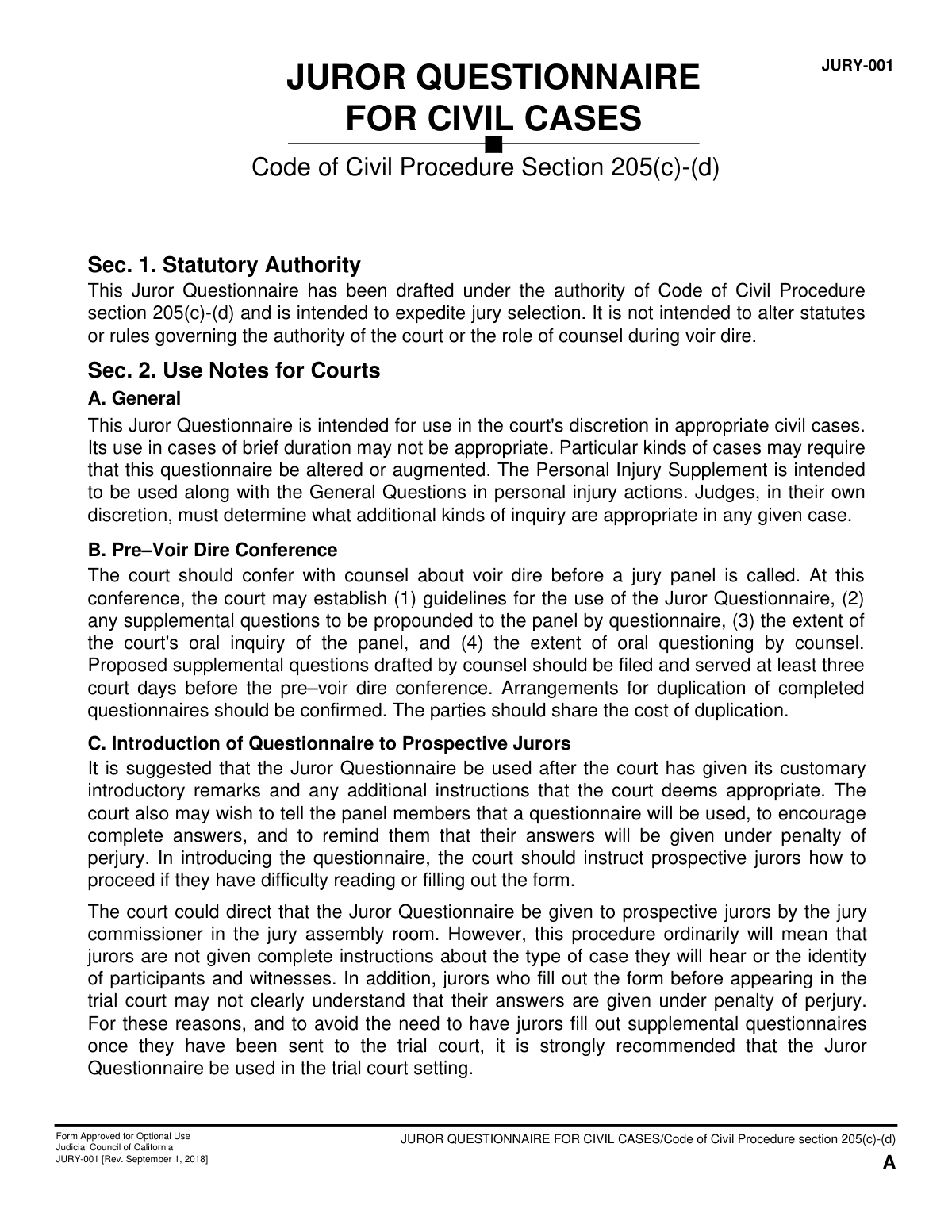
Form JURY-001 is a detailed questionnaire used in California's judicial system to screen prospective jurors for civil cases. It helps the court and attorneys understand a potential juror's background, experiences, and potential biases to expedite the jury selection process, known as voir dire. The questions cover personal history, employment, legal experience, and views on damages to ensure the selection of an impartial panel. Today, this form can be filled out quickly and accurately using AI-powered services like Instafill.ai, which can also convert non-fillable PDF versions into interactive fillable forms.
JURY-001 is part of the California court forms and civil court forms categories on Instafill.
Our AI automatically handles information lookup, data retrieval, formatting, and form filling.
It takes less than a minute to fill out JURY-001 using our AI form filling.
Securely upload your data. Information is encrypted in transit and deleted immediately after the form is filled out.

Form specifications

Form name: JURY-001, Juror Questionnaire for Civil Cases
Number of fields: 105
Number of pages: 1
Language: English
main-image

Instafill Demo: How to fill out PDF forms in seconds with AI

How to Fill Out JURY-001 Online for Free in 2026

Are you looking to fill out a JURY-001 form online quickly and accurately? Instafill.ai offers the #1 AI-powered PDF filling software of 2026, allowing you to complete your JURY-001 form in just 37 seconds or less.
Follow these steps to fill out your JURY-001 form online using Instafill.ai:
  1. 1 Navigate to Instafill.ai and upload or select the JURY-001 Juror Questionnaire.
  2. 2 Use the AI assistant to fill in your personal details, including your name, community of residence, and educational background.
  3. 3 Provide your complete employment history, including your current status, occupation, employer, and job responsibilities.
  4. 4 Answer questions about your family, prior military service, organizational affiliations, and any previous jury or court experience.
  5. 5 Disclose any relationships with legal professionals, medical problems affecting service, and history with lawsuits or damage claims.
  6. 6 If the case involves personal injury, complete the 'Personal Injury Supplement' section with relevant information.
  7. 7 Carefully review all your answers for truthfulness and completeness, then electronically sign and date the verification section under penalty of perjury.

Our AI-powered system ensures each field is filled out correctly, reducing errors and saving you time.

Why Choose Instafill.ai for Your Fillable JURY-001 Form?

Speed

Complete your JURY-001 in as little as 37 seconds.

Up-to-Date

Always use the latest 2026 JURY-001 form version.

Cost-effective

No need to hire expensive lawyers.

Accuracy

Our AI performs 10 compliance checks to ensure your form is error-free.

Security

Your personal information is protected with bank-level encryption.

Frequently Asked Questions About Form JURY-001

This form is used to speed up the jury selection process in certain civil cases. It helps the judge and lawyers learn about your background and views to ensure you can be a fair and impartial juror.

Potential jurors selected for a civil case may be asked to complete this form at the judge's discretion. It is typically used in more complex cases to save time during the selection process.

If you are called to the jury box, your completed questionnaire becomes a public record. If you are uncomfortable discussing an answer in open court, circle the question number and inform the court clerk.

This is a legal declaration that you are providing true and complete information to the best of your knowledge. Knowingly giving false answers is a crime and can have serious legal consequences.

The court needs to know the general community where you live for demographic purposes related to the trial. Your specific street address is not required in order to protect your privacy and security.

This term refers to a former spouse, domestic partner, life partner, or anyone with whom you have an influential or intimate relationship that you would characterize as important. It helps the court understand relationships that might influence your perspective.

This supplement is only used in cases involving personal injury claims. It asks specific questions about your experiences with accidents, healthcare, or insurance to assess any potential biases related to these topics.

Yes, you must answer all questions truthfully and completely. You should disclose any claims for damages you have made or that have been made against you, as requested on the form.

If you have any difficulty reading, understanding, or filling out the form, you should notify the court clerk immediately. They will be able to provide assistance.

You will typically fill out and submit the questionnaire in the courtroom before oral questioning begins. The court staff will provide instructions and collect the forms from all potential jurors.

Yes, services like Instafill.ai use AI to help you accurately auto-fill repetitive information like your name, education, and employment history, which can save you significant time.

You can upload the PDF of the Juror Questionnaire to the Instafill.ai platform. The service will make the form interactive, allowing you to type your answers and use your saved profile to auto-fill sections before downloading the completed document.

If you have a non-fillable or 'flat' PDF, a service like Instafill.ai can help. It can convert the document into an interactive, fillable form that you can easily complete on your computer.

Compliance JURY-001
Validation Checks by Instafill.ai

1
Ensures Full Name Consistency Across Form
This check verifies that the 'FULL NAME' provided on the General Questions page (C-1), the Personal Injury Supplement (D), and the printed name in the Verification section (E) are identical. This is crucial for maintaining data integrity and ensuring the legal declaration applies to the correct individual. A mismatch could indicate a data entry error or an incomplete form, requiring correction before processing.
2
Validates Juror Age Eligibility
This validation confirms that the 'DATE OF BIRTH' entered in question 1.2 indicates the prospective juror is at least 18 years old. This is a fundamental legal requirement for jury service. If the calculated age is under 18, the submission should be flagged as ineligible, preventing an unqualified individual from proceeding in the jury selection process.
3
Verifies Address Privacy Compliance
This check scans the response for question 1.1 ('AREA, NEIGHBORHOOD, OR COMMUNITY') to ensure it does not contain a specific street address, house number, or P.O. Box, as explicitly instructed on the form. The purpose is to protect the juror's private information. If a specific address is detected, the system should flag the entry for manual review and correction to comply with privacy standards.
4
Requires Explanation for 'Other' Education Level
This rule checks that if the 'OTHER (PLEASE EXPLAIN)' checkbox is selected for the highest level of education (question 1.4), the corresponding text field for the explanation is not empty. This ensures that selecting 'Other' provides meaningful, specific information for the court and counsel. A failure would prompt the user to provide the required details.
5
Validates Supervisor Headcount as a Number
This check is triggered if a juror answers 'YES' to question 1.13 ('DOES YOUR JOB INVOLVE SUPERVISING OTHER PEOPLE?'). It validates that the subsequent field asking 'APPROXIMATELY HOW MANY?' contains a positive integer. This ensures the data is in a usable format for analysis and prevents non-numeric or vague text answers.
6
Checks Logical Consistency of Prior Jury Service Counts
This validation ensures the numbers provided for prior jury service (question 1.24) are logical. The number of cases where a verdict was reached and the number of times serving as foreperson must each be less than or equal to the total number of cases served on. This prevents contradictory or impossible data, ensuring the accuracy of the juror's recorded experience.
7
Ensures Details for Prior Jury Service are Provided
If the answer to 'ON HOW MANY CASES HAVE YOU SERVED ON A JURY?' (1.24) is a number greater than zero, this rule verifies that the subsequent fields ('WHERE DID YOU SERVE?', 'WHAT KINDS OF CASES...', 'WAS YOUR JURY SERVICE A POSITIVE OR NEGATIVE EXPERIENCE?') are not empty. This ensures that a claim of prior service is properly substantiated with required details. A failure would require the juror to complete the missing information.
8
Requires Specification for 'Other' Opinion on Damages
In question 1.31 regarding opinions on money damages, if the 'OTHER (SPECIFY)' option is checked, this validation ensures the associated text field is filled out. This is important to understand the juror's specific, unlisted viewpoint, which could be critical for assessing potential bias. If the field is empty, the form is considered incomplete.
9
Mandates Explanation for Certain Employment Types
This rule verifies that if any checkbox is marked in question 2.2 (listing employment in fields like law, insurance, investigation, or healthcare), the corresponding explanation in question 2.3 must be completed. This context is vital for identifying potential conflicts of interest or specialized knowledge. An omission would trigger an error, requiring the user to provide the necessary details about the employment.
10
Requires Explanation for Beliefs Against Awarding Damages
This validation checks that if a juror answers 'YES' to question 2.4 ('DO YOU HAVE ANY BELIEFS AGAINST AWARDING DAMAGES FOR PERSONAL INJURY, PAIN, OR SUFFERING?'), the associated explanation field is not left blank. This is a critical question for personal injury cases, and the explanation is necessary to understand the nature and strength of the belief. A failure to explain would render the answer incomplete and require follow-up.
11
Verifies Completeness of Verification Section
This check ensures that all components of the 'Verification' section on page E are complete: the printed name, the signature, and the date. As this section represents a declaration under penalty of perjury, its completeness is a strict legal requirement. An incomplete verification section would invalidate the entire questionnaire.
12
Validates Child's Age as a Non-Negative Number
For the table of children in question 1.19, this rule validates that any entry in the 'AGE' column is a valid, non-negative number. This maintains data quality and ensures that age-related information is accurate and usable. An entry like 'ten' or a negative number would fail validation and require correction to a numeric format.

Common Mistakes in Completing JURY-001

Incorrectly Providing Address Information

Question 1.1 explicitly asks for the 'AREA, NEIGHBORHOOD, OR COMMUNITY' and states 'DO NOT GIVE YOUR ADDRESS.' Many people miss this instruction and write their full street address out of habit. This can create privacy concerns and requires correction by court staff. To avoid this, carefully read the instructions for each field and provide only the information requested, such as the neighborhood name or a major cross-street area, not your specific house number.

Using Vague Occupational Titles

In question 1.10, potential jurors often provide generic job titles like 'Manager,' 'Consultant,' or 'Analyst' without context. This information is not useful to lawyers trying to understand potential biases. The subsequent question (1.12) asks for specific duties, but a clear title is the starting point. Be specific: instead of 'Manager,' write 'Retail Store Manager' or 'Software Engineering Manager.' This provides a clearer picture of your background and responsibilities.

Omitting Parents' Pre-Retirement Occupations

Question 1.17 asks for the occupations of your parents and explicitly states, 'IF RETIRED, WHAT DID THEY DO BEFORE?' A frequent mistake is simply writing 'Retired' and leaving it at that. This omits the crucial information the court is seeking about family background and potential exposure to certain industries or professions. Always include the former occupation to provide a complete answer.

Under-reporting Legal and Insurance Claims

Questions 1.28, 1.29, and 1.30 ask about any claims made by or against you or anyone close to you. People often only think of major lawsuits and forget about smaller incidents like filing an insurance claim for a minor car accident, a workers' compensation claim, or a small claims court dispute. The consequences of omitting this information can be serious, as it can be seen as a failure to disclose. Review your history carefully and err on the side of disclosure for any type of formal claim.

Incomplete Information About Children

The table in question 1.19 asks for the sex, age, education, occupation, and living situation of the juror's children. It is common for people to only list the name and age, leaving the other columns blank. This incomplete data requires attorneys to ask follow-up questions, slowing down the selection process. To be efficient, fill out every column for each child as completely as possible.

Failing to Explain 'Yes' Answers

Several questions, such as 2.4 ('Do you have any beliefs against awarding damages...?') and 2.5 ('...see a doctor... for any continuing medical problem?'), are two-part questions requiring an explanation if the answer is 'Yes.' A common error is to check 'Yes' but leave the explanation field blank. This is considered an incomplete answer and will always lead to further questioning in open court. If you answer 'Yes,' you must provide a concise explanation in the space provided.

Misinterpreting 'Significant Personal Relationship'

The form defines 'significant personal relationship' in the introduction, but people often skim this and only provide information for a current spouse. This leads to incomplete answers for questions about employment (1.16) or military service (1.20). This mistake can hide potential conflicts or biases. It is crucial to read the introduction carefully and include information for former spouses, domestic partners, or other important relationships as defined.

Failing to Detail Related Employment in the Supplement

In the Personal Injury Supplement, question 2.2 asks jurors to check boxes if they or someone close to them has worked in fields like law, insurance, or healthcare. A very common mistake is to check the appropriate boxes but then fail to provide the mandatory detailed explanation in question 2.3. Question 2.3 requires the person's relationship, employment details, and years of employment. Simply checking the box without the explanation makes the answer incomplete and requires time-consuming follow-up.

Forgetting the Verification Signature

The final page of the questionnaire is a verification that must be signed and dated under penalty of perjury. After filling out several pages of detailed questions, it is surprisingly common for individuals to forget to sign the form. An unsigned questionnaire is invalid and cannot be accepted by the court. Always double-check that you have signed and dated the final page before submitting.

Illegible Handwriting

The form explicitly requests that all answers be printed legibly. However, many questionnaires are submitted with handwriting that is difficult or impossible for the judge, attorneys, and court staff to read. This can lead to misinterpretation of answers or require the juror to repeat all their answers verbally, defeating the purpose of the questionnaire. Using an AI-powered form filling tool like Instafill.ai can solve this by converting the PDF into a fillable format, allowing you to type your answers for perfect clarity.
Saved over 80 hours a year

“I was never sure if my IRS forms like W-9 were filled correctly. Now, I can complete the forms accurately without any external help.”

Kevin Martin Green

Your data stays secure with advanced protection from Instafill and our subprocessors

Robust compliance program

Transparent business model

You’re not the product. You always know where your data is and what it is processed for.

ISO 27001, HIPAA, and GDPR

Our subprocesses adhere to multiple compliance standards, including but not limited to ISO 27001, HIPAA, and GDPR.

Security & privacy by design

We consider security and privacy from the initial design phase of any new service or functionality. It’s not an afterthought, it’s built-in, including support for two-factor authentication (2FA) to further protect your account.

Fill out JURY-001 with Instafill.ai

Worried about filling PDFs wrong? Instafill securely fills jury-001-juror-questionnaire-for-civil-cases forms, ensuring each field is accurate.

Related forms by category

California court forms Judicial Council of California Form SC-105, Request for Court Order and Answer (Small Claims), Judicial Council of California Form SC-120, Defendant’s Claim and ORDER to Go to Small Claims Court (Small Claims), Judicial Council of California Form SER-001, Request for Sheriff to Serve Court Papers, Judicial Council of California Form SER-001, Request for Sheriff to Serve Court Papers, Affidavit for Collection of Personal Property California Probate Code Section 13100, Form POS-040, Proof of Service—Civil, Declaration of Facts of Death (California Superior Court), declaration-of-marriage-for-court-proceeding-california-family-law, ADOPT-200, Adoption Request, ADOPT-200, Stepparent Adoption Request, ADOPT-210, Adoption Agreement, ADOPT-310, Contact After Adoption Agreement, Judicial Council of California Form ADOPT-200, Adoption Request, Form ADR-107, Mediation Attendance Sheet, Form ADR-110, Order Appointing Referee, Form ADR-109, Stipulation or Motion for Order Appointing Referee, Form ADR-102, Request for Trial De Novo After Judicial Arbitration, Form ADR-108, Referee's Report (Code Civ. Proc., §§ 638, 639), Form ADR-106, Petition to Confirm, Correct, or Vacate Contractual Arbitration Award, Form ADR-104, Rejection of Award and Request for Trial After Attorney-Client Fee Arbitration · + 434 more →
civil court forms Petition for Leave to Proceed In Forma Pauperis (Court of Common Pleas of Lehigh County, Pennsylvania, Civil Division), Designation of Record on Appeal (Civil) (Maricopa County Justice Courts, Arizona) (Form APP 8150-702), Certificate of Service (Civil Court Claim), Pfändungs- und Überweisungsbeschluss (Garnishment and Transfer Order) – German Civil Enforcement Court Form, AOPC 308A, Civil Complaint, Form MC 03, Answer, Civil, Form POS-040, Proof of Service—Civil, ONTARIO Form 8: Application (General), Form ATJ 601.9, Application for Waiver of Court Fees (Civil), Nevada Justice / Municipal Civil Court Cover Sheet, Form MC 01, Summons, Form MC 10, Judgment, Civil, Form MC 99, Motion and Affidavit to Set Aside Default (Civil), Form MC 281a, Civil Mediator Application, Ex Parte Motion and Order to Renew Civil Judgment, AO 88B, Subpoena to Produce Documents, Information, or Objects or to Permit Inspection of Premises in a Civil Action, Form APP-031A, Application for Extension of Time to File Brief (Civil Case), Civil Appeal Case Information Statement, Form APP-014, Appellant's Proposed Statement on Appeal (Unlimited Civil Case), form-app-015-respondents-proposed-corrections-toadditions-to-appellants-proposed-settled-statement-unlimited-civil-case · + 62 more →