Fill out defined benefit forms
with AI.
Defined benefit forms are essential documents used by organizations to manage traditional pension plans and ensure long-term financial commitments to employees are met. Unlike contribution-based plans, defined benefit plans require rigorous administrative oversight to ensure that future retirement payouts are accurately calculated, funded, and reported. These forms facilitate the transition of plan data, the setup of participant accounts, and the ongoing compliance reporting required by financial regulators and plan providers.
By continuing, you acknowledge Instafill's Privacy Policy and agree to get occasional product update and promotional emails.
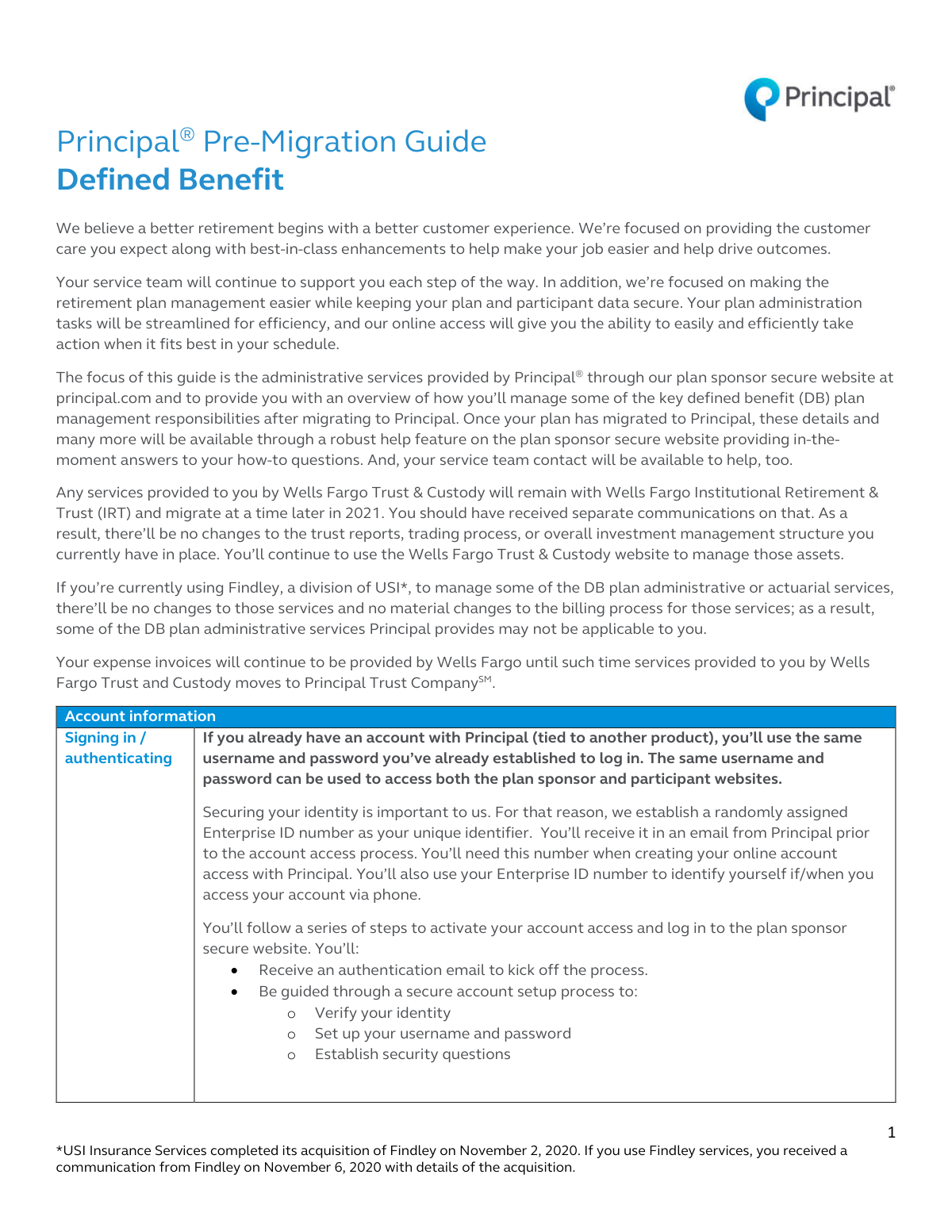
About defined benefit forms
Plan sponsors, HR administrators, and financial advisors typically encounter these forms during critical transitions, such as migrating a pension plan to a new management platform like Principal. In these situations, documentation like pre-migration guides and administrative setup forms are necessary to establish reporting capabilities and define management responsibilities. Handling these documents correctly is vital for maintaining the integrity of the retirement plan and ensuring that participant services, such as account authentication and benefit distributions, are handled without error.
Completing these detailed administrative documents can be a complex task, but tools like Instafill.ai use AI to fill these forms in under 30 seconds while ensuring data accuracy and security. This automation helps plan administrators manage their workload more efficiently, turning a manual paperwork process into a streamlined digital workflow.
Every form on this page can be completed without typing. Instafill is form filling software that reads a PDF and fills it for you — including flat and scanned documents that carry no fillable fields at all.
Forms in This Category
| Form Name | Pages | FCI | |
|---|---|---|---|
| 1. | Principal Pre-Migration Guide Defined Benefit | 1 | – |
- Enterprise-grade security & data encryption
- 99%+ accuracy powered by AI
- 1,000+ forms from all industries
- Complete forms in under 60 seconds
How to Choose the Right Form
Identifying Your Defined Benefit Administrative Needs
Defined benefit plans involve complex administrative requirements and strict regulatory oversight. Currently, our category features the Principal Pre-Migration Guide Defined Benefit, which is a specialized document designed for a specific phase of plan management. To determine if this is the document you need, consider your current stage in the plan administration lifecycle.
Is the Principal Pre-Migration Guide Right for You?
This document is highly specific and is the correct choice if you fall into the following categories:
- New Principal Clients: You are a plan sponsor or administrator currently in the process of transitioning an existing defined benefit retirement plan to the Principal Financial Group platform.
- Administrative Setup: You need to understand the technical requirements for establishing account authentication and setting up administrative services on the Principal online portal.
- Operational Transition: You are looking for a roadmap on how participant services and plan management responsibilities will be handled during and immediately after the migration.
Key Areas Covered in This Document
Before you begin processing the Principal Pre-Migration Guide Defined Benefit, ensure you are looking for information regarding:
- Account Authentication: Step-by-step instructions for getting your administrative team live on the new system.
- Reporting Tools: Details on the types of financial and participant reports available to sponsors through the online dashboard.
- Participant Management: Guidelines on how to handle the day-to-day needs of employees enrolled in the defined benefit plan during the transition period.
When to Seek Other Documentation
If you are looking for generic IRS pension filings (such as Form 5500) or individual participant distribution forms that are not specific to the Principal Financial Group migration process, this guide may be more specialized than what you require. However, for plan sponsors in the middle of a platform transition, this document is the primary tool to ensure your administrative duties are met accurately and efficiently.
Form Comparison
| Form | Primary Purpose | Target Audience | Key Administrative Areas |
|---|---|---|---|
| Principal Pre-Migration Guide Defined Benefit | Guides plan sponsors through migrating defined benefit plans to the Principal platform. | Plan sponsors and administrators managing retirement plan transitions. | Account setup, participant service management, and automated reporting capabilities. |
Tips for defined benefit forms
Double-check all participant personal details, service history, and beneficiary information before initiating a transfer. Small errors in data entry can lead to significant discrepancies in benefit calculations once the plan is live on the new platform.
Carefully review the migration guide to understand which tasks are handled by the plan sponsor versus the service provider. Knowing your specific responsibilities for reporting and participant services prevents administrative gaps during the transition.
AI-powered tools like Instafill.ai can complete complex defined benefit forms in under 30 seconds with high accuracy. This is a significant time-saver for plan sponsors, and your sensitive data stays secure throughout the entire process.
Follow the setup instructions to establish multi-factor authentication for all authorized users. Proper account setup is essential for maintaining the security of the plan's data and ensuring only verified administrators have access to sensitive financial reports.
Keep a digital folder of your previous plan's summary descriptions and recent audits. Having these documents readily available makes it much easier to verify that the migrated data on the new platform aligns perfectly with your existing plan structure.
Familiarize yourself with the platform’s reporting capabilities immediately after migration. Regularly generating and reviewing these reports allows you to monitor plan health and ensures you are prepared for mandatory annual filing requirements.
Frequently Asked Questions
Defined benefit forms are primarily used by plan sponsors and administrators to manage traditional pension plans. These documents help coordinate contributions, payouts, and administrative transitions between financial institutions to ensure participant benefits are handled correctly.
Typically, the company's plan sponsor or a designated plan administrator is responsible for completing these forms. They ensure that all administrative services and reporting requirements are properly set up with the new service provider.
A pre-migration guide serves as a roadmap for moving plan data and management responsibilities from one platform to another. It outlines the specific steps needed for account setup, authentication, and participant service management to prevent any disruption in plan administration.
You will generally need detailed information regarding the plan's structure, current participant data, and administrative preferences. This may include tax identification numbers, existing plan documents, and specific reporting requirements for the new platform.
Yes, modern AI tools like Instafill.ai can process complex financial documents and fill out defined benefit forms automatically. These tools can accurately extract data from source documents and place it into the correct fields, ensuring high accuracy and reducing manual entry errors.
Using AI-powered services like Instafill.ai, most defined benefit forms can be completed in under 30 seconds. The technology quickly maps data from source documents directly into the required fields, significantly speeding up the administrative transition process.
Completed forms are usually submitted directly to the financial institution or service provider, such as Principal Financial Group, via their secure online portal. Always check the specific submission instructions provided in the guide to ensure the data is transmitted safely.
These guides typically cover essential functions such as participant recordkeeping, benefit payment processing, and regulatory reporting. They also detail how to use online platforms to generate reports and manage day-to-day plan activities.
If you have a static PDF guide that needs to be interactive, AI tools can convert these documents into fillable versions. This allows plan administrators to enter data directly into the digital file rather than printing and scanning paper copies.
It is best to start the migration process as soon as you receive notice from your service provider to ensure all deadlines are met. Starting early allows for thorough data verification and ensures that participant services remain uninterrupted during the transition.
Glossary
- Defined Benefit (DB) Plan
- A type of pension plan where an employer promises a specific monthly benefit upon retirement, typically calculated based on the employee's salary and years of service.
- Plan Sponsor
- The employer, company, or labor union that establishes and maintains the retirement plan for its employees or members.
- Migration
- The administrative process of moving retirement plan data, assets, and participant records from one financial provider or platform to another.
- ERISA
- The Employee Retirement Income Security Act, a federal law that sets minimum standards and protections for individuals enrolled in private-sector retirement plans.
- Plan Administrator
- The person or entity designated to handle the day-to-day operations of the retirement plan and ensure it remains in compliance with legal regulations.
- Actuarial Valuation
- A mathematical analysis used to determine the current and future liabilities of a pension plan to ensure it has enough assets to pay promised benefits.
- PBGC
- The Pension Benefit Guaranty Corporation, a federal agency that insures and protects the retirement benefits of participants in private-sector defined benefit plans.
- Vesting
- The status an employee achieves after working for a certain period, giving them a non-forfeitable right to the employer-funded portion of their retirement benefits.