Yes! You can use AI to fill out ADP Year-End Seminar Handout Manual
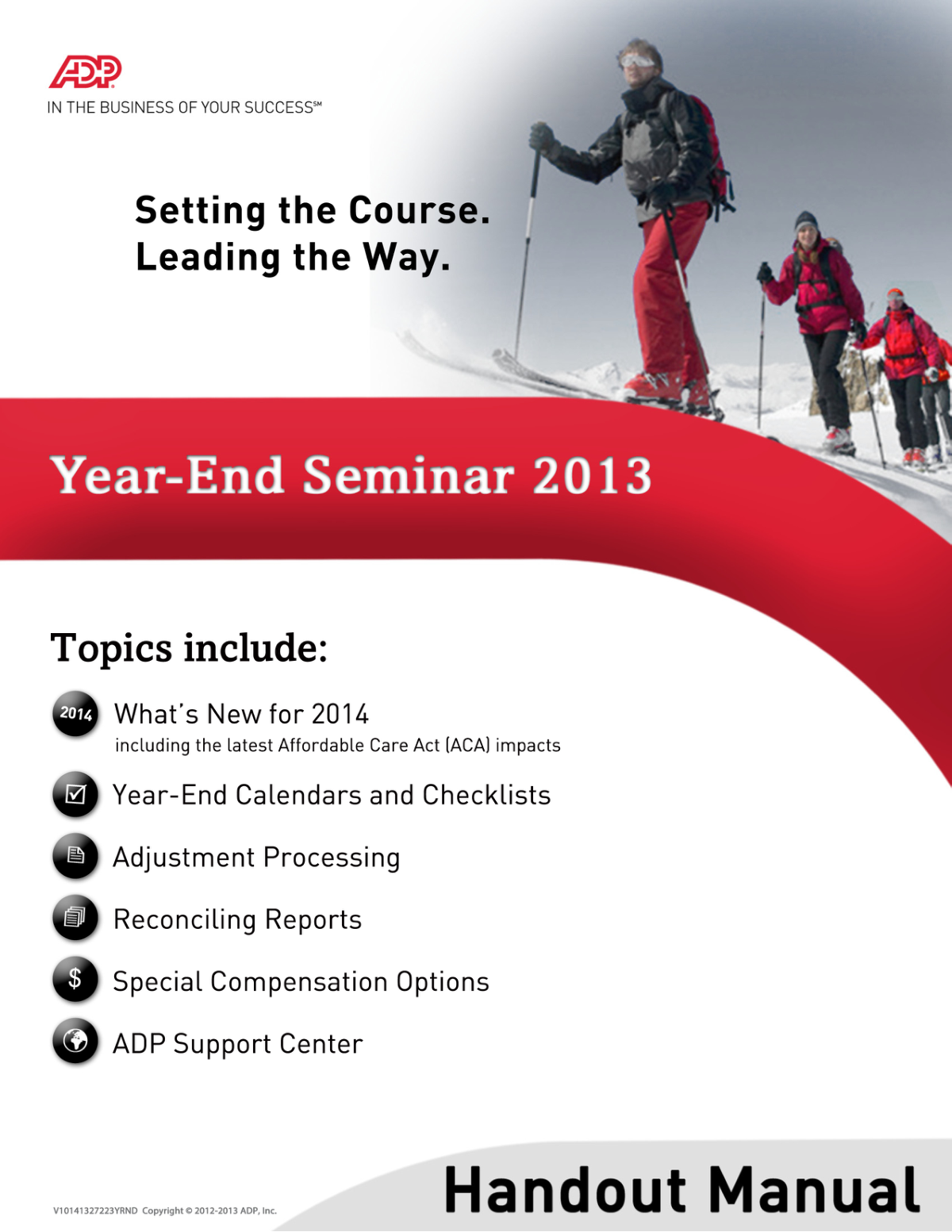
The ADP Year-End Seminar Handout Manual is a comprehensive guide for ADP clients to navigate the complexities of year-end payroll processing. It provides detailed checklists, calendars, and instructions for verifying employee information, processing adjustments, reconciling tax reports like Form W-2, and handling special compensation options. Today, many of the forms mentioned, such as change requests or tax forms, can be filled out quickly and accurately using AI-powered services like Instafill.ai, which can also convert non-fillable PDF versions into interactive fillable forms.
Rather not fill this in by hand? Instafill is an online form filler that completes PDF forms automatically — upload the blank form, answer a few questions, and the AI fills every field.
Form specifications
| Form name: | ADP Year-End Seminar Handout Manual |
| Number of pages: | 1 |
| Language: | English |
Our AI automatically handles information lookup, data retrieval, formatting, and form filling.
It takes less than a minute to fill out ADP Year-End Seminar using our AI form filling.
Securely upload your data. Information is encrypted in transit and deleted immediately after the form is filled out.
Instafill Demo: How to fill out PDF forms in seconds with AI
How to Fill Out ADP Year-End Seminar Online for Free in 2026
Are you looking to fill out a ADP YEAR-END SEMINAR form online quickly and accurately? Instafill.ai offers the #1 AI-powered PDF filling software of 2026, allowing you to complete your ADP YEAR-END SEMINAR form in just 37 seconds or less.
Follow these steps to fill out your ADP YEAR-END SEMINAR form online using Instafill.ai:
- 1 Navigate to Instafill.ai and upload or select the relevant ADP form, such as the Payroll Schedule Change Request form mentioned in the manual.
- 2 Allow the AI to scan the document and automatically identify all necessary fields for completion.
- 3 Provide the required information, such as company details, employee data, payroll dates, and specific changes, by answering simple questions from the AI assistant.
- 4 The AI will accurately populate the form, ensuring correct formatting for dates, codes, and financial figures based on the manual's guidelines.
- 5 Review the completed form on-screen, cross-referencing the entries with your Master Control report or other source documents to ensure all year-end adjustments are correct.
- 6 Securely download the completed digital form to submit to your ADP Service Center or save for your records.
Our AI-powered system ensures each field is filled out correctly, reducing errors and saving you time.
Why Choose Instafill.ai for Your Fillable ADP Year-End Seminar Form?
Speed
Complete your ADP Year-End Seminar in as little as 37 seconds.
Up-to-Date
Always use the latest 2026 ADP Year-End Seminar form version.
Cost-effective
No need to hire expensive lawyers.
Accuracy
Our AI performs 10 compliance checks to ensure your form is error-free.
Security
Your personal information is protected with bank-level encryption.
Frequently Asked Questions About ADP Year-End Seminar
The ADP Year-End process ensures all payroll data for the calendar year is accurate and complete for tax reporting. This includes reconciling wages, processing adjustments, and generating essential documents like Forms W-2 for your employees and tax filings for government agencies.
Key deadlines include submitting all adjustments before your last payroll of the year and distributing Forms W-2 to employees by January 31. Refer to the year-end calendars in your ADP client materials for a detailed schedule of tasks for November, December, and January.
If you find an error after your last scheduled payroll but before the quarter cutoff, you can request an out-of-sequence (OOS) payroll to make corrections. If the quarter has already closed, the correction will be processed as an amendment, which may involve additional fees.
The QVL is a letter ADP sends mid-quarter for you to verify your company's tax information, such as federal and state ID numbers and pay dates. You only need to sign and return it if corrections are needed or if you disagree with the information presented.
You must enter all special compensation, such as bonuses, group term life insurance, and taxable fringe benefits, before your last payroll of the year. Schedule any bonus or adjustment payrolls in advance and specify the desired taxing options with your ADP representative.
ADP generates Forms W-2 after your final payroll of the year is processed and reconciled. It is your responsibility as the employer to review them for accuracy and distribute them to your employees no later than January 31.
Use the Master Control report, the Wage and Tax Register, and your quarterly Statements of Deposits and Filings (or Form 941). Reconciling these documents ensures that your employee's year-to-date totals match what will be reported on their Forms W-2 and filed with tax agencies.
The Error Notification System is an ADP tool that reports discrepancies like invalid Social Security numbers, names, or addresses in your employee masterfile. It's crucial to review these notifications and make corrections promptly to ensure accurate W-2s and avoid potential filing issues.
Form 1099-MISC is used to report payments to non-employees and is separate from your employee payroll processing. You must have a specific setup with ADP to process these payments and generate 1099 forms.
A Tax Report Hold is a request to delay the printing of your quarter or annual tax reports. You would use this to allow time for an out-of-sequence (OOS) payroll adjustment to be processed before the final reports are produced.
A credit employee has negative quarter-to-date wages, often caused by voiding a check in the wrong quarter. This is a critical error that must be corrected to ensure accurate tax filings and W-2s, as these employees may be excluded from reports.
Yes, AI-powered services like Instafill.ai can help by accurately auto-filling form fields on various documents, saving you significant time during the busy year-end season. This is especially useful for completing related HR or compliance forms that are part of the year-end process.
Simply upload your form, such as a Payroll Schedule Change Request, to the Instafill.ai platform. The AI will identify the fields, allowing you to quickly fill them out online and then download the completed document.
You can use a service like Instafill.ai to solve this problem. Upload the flat, non-fillable PDF, and the tool will convert it into an interactive, fillable form that you can complete, save, and print digitally.
Compliance ADP Year-End Seminar
Validation Checks by Instafill.ai
1
Validates Social Security Number Format and Authenticity
This check ensures the employee's Social Security Number (SSN) is in the valid ###-##-#### format and is not an obviously invalid number (e.g., 000-00-0000, 123-45-6789). It is critical for accurate tax reporting to the IRS and SSA, as well as for employee identity verification. An invalid SSN will cause filing rejections, leading to penalties and requiring corrected W-2 forms.
2
Ensures Employee Name Matches Social Security Administration Records
This validation verifies that the employee's name on payroll records exactly matches the name on their Social Security card. A mismatch can cause the SSA to reject wage reports, which can affect the employee's future Social Security benefits and create tax filing issues for the employer. Failure to match requires a correction to be made by the employee and updated in the system to avoid penalties.
3
Verifies Employee Address is Complete and Valid
This check confirms that the employee's address contains all necessary components, including a street address, city, state, and a valid ZIP code. A complete and accurate address is legally required for mailing year-end tax forms like the W-2. If the address is invalid or incomplete, the employee may not receive their tax documents, causing delays and potential compliance issues.
4
Validates Federal Employer Identification Number (FEIN) Format
This check ensures the company's Federal Employer Identification Number (FEIN) is in the correct ##-####### format. The FEIN is required on all federal tax filings, including Form 941 and Form W-2. An incorrectly formatted FEIN will cause immediate rejection of tax filings, leading to processing delays and potential penalties for late filing.
5
Checks for 'Credit Employee' Conditions in Wage Totals
This validation identifies 'credit employees' where a quarter-to-date (QTD) amount is negative or greater than the corresponding year-to-date (YTD) amount for wages or taxes. This situation often arises from incorrectly processed voids or adjustments and indicates a data integrity problem. Such errors must be corrected before quarter-end to prevent incorrect tax filings (like Form 941) and inaccurate W-2s, which can result in agency notices and penalties.
6
Verifies W-2 Box 1 (Federal Wages) Calculation
This check reconciles the amount in Box 1 of the W-2 by starting with gross earnings, subtracting pre-tax deductions (like 401(k), Section 125 cafeteria plans), and adding taxable benefits (like GTL over $50k). This is crucial for ensuring the employee's taxable income is reported correctly to the IRS. An incorrect calculation can lead to under or over-withholding of taxes, requiring a corrected W-2c and potentially causing tax issues for the employee.
7
Validates 401(k) Contributions Against Annual IRS Limits
This check ensures that an employee's total deferred compensation into a 401(k) plan does not exceed the annual contribution limit set by the IRS for the tax year. Exceeding this limit can result in tax penalties for the employee and requires the employer to process a corrective distribution of the excess funds. This validation helps maintain the plan's qualified status and prevents compliance issues.
8
Validates Health Savings Account (HSA) Contributions Against Annual Limits
This check verifies that the combined employee and employer contributions to an employee's Health Savings Account (HSA) do not surpass the annual IRS limit for their coverage type (individual or family). Over-contributing can lead to excise taxes for the employee and must be corrected before the tax filing deadline. This validation is essential for compliance and to ensure correct reporting on the employee's Form W-2 (Box 12, Code W).
9
Calculates Taxable Income from Group Term Life (GTL) Insurance
This validation ensures that the taxable value of employer-paid group term life insurance coverage exceeding $50,000 is correctly calculated and added to the employee's taxable wages. The IRS requires this imputed income to be subject to Social Security and Medicare taxes. Failure to correctly calculate and report this amount results in underpayment of taxes and an incorrect W-2, potentially leading to penalties.
10
Ensures Pay Date is Sufficiently After Payroll Processing for Direct Deposit
This check confirms that the scheduled pay date is at least 48 hours after the payroll processing or delivery date when using direct deposit. This lead time is necessary for banks to process the transactions and ensure funds are available in employee accounts on payday. If this validation fails, there is a high risk of delayed payments, leading to employee dissatisfaction and potential wage and hour law violations.
11
Verifies State Unemployment Insurance (SUI) Rate is Valid
This check validates that the State Unemployment Insurance (SUI) experience rate entered for the company is a valid percentage and matches the official notice from the state agency. Using an incorrect SUI rate leads to the underpayment or overpayment of state unemployment taxes. Underpayment can result in significant penalties and interest assessments from the state tax agency.
12
Applies Correct Tax Rate for Large Bonus Payments
This validation flags supplemental wage payments (bonuses) to an employee that exceed $1 million within a calendar year and ensures the excess amount is taxed at the mandatory higher federal rate (e.g., 35%). Standard supplemental rates do not apply to these large payments. Failure to apply the correct rate results in significant under-withholding of federal income tax, leading to tax liabilities for the employee and potential penalties for the employer.
13
Checks for Logical Consistency in Pension Plan Coding
This check ensures an employee is not simultaneously coded for conflicting pension statuses, such as being marked as participating in a qualified pension plan and also marked as not participating. This indicates a data entry or setup error that creates ambiguity in payroll processing, especially for calculating pre-tax deductions and W-2 reporting. Correcting this ensures accurate calculations and compliant tax forms.
14
Validates Chronological Order of Pay Period and Pay Dates
This check ensures that for any given payroll schedule, the period-ending date occurs on or before the corresponding pay date. A pay date that precedes the end of the work period it covers is illogical and indicates a setup error in the payroll schedule. This error can cause confusion and may lead to incorrect wage calculations and compliance issues with pay timing regulations.
Common Mistakes in Completing ADP Year-End Seminar
This error occurs when an employee's name or Social Security Number (SSN) on payroll records does not exactly match their Social Security card. This is often due to data entry typos, unreported legal name changes after marriage, or using nicknames. The consequence is a rejected W-2 filing by the Social Security Administration (SSA), which can lead to employer penalties and delays for the employee when filing their taxes. To avoid this, verify the employee's name and SSN against their physical card during onboarding and use the SSA's verification service.
Employers often overlook the QVL, assuming the information ADP has on file is correct or they are too busy to review it. This letter contains critical data like your Federal and State tax ID numbers, legal name, and quarter-closing pay dates. Ignoring errors on the QVL leads to incorrect tax filings (Form 941, SUI), agency notices, penalties, and significant rework to file amendments. To prevent this, you must treat the QVL as a time-sensitive task, thoroughly verifying all details and submitting corrections to ADP before the last payroll of the quarter.
This mistake happens when a company receives its new SUI rate notice from the state but fails to update it with ADP in a timely manner. The old, incorrect rate continues to be used for tax calculations. This results in the underpayment or overpayment of unemployment taxes, almost always leading to agency notices, penalties, and interest charges for underpayment. To avoid this, designate a person to immediately submit the new SUI rate notice to ADP via the Support Center as soon as it is received.
When processing special payrolls like bonuses, it's common to forget to specify which standard deductions should be taken or to select the wrong tax calculation method (e.g., flat supplemental rate vs. regular). This oversight happens when rushing to pay employees and not following a checklist. The consequences are incorrect net pay for employees and improper tax withholding, which can create tax liabilities for the employee and compliance issues for the employer. Always use a checklist to confirm deduction, direct deposit, and tax settings before processing any off-cycle payroll.
Employers often struggle with reporting payments made to employees by a third party (like an insurance carrier) for short-term disability. Mistakes include failing to report it at all or incorrectly allocating the taxable and non-taxable portions. This leads to inaccurate wages on the W-2 (Boxes 1, 3, 5, and 12 with code J), incorrect FICA tax withholding, and potential IRS penalties. To prevent this, obtain a detailed statement from the third-party payer and use ADP's specific Third-Party Sick Pay entry process to report all amounts before the quarter closes.
This timing error occurs when a check is voided in a quarter after it was issued, and the employee has no other earnings in the current quarter to offset the negative amount. This creates a 'credit employee' status, which complicates tax reporting. It can cause the employee's wages to be excluded from quarterly tax filings and result in an incorrect W-2, requiring amendments and potential penalties. To avoid this, always try to void and reissue checks within the same quarter; if not possible, an adjustment payroll must be run to correct the balances.
Many employers are unaware that certain non-cash benefits, such as gift cards, club memberships, or the personal use of a company car, are considered taxable income by the IRS. They fail to track the value of these benefits and report them on the payroll. This results in the understatement of employee wages and underpayment of FICA and income taxes, which can trigger audits, back taxes, and penalties. To avoid this, work with a tax professional to identify all taxable benefits and implement a process to report their value to ADP for proper tax calculation and W-2 reporting.
This mistake happens when an employer forgets to review and specify when special payroll accumulators (e.g., for 401(k), vacation hours) should be reset to zero. Many assume this happens automatically at year-end, but it is the client's responsibility to define the clearing frequency. This oversight can cause balances to be carried over incorrectly into the new year, leading to inaccurate benefit tracking, payroll calculations, and W-2s. Avoid this by annually reviewing the Master Control report and submitting the Accumulator Change Request form to set the correct clearing schedule.
Payroll managers often delay reconciling key reports, assuming the data is correct because it was processed by a service. They wait until quarter-end, by which time small errors have compounded. This failure to reconcile leads to incorrect tax deposits and filings (Form 941, W-2), requiring costly amendments and causing employee issues. The best practice is to balance the Master Control, Payroll Summary, and Wage and Tax Register after every payroll, which makes it easy to catch and fix discrepancies immediately.
Many of the required forms, such as the 'Payroll Schedule Change Request,' are provided as flat, non-fillable PDFs that must be printed and filled out by hand. This manual process is highly susceptible to errors from illegible handwriting or simple typos when entering dates and codes. These mistakes can lead to incorrect payroll schedules or settings, causing cascading errors in payroll processing and reporting. AI-powered form filling tools like Instafill.ai can convert these non-fillable PDFs into interactive forms, helping to prevent data entry mistakes and ensure information is submitted correctly.
Saved over 80 hours a year
“I was never sure if my IRS forms like W-9 were filled correctly. Now, I can complete the forms accurately without any external help.”
Kevin Martin Green
Your data stays secure with advanced protection from Instafill and our subprocessors




Robust compliance program
Transparent business model
You’re not the product. You always know where your data is and what it is processed for.
ISO 27001, HIPAA, and GDPR
Our subprocesses adhere to multiple compliance standards, including but not limited to ISO 27001, HIPAA, and GDPR.
Security & privacy by design
We consider security and privacy from the initial design phase of any new service or functionality. It’s not an afterthought, it’s built-in, including support for two-factor authentication (2FA) to further protect your account.
Fill out ADP Year-End Seminar with Instafill.ai
Worried about filling PDFs wrong? Instafill securely fills adp-year-end-seminar-handout-manual forms, ensuring each field is accurate.
