Yes! You can use AI to fill out Charles Schwab Electronic Approvals FAQs
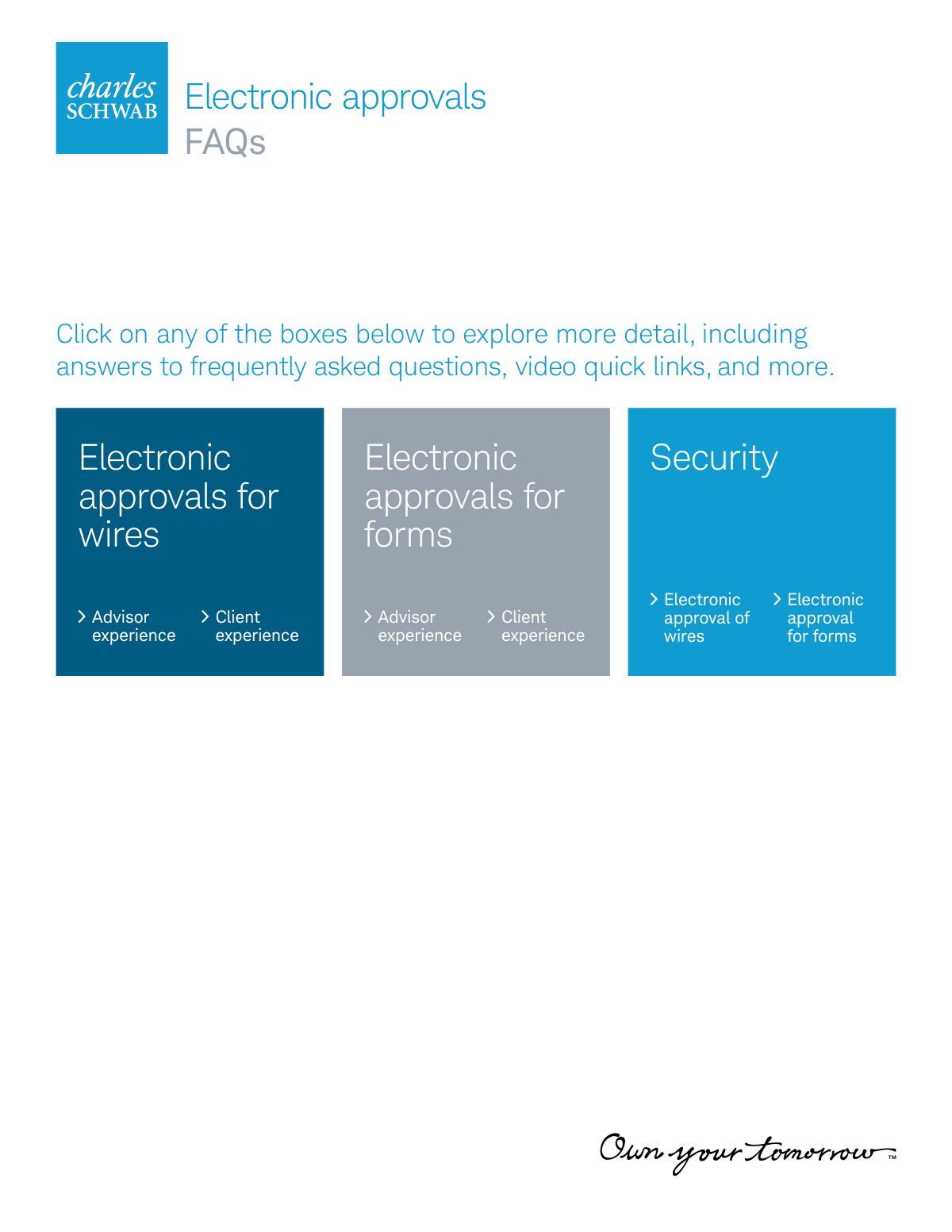
The Charles Schwab Electronic Approvals FAQs is a comprehensive guide for financial advisors and their clients on using Schwab's digital authorization systems. It explains the difference between eAuthorization for wire transfers and eSignature for account forms, detailing how these processes streamline transactions by eliminating the need for wet signatures. Today, related Schwab forms can be filled out quickly and accurately using AI-powered services like Instafill.ai, which can also convert non-fillable PDF versions into interactive fillable forms.
Schwab Electronic Approvals FAQs is part of the
Schwab forms, Charles Schwab forms and electronic approval forms categories on Instafill.
Rather not fill this in by hand? Instafill is an online form filler that completes PDF forms automatically — upload the blank form, answer a few questions, and the AI fills every field.
Form specifications
| Form name: | Charles Schwab Electronic Approvals FAQs |
| Number of pages: | 1 |
| Language: | English |
Our AI automatically handles information lookup, data retrieval, formatting, and form filling.
It takes less than a minute to fill out Schwab Electronic Approvals FAQs using our AI form filling.
Securely upload your data. Information is encrypted in transit and deleted immediately after the form is filled out.
Instafill Demo: How to fill out PDF forms in seconds with AI
How to Fill Out Schwab Electronic Approvals FAQs Online for Free in 2026
Are you looking to fill out a SCHWAB ELECTRONIC APPROVALS FAQS form online quickly and accurately? Instafill.ai offers the #1 AI-powered PDF filling software of 2026, allowing you to complete your SCHWAB ELECTRONIC APPROVALS FAQS form in just 37 seconds or less.
Follow these steps to fill out your SCHWAB ELECTRONIC APPROVALS FAQS form online using Instafill.ai:
- 1 Navigate to Instafill.ai and upload your Charles Schwab form, such as an Account Application or Letter of Authorization, or select it from their template library.
- 2 Use the AI assistant to automatically detect and label all the fields on the form, including signature blocks, dates, and personal information sections.
- 3 Securely provide your personal or client information once, and let the AI intelligently populate all relevant fields across the document, ensuring accuracy and consistency.
- 4 For forms requiring signatures, use the platform's eSignature tool to create and place a legally valid electronic signature in the designated areas.
- 5 Review the completed form to ensure all information is correct and all required fields, including advisor and client sections, are filled.
- 6 Download the finalized, signed document and submit it through the appropriate channel, such as the Schwab Advisor Center, as outlined in the electronic approvals guide.
Our AI-powered system ensures each field is filled out correctly, reducing errors and saving you time.
Why Choose Instafill.ai for Your Fillable Schwab Electronic Approvals FAQs Form?
Speed
Complete your Schwab Electronic Approvals FAQs in as little as 37 seconds.
Up-to-Date
Always use the latest 2026 Schwab Electronic Approvals FAQs form version.
Cost-effective
No need to hire expensive lawyers.
Accuracy
Our AI performs 10 compliance checks to ensure your form is error-free.
Security
Your personal information is protected with bank-level encryption.
Frequently Asked Questions About Schwab Electronic Approvals FAQs
eAuthorization allows your advisor to initiate a wire transfer on your behalf, which you can then approve electronically through the Schwab Mobile App or Schwab Alliance website. It eliminates the need for a handwritten signature on a Letter of Authorization (LOA).
eAuthorization is used specifically to approve wire transfers. eSignature is a broader tool, using DocuSign, for electronically signing various account forms like new account applications or maintenance requests.
eAuthorization is available for all one-time, third-party domestic wires from brokerage and individual retirement accounts. It can also be used to approve the setup of a Standing Letter of Authorization (SLOA) for a wire.
No, eAuthorization is intended to completely replace the need for a paper LOA and a wet signature for eligible wire transfers. The client's electronic approval serves as the authorization.
Clients receive an email or push notification and must log in to the Schwab Mobile App or Schwab Alliance website. There, they can review the wire details and authorize the transaction.
Just like paper requests, wires approved via eAuthorization must be received by 11:30 a.m. Pacific Time to be processed on the same business day.
eSignature allows advisors to send eligible Schwab forms to clients for electronic signing through a partnership with DocuSign. This replaces the need to print, sign, and fax or mail paper forms.
No, you must use the eAuthorization process for wire transfers. eSignature is used for other eligible Schwab forms, such as account applications and maintenance forms.
As a security measure, accounts with recent changes to contact information are temporarily ineligible to use these electronic services. In this case, you must use the standard paper form and obtain a handwritten signature.
If a client fails authentication, the pending request is canceled and the account may be temporarily locked as a fraud prevention measure. The client must contact Schwab to resolve the issue before a new request can be submitted.
Yes, a signature card with a handwritten signature is still required for all new-to-Schwab clients to validate future transactions. It is also required for any client ordering checks or a Visa debit card for the first time.
Yes, services like Instafill.ai use AI to accurately auto-fill form fields, which can save you significant time when preparing documents before you upload them to be sent for eSignature.
You can use a service like Instafill.ai to easily fill out your Schwab forms online. Simply upload the form, and the AI will help you complete the required fields before you save it for the eSignature process.
If you have a non-fillable or 'flat' PDF, you can use a tool like Instafill.ai. It can convert the PDF into an interactive, fillable form that you can easily complete on your computer.
Compliance Schwab Electronic Approvals FAQs
Validation Checks by Instafill.ai
1
Wire Amount Exceeds eAuthorization Limit
This check verifies that the dollar amount for a wire initiated via eAuthorization does not exceed the maximum limit, which is specified as $1 million. This is a critical risk management control to limit potential losses from fraudulent or erroneous transactions. If the entered amount exceeds the limit, the system will prevent the advisor from submitting the request and display an error message indicating the maximum allowed amount.
2
Account Ineligible for eAuthorization
This validation confirms that the selected account is eligible for the eAuthorization process. It checks against a list of unsupported account types, such as non-trust organizational accounts and educational savings accounts. This ensures compliance with product rules and prevents processing errors. If an ineligible account is selected, the eAuthorization option will be disabled or an error message will be shown, guiding the advisor to use a paper-based process.
3
Invalid Transaction Type for eAuthorization
This check ensures that the eAuthorization workflow is only used for supported transaction types, specifically one-time, third-party domestic wires and Standing Letter of Authorization (SLOA) setups for wires. It prevents its use for unsupported transactions like foreign wires, MoneyLink setups, or journal requests. This is important for routing requests to the correct processing system and ensuring proper procedures are followed. A failed validation will block the submission and instruct the advisor on the correct procedure for the selected transaction type.
4
Advisor Lacks Required Disbursement Authority
This validation verifies that the advisor initiating the wire transfer has the necessary disbursement authority (e.g., WPFA role) on the client's account. This is a fundamental security measure to ensure that only authorized individuals can move money from a client's account. If the advisor lacks the required authority, the system will block them from initiating the wire and inform them that they do not have the necessary permissions.
5
Mandatory Verbal Verification Attestation
This check ensures that the advisor has explicitly attested to verbally verifying the wire request details with the client before submitting the eAuthorization request. This is a crucial fraud prevention step to confirm the legitimacy of the transaction. The form will require the advisor to check a mandatory box, and failure to do so will prevent the submission of the wire request.
6
Client Ineligible Due to Recent Contact Info Change
This security validation checks if the client's contact information has been changed within a recent, predefined period. If a recent change is detected, the account is made temporarily ineligible for eAuthorization and eSignature to mitigate the risk of account takeover fraud. If a client is flagged as ineligible, the advisor will be notified and must use a traditional paper-based process for the transaction.
7
Form Ineligible for eSignature
This check validates that any form being added to a DocuSign envelope is on the list of forms eligible for electronic signature. This prevents the submission of unsupported forms, which would be rejected and cause processing delays. If an advisor attempts to upload an ineligible form, the system will display an error and prevent the form from being added to the envelope.
8
Advisor Self-Signing Prohibited
This validation prevents an advisor from sending an eSignature envelope to their own firm's email address. This is a fraud prevention measure to minimize the risk of an advisor signing a document on behalf of a client. If the system detects that a signer's email address matches the advisor's, it will block the creation of the envelope and prompt the advisor to use a different, personal email address if they are the actual client.
9
Knowledge-Based Authentication (KBA) Failure
For new-to-Schwab clients, this check manages the KBA identity verification process. The system tracks the client's answers to personal identification questions and allows only a limited number of attempts. This is a critical security step to authenticate new clients who do not yet have Schwab credentials. If a client fails the KBA process, the eSignature envelope is automatically voided, the advisor is alerted, and the client cannot access the documents, requiring a switch to a manual signing process.
10
Signing Order Enforcement for Shared Email
This validation enforces a sequential signing order when multiple signers are assigned to the same email address. The system ensures that the second signer cannot access and sign the documents until the first signer has completed their action. This maintains the integrity of the signing workflow and prevents confusion. If the second signer attempts to sign out of turn, they will be blocked and shown a message indicating they must wait for the previous signer.
11
International Account eSignature Restriction
This check prevents the use of the eSignature workflow for opening international accounts, which have more complex requirements. This ensures that these specific account types are handled through the appropriate manual channels to maintain compliance and proper documentation. If an advisor attempts to use eSignature for an international account application, the system will block the action and direct them to the correct paper-based procedure.
12
Incorrect PIN for Phone Authentication
During a high-risk wire approval, the system may trigger an automated phone call requiring the client to enter a 4-digit access code. This validation checks if the entered code matches the one provided. This serves as a multi-factor authentication step to enhance security. If the client enters the wrong code, the wire request is immediately canceled, the account is temporarily locked for security, and the advisor is notified to re-initiate the process after the client resolves the lock with Schwab.
13
SLOA Setup Requires All Account Holders to Approve
This validation rule is specific to setting up a Standing Letter of Authorization (SLOA). Unlike a one-time wire, it verifies that the eAuthorization request is routed to all account holders for approval. This is a critical control because an SLOA grants ongoing authority. If the system detects it is an SLOA setup, it will enforce the 'all must sign' logic, and the request will not be complete until every account holder has provided their electronic authorization.
14
Envelope Creation Session Timeout
This check enforces a two-hour inactivity timeout during the creation of an eSignature envelope. This is a security and system resource management measure to prevent abandoned, open sessions. If an advisor is inactive for more than two hours while preparing an envelope, their session will expire, and any unsaved work on the draft envelope will be lost, requiring them to start over.
Common Mistakes in Completing Schwab Electronic Approvals FAQs
Users often misunderstand the difference between the two systems, attempting to use eSignature for a wire transfer Letter of Authorization (LOA). This happens because both are electronic approval methods. The consequence is using the wrong workflow, leading to rejection and significant delays. To avoid this, remember that eAuthorization is a specific tool within the Move Money workflow for approving wires, while eSignature (via DocuSign) is used for signing documents like account applications and maintenance forms.
A wire or form request can be stalled if the client's contact information, especially their cell phone number and email address, is not current in Schwab's system. This is critical because security procedures, like two-factor authentication for wires, rely on sending codes to the phone number on file. If the client cannot receive the code, they cannot approve the transaction, causing it to be canceled. Advisors should regularly verify client profile information and remind clients to update it directly with Schwab, as this prevents last-minute approval failures.
As a fraud prevention measure, a client is often made temporarily ineligible for eAuthorization or eSignature immediately after changing their contact information. Advisors who are unaware of this feature may be frustrated when a transaction is blocked without a clear reason. This forces a revert to a paper-based process, causing delays. To avoid this, be aware that this security hold exists and, if a client has recently updated their profile, plan to use a traditional paper form for any urgent transactions.
When submitting forms like a Transfer of Assets (TOA) or MoneyLink setup via eSignature, advisors frequently forget to include necessary attachments like a recent account statement or a voided check. The system requires the advisor to upload these files during the envelope creation, as the client cannot add them later. This omission results in an incomplete submission that will be delayed or rejected. To prevent this, gather and save all required documents to your desktop before initiating the eSignature process.
New-to-Schwab clients must pass a Knowledge-Based Authentication (KBA) process to verify their identity before they can eSign documents. The questions are based on public records and can be difficult, and the client has limited chances to pass. If they fail, the eSignature envelope is voided, and the entire process must be redone with physical paper forms. Advisors can prevent this by warning new clients about the KBA step, advising them to be prepared to answer questions about their personal history.
When a form requires signatures from multiple people, the system notifies them sequentially based on the order set by the advisor. A common mistake is not considering this order, which can cause confusion and delays, as the second person cannot sign until the first has finished. This is especially problematic if both signers share an email address. To avoid this, carefully plan the signing hierarchy during envelope setup and clearly communicate the signing order to all parties involved.
Advisors often try to use eAuthorization for transactions it doesn't support, such as international wires, or use eSignature for forms not marked as eligible. This happens from assuming all transactions can be handled electronically. This leads to wasted time when the option is unavailable or the submission is rejected. Always verify that the specific transaction type (e.g., domestic wire) or form is eligible for electronic approval by checking the documentation or looking for the 'eSign' indicator in the Schwab Advisor Center portal.
Even after a new client successfully eSigns all account opening documents, Schwab still requires a physically signed signature card to be mailed or faxed for verification on future transactions. Many advisors and clients overlook this final step, assuming the eSignature is sufficient for everything. The consequence is that while the account is open, future requests for checks, debit cards, or other transactions requiring signature verification will be delayed until the card is on file. Ensure this step is clearly communicated as part of the onboarding checklist.
The eSignature envelope creation page has a two-hour inactivity timeout and does not allow users to save a draft. Advisors who are unprepared often lose all their work when they step away to find a form or piece of information. To avoid this frustrating loss of time, it is crucial to prepare all PDF forms and supporting documents before you begin. Using a tool like Instafill.ai to pre-fill all the necessary PDF forms and save them locally ensures you can upload and tag them quickly, well within the session time limit.
A frequent misconception is that electronically authorized wires are processed instantly at any time. However, they are still subject to the same daily cut-off time as paper requests (11:30 a.m. PT for same-day processing). If a client approves the wire after this deadline, it will not be processed until the next business day. This can cause significant problems for time-sensitive payments. Advisors must manage this by initiating the wire and communicating with the client to ensure approval is granted well before the cut-off.
Saved over 80 hours a year
“I was never sure if my IRS forms like W-9 were filled correctly. Now, I can complete the forms accurately without any external help.”
Kevin Martin Green
Your data stays secure with advanced protection from Instafill and our subprocessors




Robust compliance program
Transparent business model
You’re not the product. You always know where your data is and what it is processed for.
ISO 27001, HIPAA, and GDPR
Our subprocesses adhere to multiple compliance standards, including but not limited to ISO 27001, HIPAA, and GDPR.
Security & privacy by design
We consider security and privacy from the initial design phase of any new service or functionality. It’s not an afterthought, it’s built-in, including support for two-factor authentication (2FA) to further protect your account.
Fill out Schwab Electronic Approvals FAQs with Instafill.ai
Worried about filling PDFs wrong? Instafill securely fills charles-schwab-electronic-approvals-faqs forms, ensuring each field is accurate.
