Yes! You can use AI to fill out Earnings and Deductions Quick Reference
The ADP Earnings and Deductions Quick Reference is a detailed manual for employers using ADP's payroll application, listing all earnings and deduction codes and their W-2 reporting requirements. This guide is crucial for ensuring accurate payroll processing and tax compliance. Today, related payroll forms can be filled out quickly and accurately using AI-powered services like Instafill.ai, which can also convert non-fillable PDF versions into interactive fillable forms.
ADP Earnings and Deductions Guide is part of the
HR forms category on Instafill.
Rather not fill this in by hand? Instafill is an online form filler that completes PDF forms automatically — upload the blank form, answer a few questions, and the AI fills every field.
Form specifications
| Form name: | Earnings and Deductions Quick Reference |
| Number of pages: | 1 |
| Language: | English |
Our AI automatically handles information lookup, data retrieval, formatting, and form filling.
It takes less than a minute to fill out ADP Earnings and Deductions Guide using our AI form filling.
Securely upload your data. Information is encrypted in transit and deleted immediately after the form is filled out.
Instafill Demo: How to fill out PDF forms in seconds with AI
How to Fill Out ADP Earnings and Deductions Guide Online for Free in 2026
Are you looking to fill out a ADP EARNINGS AND DEDUCTIONS GUIDE form online quickly and accurately? Instafill.ai offers the #1 AI-powered PDF filling software of 2026, allowing you to complete your ADP EARNINGS AND DEDUCTIONS GUIDE form in just 37 seconds or less.
Follow these steps to fill out your ADP EARNINGS AND DEDUCTIONS GUIDE form online using Instafill.ai:
- 1 Navigate to Instafill.ai and upload the relevant payroll or tax form (e.g., W-2) that you need to complete using information from this guide.
- 2 Use the AI chat feature to ask questions about specific earnings or deduction codes, referencing the ADP guide for context.
- 3 Let the AI pre-fill the form with known employee and employer information from your records.
- 4 Enter the specific earnings and deduction amounts into the correct boxes, using the ADP guide to clarify where items should be reported (e.g., Box 1, Box 12, Box 14).
- 5 Review all AI-populated and manually entered data for accuracy, cross-referencing with the guide's definitions for items like fringe benefits or retirement plan contributions.
- 6 Once all information is verified against the guide and your payroll records, securely sign and submit the completed form electronically.
Our AI-powered system ensures each field is filled out correctly, reducing errors and saving you time.
Why Choose Instafill.ai for Your Fillable ADP Earnings and Deductions Guide Form?
Speed
Complete your ADP Earnings and Deductions Guide in as little as 37 seconds.
Up-to-Date
Always use the latest 2026 ADP Earnings and Deductions Guide form version.
Cost-effective
No need to hire expensive lawyers.
Accuracy
Our AI performs 10 compliance checks to ensure your form is error-free.
Security
Your personal information is protected with bank-level encryption.
Frequently Asked Questions About ADP Earnings and Deductions Guide
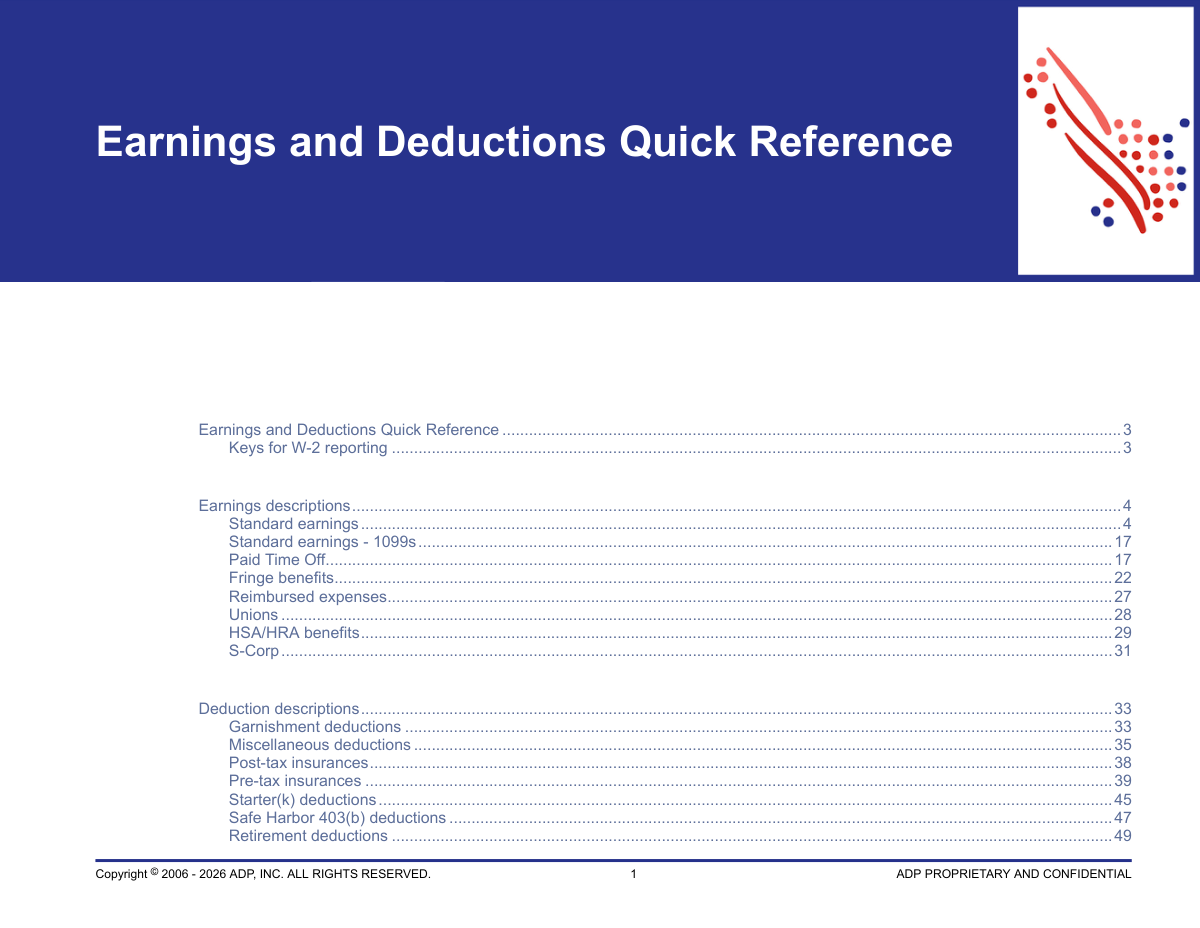
This guide is a comprehensive reference for employers and payroll administrators, providing a complete list of standard earning and deduction codes available in the ADP payroll application. It explains what each code means, how it is calculated, and its impact on W-2 tax reporting.
This guide is designed for payroll administrators and company managers who use the ADP payroll application. It helps them accurately set up and process employee compensation, benefits, and deductions.
These keys indicate which box on an employee's W-2 form a specific earning or deduction will affect or be reported in. For example, 'Box 1' refers to Federal Gross Wages, and 'Box 14' is for other miscellaneous items like vehicle lease payments (AUTO).
Pre-tax deductions are taken from an employee's gross pay before taxes are calculated, which lowers their taxable income. Post-tax deductions are taken after all taxes have been withheld and do not affect the employee's taxable wages.
You must select the code that corresponds exactly to the retirement plan your company offers. The guide details whether a plan is pre-tax (like a traditional 401(k)) or post-tax (like a Roth 401(k)) and provides the specific W-2 reporting codes for each.
S-Corporations have unique tax rules for benefits provided to shareholder-employees who own more than 2% of the company. These specific codes ensure that benefits like health insurance premiums are taxed correctly according to IRS regulations for these individuals.
The 'Garnishment deductions' section lists codes for various court-ordered payments like Child Support, Federal Tax Levy, and Creditor Garnishments. Use the specific code that matches the legal order you received.
A fringe benefit is a form of non-cash compensation provided to an employee, such as the personal use of a company car or a gym membership. This guide explains how to report the taxable value of these benefits on an employee's W-2.
This guide includes contribution limits for many retirement and health savings plans for the current year. However, since these limits can change, it is always best to verify the most current information on the official IRS website.
Services like Instafill.ai can convert flat, non-fillable PDFs into interactive, fillable forms. This allows you or your new employees to easily complete necessary paperwork digitally, saving time and reducing errors.
Yes, AI-powered services like Instafill.ai can streamline your workflow by accurately auto-filling employee information across various payroll and HR forms. This helps ensure consistency and saves valuable time on administrative tasks.
While this document is a reference guide, you can use Instafill.ai to accelerate the completion of related documents like new hire forms, direct deposit authorizations, or benefits enrollment paperwork. The AI can extract data from one form and use it to fill out others automatically.
Taxable Third Party Sick Pay is subject to employment taxes and reported in Boxes 1, 3, and 5 of the W-2. Non-taxable Third Party Sick Pay, which is often the employee-paid portion of a disability plan, is reported in Box 12 with code J and is not subject to tax.
Compliance ADP Earnings and Deductions Guide
Validation Checks by Instafill.ai
1
Verifies Age Eligibility for Retirement Catch-Up Contributions
This check validates that retirement plan catch-up deductions, such as '401(k) Catch-Up' or 'HSA CAF125 Pre-Tax Catch-Up', are only applied to employees who meet the age requirement (typically 50 or 55 and older). It cross-references the employee's date of birth with the deduction code's eligibility rules to ensure compliance with IRS regulations. If an ineligible employee is enrolled, the submission is flagged for review to prevent illegal contributions and potential tax penalties.
2
Enforces Geographic Applicability of State-Specific Pay Codes
This validation ensures that state-specific earnings or deductions are only applied to employees in the relevant state. For example, 'AL Overtime Pay' must only be used for employees in Alabama, and 'CA SPSL 22' for employees in California. This is critical for preventing incorrect tax calculations and ensuring accurate W-2 reporting. A mismatch would trigger an error, requiring the user to select a valid code for the employee's work state.
3
Validates Effective Date Ranges for Temporary Pay Codes
This check confirms that the pay date for temporary earnings, such as those under the ARPA or FFCRA acts (e.g., 'AR Employee Pay'), falls within their legally mandated effective periods. Using these codes outside their valid date range is non-compliant and can lead to incorrect tax credits and reporting. The system should reject any entry with a pay date outside the allowed range and inform the user that the code is expired or not yet active.
4
Monitors Year-to-Date Totals Against Annual Deduction Limits
This validation tracks an employee's total year-to-date contributions for deductions with statutory limits, like 'FSA Pre-Tax $' ($3,400 limit) or 'Starter(k) Plan $' ($6,000 limit). It is essential for maintaining compliance with IRS rules and preventing excess contributions, which have negative tax consequences. If a proposed deduction would exceed the annual limit, the system should automatically cap the contribution at the remaining allowed amount or reject the entry.
5
Ensures S-Corp Specific Benefits are Applied Only to 2% Shareholders
This check validates that special S-Corporation earnings, such as 'S-Corp 2% Medical Plan', are exclusively applied to employees who are flagged as 2% or more shareholder-employees. Applying these benefits to non-owner employees violates specific IRS tax treatment rules for S-Corps, leading to compliance failures. A failed validation would block the transaction and require verification of the employee's shareholder status.
6
Prevents Concurrent Employer and Employee MSA Contributions
Based on the rule that 'Both the employee and employer should not make contributions to an employee's MSA in the same year,' this validation checks an employee's record for this condition. It ensures that if an 'ER-Medical Savings Account' earning is present for the year, an 'EE-Medical Savings Account' deduction cannot be added, and vice-versa. This is crucial for plan compliance, and a failure should trigger a high-priority warning or block the second contribution from being processed.
7
Validates QSEHRA Reimbursements Against Single/Family Limits
This check ensures that amounts entered for 'Small ER Health Reimbursement - Single' and 'Small ER Health Reimbursement - Family' do not exceed their respective annual limits. It also cross-references the employee's coverage status (single vs. family) with the correct earning code. This prevents over-reimbursement and ensures compliance with Qualified Small Employer Health Reimbursement Arrangement rules. An amount exceeding the limit would be flagged for correction.
8
Enforces Maximum Number of Concurrent Garnishments
The system limits the number of certain garnishment types an employee can have, such as 'up to 10 child support garnishments' or 'up to 3 federal tax levy garnishments'. This validation checks the employee's existing deductions before adding a new one to ensure these limits are not exceeded. This helps manage payroll complexity and adheres to system constraints. Attempting to add an eleventh child support order would result in an error.
9
Validates Pre-Tax Dependent Care Contributions Against Federal Limit
This check ensures the annual contribution to 'Dependent Care Pre-Tax' does not exceed the federal limit (stated as $5,000). The documentation explicitly notes that any amount over the limit must use the post-tax deduction. This validation prevents non-compliant pre-tax deductions and ensures correct W-2 Box 10 reporting. If the pre-tax limit is reached, the system should prompt the user to use the 'Dependent Care' post-tax code for any additional amounts.
10
Verifies Input Consistency with Earning Calculation Method
This validation ensures that the user provides the correct inputs based on an earning's defined calculation method. For earnings specified as a 'Dollar Amount' (e.g., 'Bonus'), it expects a single monetary value. For earnings calculated as 'Rate times hours' (e.g., 'Regular'), it requires both hours and a base rate to be present. This prevents calculation errors and ensures payroll accuracy. If an hourly earning is entered without hours, the system will return an error requesting the missing information.
11
Validates Year-Specific Massachusetts Premium Pay Codes
The guide lists several 'Sun/Hol Pay for MA' codes with different rate multipliers tied to specific years (e.g., 1.3x for 2020, 1.2x for 2021). This check validates that the pay date of the earning corresponds to the correct year for the selected code. Using a 2021 code for a 2022 payroll would be incorrect and lead to improper payment. The system should reject a mismatch and suggest the correct code for the pay period's year.
12
Prevents Application of 1099 Compensation to W-2 Employees
This validation ensures that earning codes from the 'Standard earnings - 1099s' section, such as '1099 Compensation,' are only used for individuals classified as contractors. Misclassifying payments can lead to significant tax and legal penalties for the employer. The system should cross-reference the worker's classification (Employee vs. Contractor) and block the use of inappropriate earning codes.
13
Enforces Correct Tax Treatment for S-Corp 2% Owner HSA Contributions
The 'S-Corp 2% HSA Plan' earning is uniquely included in federal wages (Box 1) but is exempt from FICA taxes (Boxes 3 and 5). This validation ensures the system's tax calculation engine correctly applies this specific logic when the code is used. Failure to do so results in incorrect tax withholding and W-2 reporting, leading to serious compliance issues for the shareholder-employee.
Common Mistakes in Completing ADP Earnings and Deductions Guide
S-Corporations often pay for health insurance for their >2% shareholder-employees, and a common error is treating this as a standard non-taxable employer contribution. As per the guide, this amount must be added to the owner's wages using specific codes like 'S-Corp 2% Medical Plan', making it taxable for federal income tax but not FICA. Failure to do so results in under-reported income and incorrect tax withholding, leading to potential penalties. To avoid this, administrators must use the specific S-Corp earning codes, and AI-powered tools like Instafill.ai can help validate that the correct codes are used for shareholder-employees.
A frequent mistake is setting up a pre-tax deduction (like 'Dental Pre-Tax') as a post-tax one, or vice-versa, which directly impacts an employee's taxable income. This error leads to incorrect tax calculations and withholding, affecting the employee's net pay and year-end tax liability. Always double-check the 'Pre-tax insurances' and 'Post-tax insurances' sections to select the correct deduction type based on the company's plan documents. Using an intelligent form filler can help flag inconsistencies between plan type and tax treatment.
The guide lists specific annual contribution limits for various retirement plans (e.g., 401(k), SIMPLE IRA). A critical mistake is failing to track an employee's year-to-date contributions and allowing them to exceed these IRS limits, which can result in excise taxes and complex corrective actions. To prevent this, payroll systems must be configured to automatically stop deductions once the annual limit is reached. When manually entering payroll data, tools like Instafill.ai can help by validating entries against these established limits.
Benefits like personal use of a company car ('Automobile Fringe') or Group Term Life Insurance over $50,000 are considered taxable income, but are often forgotten during payroll processing. This leads to under-reporting of income on the W-2 and insufficient tax withholding. It's crucial to use the correct 'Reported (not paid to employee)' earning codes to ensure the value is taxed without being added to the employee's net pay. This ensures compliance and accurate W-2s.
A common error is treating all expense reimbursements as non-taxable, ignoring the distinction between substantiated (non-taxable) and unsubstantiated (taxable) expenses. If an employee is reimbursed under a non-accountable plan, the amount is considered wages and is subject to all employment taxes. Classifying it incorrectly results in tax evasion and compliance risk. Always use the correct earning code based on whether the expense is substantiated under an accountable plan.
The guide lists multiple housing-related earnings with very different tax treatments, such as 'Housing (Taxable)', 'Housing - Clergy', and 'Housing - Non-Clergy'. A mistake is to use a generic code for all situations, which can lead to significant over or under-taxation for the employee. It is essential to carefully read the description for each code and apply the one that matches the employee's specific situation. If your payroll setup involves non-fillable PDFs, a tool like Instafill.ai can convert them into smart, fillable forms with dropdowns to ensure the correct code is selected.
The guide specifies that catch-up contributions for plans like 401(k)s are for employees aged 50 or older, with some plans having special rules. A frequent error is enabling catch-up deductions for ineligible employees or using the standard contribution code instead of the specific 'Catch-Up' code. This can lead to excess deferrals and plan compliance issues. Administrators must verify employee eligibility (age, service years) before assigning catch-up deduction codes.
Many earnings and deductions, such as 'Severance' or pre-tax benefits, note that 'State taxability varies.' A significant mistake is assuming the federal tax treatment applies universally, which can result in incorrect state (Box 16) and local (Box 18) wage reporting. This causes compliance issues with state tax authorities and incorrect withholding for employees. It is imperative to research and configure the specific tax rules for each state and locality where employees work.
The guide differentiates between earnings 'Paid to employee' and those that are 'Reported (not paid to employee),' such as the value of a fringe benefit. A common mistake is setting up a reported earning (like 'ER-Sponsored Healthcare') as a paid earning, which incorrectly increases the employee's net pay. This error disrupts payroll funding and employee compensation. Always verify the 'Paid/Reported' column when configuring a new earning code to ensure it functions as intended.
The guide contains specific codes for mandated leave, such as 'AR Employee Pay' (American Rescue Plan) or 'CA SPSL 22' (California Supplemental Paid Sick Leave). A common error is to categorize these payments under a generic 'Sick' code, which prevents proper tracking for tax credits and compliance reporting. Using the wrong code may also cause the amounts to be reported incorrectly on the W-2, such as by omitting a required Box 14 code. It is vital to use the specific codes provided for any government-mandated leave programs.
Saved over 80 hours a year
“I was never sure if my IRS forms like W-9 were filled correctly. Now, I can complete the forms accurately without any external help.”
Kevin Martin Green
Your data stays secure with advanced protection from Instafill and our subprocessors




Robust compliance program
Transparent business model
You’re not the product. You always know where your data is and what it is processed for.
ISO 27001, HIPAA, and GDPR
Our subprocesses adhere to multiple compliance standards, including but not limited to ISO 27001, HIPAA, and GDPR.
Security & privacy by design
We consider security and privacy from the initial design phase of any new service or functionality. It’s not an afterthought, it’s built-in, including support for two-factor authentication (2FA) to further protect your account.
Fill out ADP Earnings and Deductions Guide with Instafill.ai
Worried about filling PDFs wrong? Instafill securely fills earnings-and-deductions-quick-reference forms, ensuring each field is accurate.
