Yes! You can use AI to fill out Explanation of Hardship and Supporting Documentation
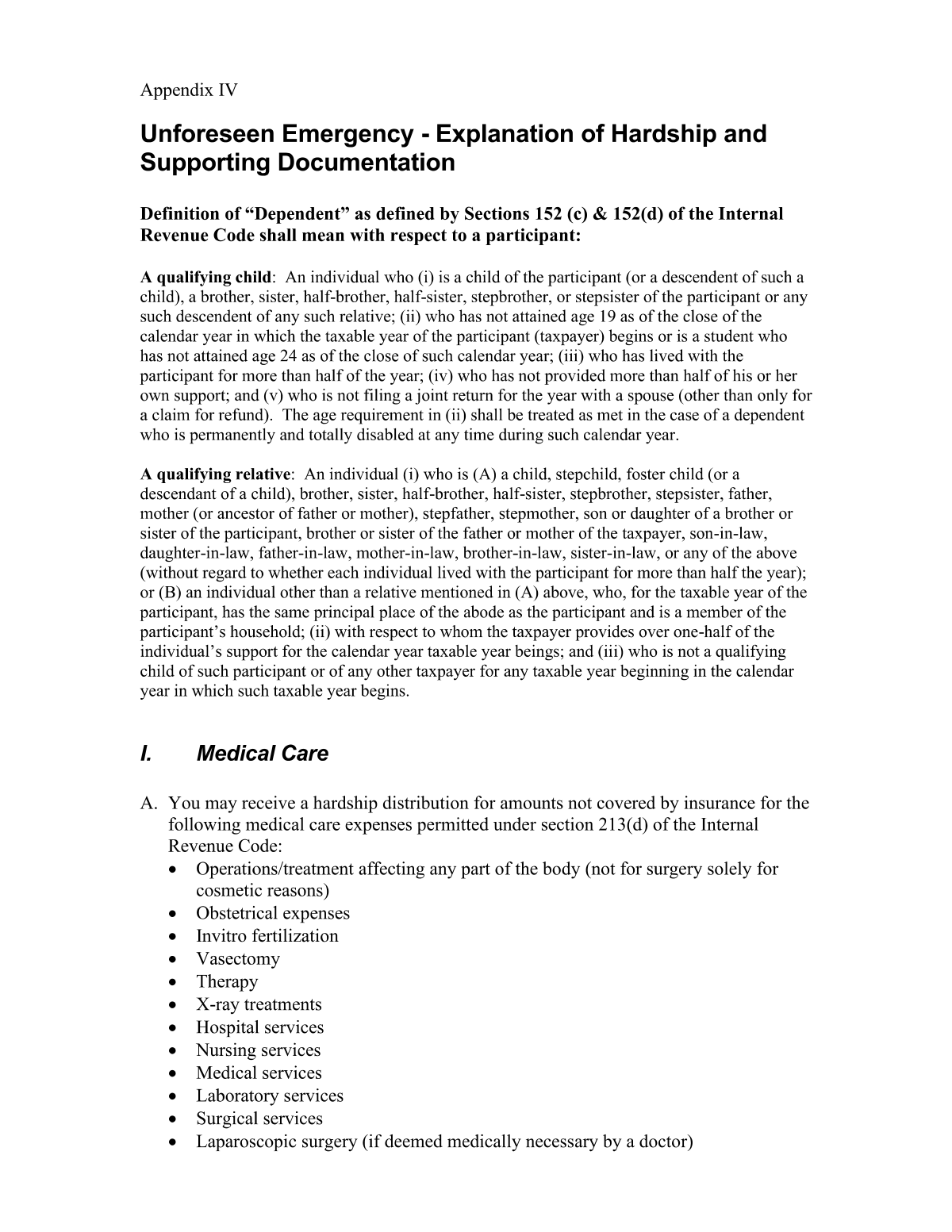
This form is a declaration submitted to a retirement plan administrator, such as Empower Retirement, to formally explain the reasons behind a request for a hardship withdrawal. It serves as a sworn statement that the applicant has the necessary documentation to prove their immediate and heavy financial need. Today, this form can be filled out quickly and accurately using AI-powered services like Instafill.ai, which can also convert non-fillable PDF versions into interactive fillable forms.
Hardship Explanation Form is part of the
hardship forms category on Instafill.
Rather not fill this in by hand? Instafill is an online form filler that completes PDF forms automatically — upload the blank form, answer a few questions, and the AI fills every field.
Form specifications
| Form name: | Explanation of Hardship and Supporting Documentation |
| Number of pages: | 1 |
| Language: | English |
Our AI automatically handles information lookup, data retrieval, formatting, and form filling.
It takes less than a minute to fill out Hardship Explanation Form using our AI form filling.
Securely upload your data. Information is encrypted in transit and deleted immediately after the form is filled out.
Instafill Demo: How to fill out PDF forms in seconds with AI
How to Fill Out Hardship Explanation Form Online for Free in 2026
Are you looking to fill out a HARDSHIP EXPLANATION FORM form online quickly and accurately? Instafill.ai offers the #1 AI-powered PDF filling software of 2026, allowing you to complete your HARDSHIP EXPLANATION FORM form in just 37 seconds or less.
Follow these steps to fill out your HARDSHIP EXPLANATION FORM form online using Instafill.ai:
- 1 Navigate to Instafill.ai and upload or select the 'Explanation of Hardship and Supporting Documentation' form.
- 2 Provide your personal details, including your full name, address, and retirement account number.
- 3 Clearly state the nature of the financial hardship, detailing the specific reason for the withdrawal request.
- 4 Use the provided fields to write a thorough explanation of the circumstances leading to the hardship.
- 5 Certify that you have obtained the required supporting documents and will provide them to the plan administrator upon request.
- 6 Review all the information populated by the AI for accuracy, then electronically sign and date the form.
- 7 Download the completed document and submit it to your retirement plan provider as instructed.
Our AI-powered system ensures each field is filled out correctly, reducing errors and saving you time.
Why Choose Instafill.ai for Your Fillable Hardship Explanation Form Form?
Speed
Complete your Hardship Explanation Form in as little as 37 seconds.
Up-to-Date
Always use the latest 2026 Hardship Explanation Form form version.
Cost-effective
No need to hire expensive lawyers.
Accuracy
Our AI performs 10 compliance checks to ensure your form is error-free.
Security
Your personal information is protected with bank-level encryption.
Frequently Asked Questions About Hardship Explanation Form
This form is used to formally request a hardship withdrawal from your Empower Retirement account. You use it to explain the nature of your financial hardship and certify that you have the necessary supporting documents.
You should complete this form if you are experiencing a qualifying financial hardship and need to withdraw funds from your retirement plan before retirement age. It is a required step to justify an early withdrawal.
You must have documents that prove your hardship, such as medical bills, tuition invoices, eviction notices, or a home purchase agreement. You do not submit them with this form but must provide them to Empower Retirement upon request.
No, you do not need to attach your documents with this initial form. By signing, you are confirming that you have the documentation and will provide it if and when Empower Retirement requests it for verification.
Qualifying hardships typically include certain medical expenses, costs to purchase a primary home, tuition fees, payments to prevent eviction or foreclosure, and funeral expenses. Check your specific retirement plan documents for a complete list of eligible reasons.
The amount you can withdraw is generally limited to the amount needed to resolve the financial hardship, plus any associated taxes and penalties. Your plan's specific rules will also dictate the maximum amount available.
Submission instructions are provided by Empower Retirement or your plan administrator. Common methods include uploading to your online account portal, mailing, or faxing to a designated number.
Processing times can vary, but it often takes several business days after Empower receives your form and any requested supporting documents. You will be notified once a decision has been made on your request.
Yes, hardship withdrawals are considered taxable income and may also be subject to a 10% early withdrawal penalty if you are under age 59½. It is advisable to consult a tax professional to understand the financial impact.
Yes, services like Instafill.ai use AI to help you accurately auto-fill personal information like your name, address, and account details, which saves time and helps prevent errors.
To fill the form online, upload the PDF to the Instafill.ai platform. The tool will make the form interactive, allowing you to type your answers and use AI to auto-fill fields before downloading the completed document.
If you have a non-fillable or 'flat' PDF, you can use a service like Instafill.ai to make it interactive. Simply upload the file, and the platform will convert it into a fillable form that you can complete on your computer.
In this section, provide a clear and concise summary of your financial emergency. State the reason for the withdrawal (e.g., 'to pay for urgent medical surgery') and the total amount required to cover the expense.
Compliance Hardship Explanation Form
Validation Checks by Instafill.ai
1
Participant Full Name Completeness
This check ensures that both the first and last name fields for the participant are filled out. A complete legal name is required for identity verification and to correctly process the withdrawal against the proper retirement account. If the name is missing, the form submission will be rejected with a message prompting the user to provide their full name.
2
Social Security Number (SSN) Format
Validates that the Social Security Number is entered in the correct XXX-XX-XXXX format and contains exactly nine digits. The SSN is a critical identifier for tax reporting and account verification with retirement plan administrators. An incorrectly formatted SSN will prevent the system from processing the request and will trigger an error message asking the user to correct the entry.
3
Hardship Reason Selection Requirement
Ensures that the user has selected one of the predefined reasons for the hardship withdrawal from the provided list (e.g., medical expenses, purchase of home, etc.). IRS regulations require a specific, qualifying reason for a hardship withdrawal to be permissible. Failure to select a reason will block form submission and prompt the user to choose a valid option.
4
Withdrawal Amount Numerical Format and Value
This validation confirms that the requested withdrawal amount is a valid positive number and contains only numeric characters and a decimal point. It prevents non-numeric entries and ensures the requested amount is greater than zero. If the entry is invalid, the user will be notified to enter a correct monetary value, as this is essential for processing the financial transaction.
5
Detailed Hardship Explanation Minimum Length
Checks that the text field for the detailed explanation of the hardship contains a minimum number of characters (e.g., 50 characters). This encourages the user to provide sufficient detail for compliance review and to substantiate the selected hardship reason. A submission with an insufficient explanation may be flagged for manual review or rejected, with a prompt for more information.
6
Documentation Attestation Checkbox Requirement
Verifies that the checkbox stating 'I have obtained...the documentation necessary to support my hardship withdrawal request' is checked. This is a critical legal attestation confirming the user's compliance with IRS and plan rules, protecting both the user and the plan administrator. The form cannot be submitted unless this box is checked, as it is a non-negotiable prerequisite for the withdrawal.
7
Signature Date Logical Validity
This check ensures the signature date provided on the form is a valid date and is not set in the future. The date confirms when the attestation was made and must be current or in the recent past. A future date is logically impossible and would invalidate the signature, so the system will reject it and require the user to enter a valid date.
8
Phone Number Format Validation
Validates that the participant's phone number is entered in a standard 10-digit format (e.g., (XXX) XXX-XXXX or XXXXXXXXXX). A valid phone number is crucial for the plan administrator to contact the participant if there are questions or issues with the request. An invalid format will trigger an error, asking the user to correct the number before proceeding.
9
Mailing Address Completeness
Ensures that all required components of the mailing address (street, city, state, and ZIP code) are filled in. A complete address is necessary for sending tax documents (like Form 1099-R) and other official correspondence related to the withdrawal. If any part is missing, the submission will fail with a message indicating which address fields need to be completed.
10
ZIP Code Format Validation
This check verifies that the ZIP code is in a valid 5-digit (XXXXX) or 9-digit (XXXXX-XXXX) format. An accurate ZIP code is essential for mail delivery and for certain tax jurisdiction verifications. The system will reject improperly formatted ZIP codes and prompt the user for correction to ensure deliverability of important documents.
11
Logical Consistency of Withdrawal Amount
Compares the requested withdrawal amount against the total cost of the hardship event, if that field is also on the form. The requested withdrawal amount should not exceed the total documented need, as per IRS guidelines. If the requested amount is greater than the stated cost, a warning or error is displayed, prompting the user to review and correct the amounts.
12
Date of Birth Format and Age Verification
Validates that the participant's date of birth is in a correct format (e.g., MM/DD/YYYY) and that the calculated age is reasonable for a retirement plan holder (e.g., over 18). This helps verify the identity of the participant and ensures data integrity. An invalid date format or an illogical age will result in an error, requiring the user to re-enter the information correctly.
Common Mistakes in Completing Hardship Explanation Form
Applicants often provide a general explanation like 'financial trouble' instead of a specific, qualifying reason. This happens when they don't understand the strict IRS criteria for a hardship withdrawal. A vague application will be denied for failing to demonstrate an 'immediate and heavy financial need,' delaying access to funds. To avoid this, clearly state the specific qualifying event (e.g., 'payment for a specific medical procedure dated MM/DD/YYYY') and ensure it aligns with plan rules.
A common error is requesting more money than is necessary to satisfy the financial need. People may miscalculate the amount or try to withdraw extra funds for non-hardship purposes. This can lead to the request being denied or reduced, and the applicant may face unnecessary taxes and penalties on any excess amount approved. To prevent this, calculate the exact amount required to cover the specific hardship and check if your plan allows including estimated taxes in the withdrawal amount.
The form requires certifying that you 'have obtained' the necessary supporting documentation. People often sign this prematurely, assuming they can gather the documents later. If the plan administrator requests the documents and they cannot be provided promptly, the withdrawal will be denied, and the process must be restarted. Always collect all required invoices, estimates, and notices *before* you sign and submit the application.
This occurs when the written explanation of the hardship does not align with the details in the supporting documents, such as dates, amounts, or the nature of the expense. This mistake, often due to carelessness, creates a major red flag for reviewers. It results in an immediate denial of the request and can complicate future applications. To avoid this, meticulously cross-reference your written statement with every detail in your supporting paperwork to ensure they tell the exact same story.
Forgetting to sign or date the form is a frequent and easily avoidable oversight, usually caused by rushing to complete the paperwork. An unsigned or undated form is legally invalid and will be immediately rejected by the processing department. This forces the application to be returned and resubmitted, causing significant and frustrating delays. Always perform a final check of the entire form, paying special attention to the signature and date fields before submission.
When a form is only available as a non-fillable PDF, people often fill it out by hand with illegible handwriting. This can lead to data entry errors by the processor, delays while they request clarification, or outright rejection of the form. To ensure clarity, it's best to type your responses. AI-powered tools like Instafill.ai can convert flat PDFs into fillable forms, allowing you to type directly and ensure your submission is perfectly clear and professional.
Mistakes like transposing digits in a Social Security Number or account number, or misspelling a name, are common data entry errors. This prevents the plan administrator from locating the correct account, causing the application to be rejected and returned. To prevent this critical error, carefully double-check all personal information against an official account statement. Using a tool like Instafill.ai can also help by securely storing and accurately auto-filling this information, reducing the risk of manual mistakes.
Many retirement plans mandate that a participant must first take any available loan from their account before being eligible for a hardship withdrawal. Applicants are often unaware of this rule or may prefer a withdrawal, leading them to skip this step. This results in an automatic denial of the hardship request until the loan process has been completed. Before applying, review your Summary Plan Description (SPD) or contact the plan administrator to confirm if you must apply for a loan first.
Applicants sometimes use an old form they saved on their computer or found through a search engine, rather than getting it from the official source. Plan administrators update forms periodically to comply with new regulations or change internal processes. Submitting an outdated form will lead to rejection, forcing you to start the entire process over with the correct version. Always download the most current form directly from the Empower Retirement website or participant portal.
Saved over 80 hours a year
“I was never sure if my IRS forms like W-9 were filled correctly. Now, I can complete the forms accurately without any external help.”
Kevin Martin Green
Your data stays secure with advanced protection from Instafill and our subprocessors




Robust compliance program
Transparent business model
You’re not the product. You always know where your data is and what it is processed for.
ISO 27001, HIPAA, and GDPR
Our subprocesses adhere to multiple compliance standards, including but not limited to ISO 27001, HIPAA, and GDPR.
Security & privacy by design
We consider security and privacy from the initial design phase of any new service or functionality. It’s not an afterthought, it’s built-in, including support for two-factor authentication (2FA) to further protect your account.
Fill out Hardship Explanation Form with Instafill.ai
Worried about filling PDFs wrong? Instafill securely fills explanation-of-hardship-and-supporting-documentation forms, ensuring each field is accurate.
