Yes! You can use AI to fill out Form 8-K, Current Report
Form 8-K is a mandatory filing for public companies in the United States, used to notify investors of specific unscheduled material events. It ensures transparency by providing timely information on significant corporate changes, including appointments or departures of executives, acquisitions, bankruptcy, or changes in control. Completing this crucial compliance document is now simpler than ever, as AI-powered services like Instafill.ai can help populate the required information and even convert non-fillable PDF versions into interactive forms.
Rather not fill this in by hand? Instafill is an online form filler that completes PDF forms automatically — upload the blank form, answer a few questions, and the AI fills every field.
Form specifications
| Form name: | Form 8-K, Current Report |
| Number of pages: | 1 |
| Language: | English |
Our AI automatically handles information lookup, data retrieval, formatting, and form filling.
It takes less than a minute to fill out Form 8-K using our AI form filling.
Securely upload your data. Information is encrypted in transit and deleted immediately after the form is filled out.
Instafill Demo: How to fill out PDF forms in seconds with AI
How to Fill Out Form 8-K Online for Free in 2026
Are you looking to fill out a FORM 8-K form online quickly and accurately? Instafill.ai offers the #1 AI-powered PDF filling software of 2026, allowing you to complete your FORM 8-K form in just 37 seconds or less.
Follow these steps to fill out your FORM 8-K form online using Instafill.ai:
- 1 Navigate to Instafill.ai and upload or select the SEC Form 8-K template.
- 2 Use the AI assistant to automatically populate registrant information, such as the company's exact name, address, and Commission File Number.
- 3 Enter the date of the report and the date of the earliest event being reported.
- 4 Select the appropriate item number(s) from the checklist that correspond to the material event, such as Item 5.02 for officer compensatory arrangements.
- 5 Provide a detailed narrative description of the event for each selected item, allowing the AI to help structure the language for clarity and compliance.
- 6 List and attach all required exhibits, such as contracts or press releases, ensuring they are correctly referenced in the report.
- 7 Review the entire form for accuracy, have it signed by an authorized officer, and finalize it for electronic submission to the SEC's EDGAR system.
Our AI-powered system ensures each field is filled out correctly, reducing errors and saving you time.
Why Choose Instafill.ai for Your Fillable Form 8-K Form?
Speed
Complete your Form 8-K in as little as 37 seconds.
Up-to-Date
Always use the latest 2026 Form 8-K form version.
Cost-effective
No need to hire expensive lawyers.
Accuracy
Our AI performs 10 compliance checks to ensure your form is error-free.
Security
Your personal information is protected with bank-level encryption.
Frequently Asked Questions About Form 8-K
These documents are agreements that detail the terms and conditions of long-term incentive awards, such as cash bonuses, Restricted Stock Units (RSUs), and stock options, granted to you by The Charles Schwab Corporation as part of your compensation.
These agreements are intended for Charles Schwab employees, executive officers, and non-employee directors who have been granted performance-based or time-based equity and cash awards.
A Restricted Stock Unit represents the right to receive a share of Charles Schwab common stock at a future date, provided certain conditions, such as vesting requirements, are met. You do not have stockholder rights, like voting, until the RSUs vest and shares are issued to you.
Vesting is the process of earning full rights to your award over a set period or by meeting performance goals. Your specific vesting schedule is detailed in the 'Vesting Schedule' section of your grant notice.
Generally, if your service terminates, any unvested portion of your award is automatically forfeited. However, special provisions for accelerated or continued vesting may apply in cases of retirement, death, or disability as defined in your agreement.
No, you generally cannot sell, transfer, or pledge your unvested awards. The agreements state that Schwab may, at its discretion, allow a transfer under a domestic relations order for settling marital property rights.
You can designate one or more beneficiaries by filing a separate beneficiary designation form with Schwab. You can update this designation at any time before your death by filing a new form.
In the event of death or disability, your awards will typically not be forfeited and may become fully or partially vested according to the specific terms outlined in your individual award agreement.
Vested awards are typically paid out as soon as administratively possible after vesting. The agreements specify that payment will be made no later than March 15th of the year following the year of vesting.
You can pay the option exercise price using cash from your Schwab brokerage account, by surrendering existing shares of Schwab stock, or through a 'Sell to Cover' transaction where shares are sold to cover the cost.
You are responsible for any applicable withholding of income and employment taxes. Schwab may satisfy these obligations by withholding from a cash payment or by withholding shares that would otherwise be issued to you.
Yes, services like Instafill.ai use AI to help you accurately auto-fill forms like a beneficiary designation. This can save time and help reduce errors when entering your personal and beneficiary information.
You can use a service like Instafill.ai to convert flat, non-fillable PDFs into interactive, fillable forms. This allows you to easily type your information directly into the fields before printing and submitting.
Simply upload the beneficiary designation form to the Instafill.ai platform. The AI will identify the fields, allowing you to fill them out online, review for accuracy, and then download the completed document for submission.
Compliance Form 8-K
Validation Checks by Instafill.ai
1
Recipient Name Presence
This check ensures the 'Name of Recipient' field is populated on all grant agreements. Associating an award with a specific individual is the most fundamental requirement of the document. If the recipient's name is missing, the grant is unassignable and legally void, requiring the form to be rejected and corrected.
2
Valid Grant Date
This validation verifies that the 'Grant Date' is a real calendar date in a standard format (e.g., MM/DD/YYYY) and is not a future date. The grant date is a critical reference point for vesting, expiration, and tax implications. An invalid or future-dated grant would violate plan rules and could create significant legal and tax compliance issues.
3
Positive Award Amount
This check ensures that fields like 'Target Award', 'Number of Target Restricted Stock Units', or 'Total Number of Shares Granted' contain a positive, non-zero numerical value. An award must represent a positive grant of cash or equity. A zero, negative, or non-numeric value is illogical and indicates a data entry error that must be corrected before the grant can be processed.
4
Logical Performance Period Dates
This validation confirms that for performance-based awards, the 'Performance Period' start date occurs before its end date. The performance period defines the timeframe for measuring goal achievement, so a logical sequence is essential. A form with an inverted or nonsensical period would be rejected as it represents an impossible condition for vesting.
5
Vesting Schedule Summation
This check cross-references the 'Vesting Schedule' with the 'Total Number of Shares/Units Granted'. It confirms that the sum of all vesting tranches equals the total number of units or shares specified in the grant. This is crucial for ensuring the agreement is internally consistent and there is no ambiguity about the award's distribution, preventing future disputes.
6
Chronological Vesting Dates
This validation ensures that each date listed in the 'Vesting Schedule' occurs after the 'Grant Date' and that the vesting dates themselves are in sequential order. Vesting is a forward-looking process, so the schedule must be chronologically sound. An out-of-order or pre-grant vesting date is a critical error that would make the vesting terms unenforceable.
7
Valid Stock Option Exercise Price
This check verifies that the 'Exercise Price Per Share' on a stock option grant is a positive monetary value. Per the agreement, this price is often tied to the stock's market value on the grant date, so the validation may also compare it against historical stock data. An invalid or zero price would make the option grant non-compliant with both the plan and tax regulations.
8
Logical Option Expiration Date
This validation ensures the 'Expiration Date' for a stock option is a valid future date that occurs after the final vesting date and is consistent with the plan's term (e.g., 10 years from grant date). The expiration date defines the window in which the recipient can act on their vested options. An illogical date could prematurely and unfairly terminate the recipient's rights or violate plan rules.
9
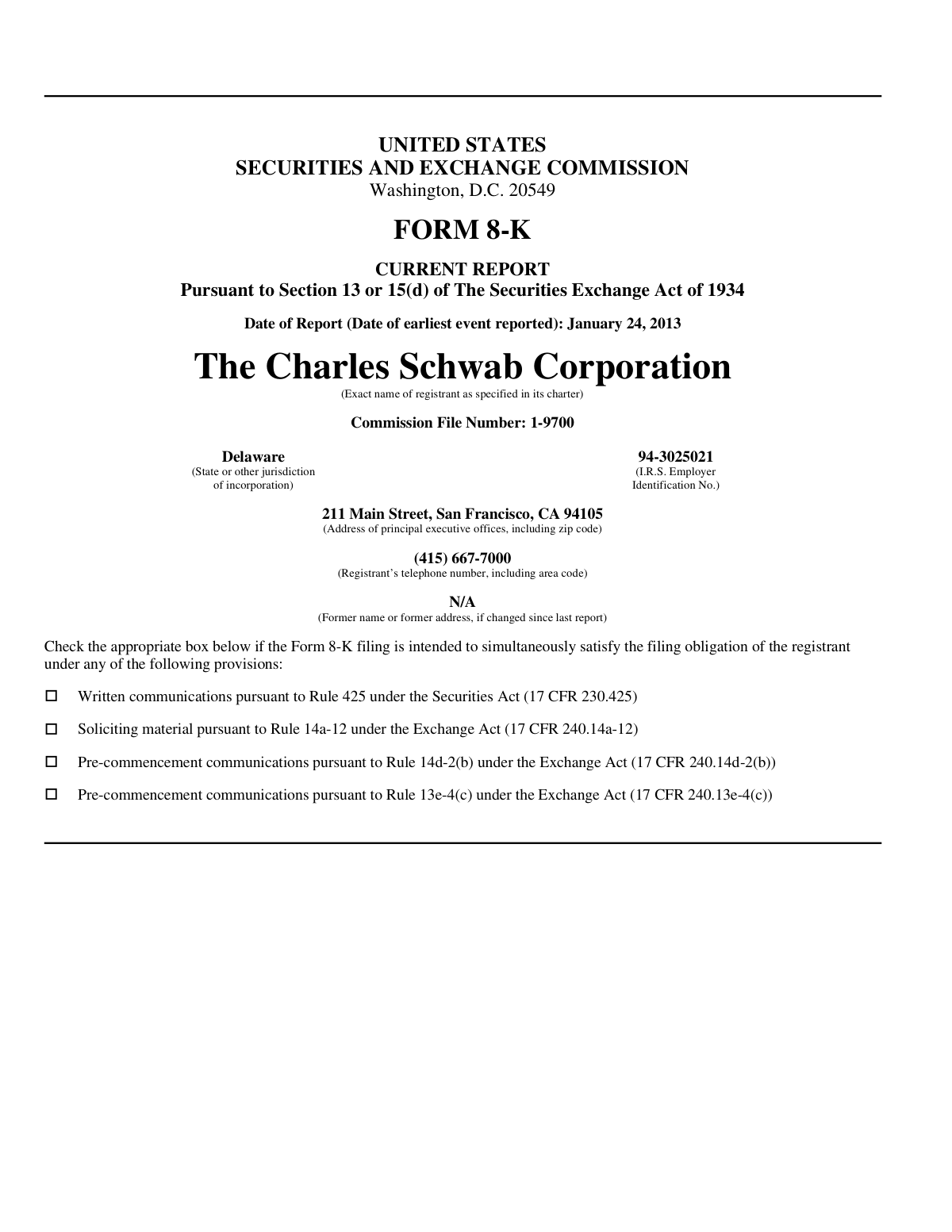
IRS EIN Format Validation
This check ensures the 'I.R.S. Employer Identification No.' on the Form 8-K conforms to the standard 9-digit format (XX-XXXXXXX). This number is a critical unique identifier for the registrant with tax and regulatory authorities. An incorrectly formatted EIN would cause the SEC filing to be rejected or misprocessed.
10
Report Date and Event Date Consistency
This validation verifies that the 'Date of Report' on the Form 8-K is on or after the 'Date of earliest event reported'. SEC rules mandate timely reporting, meaning a report cannot be dated before the event it describes. This logical check prevents a fundamental timeline error that would lead to an invalid regulatory filing.
11
Recipient Eligibility for Grant Type
This check cross-references the recipient's role (e.g., employee, non-employee director) against the specific award type, such as a 'Non-Employee Director Retainer Stock Option Grant'. This ensures that awards are granted only to individuals eligible under the plan's terms. Granting an award to an ineligible person is a serious compliance violation that could invalidate the grant.
12
Vesting Payment Deadline Compliance
This check verifies that any scheduled payment date for a vested award adheres to the rule that payment must be made 'no event beyond March 15 of the year following the year of vesting.' This is a critical check for compliance with tax regulations like IRC Section 409A governing deferred compensation. A violation could trigger significant tax penalties for the recipient and compliance issues for the company.
13
Executive Compensation Table Value Check
This validation examines the numerical data in the executive compensation table on the Form 8-K. It ensures that all dollar values for 'Cash LTIP', 'Restricted Stock Units', and 'Nonqualified Stock Options' are positive, correctly formatted numbers. This is vital for accurate and transparent financial disclosure to the public and regulators.
Common Mistakes in Completing Form 8-K
These agreements often state that a separate beneficiary form must be filed to designate who receives the assets upon death, a step many people forget or neglect to update after life events. Consequently, assets default to the deceased's estate, triggering a lengthy and costly probate process. To prevent this, always complete and submit the beneficiary form immediately and review it annually or after any major life change.
Stock option grants have a firm expiration date, after which they become completely worthless, yet recipients often lose track of this deadline. This oversight results in the total forfeiture of the option's potential value, which can be substantial. To avoid this costly mistake, immediately record the expiration date and set multiple reminders well in advance of the deadline.
Recipients may use a nickname or an abbreviated name instead of their full legal name, which must match tax and identity documents. This discrepancy can cause processing delays, failed identity verification, and tax reporting complications. Always use your full legal name; AI-powered tools like Instafill.ai can help ensure consistency by auto-filling your verified name across all related forms.
Many recipients are surprised when the number of shares they receive is less than the number vested, not realizing that the company automatically withholds a portion to cover taxes. This can disrupt financial plans that were based on receiving the full share amount. Carefully read the 'Withholding Taxes' section and consult a tax advisor to prepare for the full tax impact of your award.
These forms contain multiple critical dates that are easily confused: the Grant Date (when the award is issued), Vesting Dates (when you gain ownership), and the Expiration Date (for options). Misunderstanding these timelines can lead to premature attempts to sell or exercise, or worse, missing the window to act and forfeiting the award. To avoid this, carefully review the 'Vesting Schedule' and 'Term' sections and mark each distinct date on a calendar.
A frequently overlooked rule is that the exercise window for stock options often shrinks to just a few months (e.g., 90 days) after leaving the company. Employees who are unaware of this clause may assume they have until the original expiration date, thereby forfeiting all their vested options. Always review the 'Termination of Service' section to understand your post-employment rights and deadlines.
Awards tied to performance goals can have payouts that vary significantly from the 'target' amount, ranging from zero to 200%. Recipients sometimes make financial plans based on the target value, not realizing it is not guaranteed. It is crucial to understand that the final award is contingent on achieving specific metrics detailed in the agreement.
The agreements outline various methods for exercising options ('Sell to Cover,' 'Stock Swap,' 'Exercise and Hold'), each with unique cash requirements and tax implications. People often choose a method without fully understanding its financial impact, leading to unexpected tax bills or failed transactions. To avoid this, research each method and consult a financial advisor to determine the best strategy for your situation.
When filling out associated paperwork, especially on a flat, non-fillable PDF, users often make simple data entry errors like using the wrong date format or leaving fields blank. These mistakes can cause the form to be rejected, delaying critical transactions like an option exercise or beneficiary update. AI tools like Instafill.ai can convert non-fillable PDFs into interactive forms and validate data as you type, preventing these common errors.
Saved over 80 hours a year
“I was never sure if my IRS forms like W-9 were filled correctly. Now, I can complete the forms accurately without any external help.”
Kevin Martin Green
Your data stays secure with advanced protection from Instafill and our subprocessors




Robust compliance program
Transparent business model
You’re not the product. You always know where your data is and what it is processed for.
ISO 27001, HIPAA, and GDPR
Our subprocesses adhere to multiple compliance standards, including but not limited to ISO 27001, HIPAA, and GDPR.
Security & privacy by design
We consider security and privacy from the initial design phase of any new service or functionality. It’s not an afterthought, it’s built-in, including support for two-factor authentication (2FA) to further protect your account.
Fill out Form 8-K with Instafill.ai
Worried about filling PDFs wrong? Instafill securely fills form-8-k-current-report forms, ensuring each field is accurate.
