Yes! You can use AI to fill out Form F10 – Application for the Fair Work Commission to deal with a dispute in accordance with a dispute settlement procedure
Form F10 is an official Fair Work Commission application made under s. 739 of the Fair Work Act 2009 for parties who want the Commission to deal with a workplace dispute in line with a dispute settlement clause in an applicable instrument or written agreement. It captures the partiesâ details (applicant/respondent), the instrument covering the employment relationship, the specific dispute settlement clause and related clauses, what the dispute is about, steps already taken internally, and the relief sought (including arbitration outcomes if permitted). It is important because the Commission can only act within the limits and preconditions set by the relevant dispute settlement procedure, and applicants may need to show internal steps have been exhausted before the Commission will exercise powers. Today, this form can be filled out quickly and accurately using AI-powered services like Instafill.ai, which can also convert non-fillable PDF versions into interactive fillable forms.
Our AI automatically handles information lookup, data retrieval, formatting, and form filling.
It takes less than a minute to fill out FWC Form F10 using our AI form filling.
Securely upload your data. Information is encrypted in transit and deleted immediately after the form is filled out.
Form specifications
| Form name: | Form F10 – Application for the Fair Work Commission to deal with a dispute in accordance with a dispute settlement procedure |
| Number of pages: | 12 |
| Language: | English |
| Categories: | employment forms, Fair Work forms, workplace dispute forms, labor forms |
Instafill Demo: filling out a legal form in seconds
How to Fill Out FWC Form F10 Online for Free in 2026
Are you looking to fill out a FWC FORM F10 form online quickly and accurately? Instafill.ai offers the #1 AI-powered PDF filling software of 2026, allowing you to complete your FWC FORM F10 form in just 37 seconds or less.
Follow these steps to fill out your FWC FORM F10 form online using Instafill.ai:
- 1 Go to Instafill.ai and upload the Form F10 PDF (or select Form F10 from the form library).
- 2 Enter the Applicant details (individual or organisation), including contact information, age category, and any interpreter or special assistance needs.
- 3 Add representative details (if applicable) and indicate whether the representative is a lawyer or paid agent.
- 4 Enter the Respondent’s details (individual or organisation), including the correct legal name and service/contact information.
- 5 Complete the coverage section by identifying the employer’s industry, selecting the applicable instrument/agreement, and providing the dispute settlement clause number and the clause(s)/NES provisions the dispute relates to; attach copies of relevant clauses as supporting documents.
- 6 Describe the dispute and prior steps taken under the dispute resolution procedure, and answer the yes/no questions about the dispute type (e.g., flexible work, parental leave extension, casual conversion, workplace delegate entitlements, right to disconnect).
- 7 Specify the relief sought, then sign/date the form; use Instafill.ai to generate a final submission-ready PDF and prepare copies for lodgment with the Commission and service on the Respondent (including the dispute settlement procedure and supporting documents).
Our AI-powered system ensures each field is filled out correctly, reducing errors and saving you time.
Why Choose Instafill.ai for Your Fillable FWC Form F10 Form?
Speed
Complete your FWC Form F10 in as little as 37 seconds.
Up-to-Date
Always use the latest 2026 FWC Form F10 form version.
Cost-effective
No need to hire expensive lawyers.
Accuracy
Our AI performs 10 compliance checks to ensure your form is error-free.
Security
Your personal information is protected with bank-level encryption.
Frequently Asked Questions About Form FWC Form F10
Form F10 is used to apply to the Fair Work Commission to deal with a workplace dispute under a dispute settlement procedure in a modern award, enterprise agreement, or other eligible written instrument/agreement. The Commission can only deal with the dispute in the way the dispute clause allows.
Any person or organisation covered by a relevant fair work instrument or written agreement that contains a dispute settlement procedure can apply. You must also have met any preconditions in that procedure (for example, completing internal steps) before lodging.
Donât use F10 if there is no dispute settlement procedure that requires or allows the Commission to deal with the dispute, or if you have not completed the required internal dispute steps. Also, for disputes under a contract/other written agreement, the Commission can generally only deal with matters relating to the NES or a safety net contractual entitlement.
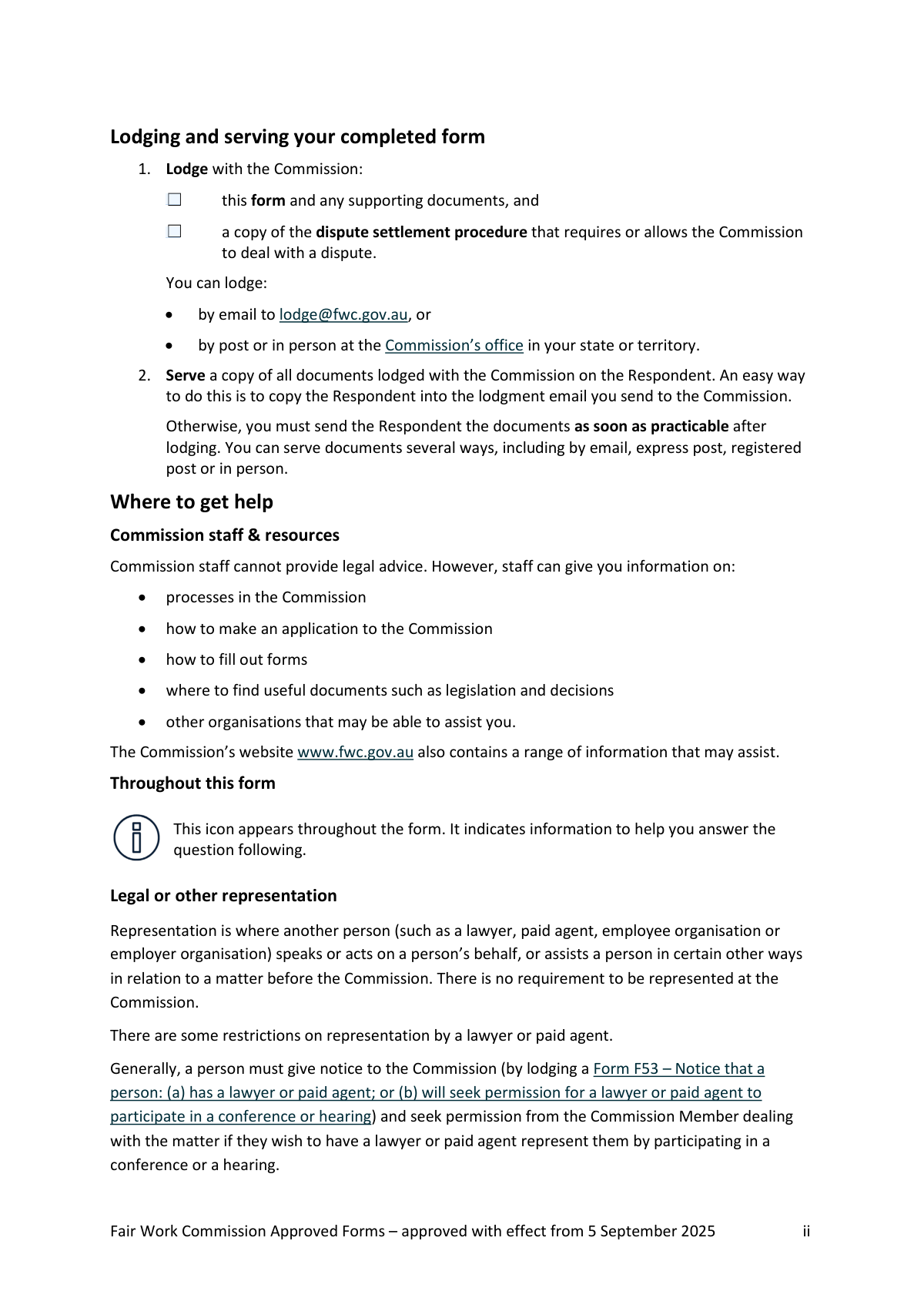
You must lodge the completed form, any supporting documents, and a copy of the dispute settlement procedure/clause that requires or allows the Commission to deal with the dispute. The form also asks you to attach copies of the relevant clause(s) you rely on.
You can lodge by email to [email protected], or by post or in person at the Commissionâs office in your state or territory. Keep a copy of everything you lodge for your records.
Yesâafter lodging, you must serve a copy of all documents on the Respondent as soon as practicable. A simple method is to copy the Respondent into your lodgment email; otherwise you can serve by email, express/registered post, or in person.
Select the type of instrument (e.g., modern award or enterprise agreement), then provide the instrument name and any ID code (for enterprise agreements, the code starts with âAEâ). You must also list the dispute settlement clause number (1.3) and the clause(s) the dispute relates to (1.4), and attach copies of those clauses.
The form notes the Fair Work Ombudsman can help you identify the correct instrument. You can also search for your instrument on the Fair Work Commission website to find names, ID codes, and clause details.
Use numbered paragraphs to clearly describe the dispute and refer to the relevant clause(s) you listed earlier. Include key facts (what happened, when, who was involved) and attach extra pages if you need more space.
List, in chronological order, the actions you have already taken under the dispute resolution procedure (for example, raising the issue with a supervisor, meetings, written complaints). This helps show the Commission that any required internal steps have been followed.
The form includes yes/no questions about whether your dispute involves refusal of flexible working arrangements, refusal of an extension of unpaid parental leave, casual-to-permanent conversion, workplace delegate entitlements, or the right to disconnect. Answering these helps the Commission understand the nature of the dispute and any specific legal framework that may apply.
âRelief soughtâ is what you want the Commission to do to resolve the dispute (for example, a particular outcome, direction, or remedy). If the dispute clause allows arbitration, you should also state the specific determination you want the Commission to make.
Noârepresentation is optional. If you do use a lawyer or paid agent, you may need to lodge a Form F53 and seek permission for them to participate in a conference or hearing, unless an exception applies.
YesâForm F10 asks whether you need an interpreter (and which language) and whether you require special assistance (e.g., a hearing loop). Provide details so the Commission can make appropriate arrangements.
YesâAI tools can help you draft and auto-fill form fields accurately and save time; services like Instafill.ai can guide you through the questions and populate the PDF based on your answers. You typically upload the form to Instafill.ai, answer a guided questionnaire, review the filled fields (especially clause numbers and attachments), then download and lodge/serve the completed documents.
If the PDF is flat/non-fillable, you can still complete it by printing and handwriting or by typing into a separate document, but that can be slow and error-prone. Instafill.ai can convert flat non-fillable PDFs into interactive fillable forms so you can complete and sign them electronically before lodging.
Compliance FWC Form F10
Validation Checks by Instafill.ai
1
Applicant Type Completeness (Individual vs Non‑individual)
Validate that the submission provides a complete set of fields for exactly one Applicant type: either the individual Applicant fields (first name(s), surname, email, phone, address) or the non-individual Applicant fields (legal name, contact person, address, email, phone, and ACN/ABN if applicable). This prevents ambiguous party identification and ensures the Commission can contact the correct entity. If both sets are partially filled or both are empty, fail validation and prompt the user to select/complete the correct Applicant type.
2
Applicant Name Presence and Character Rules
For an individual Applicant, require first name(s) and surname to be non-empty and to contain only reasonable name characters (letters, spaces, hyphens, apostrophes) with a minimum length (e.g., 1â2 characters) and a maximum length to prevent truncation. This ensures the case file and service documents correctly identify the party. If invalid characters or missing names are detected, reject submission and request corrected names.
3
Applicant Age Selection and Numeric Consistency
Ensure exactly one age checkbox is selected: '18 years or over (adult)' or 'Under 18 years'. If '18 years or over' is selected, the adult age field must be a whole number >= 18; if 'Under 18' is selected, the under-18 age field must be a whole number between 0 and 17. This prevents contradictory age declarations and supports appropriate safeguarding guidance for minors. If the checkbox and numeric age conflict or both/none are selected, fail validation and require correction.
4
Email Address Format Validation (Applicant/Representative/Respondent)
Validate that any provided email address (Applicant, Representative, Respondent) matches a standard email format (local@domain) and does not contain spaces or invalid characters, and optionally confirm the domain contains at least one dot. Correct email formatting is critical for electronic service and Commission correspondence. If an email is required for the chosen party type and is missing or malformed, block submission and request a valid email.
5
Australian Phone Number Format Validation
Validate phone numbers for Applicant/Representative/Respondent are present where required and conform to acceptable Australian formats (e.g., 10 digits for national numbers, or +61 with appropriate length), allowing spaces and hyphens but storing a normalized version. Reliable phone contact is important for scheduling conferences/hearings and resolving urgent procedural issues. If the phone number is missing or fails format/length checks, fail validation and prompt for a correct number.
6
Postal Address Completeness and Postcode-State Consistency
Require postal address, suburb/locality, state/territory, and postcode for Applicant and Respondent (and Representative if provided) to be complete. Validate postcode is 4 digits and is logically consistent with the selected state/territory (e.g., NSW 1xxx/2xxx, VIC 3xxx/8xxx, QLD 4xxx/9xxx, etc.). This ensures service by post is possible and reduces misdirected correspondence. If any component is missing or postcode/state mismatch is detected, reject submission and request corrected address details.
7
Interpreter Requirement Dependency Check
If 'Do you need an interpreter?' is marked 'Yes', require a language to be specified and ensure it is not left blank or as a placeholder value. This is necessary to arrange appropriate language services and ensure procedural fairness. If 'Yes' is selected without a language, fail validation and prompt the user to specify the language.
8
Special Assistance Requirement Dependency Check
If 'Do you require any special assistance at the hearing or conference?' is marked 'Yes', require a description of the assistance needed (e.g., hearing loop, wheelchair access). This enables the Commission to make accessibility arrangements in advance. If 'Yes' is selected but the assistance field is empty, fail validation and request details.
9
Representative Section Conditional Completeness
If the Applicant indicates they have a representative, require representative name, email, phone, and postal address fields to be completed, and ensure the 'Is the representative a lawyer or paid agent?' question is answered. This ensures the Commission and other parties can communicate with the correct representative and apply representation rules. If representative is 'Yes' but key details are missing, block submission until completed.
10
Lawyer/Paid Agent Selection Consistency
If 'Is the representative a lawyer or paid agent?' is 'Yes', require exactly one of 'Lawyer' or 'Paid agent' to be selected (not both, not neither). This classification affects procedural requirements (e.g., permission to appear) and case management. If the selection is inconsistent, fail validation and require a single clear choice.
11
ACN/ABN Format Validation for Non‑individual Parties
Where an ACN is provided, validate it is exactly 9 digits and passes the ACN checksum; where an ABN is provided, validate it is 11 digits and passes the ABN checksum. Apply these checks for Applicant/Representative/Respondent where the form indicates 'if applicable'. Correct identifiers reduce entity ambiguity and support accurate party matching. If an identifier is present but fails checksum/length rules, reject submission and request correction (or removal if not applicable).
12
Respondent Type Completeness (Individual vs Non‑individual)
Validate that the Respondent details are complete for exactly one Respondent type: either individual (first name(s), surname, contact details) or non-individual (legal name, contact person, contact details, and ACN/ABN if applicable). This ensures the correct party is served and avoids misidentification. If both types are partially completed or required fields are missing, fail validation and prompt for a complete Respondent profile.
13
Fair Work Instrument Selection and Required Subfields
Require exactly one option to be selected for the instrument/written agreement type (modern award, enterprise agreement, minimum standards order, road transport contractual chain order, collective agreement, or other). Then require the corresponding instrument name field to be completed; additionally, if enterprise agreement is selected, require an ID code in the correct format (e.g., 'AE' followed by 6 digits) and if 'Other' includes an ID code, validate its format is non-empty and plausible. This is essential to establish jurisdiction and identify the applicable dispute settlement procedure. If no instrument is selected or required subfields are missing/invalid, block submission.
14
Dispute Settlement Clause Number and Attachment Requirement
Require the dispute settlement clause reference (question 1.3) to be provided in a recognizable clause format (e.g., numeric like '12' or '12.3', or alphanumeric if the instrument uses that convention) and require confirmation/attachment of a copy of the clause as indicated by the form instructions. The Commissionâs ability to act depends on the clause and any preconditions it contains. If the clause reference is missing/ill-formed or the clause copy is not attached/indicated, fail validation and request the missing information.
15
Dispute Description, Prior Steps, and Relief Sought Completeness
Require non-empty narrative responses for: what the dispute is about (2.1), steps already taken under the procedure (2.7), and relief sought (3.1), with minimum content thresholds (e.g., at least one sentence or a minimum character count) and encourage numbered paragraphs where specified. These fields are necessary for triage, jurisdictional assessment, and determining the appropriate Commission process (conciliation vs arbitration). If any narrative is blank or clearly insufficient (e.g., only 'N/A' without explanation), fail validation and prompt for adequate detail.
16
Signature/Authority and Date Validity
Require 'Authority to sign' to be completed (Applicant/position title/Representative), require a signature field (typed name acceptable for electronic completion), and require a date in a valid format (e.g., DD/MM/YYYY) that is not in the future. This confirms the application is properly authorised and time-stamped for procedural purposes. If any of these are missing or the date is invalid, reject submission until corrected.
Common Mistakes in Completing FWC Form F10
Applicants often lodge immediately after a workplace issue arises, without completing the internal dispute steps required by the award/enterprise agreement/contract (e.g., speaking to a supervisor, HR escalation, internal meetings). If the dispute settlement clause requires internal processes first, the Commission may be unable to act until those conditions are met, causing delays or dismissal/adjournment. Before lodging, read the dispute settlement procedure carefully and document each step you took (dates, who you contacted, outcomes). AI-powered tools like Instafill.ai can prompt for prerequisite steps and help ensure you donât submit before the clause conditions are satisfied.
A very common error is lodging the form without a copy of the dispute settlement procedure, or attaching an unrelated policy instead of the actual clause from the relevant instrument/written agreement. This can lead to the Commission requesting further material, delaying listing of the matter, or creating confusion about the Commissionâs powers (conciliation vs arbitration). Avoid this by attaching the exact clause text (and any referenced sub-clauses) from the correct instrument version. Instafill.ai can help by checking that required attachments are included and by flagging when the clause attachment is missing.
People frequently tick the wrong coverage option in Q1.2, especially where an enterprise agreement applies but they select a modern award (or vice versa), or they choose âOtherâ without explaining the written agreement. The consequence is misdirected case handling and potential jurisdictional objections from the Respondent, which can slow or derail the application. To avoid this, confirm what legally covers the employment relationship and contains the dispute procedure, and select only one option that matches it. Instafill.ai can reduce this error by guiding you through instrument selection and validating that the details you enter match the chosen instrument type.
For enterprise agreements, applicants often omit the eight-character AE code, enter a Fair Work Ombudsman reference, or type an incorrect/partial code. This makes it harder for the Commission and the other party to identify the correct agreement and clause set, leading to follow-up requests and delays. Avoid this by searching the Commissionâs website for the agreement and copying the AE code exactly as shown (including the âAEâ prefix). Instafill.ai can help by formatting and validating identifier patterns (e.g., ensuring the AE code structure is correct).
Applicants often write general statements like âsee agreementâ instead of listing the specific dispute settlement clause number (Q1.3) and the clause(s) the dispute is about (Q1.4). This creates uncertainty about the Commissionâs authority and the legal basis of the dispute, increasing the risk of a jurisdictional objection or requests for clarification. To avoid this, provide precise clause numbers (including subclauses) and attach copies of those clauses, and separately identify any relevant National Employment Standard (NES) if applicable. Instafill.ai can prompt for clause-number specificity and help ensure the right clause text is attached.
A frequent practical problem is listing a trading name instead of the Respondentâs legal entity name, omitting the contact person, or providing an email/phone number that is not monitored for formal correspondence. This can cause service issues, missed communications, and delays in progressing the matter because the Respondent may claim they were not properly served. Avoid this by using the employerâs legal name (as per ASIC/ABN records), including ABN/ACN where available, and providing a reliable service email address. Instafill.ai can help standardize entity details and reduce typos that commonly break service.
Applicants sometimes lodge with the Commission but forget to serve the Respondent, or they serve only the form and not the supporting documents/attachments. This can lead to procedural disputes, adjournments, and directions to re-serve, which slows resolution. To avoid this, serve a complete copy of everything you lodged (form, attachments, dispute clause, supporting documents) as soon as practicable, and keep proof of service (email sent items, postal receipts). Instafill.ai can help by generating a service checklist and ensuring the same document set is prepared for both lodgment and service.
In Q2.2âQ2.6, applicants sometimes tick âNoâ but then describe a dispute that clearly involves flexible work, parental leave extension, casual conversion, workplace delegate rights, or the right to disconnect. Inconsistencies can confuse triage, lead to incorrect case categorisation, and prompt follow-up questions that delay listing. Avoid this by cross-checking your narrative in Q2.1 against each checkbox and ensuring the selections match the facts. Instafill.ai can flag inconsistencies between checkbox answers and the text you provide.
Q2.1 and Q2.7 ask for numbered paragraphs and a chronological account, but many applicants submit a long, emotional narrative without dates, key events, or references to the relevant clauses. This makes it difficult for the Commission and the Respondent to understand what is actually in dispute and what has already been attempted, which can reduce the effectiveness of conciliation and cause requests for particulars. Avoid this by using numbered paragraphs, including dates, who said/did what, and explicitly linking each issue to the clause(s) identified in Q1.4. Instafill.ai can help by structuring your responses into a clear timeline and ensuring required elements (dates, steps, clause references) are not missed.
Applicants often ask for outcomes the Commission may not be empowered to grant under the specific dispute settlement clause, or they fail to specify the determination sought where arbitration is available. This can lead to unrealistic expectations, narrower outcomes, or the need to amend/clarify the application. Avoid this by reading the dispute settlement clause to see whether it permits arbitration and then stating precisely what you want (e.g., an order/determination, a clarification of entitlements, a direction to comply, or a facilitated resolution). Instafill.ai can help by prompting you to align the requested relief with the powers available under the selected clause.
People frequently leave the authority to sign blank, sign without indicating their role (Applicant/Representative/position title), or forget to date the formâespecially when completing electronically. This can create doubts about who is authorised to lodge the application and may require re-submission or confirmation, delaying processing. Avoid this by completing the authority field exactly as instructed and ensuring the signature/name/date are all present (typing your name is acceptable if you donât have an e-signature). Instafill.ai can help by enforcing completion of signature blocks and preventing submission when required signature fields are missing.
Saved over 80 hours a year
âI was never sure if my IRS forms like W-9 were filled correctly. Now, I can complete the forms accurately without any external help.â
Kevin Martin Green
Your data stays secure with advanced protection from Instafill and our subprocessors

Robust compliance program
Transparent business model
Youâre not the product. You always know where your data is and what it is processed for.
ISO 27001, HIPAA, and GDPR
Our subprocesses adhere to multiple compliance standards, including but not limited to ISO 27001, HIPAA, and GDPR.
Security & privacy by design
We consider security and privacy from the initial design phase of any new service or functionality. Itâs not an afterthought, itâs built-in, including support for two-factor authentication (2FA) to further protect your account.
Fill out FWC Form F10 with Instafill.ai
Worried about filling PDFs wrong? Instafill securely fills form-f10-application-for-the-fair-work-commission-to-deal-with-a-dispute-in-accordance-with-a-dispute-settlement forms, ensuring each field is accurate.