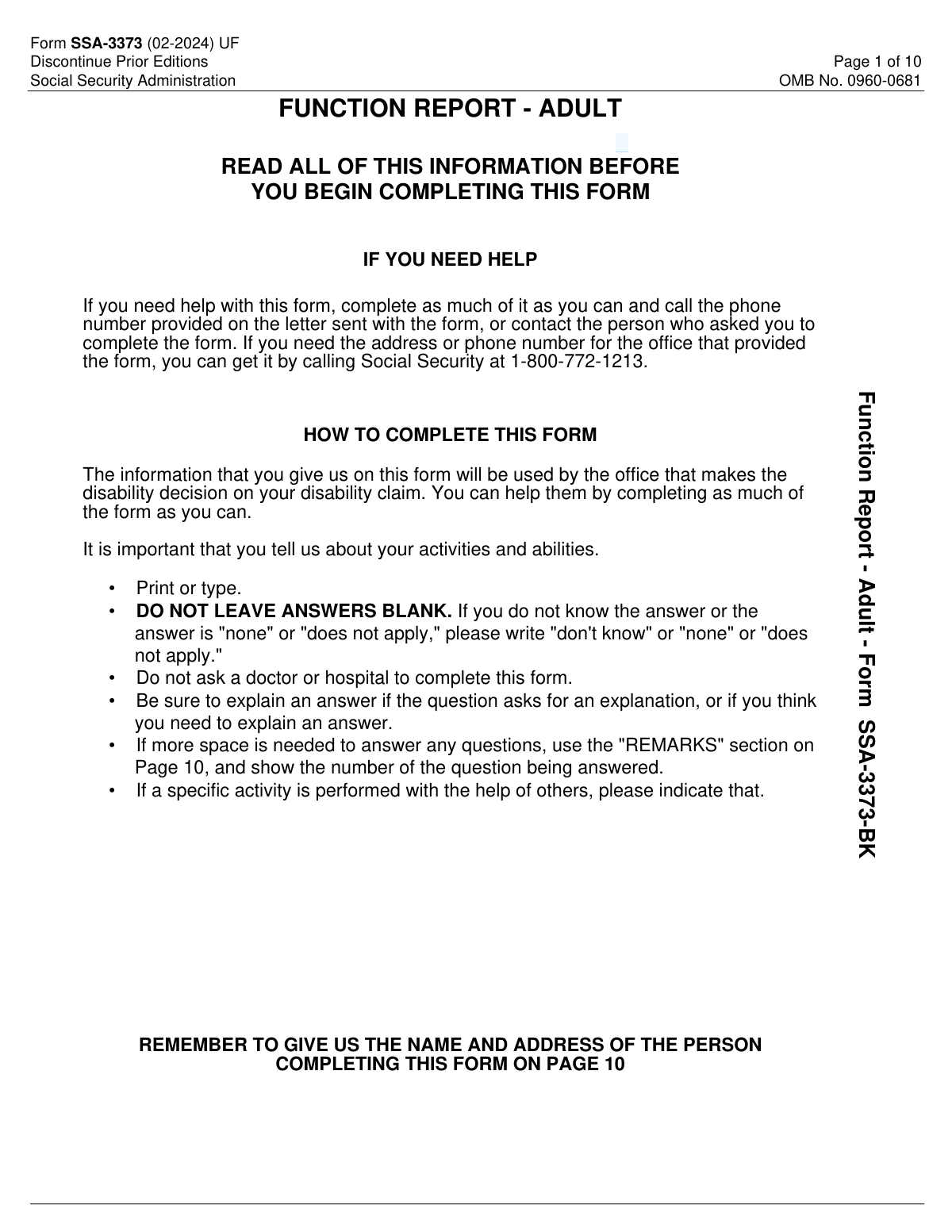
Yes! You can use AI to fill out Form SSA-3373-BK, Function Report - Adult

Form SSA-3373-BK, Function Report – Adult, is an SSA questionnaire completed by the disabled person or someone who knows them well to describe day-to-day functioning. It covers living situation, personal care, household tasks, social activities, and physical/mental abilities affected by illnesses, injuries, or conditions. SSA uses this information as part of the disability determination process to understand real-world limitations beyond medical records. Providing complete, specific examples (and noting any help needed) can be important to an accurate and timely decision.
Our AI automatically handles information lookup, data retrieval, formatting, and form filling.
It takes less than a minute to fill out SSA-3373 using our AI form filling.
Securely upload your data. Information is encrypted in transit and deleted immediately after the form is filled out.

Form specifications

Form name: Form SSA-3373-BK, Function Report - Adult
Number of pages: 10
Filled form examples: Form SSA-3373 Examples
Language: English
main-image

Instafill Demo: filling out a legal form in seconds

How to Fill Out SSA-3373 Online for Free in 2026

Are you looking to fill out a SSA-3373 form online quickly and accurately? Instafill.ai offers the #1 AI-powered PDF filling software of 2026, allowing you to complete your SSA-3373 form in just 37 seconds or less.
Follow these steps to fill out your SSA-3373 form online using Instafill.ai:
  1. 1 Enter identifying information in Section A (name, Social Security number, and reliable daytime contact number), and confirm living arrangement details.
  2. 2 In Section B, describe how your illnesses, injuries, or conditions limit your ability to work, using specific examples and measurable details when possible.
  3. 3 Complete Section C by documenting a typical day and how you handle caregiving, pets, sleep, personal care, meals, chores, shopping, transportation, money management, hobbies, and social activities (including any assistance or reminders you need).
  4. 4 Complete Section D by checking affected abilities (e.g., lifting, walking, concentration) and explaining each limitation with concrete limits (distance, time, frequency), plus information about stress, routine changes, and any unusual behaviors or fears.
  5. 5 List any assistive devices in Question 21 (what you use, whether a doctor prescribed it, when prescribed, and when you need it) and answer medication questions including side effects (Question 22).
  6. 6 Use Section E (Remarks) to add overflow details, clarify earlier answers, and ensure the person completing the form provides their name, date, address, and optional email before submitting to SSA as instructed.

Our AI-powered system ensures each field is filled out correctly, reducing errors and saving you time.

Why Choose Instafill.ai for Your Fillable SSA-3373 Form?

Speed

Complete your SSA-3373 in as little as 37 seconds.

Up-to-Date

Always use the latest 2026 SSA-3373 form version.

Cost-effective

No need to hire expensive lawyers.

Accuracy

Our AI performs 10 compliance checks to ensure your form is error-free.

Security

Your personal information is protected with bank-level encryption.

Frequently Asked Questions About Form SSA-3373

SSA uses this form to understand how your medical conditions affect your daily activities and ability to work. The disability decision office uses your answers as part of deciding your disability claim.

Ideally, the disabled person completes it. If someone else helps or completes it, SSA requires you to list the name and address of the person completing the form on Page 10.

No. The instructions specifically say not to ask a doctor or hospital to complete this form; it is meant to capture your day-to-day functioning in your own words (or a helper’s words).

Do not leave answers blank. Write “does not apply,” “none,” or “don’t know,” as appropriate.

Send or bring the completed form to your local Social Security office, or follow the instructions on the letter that came with the form. If you need the office contact information, you can call SSA at 1-800-772-1213 (TTY 1-800-325-0778).

SSA estimates it takes about 61 minutes to read the instructions, gather the facts, and answer the questions. Your time may vary depending on how many conditions and limitations you need to describe.

Explain specific work-related limitations caused by your conditions (for example, how long you can stand, how much you can lift, how pain or symptoms affect attendance, pace, or focus). Concrete examples are usually more helpful than general statements.

Describe a typical day from waking to bedtime, including personal care, meals, chores, rest periods, appointments, and any help you need. Include what you try to do and what you cannot do or can only do with breaks or assistance.

Yes. List the activity and clearly state who helps you and what they do (for example, reminders, physical assistance, transportation, or supervision).

If you truly have no problems with personal care, you can check the box indicating no problem. If you have any difficulty (even if occasional), explain what is hard and why (e.g., pain, dizziness, fatigue, memory issues).

Describe what you do, how often, how long it takes, and any changes since your conditions began. If you do tasks less often, need breaks, need help, or avoid certain tasks, explain those details.

SSA is asking which physical and mental functions are affected by your conditions and how. For each item you check, explain your limits with specifics (e.g., “can walk 1 block,” “can sit 20 minutes,” “can focus 10 minutes”).

Check the device(s) you use in Question 21 and explain which were prescribed by a doctor, when they were prescribed, and when you need to use them. Include “Other” if your device is not listed.

The form asks whether you currently take medicines and whether any cause side effects. If you have side effects, list only the medicines that cause side effects and describe the side effects rather than listing every medication.

Use the Remarks section on Page 10 if you need more space or want to add important details not captured elsewhere. Reference the question number you are continuing so SSA knows where the extra information belongs.

Compliance SSA-3373
Validation Checks by Instafill.ai

1
Disabled Person Name Completeness and Character Validation
Validate that the disabled person’s name includes at least a first and last name, and that the middle initial (if provided) is a single alphabetic character. Reject or flag entries containing invalid characters (e.g., excessive punctuation, numbers) or placeholder text. This matters because the name is a primary identifier used to match the form to the correct claim record; failures should trigger a request for correction or manual review.
2
Social Security Number (SSN) Format and Disallowed Values Check
Ensure the SSN is exactly 9 digits (or formatted as XXX-XX-XXXX) and contains only numeric characters aside from optional hyphens. Flag known invalid patterns such as all zeros in any group (e.g., 000-xx-xxxx, xxx-00-xxxx, xxx-xx-0000) or 123-45-6789. This is critical for identity matching and downstream eligibility processing; failures should block submission or route to exception handling.
3
Daytime Telephone Number Structure and Selection Consistency
Validate that the phone number includes a valid area code and 7-digit local number (10 digits total) and contains only digits and standard separators. If the form allows selecting “Your Number,” “Message Number,” or “None,” ensure exactly one option is selected and that a phone number is present unless “None” is selected. This prevents unreachable claimants and reduces adjudication delays; failures should prompt the user to correct the number or confirm “None.”
4
Living Arrangement (Where Do You Live) Single-Choice and 'Other' Detail Requirement
Confirm that exactly one residence type is selected (House, Apartment, Boarding House, Nursing Home, Shelter, Group Home, Other). If “Other” is selected, require a non-empty explanation in the “What?” field with meaningful text (not just 'N/A'). This ensures accurate context for functional limitations and contact logistics; failures should require completion before acceptance.
5
Household Composition (With Whom Do You Live) Single-Choice and Relationship Detail Requirement
Ensure exactly one option is selected (Alone, With Family, With Friends, Other). If “Other” is selected, require a relationship description (e.g., roommate, caregiver) and flag vague entries like “someone” without clarification. This is important for interpreting assistance levels and daily functioning; failures should trigger a correction request or manual follow-up.
6
Work Limitation Narrative (Question 5) Non-Blank and Minimum Information Check
Validate that the response describing how conditions limit ability to work is not blank and is not only a placeholder (e.g., empty, '—', or whitespace). If the user enters “none/does not apply,” require confirmation because the form is for disability-related limitations and such an answer may be inconsistent. This narrative is central to disability evaluation; failures should prevent submission or be flagged for adjudicator review.
7
Daily Routine Description (Question 6) Completeness Check
Require a non-empty description of activities from waking to bedtime, and flag responses that are too short to be meaningful (e.g., single word answers) unless “don’t know/none” is explicitly used with explanation. This information supports functional assessment across the day; missing or minimal content reduces decision accuracy. If validation fails, prompt for additional detail or route to manual review.
8
Conditional Detail Enforcement for Yes/No Questions (Caregiving, Pets, Sleep, Assistance)
For questions 7, 8, 9, and 11, enforce that a Yes/No selection is made and that any “YES” answer includes the required follow-up details (who/what/how). For example, if “Yes” to caring for pets, require what tasks are performed; if “Yes” to help from others, require who helps and what they do. This prevents incomplete branching data that adjudicators rely on; failures should block submission until follow-ups are completed.
9
Personal Care Section Consistency (No-Problem Checkbox vs. Explanations)
If the “NO PROBLEM with personal care” checkbox is selected, ensure no personal care limitations are described in the explanation fields (Dress, Bathe, etc.), or require the user to reconcile the contradiction. If the checkbox is not selected, require at least one personal care impact to be described or an explicit “none/does not apply.” This consistency is important for accurate functional scoring; failures should prompt correction.
10
Meals Preparation Logic and Follow-Up Completeness (Question 13)
If the user answers “Yes” to preparing meals, require entries for type of food, frequency, time to prepare, and changes since onset (or explicit 'none'). If the user answers “No,” require a reason in 13b and ensure the “Yes” detail fields are not filled in a conflicting way. This ensures the record clearly reflects independent living skills; failures should require completion or clarification.
11
House and Yard Work Detail Requirements and Contradiction Check (Question 14)
If chores are listed in 14a, require corresponding frequency/time details in 14b and ensure the “I don’t do house or yard work” explanation (14d) is not simultaneously provided without clarification. If no chores are listed, require 14d to explain why not. This matters because household activity is a key functional indicator; failures should prompt the user to add missing details or resolve contradictions.
12
Getting Around and Driving Consistency (Question 15)
Require an answer for how often the person goes outside, and if they indicate they do go out, require at least one travel method selection (walk/drive/ride/public transit/other). If “Do you drive?” is “Yes,” ensure “Drive a car” is selected as a travel method or require an explanation; if “No,” require a reason. This prevents inconsistent mobility data; failures should trigger correction prompts.
13
Shopping Section Completeness When Applicable (Question 16)
If any shopping method is selected (in stores/phone/mail/computer), require what they shop for and how often/how long it takes. If no method is selected, require an explicit statement that they do not shop (or 'does not apply') to avoid ambiguity. Shopping ability is used to assess independence and cognitive/physical capacity; failures should require completion.
14
Money Management Explanation Requirement for Any 'No' (Question 17)
For each money-handling item (pay bills, count change, handle savings, use checkbook/money orders), require a Yes/No response and enforce that any “No” has an explanation in the provided field. If the ability changed since onset is “Yes,” require a description of what changed and when/why if provided. This is important for evaluating cognitive functioning and representative payee needs; failures should block submission or be flagged.
15
Abilities Section (Question 20) Checked-Item Explanation and Quantitative Fields Validation
If any ability items are checked (e.g., lifting, walking, concentration), require an explanation for each checked item and flag missing explanations. Validate quantitative responses where expected: walking distance should be a positive number with units (feet/yards/miles), rest duration and attention span should include time units (minutes/hours). This ensures the data is actionable for functional capacity assessment; failures should prompt for units/details or route to manual review.
16
Assistive Devices Section (Question 21) Prescription and Usage Detail Validation
If any assistive device is checked, require completion of: which were prescribed by a doctor, when prescribed (at least month/year or a valid date), and when the aids are needed (frequency/conditions). If “Other” is checked, require a description of the device. This is important for corroborating severity and treatment history; failures should require additional detail or be flagged for follow-up.
17
Medicines and Side Effects Branching Completeness (Question 22 and Page 10 Side Effects Table)
Require a Yes/No answer to whether medicines are currently taken; if “Yes,” require a Yes/No answer for side effects. If side effects are “Yes,” require at least one row in the medicine/side effects table with both fields populated, and discourage listing all medicines by flagging unusually long lists for review. This supports symptom evaluation and credibility of limitations; failures should prompt completion or clarification.
18
Person Completing the Form Identity and Submission Date Validation (Page 10)
Require the name of the person completing the form and a valid date in MM/DD/YYYY format, ensuring the date is a real calendar date and not in the future. If the completer is not the disabled person (implied by differing names if available), require a complete mailing address (street, city, state, ZIP) and validate state as a 2-letter code and ZIP as 5 digits (optionally ZIP+4). This is essential for follow-up contact and evidentiary integrity; failures should block submission until corrected.

Common Mistakes in Completing SSA-3373

Leaving blanks instead of writing “none/does not apply/don’t know”

People often skip questions they think are irrelevant or they’re unsure about, but this form explicitly says not to leave answers blank. Blank fields can be interpreted as missing evidence and may trigger follow-up requests, delays, or an incomplete picture of your functioning. If something truly doesn’t apply or you don’t know, write “none,” “does not apply,” or “don’t know,” and add a brief note if needed.

Giving medical diagnoses instead of functional limitations (Question 5 and Section D)

Many applicants describe conditions (e.g., “I have arthritis”) without explaining how those conditions limit work-related abilities. SSA needs functional details—what you can/can’t do, how long, how often, and what happens when you try—because disability decisions are based heavily on functional capacity. Avoid vague statements and include specifics like lifting limits, standing/walking duration, need for breaks, pain levels with activity, and symptom triggers.

Writing a “typical day” that omits rest breaks, bad days, and variability (Question 6)

People frequently describe an ideal day or a simplified routine and leave out naps, lying down, recovery time, or days they cannot function. This can make it appear you are more independent and consistent than you actually are, which may undermine your claim. Describe your day realistically, including how often you rest, how long tasks take, what you can’t finish, and how your routine changes on bad days versus better days.

Not identifying help from others or using assistive supports (Questions 7–9, 12–14, 21)

Applicants often say they “do” an activity but forget to mention they need reminders, supervision, physical help, or adaptive tools. SSA evaluates independence and the level of assistance required; missing this detail can make limitations look less severe. Always specify who helps, what they do, how often, and whether you use aids (cane, walker, brace, etc.), including whether a doctor prescribed them and when.

Checking “no problem with personal care” while describing difficulties elsewhere (Question 12)

Some people check the “NO PROBLEM” box out of habit or pride, even though they struggle with dressing, bathing, toileting, shaving, or hair care. Inconsistencies across the form can reduce credibility and may prompt SSA to question the accuracy of the report. If you have any difficulty, do not check the box; instead, explain what is hard (buttons, bending, standing in shower), what assistance you need, and how long it takes.

Providing incomplete meal-prep details (Question 13)

A common mistake is answering “Yes, I cook” without describing what you cook, how often, how long it takes, and what changed since your conditions began. SSA uses these details to gauge stamina, concentration, hand use, standing tolerance, and safety. Specify the type of meals (microwave vs. full meals), frequency, time required, whether you need breaks or help, and why you cannot cook if you answered “No.”

Listing chores/shopping without frequency, duration, and after-effects (Questions 14 and 16)

People often list activities (laundry, cleaning, shopping) but omit how long they take, how often they occur, and what limitations apply (pain, fatigue, needing to sit, needing help). Without these details, SSA may assume you can do tasks at a normal pace and schedule. Include measurable information (e.g., “10 minutes then rest 20,” “once a week with help,” “cannot carry more than X pounds,” “symptoms flare for hours afterward”).

Contradictory “getting around” answers (Question 15: going out, traveling, driving, alone)

Applicants sometimes say they rarely go outside but also indicate they drive, use public transportation, or shop frequently without explaining the circumstances. These inconsistencies can create confusion about mobility, safety, and independence. Clarify how often you go out, whether you need someone with you, whether you drive only short distances or on good days, and why you cannot go out alone if you select “No.”

Not explaining all “NO” answers about money management (Question 17)

The form specifically asks you to explain every “NO” response, but people often skip the explanation. Money-handling questions relate to cognition, concentration, memory, and judgment; missing explanations can lead to follow-up requests or an incomplete assessment. If you answer “No,” describe what goes wrong (forgetting due dates, confusion with change, impulsive spending, needing a representative payee) and what support you use.

Failing to quantify physical and mental abilities in Section D (walking distance, attention span, instructions)

Many responses are vague (e.g., “I can’t walk far,” “I can’t focus”) and don’t provide the measurable details SSA requests. Vague answers make it hard to translate limitations into work-related restrictions and may weaken the persuasiveness of the report. Provide numbers and examples: how far you can walk before stopping, how long you must rest, how long you can pay attention, whether you finish tasks, and real-world examples of difficulty following written/spoken instructions.

Omitting medication side effects or listing all meds instead of only those with side effects (Question 22 and Page 10)

People either forget to mention side effects (drowsiness, dizziness, nausea, brain fog) or they list every medication even though the form asks only for medicines that cause side effects. Side effects can be important functional limitations, but irrelevant lists can dilute the key information and create confusion. Answer “Yes” if side effects occur, then list only the medications that cause them and describe the specific side effects and how they affect daily functioning.

Forgetting the Page 10 “person completing this form” identification and date

Applicants sometimes focus on the activity questions and overlook the required signature block information: name of the person completing the form, date (MM/DD/YYYY), and address. Missing this can cause processing delays or requests to re-submit because SSA needs to know who provided the information and when. Before submitting, confirm Page 10 is completed, the date format is correct, and contact information is legible.
Saved over 80 hours a year

“I was never sure if my IRS forms like W-9 were filled correctly. Now, I can complete the forms accurately without any external help.”

Kevin Martin Green

Your data stays secure with advanced protection from Instafill and our subprocessors

Robust compliance program

Transparent business model

You’re not the product. You always know where your data is and what it is processed for.

ISO 27001, HIPAA, and GDPR

Our subprocesses adhere to multiple compliance standards, including but not limited to ISO 27001, HIPAA, and GDPR.

Security & privacy by design

We consider security and privacy from the initial design phase of any new service or functionality. It’s not an afterthought, it’s built-in, including support for two-factor authentication (2FA) to further protect your account.

Fill out SSA-3373 with Instafill.ai

Worried about filling PDFs wrong? Instafill securely fills form-ssa-3373-bk-function-report-adult-1 forms, ensuring each field is accurate.