Yes! You can use AI to fill out Inherited IRA Application for Individual Beneficiaries
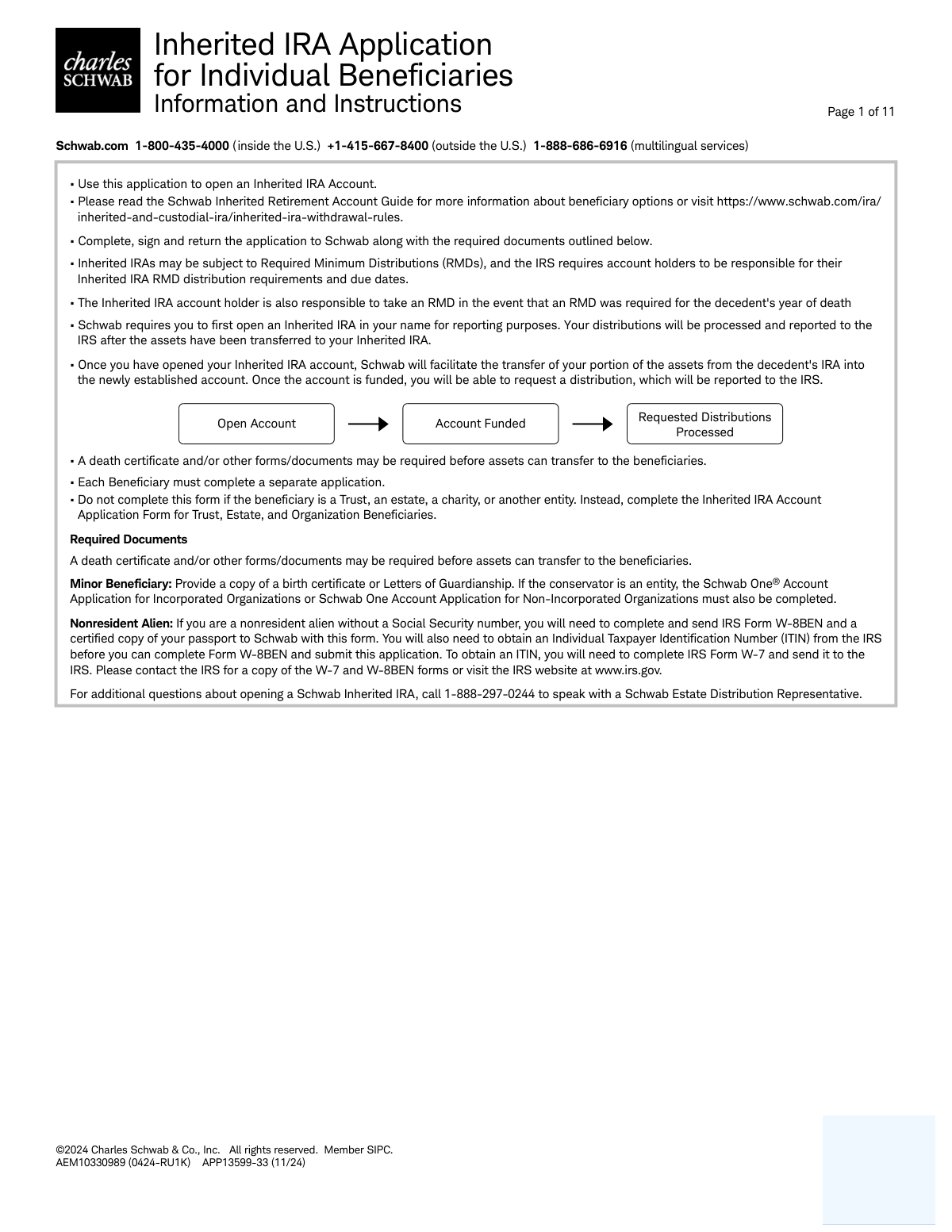
This form is an application used by an individual beneficiary to open an Inherited IRA account with Charles Schwab. It is a crucial document for legally transferring retirement assets from a deceased person's account to their designated heir, capturing details about the decedent, the beneficiary, and instructions for the asset transfer. Today, this form can be filled out quickly and accurately using AI-powered services like Instafill.ai, which can also convert non-fillable PDF versions into interactive fillable forms.
APP13599-33 is part of the
IRA forms, inherited IRA forms, individual application forms and IRA application forms categories on Instafill.
Rather not fill this in by hand? Instafill is an online form filler that completes PDF forms automatically — upload the blank form, answer a few questions, and the AI fills every field.
Form specifications
| Form name: | Inherited IRA Application for Individual Beneficiaries |
| Number of pages: | 1 |
| Language: | English |
Our AI automatically handles information lookup, data retrieval, formatting, and form filling.
It takes less than a minute to fill out APP13599-33 using our AI form filling.
Securely upload your data. Information is encrypted in transit and deleted immediately after the form is filled out.
Instafill Demo: How to fill out PDF forms in seconds with AI
How to Fill Out APP13599-33 Online for Free in 2026
Are you looking to fill out a APP13599-33 form online quickly and accurately? Instafill.ai offers the #1 AI-powered PDF filling software of 2026, allowing you to complete your APP13599-33 form in just 37 seconds or less.
Follow these steps to fill out your APP13599-33 form online using Instafill.ai:
- 1 Navigate to Instafill.ai and upload or select the Schwab Inherited IRA Application for Individual Beneficiaries.
- 2 Provide the required information about the decedent, including their full name, Schwab account number, and date of death.
- 3 Complete the Account Holder Information section with your personal details, such as name, address, Social Security Number, and employment status.
- 4 Specify your investment objectives and designate your own primary and contingent beneficiaries for the new inherited account.
- 5 Review all the information auto-filled by the AI for accuracy, then electronically sign and date the application in the authorization section.
- 6 Download the completed application and submit it to Charles Schwab along with any required supporting documents, such as a death certificate.
Our AI-powered system ensures each field is filled out correctly, reducing errors and saving you time.
Why Choose Instafill.ai for Your Fillable APP13599-33 Form?
Speed
Complete your APP13599-33 in as little as 37 seconds.
Up-to-Date
Always use the latest 2026 APP13599-33 form version.
Cost-effective
No need to hire expensive lawyers.
Accuracy
Our AI performs 10 compliance checks to ensure your form is error-free.
Security
Your personal information is protected with bank-level encryption.
Frequently Asked Questions About APP13599-33
This form is used by an individual beneficiary to open a Schwab Inherited IRA account and claim the assets from a deceased person's IRA. It facilitates the transfer of retirement funds into an account under the beneficiary's name.
This form must be completed by any individual, such as a spouse, child, or other person, who is a named beneficiary of a Schwab IRA. It is not intended for trusts, estates, charities, or other organizational beneficiaries, who must use a different form.
You must submit a certified copy of the decedent's death certificate with the application. Additional documents, like a birth certificate for a minor or Form W-8BEN for a non-resident alien, may be required depending on your situation.
As a spousal beneficiary, you can choose to transfer the assets to your own existing Schwab IRA, open a new IRA in your name, or open a new Inherited IRA. Transferring the assets to your own IRA treats the funds as your own for retirement purposes.
If you are a non-spouse beneficiary, you must select option C to transfer the assets and open a new Schwab Inherited IRA. This establishes the account correctly in your name as the inheritor.
After you submit the application, Schwab will open an Inherited IRA in your name for reporting purposes. Once the account is established, Schwab will transfer your portion of the assets, and you will then be able to request distributions.
Yes, Inherited IRAs are often subject to Required Minimum Distributions (RMDs), and you are responsible for taking them by the IRS deadlines. You must also take any RMD the decedent was required to take in their year of death but did not.
A Trusted Contact is someone you authorize Schwab to contact if they suspect financial exploitation or cannot reach you about your account. It is a voluntary but recommended security measure; this person cannot make transactions or view your account information.
Yes, Section 7 of the form allows you to designate your own primary and contingent beneficiaries for the new Inherited IRA. This determines who will inherit the remaining funds from you upon your death.
You can submit the completed form and required documents by uploading them online via secure message on Schwab.com, faxing them to 1-888-526-7252, or delivering them in person to a local Schwab branch.
If the beneficiary is a minor, an adult must act as the custodian and complete the 'Custodian Information' section (pages 5-7). You will also need to provide a copy of the minor's birth certificate or Letters of Guardianship.
Yes, services like Instafill.ai use AI to help you accurately auto-fill form fields, which can save time and reduce the chance of errors. You can upload the form to their platform to get started.
To fill out this form online, you can use a service like Instafill.ai. Simply upload the PDF to their website, and you can type your information directly into the fields, sign it, and download the completed document for submission.
If you have a non-fillable or 'flat' PDF, you can use a tool like Instafill.ai to convert it into an interactive, fillable form. This allows you to easily type your information instead of printing and filling it out by hand.
Compliance APP13599-33
Validation Checks by Instafill.ai
1
Decedent's Date of Death Validity
This check validates that the 'Date of Death' entered in Section 1 is on or after the 'Date of Birth' for the decedent. This is a fundamental logical check to ensure data integrity and prevent obvious data entry errors. An invalid date sequence would make the application nonsensical and cause processing to fail until corrected.
2
Mutually Exclusive Account Instructions
Verifies that only one option (A, B, C, D, or E) is selected in Section 2, 'Account Instructions'. These instructions are mutually exclusive, and selecting more than one would create ambiguity and prevent Schwab from knowing how to process the account transfer. If more than one option is selected, the form should be rejected for clarification.
3
Spousal Transfer Eligibility Verification
This validation ensures that if the applicant selects a spousal-only transfer option (2A or 2B), they have also identified themselves as 'Spouse' in Section 3, 'Relationship to Decedent'. This is crucial because spousal beneficiaries have different rollover rules and options than non-spousal beneficiaries. A mismatch would lead to incorrect account setup and potential tax consequences, so the application must be flagged.
4
Conditional Requirement for Custodian Information
This check confirms that if 'Non-Spouse Minor Individual' is selected in Section 3, the entire 'Custodian Information' section (pages 5-7) is fully completed. A minor cannot legally own the account directly, so a custodian is required by law to manage it on their behalf. Failure to provide complete custodian information will halt the account opening process until the required data is submitted.
5
P.O. Box Restriction on Legal and Business Addresses
This validation scans the 'Home/Legal Street Address' (Section 3) and 'Business Street Address' (Section 4) fields to ensure they do not contain 'P.O. Box' or similar variants. Federal regulations require financial institutions to obtain a physical address for identity verification purposes. If a P.O. Box is detected in a restricted field, the form must be returned for correction.
6
Employment Status and Occupation Details Dependency
Verifies that if the applicant's employment status in Section 3 is marked as 'Employed' or 'Self-Employed,' then the subsequent 'Occupation,' 'Employer Name,' and 'Business Street Address' fields are completed. This information is required by securities industry regulations to understand the client's financial profile. Incomplete information will result in a compliance failure and prevent account approval.
7
Conditional Requirement for Regulatory Affiliation Details
This check ensures that if an applicant answers 'Yes' to being associated with a FINRA member firm or being an officer of a publicly held company (Section 4), the corresponding detail fields (company name, trading symbol) are filled out. This is a strict regulatory requirement to monitor for potential conflicts of interest. Missing details will cause the application to be flagged as incomplete and require follow-up.
8
Liquid Net Worth Range Specification
This validation confirms that if the applicant selects the '$250,000 or more' checkbox for 'Liquid Net Worth' in Section 4, they must also provide a specific dollar amount in the adjacent field. This level of detail is necessary for suitability assessments and to understand the client's financial capacity more accurately. An empty specification field when the top bracket is chosen will render the financial profile incomplete.
9
Beneficiary Allocation Percentage Total
This check calculates the sum of the 'Portion %' fields for all designated Primary Beneficiaries and, separately, for all Contingent Beneficiaries in Section 7. Each group's total must equal exactly 100% if percentages are provided, ensuring the entire account value is allocated without ambiguity. An incorrect sum would create legal and processing issues upon the new account holder's death, so the form must be corrected before acceptance.
10
Government ID Expiration Date Check
This validation ensures the 'Expiration Date' provided for the government-issued ID in Section 3 is not in the past. Financial institutions are required to verify identity using current, unexpired documentation as part of their Customer Identification Program (CIP). An expired ID is not valid for verification, and the application will be rejected pending submission of current ID information.
11
Conditional Signature for Resigning Custodian
This check verifies that if 'Resignation of Custodian' is selected as the reason for change in Section 2, Part E, then Section 9 is completed with signatures from both the resigning custodian and a witness. This signed authorization is legally required to document the formal transfer of custodial duties. Without these signatures, the change of custodian cannot be processed.
12
SSN and Tax ID Number Format
This check ensures that all Social Security Number and Tax ID Number fields (for the decedent, account holder, custodian, and beneficiaries) adhere to a valid format (e.g., XXX-XX-XXXX or XX-XXXXXXX). Correctly formatted tax identification numbers are essential for IRS reporting and identity verification. An incorrectly formatted number will cause processing and reporting errors and must be corrected.
13
Trusted Contact Minimum Contact Information
This check ensures that if a name is provided for a Trusted Contact Person in Section 3, at least one method of contact (Mailing Address, Telephone Number, Mobile Number, or Email Address) is also provided. The purpose of a trusted contact is to have someone to reach out to, which is impossible without contact details. The form should be flagged for follow-up if a name is listed without any way to contact them.
14
Mandatory Account Holder Signature and Date
This validation verifies that the 'Account Holder/Custodian' signature line and 'Today's Date' field in Section 8 are completed. The signature is the applicant's legal authorization to open the account and their agreement to all terms and conditions. An unsigned or undated application is not legally binding and cannot be processed.
Common Mistakes in Completing APP13599-33
This application is exclusively for individual beneficiaries. People often make the mistake of using it for a trust, estate, or charity, which requires a different form. This fundamental error leads to immediate rejection and requires the entire process to be restarted with the correct paperwork, causing significant delays. To avoid this, carefully read the instructions on page 1 and confirm you are an individual beneficiary before proceeding.
Applicants often struggle to provide the complete and accurate information for the decedent in Section 1, especially the Schwab Account Number. Without this precise data, Schwab cannot locate the original account to begin the asset transfer process. An incomplete or incorrect entry will halt the application until the information is corrected, delaying access to the inherited funds. Always double-check these details against account statements or contact a Schwab representative if you are unsure.
In Section 2, options A and B are strictly for spouse beneficiaries, offering unique rollover capabilities. A common error is for a non-spouse (like a child or sibling) to select one of these options, which is not legally permissible and will cause the application to be rejected. Non-spouse beneficiaries must choose option C or D. Carefully read the heading for each option to ensure it applies to your relationship with the decedent.
The application requires several supporting documents depending on the situation, such as a death certificate, letters of guardianship for a minor, or an employer approval letter for FINRA-affiliated individuals. Applicants frequently forget to include one or more of these required attachments, rendering the submission incomplete. This is one of the most common reasons for processing delays, so create a checklist from the instructions on page 1 to ensure all necessary documents are returned with the application.
In Section 3, the form explicitly states 'No P.O. Boxes' for the Home/Legal Street Address, a requirement under federal law for identity verification. Many people enter a P.O. Box out of habit, which will cause the application to be flagged and returned for correction. To prevent this, always provide a physical street address for your legal residence and use the separate 'Mailing Address' section if you wish to receive mail at a P.O. Box.
The regulatory questions in Section 3 regarding association with a broker-dealer (FINRA) are often misunderstood or overlooked. If an applicant answers 'Yes,' they must provide the company name and attach an approval letter from their employer, a strict industry requirement. Forgetting this letter is a critical error that will prevent the account from being opened until the compliance documentation is received. AI-powered tools like Instafill.ai can help by flagging conditional requirements like this to ensure no necessary documents are missed.
In Section 7, applicants must designate percentages for their own beneficiaries that total exactly 100% for the primary group and 100% for the contingent group. People often make calculation errors, or the portions do not add up correctly, creating ambiguity that can lead to legal complications upon their death. To avoid this, carefully calculate the percentages and double-check that they sum to 100 for each beneficiary type before signing.
When the beneficiary is a minor, the 'Custodian Information' section (pages 5-7) must be fully completed by the adult who will manage the account. A frequent mistake is for the custodian to only fill out the main 'Account Holder' section and leave their own detailed section blank. This omission will halt the application, as Schwab cannot establish the account without verifying the custodian's identity and information. If the form is a non-fillable PDF, a tool like Instafill.ai can convert it to a fillable version, making it easier to navigate and complete all required sections.
When providing identification in Section 3, applicants often enter their driver's license or passport number but forget to include the issue date, expiration date, and state or country of issuance. All of these fields are mandatory for identity verification purposes, and leaving any of them blank will result in a processing failure. To prevent delays, ensure every detail for your chosen ID type is filled in correctly. Using an AI form-filler like Instafill.ai can help prevent this by validating that all required fields in a section are complete before submission.
Saved over 80 hours a year
“I was never sure if my IRS forms like W-9 were filled correctly. Now, I can complete the forms accurately without any external help.”
Kevin Martin Green
Your data stays secure with advanced protection from Instafill and our subprocessors




Robust compliance program
Transparent business model
You’re not the product. You always know where your data is and what it is processed for.
ISO 27001, HIPAA, and GDPR
Our subprocesses adhere to multiple compliance standards, including but not limited to ISO 27001, HIPAA, and GDPR.
Security & privacy by design
We consider security and privacy from the initial design phase of any new service or functionality. It’s not an afterthought, it’s built-in, including support for two-factor authentication (2FA) to further protect your account.
Fill out APP13599-33 with Instafill.ai
Worried about filling PDFs wrong? Instafill securely fills inherited-ira-application-for-individual-beneficiaries forms, ensuring each field is accurate.
