Yes! You can use AI to fill out Merakey Personal Leave of Absence Request Form
The Merakey Personal Leave of Absence Request Form is an internal document for employees to request an unpaid leave of absence for up to twelve weeks for significant personal reasons. This request is for situations that fall outside the scope of the Family and Medical Leave Act (FMLA) and requires approval from management and Human Resources. Today, this form can be filled out quickly and accurately using AI-powered services like Instafill.ai, which can also convert non-fillable PDF versions into interactive fillable forms.
Merakey Leave Request is part of the
HR forms, leave forms, Merakey forms, leave of absence forms and leave request forms categories on Instafill.
Rather not fill this in by hand? Instafill is an online form filler that completes PDF forms automatically — upload the blank form, answer a few questions, and the AI fills every field.
Form specifications
| Form name: | Merakey Personal Leave of Absence Request Form |
| Number of pages: | 1 |
| Language: | English |
Our AI automatically handles information lookup, data retrieval, formatting, and form filling.
It takes less than a minute to fill out Merakey Leave Request using our AI form filling.
Securely upload your data. Information is encrypted in transit and deleted immediately after the form is filled out.
Instafill Demo: How to fill out PDF forms in seconds with AI
How to Fill Out Merakey Leave Request Online for Free in 2026
Are you looking to fill out a MERAKEY LEAVE REQUEST form online quickly and accurately? Instafill.ai offers the #1 AI-powered PDF filling software of 2026, allowing you to complete your MERAKEY LEAVE REQUEST form in just 37 seconds or less.
Follow these steps to fill out your MERAKEY LEAVE REQUEST form online using Instafill.ai:
- 1 Navigate to Instafill.ai and upload or select the Merakey Personal Leave of Absence Request Form.
- 2 Use the AI assistant to automatically populate your personal information, such as your name, address, work site, and supervisor's name.
- 3 Clearly state the reason for your leave request and specify the projected start and end dates in the designated fields.
- 4 Attach any necessary supporting documentation to substantiate your request for the leave of absence.
- 5 Review all the information you've entered for accuracy, then electronically sign and date the form.
- 6 Download the completed form and submit it to your direct supervisor to initiate the official review and approval process.
Our AI-powered system ensures each field is filled out correctly, reducing errors and saving you time.
Why Choose Instafill.ai for Your Fillable Merakey Leave Request Form?
Speed
Complete your Merakey Leave Request in as little as 37 seconds.
Up-to-Date
Always use the latest 2026 Merakey Leave Request form version.
Cost-effective
No need to hire expensive lawyers.
Accuracy
Our AI performs 10 compliance checks to ensure your form is error-free.
Security
Your personal information is protected with bank-level encryption.
Frequently Asked Questions About Merakey Leave Request
This form is used by Merakey employees to request an unpaid leave of absence for compelling personal reasons that do not fall under FMLA or other specific leave policies.
All regular full-time and part-time Merakey employees are eligible to request leave. However, specific types of leave, like FMLA, have additional requirements, such as being employed for at least 12 months and working 1,250 hours in the past year.
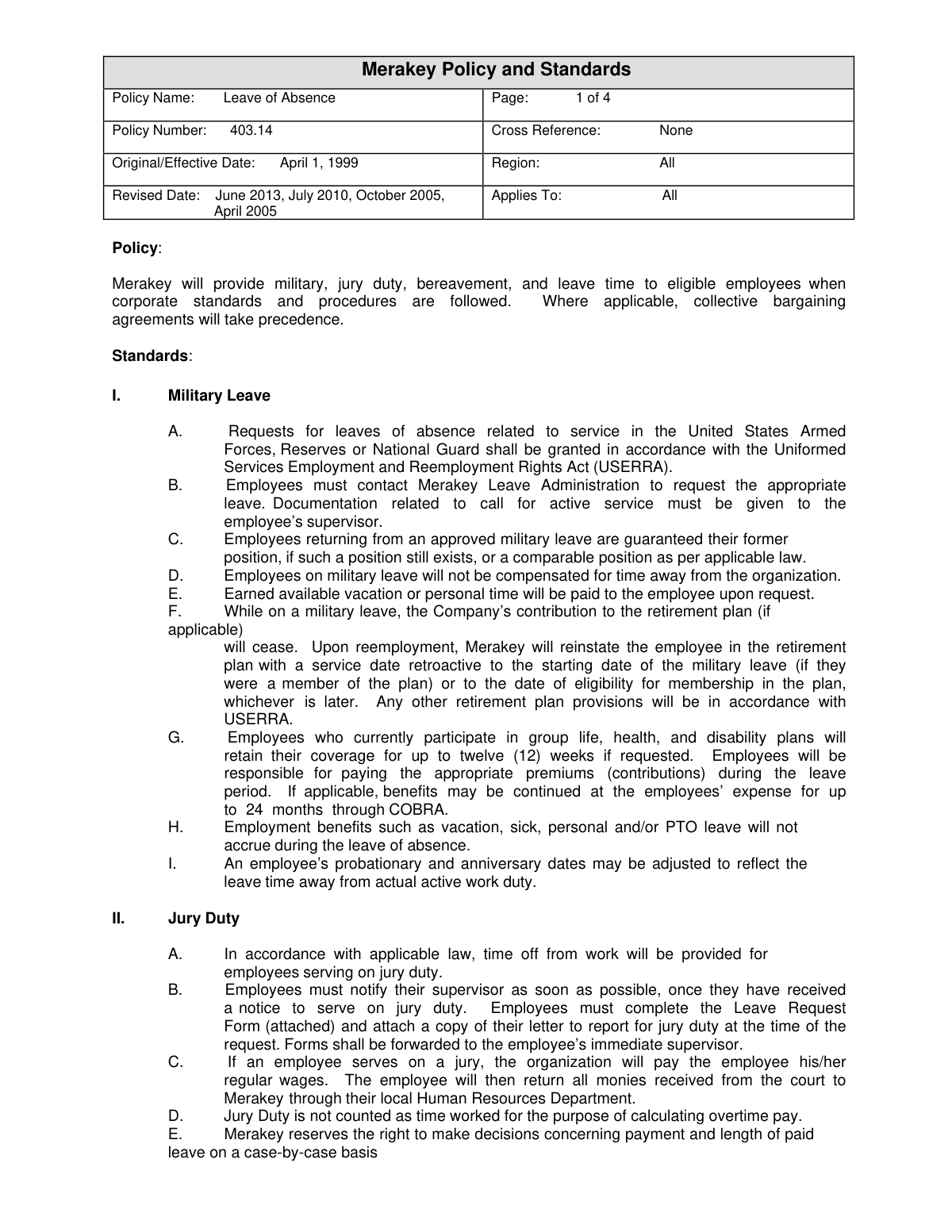
You must complete the Request for Time Off form and attach a copy of your official letter to report for jury duty. This should be submitted to your supervisor as soon as you receive the notice.
Regular employees are granted up to three paid workdays for the death of an immediate family member and up to one paid day for a non-immediate family member.
It depends on the leave type; jury duty and bereavement are paid. FMLA and personal leaves are unpaid, but you are required to use any available vacation, personal, and/or PTO time concurrently with your leave.
No, job reinstatement is not guaranteed for a Personal Leave of Absence. However, Merakey will make efforts to place you in the same or a similar position if one is available.
Your health benefits continue during any paid portion of your leave. Once the leave becomes unpaid, your company benefits will end, and you will be eligible to continue coverage at your own expense through COBRA.
You must provide a minimum of thirty (30) days' advance notice for a foreseeable leave, such as a planned FMLA or Personal Leave of Absence. If the leave is unexpected, you must provide notice within one business day of learning of the need.
Your supervisor, Director, and HR will review the request and make a decision as soon as possible, but no later than one week after receiving the form.
You must complete and sign the form, then submit it directly to your immediate supervisor or their designee as soon as possible.
FMLA is a federally protected leave for specific family and medical reasons with guaranteed job reinstatement for eligible employees. A Personal Leave of Absence is a discretionary, non-guaranteed leave granted by Merakey for compelling personal reasons not covered by FMLA.
Yes, services like Instafill.ai use AI to help you accurately auto-fill form fields, which can save time and reduce the chance of errors on your request.
You can use a service like Instafill.ai to upload the PDF. The platform will make the form fillable online, allowing you to type your information directly into the fields before printing it for submission.
If you have a non-fillable or 'flat' PDF, you can use a tool like Instafill.ai. It is designed to convert such documents into interactive, fillable forms that you can easily complete online.
Compliance Merakey Leave Request
Validation Checks by Instafill.ai
1
Ensures Leave Dates are Logically Ordered
This check validates that the 'Projected Start Date' of the leave occurs after the 'Last Day Worked', and the 'Projected End Date' occurs after the 'Projected Start Date'. This is crucial for maintaining accurate and logical leave records in the HRIS system. If the dates are entered in an illogical sequence, the form submission will be blocked, and the user will be prompted to correct the dates.
2
Validates Minimum Personal Leave Duration
According to policy VI.J, the minimum amount of personal leave that can be taken is one week. This validation calculates the duration between the 'Projected Start Date' and 'Projected End Date' to ensure it is at least seven days. This prevents requests for durations that violate company policy, and failure will result in an error message explaining the minimum leave requirement.
3
Verifies Reason for Leave is Complete
This check ensures that if the 'Other' option is selected for the 'Reason for Personal Leave of Absence', the corresponding text field is not empty. Providing a specific reason is necessary for supervisors and HR to properly evaluate the request. If the text field is left blank when 'Other' is checked, the form cannot be submitted until a reason is provided.
4
Validates All Date Field Formats
This validation ensures that all date-entry fields on the form, such as 'Date Submitted', 'Last Day Worked', and leave start/end dates, are entered in a valid and consistent format (e.g., MM/DD/YYYY). Correct date formatting is essential for accurate record-keeping, date calculations, and system processing. An invalid format will trigger an error, preventing submission until the format is corrected.
5
Requires Reason for Request Denial
This check is for the supervisor's section of the form. It mandates that if the 'Deny' option is selected for the leave request, the 'Reason' text field must be filled out. This ensures that the employee receives a clear explanation for the denial as per policy, which is important for transparency and potential appeals. The form will not proceed if 'Deny' is checked and the reason is blank.
6
Confirms Employment Status Selection
This validation ensures that the employee has selected one of the employment status options (Full Time, Part Time, PRN, FFS). This information is critical for determining eligibility for certain benefits and for correct processing of the leave request. The form will be considered incomplete and cannot be submitted until one status is checked.
7
Checks for Mandatory Employee Information
This is a completeness check to verify that all required employee identification fields, including 'Employee Name', 'Employee Address', 'Work Site', and 'Supervisor', are filled out. This basic information is necessary to identify the employee and route the request through the correct approval chain. Submission will be blocked with a notification highlighting the missing fields if any are empty.
8
Validates Bereavement Leave Duration Based on Relationship
On the 'Request for Time Off' form, this rule cross-references the number of days requested for bereavement with the 'Relationship' provided. It enforces the policy of up to three days for immediate family and one day for non-immediate family. This prevents requests that exceed the policy allowance, and an error will prompt the user to adjust the dates or review the policy.
9
Requires Documentation for Jury Duty
As per policy II.B, employees must attach a copy of their jury duty summons when making the request. This validation checks that if 'Jury Duty' is selected on the 'Request for Time Off' form, a file has been attached to the submission. This ensures compliance and proper documentation for paid leave, and the form will not be accepted without the attachment.
10
Verifies Advance Notice Period for Leave
The policy requires a minimum of 30 days' advance notice for foreseeable leave. This validation compares the 'Date Submitted' with the 'Projected Start Date' to check if this condition is met. If the notice is less than 30 days, the system could flag the request for additional review or require the user to provide a justification for the short notice.
11
Ensures Benefits Status Question is Answered
This check confirms that the employee has answered the 'Do you currently have benefits through Merakey?' question with either 'YES' or 'NO'. This information is critical for the HR Benefits department to manage the employee's coverage during the leave, especially regarding the transition to COBRA. The form cannot be submitted until this question is answered.
12
Validates Maximum Leave Entitlement
The policy allows for up to twelve weeks of personal leave in a rolling 12-month period. This validation would check the employee's leave history in the HRIS system and add the currently requested leave duration. If the total exceeds twelve weeks, the request would be flagged or denied, preventing overuse of leave entitlement.
Common Mistakes in Completing Merakey Leave Request
Employees often confuse the different types of leave and use the wrong form, such as filling out the 'Personal Leave of Absence Request' for a situation covered by FMLA. This happens due to the complexity of leave policies. Submitting the incorrect form leads to significant processing delays, rejection, and the need to restart the application process with the correct paperwork. To avoid this, carefully read the policy definitions for FMLA, Personal Leave, and standard Time Off before selecting a form.
The forms and policies explicitly state that supporting documentation is required for many leave types, such as a jury duty summons or verification for a compelling personal reason. People often forget to attach these documents, assuming the form itself is sufficient. This omission will, at best, delay the approval process while HR requests the missing information, and at worst, lead to an automatic denial of the leave request. Always gather all necessary paperwork before you begin filling out the form.
In the 'Reason for Personal Leave of Absence' section, employees may provide a one or two-word answer like 'personal matter' or 'family issue'. This lack of detail prevents management and HR from properly evaluating the request against company policy for 'compelling personal reasons'. An insufficient explanation can lead to follow-up questions, delays, or denial of the request. Be concise but clear, providing enough context for a decision to be made, and attach a separate sheet if more space is needed.
Mistakes in the 'Last Day Worked,' 'Projected Start Date,' and 'Projected End Date' fields are very common, including using incorrect date formats, leaving a date blank, or providing illogical dates (e.g., a start date before the last day worked). These errors create confusion for payroll and scheduling and can delay the processing of your leave and benefits. Double-check all dates for accuracy and logical consistency before submitting the form. AI-powered tools like Instafill.ai can help by validating date formats automatically.
Forgetting to sign and date the request form is one of the most frequent and critical errors. An unsigned form is not legally valid and will be considered an incomplete submission by HR. This simple oversight will halt the entire approval process until a signed copy is received, potentially causing you to miss important deadlines or have your leave start date pushed back. Always perform a final review of the form to ensure your signature and the correct submission date are present.
The policy requires a minimum of 30 days' advance notice for foreseeable leaves. Employees sometimes submit their request much closer to the desired start date without providing a reason why the notice period couldn't be met. This can result in the request being denied due to insufficient time for management to arrange coverage. To avoid this, plan ahead and submit your request as early as possible, adhering to the 30-day rule unless the need for leave was genuinely unforeseeable.
On the 'Request for Time Off' form, employees may check a box like 'Bereavement' or 'Other' but fail to fill in the required corresponding information, such as 'Relationship' or the reason for the 'Other' request. This incomplete information forces the supervisor to track the employee down for clarification, delaying approval. Always ensure you fill out all relevant fields associated with the type of time off you are requesting.
Applicants sometimes overlook fields like 'Work Site,' 'Position Title,' or their employment status (Full Time/Part Time). While this seems like basic information, it is essential for routing the form to the correct managers and for HR to accurately process the leave in the system. An incomplete form can get lost or delayed. Using a tool like Instafill.ai can prevent this by auto-filling saved personal data and highlighting any remaining empty required fields. If the form is a non-fillable PDF, Instafill.ai can also convert it to a smart, fillable version.
An employee might apply for a 'Personal Leave of Absence' without realizing it has a minimum duration of one week, or apply for FMLA without meeting the 12-month/1,250-hour work requirement. This stems from not fully reading the detailed policy before filling out the form. Applying for a leave you are not eligible for results in a denied request and wasted time. Carefully review the eligibility standards in the policy document for the specific leave you are interested in before submitting a request.
The 'Personal Leave Of Absence Request' form asks, 'Do you currently have benefits through Merakey?'. Forgetting to check 'YES' or 'NO' is a common oversight. This information is critical for the Benefits Department to manage the continuation or cessation of health coverage (COBRA) correctly. Missing this information will trigger a follow-up from HR and can delay the proper handling of your insurance benefits during your leave.
Saved over 80 hours a year
“I was never sure if my IRS forms like W-9 were filled correctly. Now, I can complete the forms accurately without any external help.”
Kevin Martin Green
Your data stays secure with advanced protection from Instafill and our subprocessors




Robust compliance program
Transparent business model
You’re not the product. You always know where your data is and what it is processed for.
ISO 27001, HIPAA, and GDPR
Our subprocesses adhere to multiple compliance standards, including but not limited to ISO 27001, HIPAA, and GDPR.
Security & privacy by design
We consider security and privacy from the initial design phase of any new service or functionality. It’s not an afterthought, it’s built-in, including support for two-factor authentication (2FA) to further protect your account.
Fill out Merakey Leave Request with Instafill.ai
Worried about filling PDFs wrong? Instafill securely fills merakey-personal-leave-of-absence-request-form forms, ensuring each field is accurate.
