Yes! You can use AI to fill out Michaels Leave of Absence (LOA) Request Form
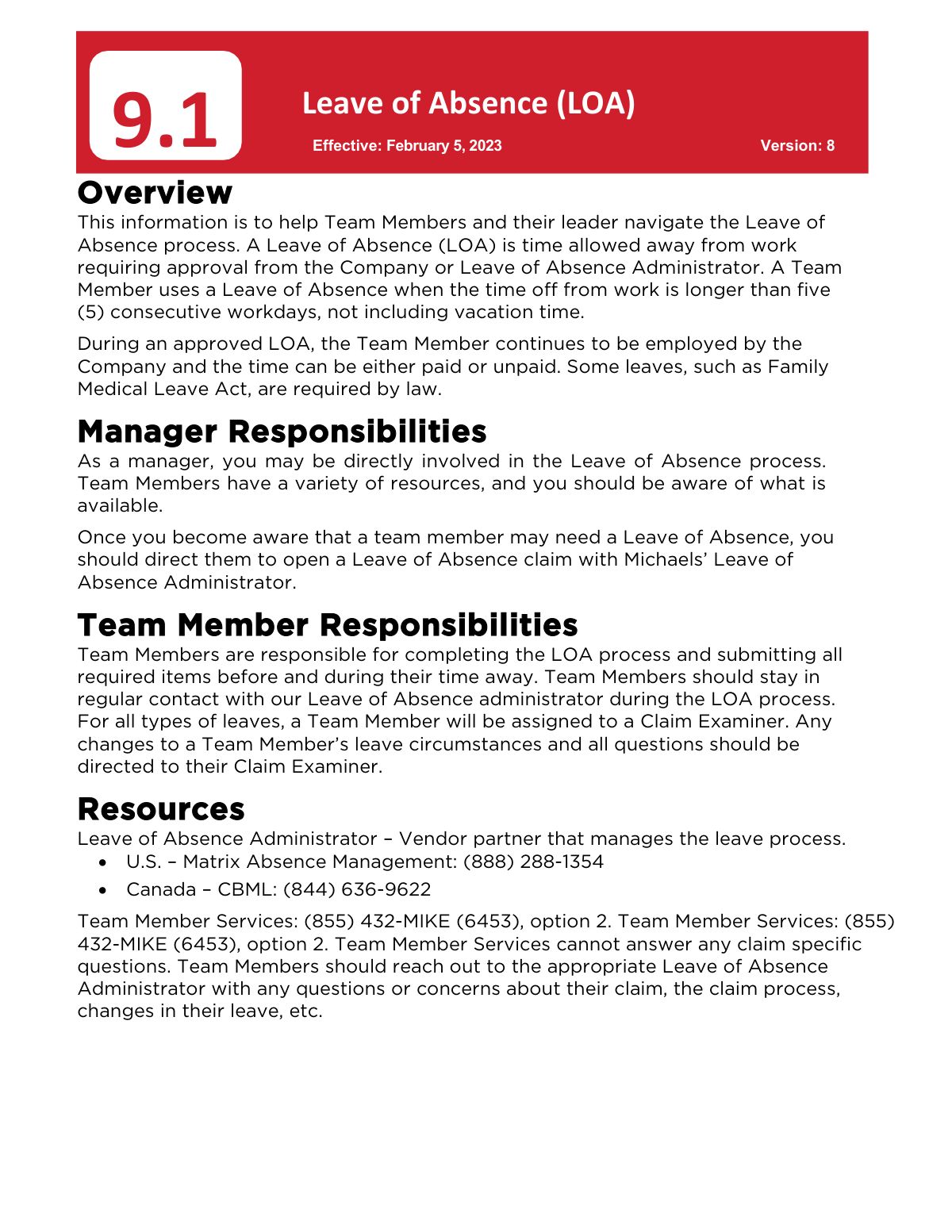
The Michaels Leave of Absence (LOA) form is a document required for team members who need to take more than five consecutive days off from work for reasons not covered by vacation time. It formalizes the request for various types of leave, such as FMLA, medical, or personal leave, ensuring that the employee's job status and benefits are managed correctly during their absence. Today, this form can be filled out quickly and accurately using AI-powered services like Instafill.ai, which can also convert non-fillable PDF versions into interactive fillable forms.
Michaels LOA Form 9.1 is part of the
HR forms, leave forms, Michaels forms, leave of absence forms and leave request forms categories on Instafill.
Rather not fill this in by hand? Instafill is an online form filler that completes PDF forms automatically — upload the blank form, answer a few questions, and the AI fills every field.
Form specifications
| Form name: | Michaels Leave of Absence (LOA) Request Form |
| Number of pages: | 1 |
| Language: | English |
Our AI automatically handles information lookup, data retrieval, formatting, and form filling.
It takes less than a minute to fill out Michaels LOA Form 9.1 using our AI form filling.
Securely upload your data. Information is encrypted in transit and deleted immediately after the form is filled out.
Instafill Demo: How to fill out PDF forms in seconds with AI
How to Fill Out Michaels LOA Form 9.1 Online for Free in 2026
Are you looking to fill out a MICHAELS LOA FORM 9.1 form online quickly and accurately? Instafill.ai offers the #1 AI-powered PDF filling software of 2026, allowing you to complete your MICHAELS LOA FORM 9.1 form in just 37 seconds or less.
Follow these steps to fill out your MICHAELS LOA FORM 9.1 form online using Instafill.ai:
- 1 Navigate to Instafill.ai and upload the Michaels Leave of Absence form packet received from the LOA Administrator (Matrix or CBML).
- 2 Use the AI assistant to automatically populate your personal information, such as your full name, employee ID, and contact details.
- 3 Select the type of leave you are requesting (e.g., FMLA, Medical, Personal) and enter the proposed start and end dates for your absence.
- 4 Complete the sections detailing the reason for your leave, providing all necessary information as required by the form.
- 5 Securely attach any required supporting documentation, like a medical certification, directly to the digital form.
- 6 Review all entered information for accuracy, make any necessary edits, and then electronically sign the document to certify its contents.
- 7 Download the completed and signed form packet to submit to the LOA Administrator within the required timeframe.
Our AI-powered system ensures each field is filled out correctly, reducing errors and saving you time.
Why Choose Instafill.ai for Your Fillable Michaels LOA Form 9.1 Form?
Speed
Complete your Michaels LOA Form 9.1 in as little as 37 seconds.
Up-to-Date
Always use the latest 2026 Michaels LOA Form 9.1 form version.
Cost-effective
No need to hire expensive lawyers.
Accuracy
Our AI performs 10 compliance checks to ensure your form is error-free.
Security
Your personal information is protected with bank-level encryption.
Frequently Asked Questions About Michaels LOA Form 9.1
A Leave of Absence (LOA) is company-approved time away from work for more than five consecutive workdays, not including vacation. You should apply for an LOA for situations like medical needs, parental leave, or other personal matters requiring an extended absence.
As a Michaels Team Member, you are responsible for initiating the LOA process. You must first notify your manager and then contact the designated Leave of Absence Administrator for your country to file a request.
U.S. Team Members should contact Matrix Absence Management at (888) 288-1354. Canadian Team Members should contact CBML at (844) 636-9622.
First, notify your manager at least 30 days in advance if possible. Then, contact the LOA Administrator (Matrix or CBML), who will send you a packet of forms to complete and submit within the required timeframe for a decision.
An LOA can be paid or unpaid, but you must use all your accrued paid time off (Vacation, Sick, or Personal) before the leave becomes unpaid, unless otherwise required by law. You can use this time to continue receiving pay during an approved leave.
You are responsible for paying your monthly benefit premiums directly to an administrator to maintain coverage. If you have a 401(k) loan, you must contact Vanguard directly at (800) 523-1188 to coordinate and continue making your loan payments.
You are required to submit Return to Work documents from your medical provider to the LOA Administrator for review and approval. This process can take up to five days, so you must submit them before you can be cleared to return.
After your return-to-work date is confirmed, please allow 24-48 hours for your system access to be fully restored. If it takes longer, you should contact the IT Help Desk.
You cannot return to work until your manager has reviewed and approved the work restrictions. The LOA Administrator will contact your manager and HR Partner to discuss any requested accommodations before your return.
You must work directly with your LOA Administrator (Matrix or CBML) to request an extension. It is your responsibility to communicate any changes to your return-to-work date and provide any necessary documentation.
If your leave is denied, your manager will be notified and will contact you to discuss a return-to-work date. You can also contact the Leave of Absence Administrator or your HR Partner to explore other potential leave options.
Yes, services like Instafill.ai use AI to help you accurately auto-fill your LOA forms. Using AI can save you time and help ensure the information is entered correctly.
Simply upload your LOA forms to the Instafill.ai platform. The AI will identify the fields and help you fill them out quickly and accurately online, which you can then save or print.
You can use a service like Instafill.ai, which can convert flat, non-fillable PDFs into interactive, fillable forms. This allows you to type your information directly into the document, making it easier and neater to complete.
Compliance Michaels LOA Form 9.1
Validation Checks by Instafill.ai
1
Validates Team Member Identifier
This check verifies that the provided Team Member ID exists and is active within the company's HR system (e.g., Workday). It is crucial for linking the leave request to the correct employee record for payroll, benefits, and scheduling purposes. If the ID is not found, the form submission will be blocked, and the user will be prompted to enter a valid ID or contact HR for assistance.
2
Verifies Return Date is After Start Date
This validation ensures the 'Expected Return to Work Date' is chronologically after the 'Leave Start Date'. An end date that precedes the start date is a logical impossibility and would lead to incorrect leave duration calculations and system errors. If this validation fails, the system will prevent submission and require the user to correct the dates.
3
Checks for Minimum Leave Duration
The policy defines a Leave of Absence as time off longer than five consecutive workdays. This validation calculates the duration between the start and end dates to ensure it meets this minimum requirement. If the requested leave is five days or less, the system will inform the user that it does not qualify as an LOA and they should use standard paid time off instead.
4
Ensures Leave Type Matches Country
This validation cross-references the employee's country (U.S. or Canada) with the selected leave type to ensure eligibility. For example, FMLA and CFRA are only available in the U.S., while certain provincial leaves are specific to Canada. This check prevents users from applying for leaves for which they are geographically ineligible, streamlining the process for the LOA Administrator.
5
Requires Documentation for Medical Leaves
For leave types such as FMLA, Michaels Medical Leave, or Pregnancy Discrimination Leave, supporting medical certification is mandatory. This validation checks if a file has been uploaded when a medical-related leave type is selected. Failure to attach the necessary documentation will prevent form submission and inform the user that medical certification is required to proceed with their claim.
6
Validates 30-Day Advance Notice
The policy requires team members to provide notice at least 30 days in advance of a leave, if possible. This check compares the form submission date to the requested leave start date. If the notice period is less than 30 days, the system will trigger a warning and may require the user to provide a reason for the short notice, ensuring compliance and proper documentation.
7
Confirms All Required Fields are Complete
This is a fundamental check to ensure that all mandatory fields, such as Team Member Name, ID, Leave Type, and Start Date, have been filled out. Incomplete forms cannot be processed correctly by the LOA Administrator (Matrix or CBML) and will cause significant delays. The system will highlight any missing required fields and prevent submission until they are completed.
8
Validates Standard Date Format
This check ensures that all date fields on the form are entered in a consistent and valid format (e.g., MM/DD/YYYY). Incorrect date formats can cause system errors, prevent proper processing, and lead to miscalculation of leave duration. The system will reject any non-conforming entries and provide an example of the correct format to the user.
9
Requires Description for Work Restrictions
This validation applies to the return-to-work process. If a team member indicates they have work restrictions upon their return, this check ensures the corresponding description field is not empty. The manager and HR need specific details about the restrictions to review and approve them, so an empty description will block the submission until details are provided.
10
Verifies Return to Work Documentation Submission
As per policy, any team member returning from a Medical LOA must submit return-to-work documents from their provider. This validation ensures that a document has been uploaded before the return-to-work process can be finalized. This is critical for verifying the team member is cleared to resume duties and for the company to review any potential restrictions.
11
Ensures Leave Start Date is Not in the Past
This validation confirms that the requested Leave of Absence start date is either the current date or a future date. Submitting a request for a past date can cause significant issues with payroll, benefits administration, and system records. A failed validation would require the user to select a valid date for the leave to begin.
12
Confirms Workers' Compensation Process Acknowledgment
When 'Workers’ Compensation Leave' is selected, this validation ensures the user acknowledges the unique process involved. The policy states the team member must work with their Manager and Risk Management, which is different from other LOAs. The form should present a mandatory checkbox confirming the user understands these separate requirements before they can proceed with the submission.
Common Mistakes in Completing Michaels LOA Form 9.1
Saved over 80 hours a year
“I was never sure if my IRS forms like W-9 were filled correctly. Now, I can complete the forms accurately without any external help.”
Kevin Martin Green
Your data stays secure with advanced protection from Instafill and our subprocessors




Robust compliance program
Transparent business model
You’re not the product. You always know where your data is and what it is processed for.
ISO 27001, HIPAA, and GDPR
Our subprocesses adhere to multiple compliance standards, including but not limited to ISO 27001, HIPAA, and GDPR.
Security & privacy by design
We consider security and privacy from the initial design phase of any new service or functionality. It’s not an afterthought, it’s built-in, including support for two-factor authentication (2FA) to further protect your account.
Fill out Michaels LOA Form 9.1 with Instafill.ai
Worried about filling PDFs wrong? Instafill securely fills michaels-leave-of-absence-loa-request-form forms, ensuring each field is accurate.
