Yes! You can use AI to fill out Organization Resolution
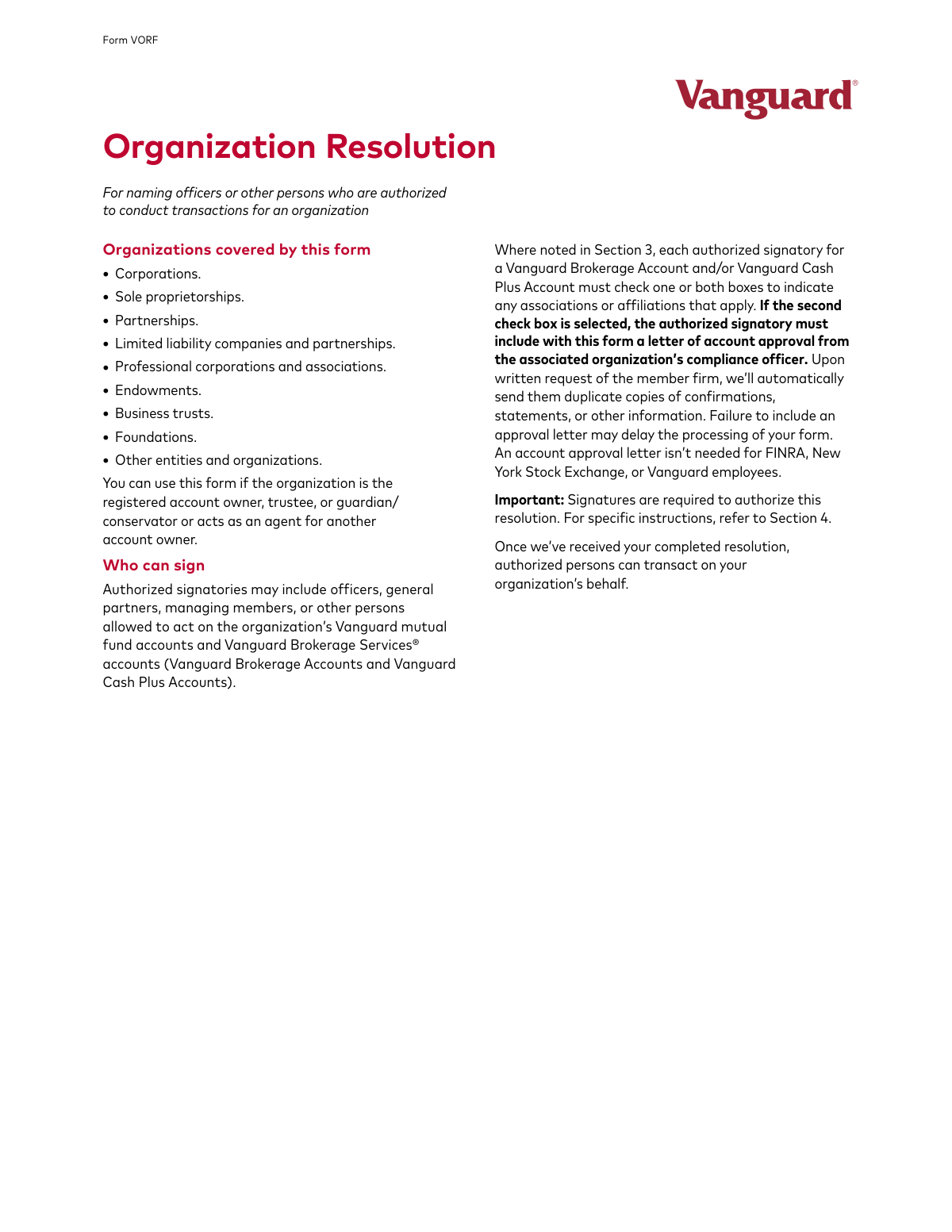
Form VORF, the Organization Resolution, is a legal document used by entities like corporations, LLCs, and partnerships to formally designate which individuals are authorized to manage their Vanguard mutual fund and brokerage accounts. It specifies who can make trades, access information, and sign documents on behalf of the organization, ensuring proper governance and security for the entity's investments. Today, this form can be filled out quickly and accurately using AI-powered services like Instafill.ai, which can also convert non-fillable PDF versions into interactive fillable forms.
Our AI automatically handles information lookup, data retrieval, formatting, and form filling.
It takes less than a minute to fill out Form VORF using our AI form filling.
Securely upload your data. Information is encrypted in transit and deleted immediately after the form is filled out.
Form specifications
| Form name: | Organization Resolution |
| Number of pages: | 1 |
| Language: | English |
Instafill Demo: How to fill out PDF forms in seconds with AI
How to Fill Out Form VORF Online for Free in 2026
Are you looking to fill out a FORM VORF form online quickly and accurately? Instafill.ai offers the #1 AI-powered PDF filling software of 2026, allowing you to complete your FORM VORF form in just 37 seconds or less.
Follow these steps to fill out your FORM VORF form online using Instafill.ai:
- 1 Navigate to Instafill.ai and upload or select the Vanguard Organization Resolution (Form VORF).
- 2 Use the AI assistant to accurately fill in your organization's information in Section 1, including the full legal name, Taxpayer ID number, and contact details.
- 3 In Section 2, select the appropriate authorization type: Option A for direct account authority or Option B if the organization is acting as an agent for another account owner.
- 4 Complete Section 3 by providing the personal details for each individual being authorized, such as their name, address, birth date, SSN, and any required disclosures about financial industry affiliations.
- 5 If applicable, designate one authorized signatory as the 'e-consenter' in Section 3a to manage online account access and electronic delivery preferences.
- 6 Proceed to Section 4, where the certifying individuals must review the terms and provide their legally binding signatures and titles.
- 7 Gather all required supporting documentation, such as board minutes or an operating agreement, and submit the completed form and attachments to Vanguard.
Our AI-powered system ensures each field is filled out correctly, reducing errors and saving you time.
Why Choose Instafill.ai for Your Fillable Form VORF Form?
Speed
Complete your Form VORF in as little as 37 seconds.
Up-to-Date
Always use the latest 2026 Form VORF form version.
Cost-effective
No need to hire expensive lawyers.
Accuracy
Our AI performs 10 compliance checks to ensure your form is error-free.
Security
Your personal information is protected with bank-level encryption.
Frequently Asked Questions About Form Form VORF
This form is used to authorize specific individuals to conduct transactions and act on behalf of an organization for its Vanguard mutual fund accounts, Vanguard Brokerage Accounts, and Vanguard Cash Plus Accounts.
This form is for various organizations, including corporations, partnerships, LLCs, sole proprietorships, foundations, and endowments that own or manage Vanguard accounts.
You must file a new form each time there is a change in the identity of individuals authorized to act for your organization. Submitting a new form revokes all previously filed resolutions.
You must include a document like signed board minutes, a letter of intent on company letterhead, a partnership/operating agreement, or a corporate resolution that confirms the individuals listed are authorized to act for the organization.
Select Option A if you are authorizing people to act on the organization's own accounts. Select Option B if the organization is acting as an agent or interested party for another account owner.
The e-consenter is the single authorized person who can set up online account access, consent to electronic delivery of documents, and manage delivery settings. This designation is only applicable if you selected Option A in Section 2.
If you have checkwriting established and are changing authorized signatories using this form, the checkwriting feature will be automatically turned off. You must submit a new Checkwriting form to re-establish it.
At least one person who is authorized to certify the information on behalf of the organization must sign in Section 4. The supporting documents you provide must confirm this individual's authority to sign.
This disclosure is a regulatory requirement for brokerage accounts. If an authorized person is associated with a FINRA member firm, you must also attach a letter of account approval from that firm's compliance officer.
In Section 2 (Option A), you can specify the number of signatures required for written actions. If you leave it blank, Vanguard will assume only one signature is required, and any one authorized person can give instructions by phone or online.
Mail all pages of the form to Vanguard, P.O. Box 982901, El Paso, TX 79998-2901. For overnight or registered mail, use the address: Vanguard, 5951 Luckett Court, Suite A1, El Paso, TX 79932-1882.
Yes, services like Instafill.ai use AI to accurately auto-fill form fields with your information, which can save you time and help reduce errors.
You can use a service like Instafill.ai to fill out the form online. Simply upload the PDF, and the tool will allow you to type your information directly into the fields before printing for signature.
If you have a non-fillable or 'flat' PDF, you can use a service like Instafill.ai. It can convert the document into an interactive, fillable form that you can complete on your computer.
Compliance Form VORF
Validation Checks by Instafill.ai
1
Exclusive Authorization Type Selection
This check ensures that exactly one authorization type, either Option A or Option B, is selected in Section 2. The form's logic branches based on this choice, so selecting none or both would make the submission ambiguous and impossible to process correctly. Failure to select exactly one option will result in the form being rejected for clarification.
2
Authorized Signatory Completeness
Verifies that for each authorized signatory listed in Section 3, all required personal identification fields are filled out, including full name, primary residence, birth date, and SSN or employer ID. This information is critical for identity verification and regulatory compliance (KYC). An incomplete signatory profile will halt processing until the missing information is provided.
3
Primary Residence Address Format
This validation confirms that the 'Primary residence' address provided in Section 3 is a physical street address and not a P.O. Box or rural route address. A physical address is a legal requirement for identity verification under federal law. If a P.O. Box is entered, the form will be returned with a request for a valid physical street address.
4
Birth Date Validity and Age Check
Ensures the 'Birth date' in Section 3 is a valid date in MM DD YYYY format and that the individual is of legal age (e.g., 18 years or older). This is crucial for confirming the signatory has the legal capacity to enter into binding agreements. An invalid date or an underage signatory will cause the form to be rejected.
5
SSN/TIN Format Validation
This check validates that the 'U.S. Social Security number or employer ID' in Section 3 is in the correct 9-digit format. This number is essential for tax reporting and identity verification. An incorrectly formatted number will prevent account setup or updates and will require correction.
6
Citizenship Status Exclusivity
Confirms that for each signatory in Section 3, only one of the three citizenship/tax residency statuses is checked. It also ensures that if 'Resident alien' or 'Nonresident alien' is selected, the corresponding 'Country of citizenship' field is completed. This information is vital for tax withholding and reporting obligations, and ambiguity will lead to processing delays.
7
Conditional Association Field Completion
This check verifies that if a signatory in Section 3 checks a box indicating an association with a FINRA member firm or a public company, the corresponding 'Name of company' and 'Trading symbol' fields are filled. This disclosure is a regulatory requirement to monitor for potential conflicts of interest. Failure to provide the company details will delay processing until the information is supplied.
8
E-Consenter Section Eligibility
Validates that Section 3a, 'Designation of e-consenter,' is only filled out if 'Option A' was selected in Section 2. The e-consenter role is not applicable to Option B scenarios. If this rule is violated, the information in Section 3a will be disregarded, or the form may be returned for correction to avoid confusion.
9
E-Consenter Identity Verification
Ensures the name of the individual designated as the e-consenter in Section 3a matches one of the authorized signatories listed in Section 3. The e-consenter must be an authorized party with established credentials. A mismatch indicates an error, and the form will be rejected until the designated e-consenter is a valid signatory from Section 3.
10
E-Consenter Email Address Format
This check verifies that the email address provided for the e-consenter in Section 3a is a valid email format and is not a group email address as explicitly prohibited. Individual email addresses are required for secure communication and account access. Using a group email will result in rejection of the e-consent designation.
11
Certification Signature Requirement
Confirms that at least one authorized signatory has signed in Section 4, as this is required to certify the resolution. It also checks that the printed name, title, and date are completed for each signature. Without a valid signature, the entire resolution is void and cannot be acted upon.
12
Signature Authority Cross-Reference
This validation cross-references the names of the individuals who signed in Section 4 against the list of authorized signatories in Section 3. Only individuals explicitly granted authority in Section 3 can certify the form in Section 4. If a signatory in Section 4 is not listed in Section 3, the form is considered invalid and will be rejected.
13
Supporting Documentation Attachment
Verifies that the form submission includes a required supporting document, such as a Corporate Resolution, Operating Agreement, or Board Minutes. This documentation is crucial evidence that the individuals listed on the form are genuinely authorized to act for the organization. Missing this documentation is a critical failure and will immediately stop the request from being processed.
14
FINRA/SEC Association Letter Requirement
This is a cross-document check that verifies if a signatory has declared an association with a FINRA member or is a control person of a public company in Section 3, the required letter of account approval from the associated organization's compliance officer is attached. This is a strict regulatory requirement. Failure to include this letter will delay the processing of the form until it is received.
15
Option B Field Completion
If 'Option B' is selected in Section 2, this check ensures that the 'Name of account owner' and 'Last four digits of Social Security or employer taxpayer ID number' fields are completed. This information is necessary to link the organization's agent authority to the correct underlying account. If these fields are blank under Option B, the request cannot be fulfilled.
Common Mistakes in Completing Form VORF
Users often fail to include a current copy of their organization's authorizing documents, such as board minutes, an operating agreement, or a corporate resolution. This is the most common reason for rejection, as Vanguard cannot process the request without proof that the individuals listed are empowered to act. To avoid this, use the checklist on the first page and ensure the document explicitly names the individuals listed in Sections 3 and 4.
In Section 1, the organization's name must exactly match the legal name on the existing Vanguard account registration. People sometimes use a DBA ('doing business as') name or a slight variation, which causes a mismatch and processing delays. Always verify the exact legal name as it appears on current account statements before filling out the form.
The 'Association' section for each signatory in Section 3 is complex and frequently filled out incorrectly. Users often misunderstand or overlook the requirement to disclose affiliations with FINRA member firms or status as a control person of a public company. Forgetting to check a box or failing to attach the mandatory 'letter of account approval' from a compliance officer will halt the application process.
Choosing the wrong option in Section 2 is a critical error that changes the entire scope of the authorization. Users may be confused about whether their organization is acting on its own behalf (Option A) or as an agent for another account owner (Option B). This mistake leads to incorrect permissions and requires submitting a corrected form, causing significant delays.
The form explicitly states that a P.O. box is not acceptable for the 'Primary residence' address in Section 3, yet it's a common data entry error. This is a strict requirement for identity verification and compliance purposes. Using a P.O. Box will result in the form being returned for correction, delaying the authorization of signatories.
Users make several errors in this section, such as providing a prohibited group email address, attempting to designate an e-consenter when they selected Option B, or forgetting to select an action (designate, revoke, or replace). This can prevent the setup of online account access or lead to confusion over who controls electronic document delivery. Double-check that you are eligible for this section and that all fields are completed with an individual's information.
The instructions repeatedly state to 'Return ALL pages of this form, even if some sections are left blank,' but people often only mail the pages they filled out. Financial institutions require the full, unaltered document for compliance and record-keeping. Submitting only a partial form will lead to an automatic rejection and require you to resubmit the entire packet.
The form may be signed by an individual who is not authorized to certify the resolution, or the number of signatures may not meet the organization's internal requirements. The signers in Section 4 must be empowered to make such certifications, and their authority must be verifiable in the supporting documents submitted with the form. A signature mismatch or missing signature is a frequent cause of processing failure.
A frequent error is when the names of authorized signatories listed in Section 3 do not exactly match the names listed in the provided supporting documents (e.g., board minutes). This discrepancy prevents Vanguard from verifying authorization, leading to rejection. Ensure that the legal names and titles are consistent across all submitted paperwork. AI-powered tools like Instafill.ai can help prevent such data inconsistencies.
When submitting this form to change signatories under Option A, users often overlook the note that checkwriting privileges are automatically revoked. They assume the service will continue uninterrupted, which is not the case. To avoid disruption, you must proactively complete and submit a new Checkwriting form alongside this Organization Resolution.
Saved over 80 hours a year
“I was never sure if my IRS forms like W-9 were filled correctly. Now, I can complete the forms accurately without any external help.”
Kevin Martin Green
Your data stays secure with advanced protection from Instafill and our subprocessors
Robust compliance program
Transparent business model
You’re not the product. You always know where your data is and what it is processed for.
ISO 27001, HIPAA, and GDPR
Our subprocesses adhere to multiple compliance standards, including but not limited to ISO 27001, HIPAA, and GDPR.
Security & privacy by design
We consider security and privacy from the initial design phase of any new service or functionality. It’s not an afterthought, it’s built-in, including support for two-factor authentication (2FA) to further protect your account.
Fill out Form VORF with Instafill.ai
Worried about filling PDFs wrong? Instafill securely fills organization-resolution forms, ensuring each field is accurate.