Yes! You can use AI to fill out Scheduled Medical Leave of Absence (MLOA) - BLET 13
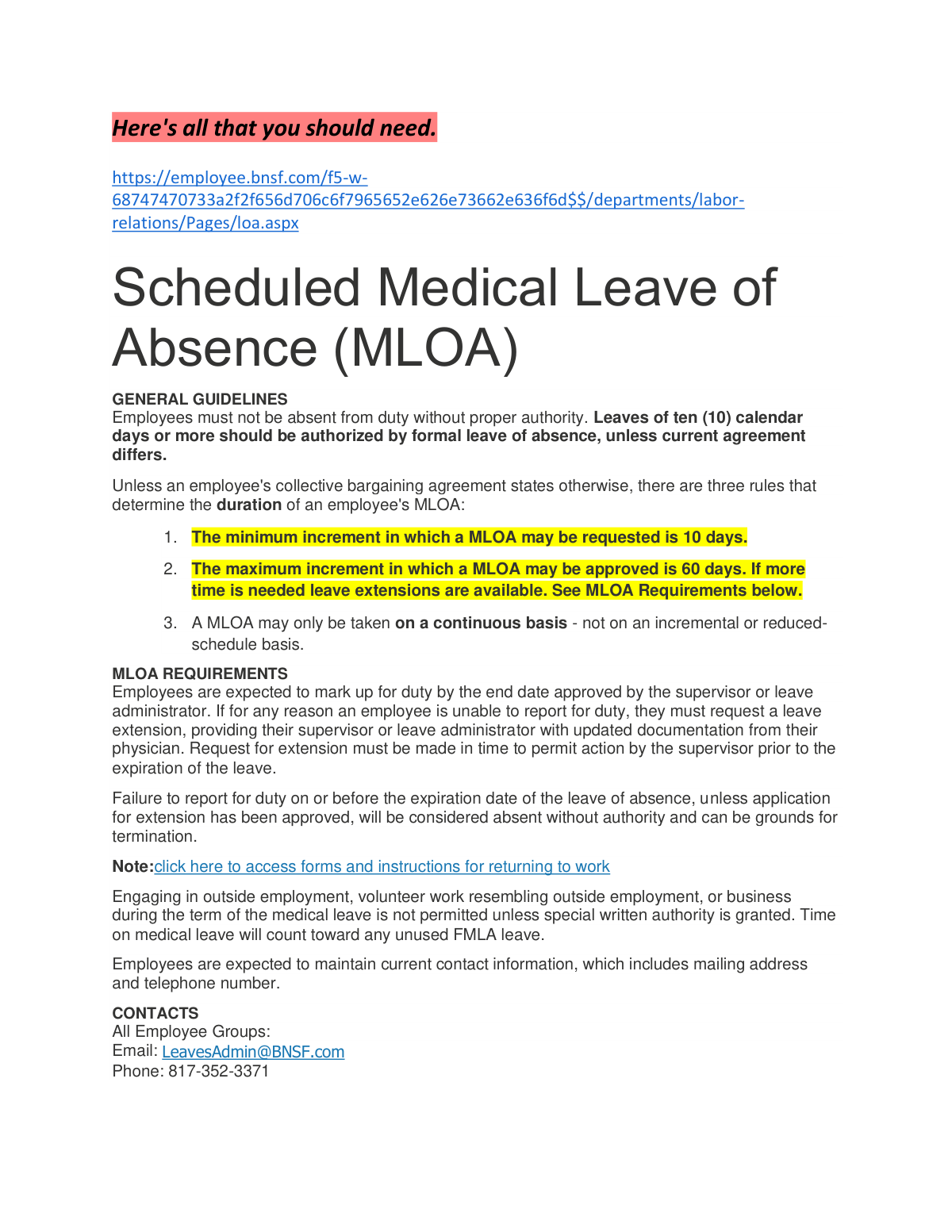
This document outlines the general guidelines and requirements for BNSF employees, specifically under the BLET 13 collective bargaining agreement, to request a Scheduled Medical Leave of Absence (MLOA). It details the rules for leave duration, the necessity of a physician's recommendation, and procedures for extensions, ensuring employees follow proper protocol for authorized absences. Today, this form can be filled out quickly and accurately using AI-powered services like Instafill.ai, which can also convert non-fillable PDF versions into interactive fillable forms.
MLOA - BLET 13 is part of the
medical forms, HR forms, VA medical forms, Medi-Cal forms, leave forms, medical leave forms, BLET forms and leave of absence forms categories on Instafill.
Rather not fill this in by hand? Instafill is an online form filler that completes PDF forms automatically — upload the blank form, answer a few questions, and the AI fills every field.
Form specifications
| Form name: | Scheduled Medical Leave of Absence (MLOA) - BLET 13 |
| Number of pages: | 1 |
| Language: | English |
Our AI automatically handles information lookup, data retrieval, formatting, and form filling.
It takes less than a minute to fill out MLOA - BLET 13 using our AI form filling.
Securely upload your data. Information is encrypted in transit and deleted immediately after the form is filled out.
Instafill Demo: How to fill out PDF forms in seconds with AI
How to Fill Out MLOA - BLET 13 Online for Free in 2026
Are you looking to fill out a MLOA - BLET 13 form online quickly and accurately? Instafill.ai offers the #1 AI-powered PDF filling software of 2026, allowing you to complete your MLOA - BLET 13 form in just 37 seconds or less.
Follow these steps to fill out your MLOA - BLET 13 form online using Instafill.ai:
- 1 Navigate to Instafill.ai and upload or select the BNSF Scheduled Medical Leave of Absence (MLOA) form.
- 2 Use the AI assistant to automatically populate your personal details, such as your full name, employee ID, and contact information.
- 3 Enter the specific start and end dates for your requested medical leave, ensuring it adheres to the minimum 10-day requirement.
- 4 Upload the required supporting documentation, such as the physician's statement, which the AI can help attach to your application.
- 5 Carefully review all the information entered by both you and the AI to ensure accuracy and completeness before submission.
- 6 Electronically sign the form and submit it to your supervisor or the designated leave administrator as per BNSF company policy.
Our AI-powered system ensures each field is filled out correctly, reducing errors and saving you time.
Why Choose Instafill.ai for Your Fillable MLOA - BLET 13 Form?
Speed
Complete your MLOA - BLET 13 in as little as 37 seconds.
Up-to-Date
Always use the latest 2026 MLOA - BLET 13 form version.
Cost-effective
No need to hire expensive lawyers.
Accuracy
Our AI performs 10 compliance checks to ensure your form is error-free.
Security
Your personal information is protected with bank-level encryption.
Frequently Asked Questions About MLOA - BLET 13
A Scheduled MLOA is a formal, authorized leave for medical reasons lasting ten (10) calendar days or more. You must request one if you will be absent from duty for this duration due to a medical condition.
You must provide a physician's recommendation with your request. This statement must confirm your inability to perform your duties and include the estimated duration of your leave, but it should not contain specific medical information.
An MLOA must be for a minimum of 10 days and can be approved for a maximum of 60 days at a time. If you need more time, you must request a leave extension before your current leave expires.
You must request a leave extension from your supervisor or leave administrator before your current leave ends. This request must be supported by updated documentation from your physician.
Failing to report for duty or get an approved extension by your leave's expiration date is considered being absent without authority. This can be grounds for termination of your employment.
No, engaging in outside employment or business during your MLOA is not permitted. You may only do so if you are granted special written authority from the company.
For leaves less than 4 months, your coverage continues automatically. For leaves longer than 4 months, you must be receiving RRB sickness benefits or have a Proof of Disability (POD) form on file to maintain coverage.
You may be eligible for sickness benefits and should apply with the RRB within 10 days of becoming sick or injured. Contact the RRB directly at 877-772-5772 for more information on the application process.
No, you are not permitted to take out a new loan from your 401(k) account while on an MLOA. You can only request a loan once you have returned to an active employment status.
For all employee groups, you can contact the Leave Administration team by emailing [email protected] or calling 817-352-3371. You should also communicate directly with your supervisor.
Yes, services like Instafill.ai use AI to help you accurately auto-fill your MLOA forms and any related documents. This can save you time and help reduce errors during the application process.
You can use Instafill.ai to easily complete your forms online. Simply upload your MLOA form to the platform, and its AI will help you fill in the required fields quickly and accurately.
If you have a flat or non-fillable PDF, you can upload it to a service like Instafill.ai. The platform can convert it into an interactive, fillable form that you can complete and sign electronically.
If you miss a payroll withholding for your FSA, you will receive a bill from United Healthcare. You must pay this bill to keep your account active and avoid any interruption in your FSA benefits.
Compliance MLOA - BLET 13
Validation Checks by Instafill.ai
1
Verifies Minimum MLOA Duration
Checks if the requested leave period is at least 10 calendar days long by calculating the difference between the start and end dates. This is a mandatory requirement for all MLOA requests as stated in the general guidelines. Submissions for less than 10 days will be rejected and the user will be instructed to use other absence types.
2
Verifies Maximum MLOA Increment
Ensures that a single medical leave request does not exceed 60 calendar days. This rule is in place to manage leave increments, with the understanding that extensions can be requested if more time is needed. Requests exceeding 60 days will be flagged, and the employee will be advised to request a shorter duration and apply for an extension later if necessary.
3
Ensures Physician's Statement is Attached
This validation confirms that a file has been uploaded in the field for the physician's recommendation. A physician's statement is mandatory to support the medical need for the leave and must indicate the inability to perform service. If the file is missing, the form submission will be blocked until the document is attached.
4
Confirms End Date is After Start Date
Verifies that the provided leave end date occurs chronologically after the leave start date. This is a fundamental logical check to ensure the requested leave period is valid and makes sense. An error will be displayed if the end date is on or before the start date, requiring the user to correct the dates.
5
Validates Leave Start Date is Not in the Past
This check ensures the requested start date of the leave is on or after the date of submission. This prevents backdating of scheduled leaves and ensures requests are made proactively. A validation error will prompt the user to select a current or future date.
6
Requires Current Employee Contact Information
This check mandates that the employee's mailing address and telephone number fields are filled out completely. Maintaining up-to-date contact information is critical for communication regarding the leave status, extensions, and return-to-work instructions. The form cannot be submitted if these required fields are left blank.
7
Validates Standard Phone Number Format
This check ensures the telephone number is entered in a valid and recognizable format, such as a 10-digit number. Proper formatting is essential for data consistency and to ensure the contact number is usable by automated systems or administrative staff. An invalid format will trigger an error message with an example of a correct format.
8
Prevents Overlapping Leave of Absence Periods
This validation cross-references the requested start and end dates with the employee's leave history in the system. It ensures the new MLOA request does not overlap with any previously approved or pending leave periods. This prevents duplicate or conflicting leave records and ensures accurate tracking of an employee's time off.
9
Validates Timeliness of Extension Requests
For leave extension requests, this validation confirms that the request is submitted before the expiration date of the current, active leave. This is crucial as failure to secure an approved extension before the leave expires can be considered an unauthorized absence. The system will reject extension requests submitted on or after the current leave's end date.
10
Checks CBQ UTU Conductor Six-Month Leave Limit
This is a group-specific rule that checks the total duration of medical leave for employees in the 'CBQ UTU Conductor' group. It calculates the requested leave period plus any prior MLOA taken to ensure the total does not exceed six months. If the request would surpass this limit, it will be flagged for special review or rejection, as per the collective bargaining agreement.
11
Validates Uploaded Document Type and Size
This check restricts uploaded files for the physician's statement to specific formats (e.g., PDF, DOCX, JPG) and enforces a maximum file size. This prevents the submission of incompatible or excessively large files that could pose a security risk or strain system resources. If an invalid file is uploaded, the user will receive an error message specifying the allowed types and size limit.
12
Ensures Employee Group/Union is Selected
This check makes the employee group or union selection a mandatory field. This information is critical because leave rules, such as duration limits and supplemental benefits, vary significantly between different collective bargaining agreements. The form cannot be submitted without this selection, ensuring the correct business rules are applied during processing.
Common Mistakes in Completing MLOA - BLET 13
Employees frequently miss the strict 10-day deadline to apply for RRB sickness benefits, which starts from the first day of sickness. This oversight results in a loss of potential income during their medical leave. To avoid this, employees must file the application with the RRB immediately, even before the MLOA is formally approved by BNSF.
A critical error is waiting until a leave has already expired to request an extension. The policy requires that the extension request and updated physician documentation be submitted *prior* to the expiration of the current leave. Failure to do so is considered an unauthorized absence and can be grounds for termination.
Many requests are delayed because the physician's statement is missing key information or contains incorrect details. The note must clearly state the inability to perform service and include an estimated duration, but it should not contain specific medical diagnoses. Submitting an incomplete or improper note will delay the approval process and can create privacy complications.
Different employee groups have different deadlines for SSB applications; for example, 60 days for Maintenance of Way employees versus 20 days for Yardmasters. A common mistake is missing the specific deadline for one's job role, leading to a denial of supplemental benefits. Employees must carefully verify the correct application window for their specific collective bargaining agreement.
Employees sometimes misunderstand the policy and request leave for fewer than the 10-day minimum or attempt to use MLOA for an intermittent or reduced schedule. The policy clearly states MLOA is only for continuous periods of 10 days or more. Such incorrect requests are automatically denied, wasting time for both the employee and the leave administrator.
The policy requires employees to maintain a current mailing address and phone number, but this is often overlooked during a stressful medical situation. Failing to update this information can result in missing critical communications about leave status, benefit changes, or return-to-work instructions. This can jeopardize both benefits and employment status.
Employees with personal disability policies often send their insurance company's specific form to BNSF, expecting it to be completed. However, BNSF's policy is to not fill out third-party forms, instead providing their own generic verification form, which causes significant delays in the claim process. To avoid this, employees should request BNSF's generic form directly and submit it with their claim.
When payroll deductions for an FSA stop during a leave, United Healthcare sends a bill to the employee to allow them to continue contributions. Many employees ignore these notices, assuming the account is fine, which leads to account termination and loss of access to pre-tax funds. It is crucial to pay these invoices promptly to maintain access to your FSA.
A frequent cause for delay is submitting the MLOA request form on its own, without the required physician's recommendation attached. The policy clearly states the doctor's note must accompany the request. This simple omission halts the entire process until all documentation is received, delaying the start of an approved leave. AI-powered tools like Instafill.ai can make non-fillable PDF forms fillable and can be designed to remind users of required attachments before submission.
The policy on health insurance can be confusing; employees are told to disregard COBRA notices for leaves under 4 months, but action is required for leaves longer than 4 months. This leads to two common mistakes: either panicking and paying for COBRA unnecessarily, or for longer leaves, failing to file a Proof of Disability (POD) form and losing coverage. Employees must carefully read the rules based on their expected leave duration.
Saved over 80 hours a year
“I was never sure if my IRS forms like W-9 were filled correctly. Now, I can complete the forms accurately without any external help.”
Kevin Martin Green
Your data stays secure with advanced protection from Instafill and our subprocessors




Robust compliance program
Transparent business model
You’re not the product. You always know where your data is and what it is processed for.
ISO 27001, HIPAA, and GDPR
Our subprocesses adhere to multiple compliance standards, including but not limited to ISO 27001, HIPAA, and GDPR.
Security & privacy by design
We consider security and privacy from the initial design phase of any new service or functionality. It’s not an afterthought, it’s built-in, including support for two-factor authentication (2FA) to further protect your account.
Fill out MLOA - BLET 13 with Instafill.ai
Worried about filling PDFs wrong? Instafill securely fills scheduled-medical-leave-of-absence-mloa-blet-13 forms, ensuring each field is accurate.
