Yes! You can use AI to fill out Transamerica Survivor Benefits Request
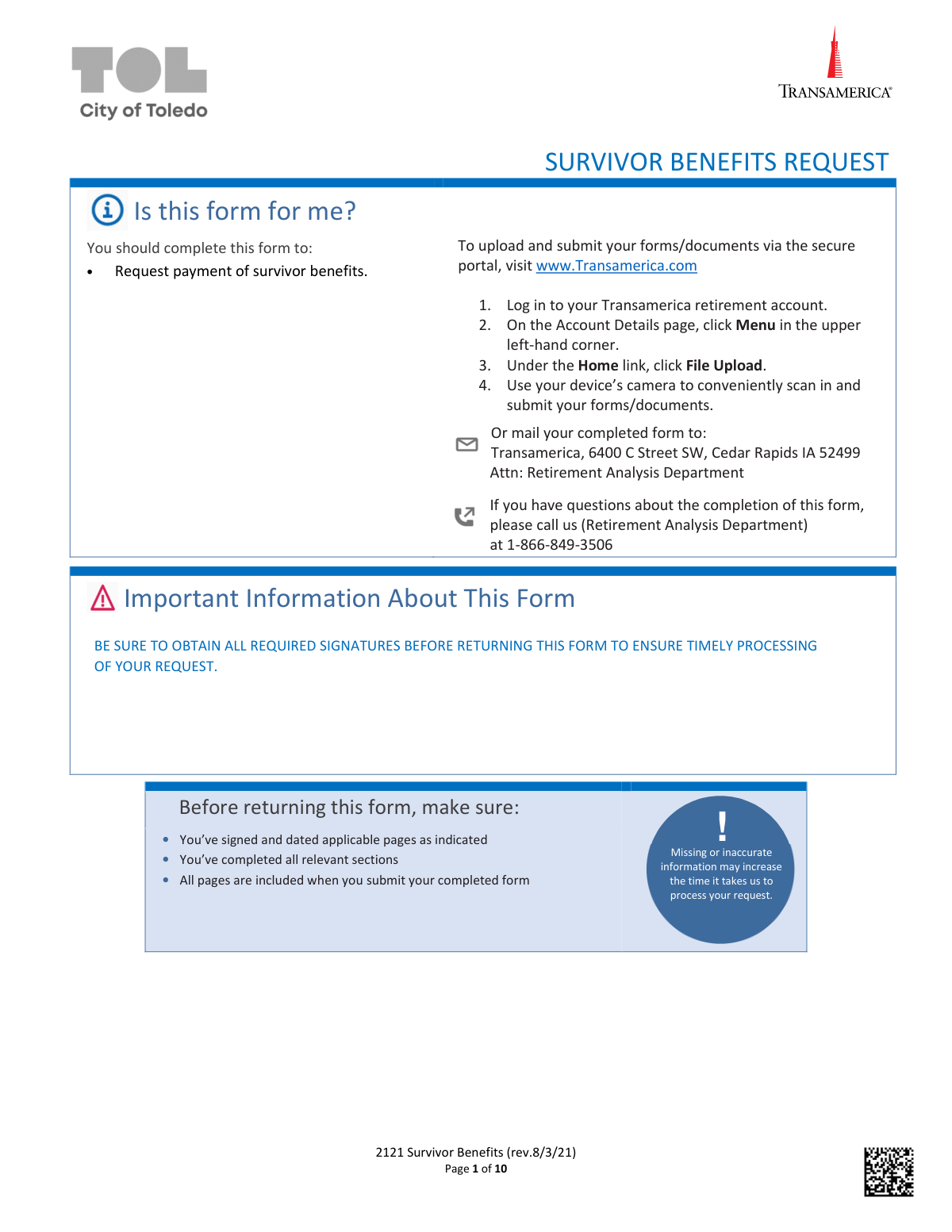
The Transamerica Survivor Benefits Request form is a document used by a beneficiary to request payment of survivor benefits from a deceased participant's retirement plan. Completing this form accurately is crucial for the timely processing and distribution of retirement assets to the rightful heirs. Today, this form can be filled out quickly and accurately using AI-powered services like Instafill.ai, which can also convert non-fillable PDF versions into interactive fillable forms.
2121 Survivor Benefits is part of the
Transamerica forms and survivor benefit forms categories on Instafill.
Rather not fill this in by hand? Instafill is an online form filler that completes PDF forms automatically — upload the blank form, answer a few questions, and the AI fills every field.
Form specifications
| Form name: | Transamerica Survivor Benefits Request |
| Number of pages: | 1 |
| Language: | English |
Our AI automatically handles information lookup, data retrieval, formatting, and form filling.
It takes less than a minute to fill out 2121 Survivor Benefits using our AI form filling.
Securely upload your data. Information is encrypted in transit and deleted immediately after the form is filled out.
Instafill Demo: How to fill out PDF forms in seconds with AI
How to Fill Out 2121 Survivor Benefits Online for Free in 2026
Are you looking to fill out a 2121 SURVIVOR BENEFITS form online quickly and accurately? Instafill.ai offers the #1 AI-powered PDF filling software of 2026, allowing you to complete your 2121 SURVIVOR BENEFITS form in just 37 seconds or less.
Follow these steps to fill out your 2121 SURVIVOR BENEFITS form online using Instafill.ai:
- 1 Navigate to a service like Instafill.ai and upload or select the Transamerica Survivor Benefits Request form.
- 2 Use the AI assistant to accurately input the deceased participant's information, including their name, Social Security Number, and date of death.
- 3 Enter your personal information as the claimant, including your name, address, SSN, and relationship to the deceased.
- 4 Select your beneficiary type and choose a distribution option, such as a lump sum, rollover, or life expectancy distribution. Provide payment details if you are requesting a direct deposit or check.
- 5 Complete the tax withholding election section, indicating your preferences for federal and state tax withholding.
- 6 Carefully review all the information you've provided. Use the AI tool to check for completeness before digitally signing and dating the form in the required signature section.
- 7 Download the completed form and submit it along with any required documentation, such as a certified death certificate, to Transamerica via their secure portal or by mail.
Our AI-powered system ensures each field is filled out correctly, reducing errors and saving you time.
Why Choose Instafill.ai for Your Fillable 2121 Survivor Benefits Form?
Speed
Complete your 2121 Survivor Benefits in as little as 37 seconds.
Up-to-Date
Always use the latest 2026 2121 Survivor Benefits form version.
Cost-effective
No need to hire expensive lawyers.
Accuracy
Our AI performs 10 compliance checks to ensure your form is error-free.
Security
Your personal information is protected with bank-level encryption.
Frequently Asked Questions About 2121 Survivor Benefits
This form is used by a beneficiary to request the payment of survivor benefits from a deceased participant's Transamerica retirement account.
You should complete this form if you are a beneficiary (such as a spouse, child, estate, or trust) entitled to receive benefits from a deceased person's retirement account. Please note that each beneficiary must complete and submit a separate form.
You must include a certified copy of the participant's death certificate and proof of your age. Depending on your beneficiary status, you may also need to provide a certificate of legal authority or the primary beneficiary's death certificate.
You can upload your completed form and documents via the secure portal at Transamerica.com, or you can mail them to Transamerica, 6400 C Street SW, Cedar Rapids IA 52499, Attn: Retirement Analysis Department.
Missing or inaccurate information, including required signatures from yourself or the Plan Sponsor, will increase the time it takes to process your request. It is important to review all pages to ensure they are complete and accurate before submission.
An 'Eligible Designated Beneficiary' (e.g., a surviving spouse or minor child) may have more flexible distribution options, like a Life Expectancy Distribution. Other individuals are considered 'Designated Beneficiaries' and are typically subject to the 10-Year Rule for distributions.
A notarized signature is often required, especially if you have recently updated your contact information or are requesting a check and changed your address on the form. The Plan Sponsor may waive this requirement in the Plan Sponsor Approval section.
You can choose a lump-sum payment, rollover to an IRA, or other options depending on your beneficiary type. For payments made directly to you, you can select direct deposit into your bank account or receive a physical check.
Yes, tax withholding rules apply, and the form includes a section for your tax withholding elections. For many distributions, a mandatory 20% federal withholding applies unless you elect a direct rollover to another retirement account.
This section must be signed by the deceased participant's employer (the Plan Sponsor) to certify the transaction is permissible under the plan's rules. While Transamerica may attempt to get this signature for you as a courtesy, obtaining it yourself will prevent delays.
The form provides several options, but the best choice depends on your personal financial situation and tax implications. It is recommended that you seek advice from a qualified tax advisor or financial professional to make an informed decision.
If you have questions about the completion of this form, you can call the Transamerica Retirement Analysis Department at 1-866-849-3506.
Yes, services like Instafill.ai use AI to auto-fill form fields accurately and save time. This can help you complete the form faster and reduce the chance of errors that could delay processing.
Simply upload the PDF to the Instafill.ai platform, which will make the document interactive. You can then type your information directly into the fields, add your digital signature, and download the completed form for submission.
If you have a flat or scanned PDF, you can use a service like Instafill.ai to convert it into an interactive, fillable form. This allows you to easily type your information instead of having to print and fill it out by hand.
Compliance 2121 Survivor Benefits
Validation Checks by Instafill.ai
1
Deceased's Date of Death vs. Date of Birth Consistency
This check ensures that the 'Date of Death' provided in Section 1 for the deceased participant is chronologically after their 'DOB'. This is a fundamental logical check to prevent data entry errors. If the date of death is before the date of birth, the form is invalid and cannot be processed, requiring the claimant to correct the information.
2
Claimant's Identification Number Format
Validates that the Social Security Number (or EIN/TIN) in Section 2 for the claimant adheres to the correct format (9 digits for SSN/TIN, XX-XXXXXXX for EIN). This is critical for tax reporting and identity verification. A failure in this validation will halt processing until a correctly formatted number is provided.
3
Relationship and Distribution Option Consistency
This validation cross-references the claimant's relationship in Section 3 with their chosen distribution option in Section 5. For example, an option available only to an 'Eligible Designated Beneficiary' cannot be selected by a 'Non-Individual Beneficiary'. This ensures compliance with IRS regulations and plan rules, and failure would require the claimant to select a valid option for their beneficiary type.
4
Spousal-Only Rollover Eligibility
Verifies that if any distribution or rollover option specifically designated for a 'Surviving Spouse' is selected (e.g., 'Rollover' in Section 5 or spousal options in Section 6), the claimant's relationship in Section 3 is marked as 'Deceased’s Surviving Spouse'. This prevents non-spouses from accessing options they are not legally entitled to. An error would trigger a rejection of the selected option.
5
Non-Individual Beneficiary ID Type
Checks that if the claimant is a 'Non-Individual Beneficiary' (e.g., Estate, Trust, Charity) in Section 3, the identification number provided in Section 2 is an Employer Identification Number (EIN) or Taxpayer Identification Number (TIN), not a Social Security Number (SSN). This is crucial for correct legal and tax entity identification. A mismatch would require correction of the ID number or the relationship type.
6
Minor Child Age Verification
If the claimant selects 'Deceased’s Minor Child' in Section 3, this check uses their Date of Birth from Section 2 to verify they are legally a minor. This is important because different distribution rules, like the 10-Year Rule applying after reaching the age of majority, depend on this status. If the claimant is not a minor, their relationship selection is invalid.
7
Date of Death Validity
Ensures the 'Date of Death' in Section 1 is a valid, correctly formatted (MM/DD/YYYY) date that is not in the future. This is the triggering event for the entire claim and must be accurate for all subsequent calculations and eligibility determinations. An invalid or future date would immediately halt processing.
8
Claimant Signature and Date Completeness
Verifies that the 'Claimant Signature' and 'Date Signed' fields in Section 10 are both present. The signature legally certifies the information on the form, and the date establishes when the certification was made. Missing either of these fields makes the request legally incomplete and it will be returned to the claimant.
9
Rollover Destination Information Completeness
If a rollover to another financial institution is chosen in Section 6, this check ensures that the IRA/Plan Provider Name, Address, and Account Number are all filled out. This information is mandatory for executing the direct rollover payment to the correct external account. Incomplete information will delay the transaction until all required details are provided.
10
Direct Deposit Selection Requirements
Confirms that if 'Direct Deposit' is selected in Section 7, the claimant has also selected an account type (Personal Checking or Savings) and indicated how bank information is being provided (e.g., 'Voided Check'). The system should also flag that a corresponding document must be attached. Failure to complete these steps will result in a paper check being mailed instead.
11
Partial Rollover Amount Specification
This check ensures that if the 'Partial/Combination Rollover' option is selected in Section 6, a specific monetary amount is entered in the corresponding field. Without a specified amount, the system cannot determine how to split the funds between the rollover and the other distribution method. The form would be considered incomplete and returned for clarification.
12
Tax Withholding Percentage Value
Validates that any percentage entered for federal or state tax withholding in Section 8 is a valid number (e.g., a numeric value between 0 and 100). This prevents data entry errors that could lead to incorrect tax withholding calculations. An invalid entry, like text or a number outside the valid range, would be rejected.
13
Completeness of Claimant Information Section
This validation ensures all required fields in Section 2, 'Claimant Information,' are filled out, including first name, last name, full address (street, city, state, zip), and phone number. This data is essential for communication, identity verification, and mailing payments or documents. Incomplete information will delay processing until all required fields are populated.
14
5-Year vs. 10-Year Rule Logic
Verifies that the distribution rule selected in Section 5 aligns with the beneficiary type from Section 3. Specifically, the '5-Year Rule' is only available to a Non-Individual Beneficiary under certain conditions, while the '10-Year Rule' is for Designated Beneficiaries. An incorrect selection violates IRS regulations and would require the claimant to choose the correct rule for their status.
Common Mistakes in Completing 2121 Survivor Benefits
Claimants often misinterpret the categories in Section 3, 'Relationship to Deceased,' selecting 'Designated Beneficiary' when they qualify as an 'Eligible Designated Beneficiary' (e.g., a surviving spouse). This mistake is critical because it directly limits the distribution options available in Section 5, potentially preventing access to more favorable options like a Life Expectancy Distribution. To avoid this, carefully read the definitions for each category and select the one that precisely matches your relationship to the deceased. Consulting a financial advisor can also clarify your status.
A frequent cause for delay is failing to include all documents listed in Section 4, 'Required Documentation.' Claimants may forget to attach a certified copy of the death certificate, proof of their own age, or necessary legal papers like a certificate of appointment for an executor. Submitting a photocopy instead of a certified copy is also a common error. This omission will halt the processing of the request until all correct documents are received. Always create a checklist from Section 4 and gather all required certified documents before submitting the form.
Claimants often select a distribution option in Section 5 that is not available for their beneficiary type chosen in Section 3. For example, a 'Designated Beneficiary' might incorrectly select the 'Life Expectancy Distribution' option, which is reserved for 'Eligible Designated Beneficiaries.' This mismatch creates a conflict that the processing department must resolve, causing significant delays. To prevent this, first confirm your beneficiary type in Section 3, then carefully review and select only from the corresponding distribution options listed for your type in Section 5.
The form requires up to three signatures: the claimant's, a Notary Public's, and the Plan Sponsor's. Claimants often overlook the need for notarization (Section 10), especially if their contact information has changed, or they fail to get the Plan Sponsor's approval signature. Submitting the form without the Plan Sponsor's signature forces Transamerica to seek it on your behalf, which the form explicitly states will delay your request. Always review Section 10 carefully to determine which signatures are needed and secure them before submission.
When choosing a rollover in Section 6, claimants frequently leave out critical details for the receiving institution, such as the full IRA/Plan Provider Name, address, and account number. This incomplete information makes it impossible for Transamerica to process the direct rollover, forcing them to contact the claimant for clarification and delaying the transfer of funds. To avoid this, have the complete details for the receiving account ready before you fill out the form and double-check all numbers for accuracy. AI-powered tools like Instafill.ai can help by storing and accurately populating this type of recurring information.
In Section 7, 'Payment Options,' claimants requesting direct deposit may attach a deposit slip with an internal bank routing number (which often starts with a 5 or 6) instead of the correct ACH routing number. Another common error is providing handwritten bank details, which are not accepted. These mistakes result in the request defaulting to a paper check mailed to the address on file, delaying access to funds. Always use a voided check or an official bank letter with pre-printed, machine-readable information to ensure the direct deposit is processed correctly.
The tax withholding section (Section 8) is complex and often misunderstood, leading claimants to either leave it blank or make a suboptimal choice. Many do not realize that failing to make an election can result in a mandatory 20% federal withholding on eligible rollover distributions or a default 10% on other payments. This can lead to an unexpected reduction in the received amount and potential tax complications later. It is crucial to read the 'Special Tax Notice' and consider consulting a tax advisor to determine the appropriate withholding percentage for your situation.
If a claimant chooses a distribution option that involves leaving funds on deposit with Transamerica (e.g., '10-Year Rule' or 'Life Expectancy Distribution'), Section 9 states they must complete a separate Beneficiary Designation Form. Claimants often miss this instruction, assuming the main form is sufficient. This oversight leaves the new inherited account without a designated beneficiary, which can create significant legal and financial complications for the claimant's own heirs in the future. Always request and submit this separate form if you are not taking a full, immediate distribution.
The instructions on page 1 state that all pages must be included when submitting the completed form. However, people often only return the specific pages they filled out, discarding instructional pages or those not relevant to their selections. This can lead to processing delays as the receiving department may need to verify that the full, correct version of the form was used. To ensure timely processing, always submit the entire 10-page document, even the pages you did not write on.
Processing can be delayed if the claimant's name in Section 2 does not exactly match the pre-printed name on the voided check or deposit slip provided for direct deposit in Section 7. Similarly, if the address is updated in Section 2 for a check distribution, the form requires a notarized signature in Section 10, a detail that is easily missed. These inconsistencies trigger security checks and require clarification. Ensure your name is identical across all documents and be aware that changing your address on the form adds the notarization requirement. Since this form is a non-fillable PDF, tools like Instafill.ai can convert it to a fillable version, helping prevent typos and ensuring consistent data entry across fields.
Saved over 80 hours a year
“I was never sure if my IRS forms like W-9 were filled correctly. Now, I can complete the forms accurately without any external help.”
Kevin Martin Green
Your data stays secure with advanced protection from Instafill and our subprocessors




Robust compliance program
Transparent business model
You’re not the product. You always know where your data is and what it is processed for.
ISO 27001, HIPAA, and GDPR
Our subprocesses adhere to multiple compliance standards, including but not limited to ISO 27001, HIPAA, and GDPR.
Security & privacy by design
We consider security and privacy from the initial design phase of any new service or functionality. It’s not an afterthought, it’s built-in, including support for two-factor authentication (2FA) to further protect your account.
Fill out 2121 Survivor Benefits with Instafill.ai
Worried about filling PDFs wrong? Instafill securely fills transamerica-survivor-benefits-request forms, ensuring each field is accurate.
