
Yes! You can use AI to fill out Vanguard Full Agent Authorization
Don't type 84 fields by hand. Tell our AI about yourself, or upload a document you already have, and it fills every field in seconds. You check it, then download, print or sign.
The AI does the filling. You just check it.
No typing into boxes, nothing to install.
What this form asks for
The AI fills all of it, from your answers or your documents.
The AI checks your answers before you download
14 checks built for this form, so a wrong date or a missing answer is caught before anyone else sees it.
Verifies that the 'Today's date' fields for the account owner's signature, both witness signatures, and the notary's acknowledgment date are all identical. This is a strict requirement for the legal validity of the notarized document. If the dates do not match, the form is considered not in good order and will be rejected, requiring the owner to re-sign and re-notarize the page.
Cross-references the names of the two witnesses and the notary public in Section 7 against the agent's name provided in Section 6. The form explicitly prohibits the agent from serving in these roles to prevent conflicts of interest. A match will result in the immediate rejection of the form.
Checks that the agent's primary residence address in Section 6 is a complete physical address and is not a P.O. Box or rural route. This is required for identity verification and legal purposes. An invalid address format will halt processing until a valid physical address is provided.
Ensures that the account owner has made a mandatory choice in Section 4, selecting either 'All accounts where I am an account owner' or 'Only the accounts listed below'. Failure to select one of these options makes the scope of the agent's authority ambiguous and will cause the form to be rejected for incompleteness.
If the account owner selects 'Only the accounts listed below' in Section 4, this validation confirms that at least one account number has been entered in the provided fields. If the option is checked but no accounts are listed, the request cannot be processed as the agent has not been granted authority to any specific account.
Verifies that the 'Social Security number or employer ID number' provided for the agent in Section 6 is present and follows the correct 9-digit format. This number is essential for identity verification and tax reporting purposes. An invalid or missing number will prevent the agent from being added to the account.
And 8 more checks
- Notarization Timeliness Check
- Completeness of Agent Association Information
- Required Signatures in Section 1 and 6
- Full Form Submission Verification
- Agent Date of Birth Validation
- Attachment Verification for Associated Persons
- Conditional Revocation Details in Section 3
- Account Owner Identification in Section 2
Let AI fill out your Form AGENT
No typing. Every field filled in seconds, checked, ready to sign.
How to Fill Out Form AGENT Online for Free in 2026
What the AI walks you through.
- Navigate to Instafill.ai and upload or select the Vanguard Full Agent Authorization form.
- Use the AI assistant to accurately fill in your personal details as the account owner in Section 2.
- Indicate in Section 3 if you are revoking any previously appointed agents, and specify which accounts the new agent will access in Section 4.
- Have the designated agent(s) complete their personal information, affiliations, and acknowledgements in Section 6.
- Carefully review the legal notices and authorizations throughout the document.
- Print the completed form and sign it in the presence of two witnesses and a notary public, ensuring all signatures and dates match as required.
- Mail all pages of the completed and notarized form to the appropriate Vanguard address provided in the document.
Common Mistakes in Completing Form AGENT
The ones the AI is built to catch.
Mismatched Notary and Witness Signature Dates
Using an Ineligible Person as a Witness
Missing Agent Signature and Information in Section 6
Forgetting the Initial Legal Notice Signature
Submitting an Incomplete Set of Pages
Failing to Attach Required Supporting Documents
Providing a P.O. Box for the Agent's Primary Residence
Incorrectly Revoking Previous Agents in Section 3
Ambiguous Account Designation in Section 4
Not Copying Section 6 for Multiple Agents
Frequently Asked Questions About Form AGENT
Is it really free for 7 days?
Can I fill other forms too?
How do I cancel?
How does the AI fill out Form AGENT?
What happens to my information?
How complex is Form AGENT to fill out?
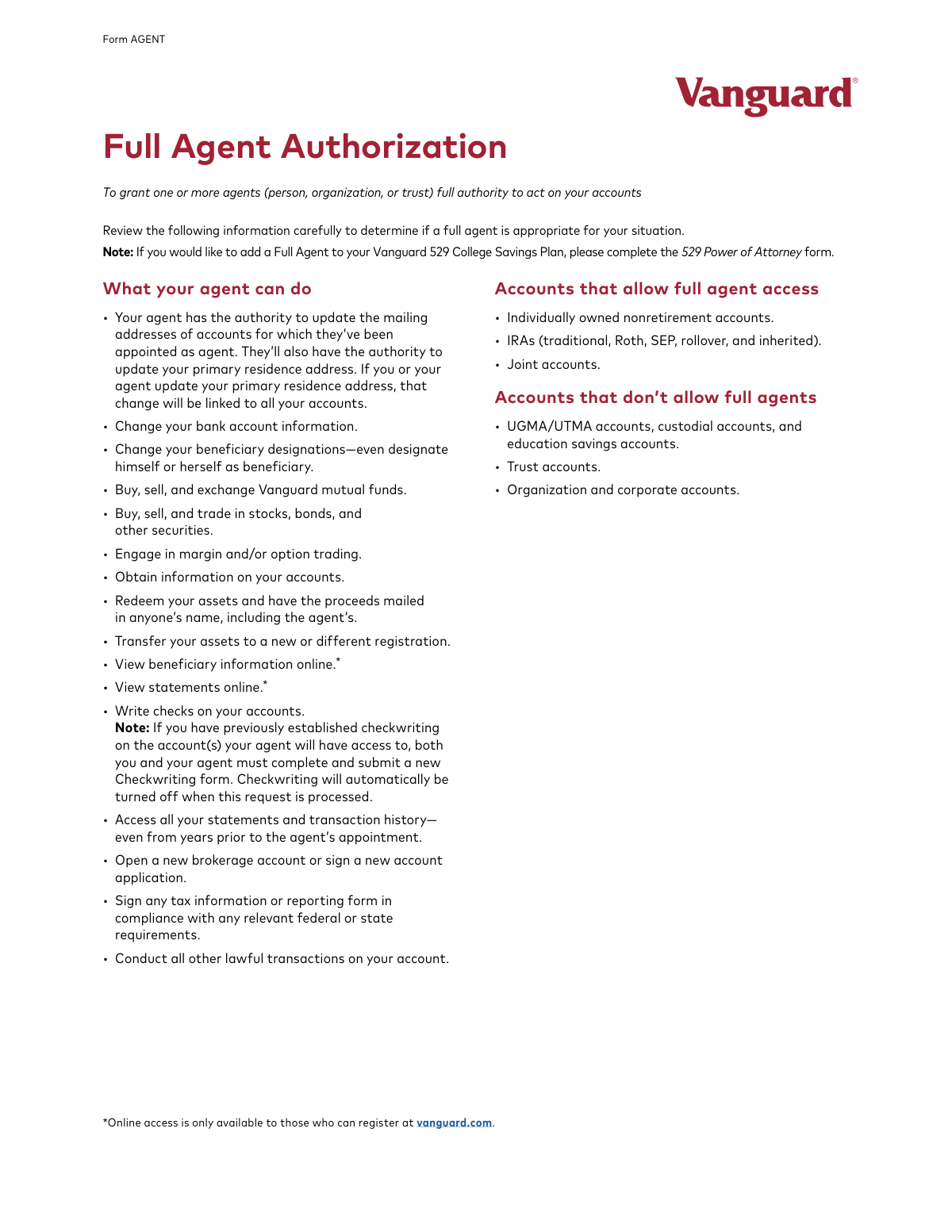
What is the purpose of the Vanguard Full Agent Authorization form?
Who needs to fill out this form?
What powers will my agent have?
Which accounts are eligible for Full Agent Authorization?
Can I appoint more than one agent with this form?
What are the signature requirements for this form to be valid?
I already have an agent on my account. What happens to them if I submit this form?
What information do I need to provide for my agent?
How do I submit the completed Full Agent Authorization form?
What is a common mistake that causes this form to be rejected?
Does the person I'm appointing as agent also need to sign this form?
Can I use an AI tool to help fill out this form?
How can I fill out this Vanguard form online?
The PDF I downloaded is not fillable. What should I do?
Get your Form AGENT filled out by AI
$0 today. Cancel before Nov 2 and you pay nothing.
Other forms like this one
Vanguard forms: Gift of Nonretirement Assets to Existing Vanguard Account Form, Vanguard VRPA Transfer Request Form, Vanguard Personal Investor – Transfer form, Vanguard Asset Transfer Authorization Form for the Emory University Retirement Plan, Retirement Transfer Between Existing Vanguard Accounts, Vanguard Personal Investor – Transfer initiation form – Transfer out, Vanguard Asset Transfer Authorization, Moving your Vanguard funds to a Vanguard Brokerage Account Disclosure statement, Make a contribution - Vanguard Charitable, Vanguard Transfer Form, Vanguard Transfer on Death Plan Form, The Vanguard 529 College Savings Plan: Power of Attorney, Vanguard Direct Rollover IRA Adoption Agreement, Vanguard Limited Agent Authorization, The Vanguard 529 College Savings Plan Agent Authorization/Limited Power of Attorney, The Vanguard 529 College Savings Plan Direct Rollover Out to Roth IRA Form, The Vanguard 529 College Savings Plan Transfer Due to Death of Account Owner Form, Your guide to completing a rollover - Vanguard, Vanguard IRA Distribution Kit (including IRA Distribution Form RRDFT and Form W-4R), The Vanguard 529 College Savings Plan Incoming Direct Rollover Form
agent forms: ACORD 36, Agent/Broker of Record Change, New licence application – Form 1–1 (IND), Application for an individual’s licence (Real estate agent, property auctioneer, resident letting agent, motor dealer, chattel auctioneer, field agent), Department of Home Affairs — Appointment or cessation of a registered migration agent, legal practitioner or exempt person providing immigration assistance (Appointment notification form), Form 956, Appointment of a registered migration agent, legal practitioner or exempt person, Louisiana Secretary of State – Notice of Change of Registered Office and/or Change of Registered Agent (Domestic Limited Liability Company) (R.S. 12:1308) (Form SS983, Rev. 01/24), Melbourne City College Australia Education Agent Application Form, Vanguard Limited Agent Authorization, The Vanguard 529 College Savings Plan Agent Authorization/Limited Power of Attorney, Transamerica Change of Servicing Agent Authorization Form, Form 1583, Application for Delivery of Mail Through Agent, RECO Information Guide: Working with a real estate agent
Let AI fill out your Form AGENT
Your trial starts once a card is added. You pay nothing before Nov 2.
Our AI already knows this form, all 84 fields of it. Skip the typing: tell it about yourself, or upload what you have, and it fills the whole form in seconds.
- AI fills every field on all 11 pages, checkboxes included
- No typing into boxes: answer a few questions, or upload a document you already have, an old copy of this form, a photo of a document
- The AI checks the answers; you review and change anything before you download
- Download the finished PDF, print it, or sign it online
- Encrypted, and never used to train AI
Cancel before Nov 2 and you pay nothing.
A card is needed to start the trial. Cancel in two clicks from your account.
Terms · Privacy