Fill out employee benefit forms
with AI.
Employee benefit forms are essential documents used to manage and report on workplace programs, ranging from health insurance and disability coverage to retirement and 401k plans. These forms serve as a vital link between employers, employees, and regulatory bodies like the Department of Labor and the IRS. By documenting the financial health and operational details of various plans, these records ensure that benefits are managed transparently and in full compliance with federal laws like ERISA, which protects the interests of plan participants and their beneficiaries.
By continuing, you acknowledge Instafill's Privacy Policy and agree to get occasional product update and promotional emails.
About employee benefit forms
HR professionals, plan administrators, and business owners typically handle these forms during annual reporting cycles or when updating company benefit structures. Whether you are filing a Form 5500 to report on a retirement plan's investments or managing specific enrollment paperwork, accuracy is critical to maintaining a plan's tax-qualified status. Because these documents often require detailed financial data and plan participant information, they can be complex and time-consuming to complete manually, especially for growing organizations with multiple benefit tiers.
To simplify this administrative burden, tools like Instafill.ai use AI to fill these forms in under 30 seconds, ensuring that data is handled accurately and securely. This practical approach allows professionals to focus on supporting their workforce rather than getting bogged down in repetitive paperwork. By leveraging automation for employee benefit forms, you can streamline your compliance workflow and reduce the risk of filing errors.
Every form on this page can be completed without typing. Instafill is form filling software that reads a PDF and fills it for you — including flat and scanned documents that carry no fillable fields at all.
Forms in This Category
The forms in this category have a median Form Complexity Index of 61/100 (Moderate), measured across 5 forms by field count, input difficulty, length, conditional logic and structure. See how it is calculated.
| Form Name | Pages | FCI | |
|---|---|---|---|
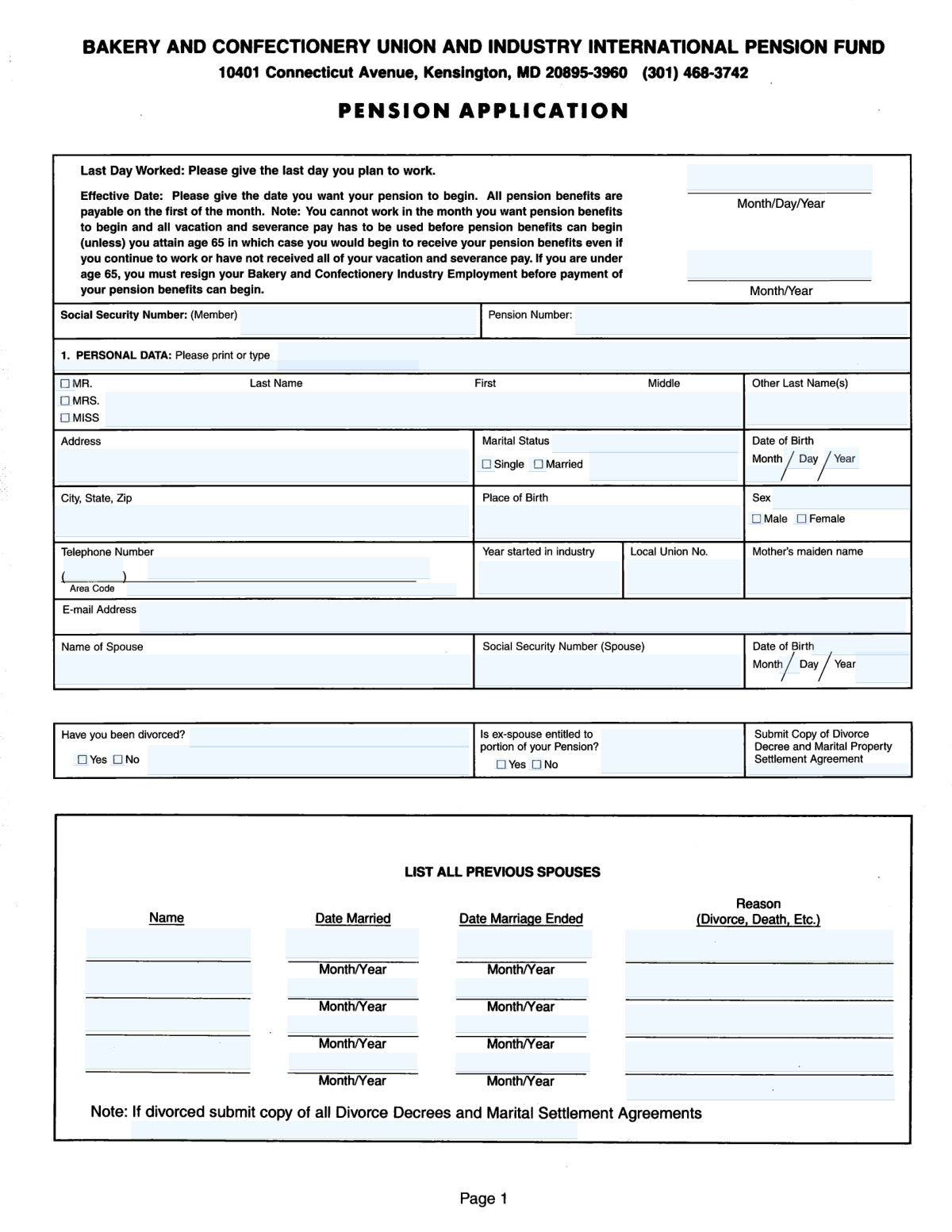
| 1. | Bakery and Confectionery Pension Fund Pension Application | 4 | Complex 65 |
| 2. | Beneficiary Designation Form for Plans Subject to QJSA (Form F11607) | 1 | – |
| 3. | Form 5500, Annual Return/Report of Employee Benefit Plan | 1 | Basic 43 |
| 4. | Form 5500, Annual Return/Report of Employee Benefit Plan | 1 | – |
| 5. | Form A - 403(b) Participant's Request For Distribution | 1 | Moderate 61 |
- Enterprise-grade security & data encryption
- 99%+ accuracy powered by AI
- 1,000+ forms from all industries
- Complete forms in under 60 seconds
How to Choose the Right Form
Navigating the world of employee benefit forms is crucial for maintaining legal compliance and ensuring your team’s retirement and health plans remain in good standing. Whether you are managing a small business 401k or a large corporate benefit package, selecting the correct filing is the first step toward transparency and regulatory adherence.
Annual Reporting for Benefit Plans
The most critical document in this category is the Form 5500, Annual Return/Report of Employee Benefit Plan. This is not just a standard internal document; it is a mandatory filing required by both the Department of Labor (DOL) and the IRS. You should choose this form if you are a plan administrator or employer responsible for:
- Reporting the financial condition and investments of a retirement or health plan.
- Ensuring compliance with the Employee Retirement Income Security Act (ERISA).
- Providing a transparent overview of plan operations to participants and beneficiaries.
Retirement and 401k Compliance
If you are searching for retirement forms or 401k forms specifically for annual compliance, Form 5500 is your primary tool. It serves as the main vehicle for disclosing how these plans are managed and funded. Because filing this form is critical for maintaining the tax-qualified status of a plan, accuracy is paramount. Using AI-powered tools like Instafill.ai allows you to convert complex, non-fillable PDF versions of these reports into interactive documents that are easier to manage.
Identifying Your Specific Needs
While employee benefit forms can range from internal enrollment paperwork to external tax filings, the documents listed here focus on high-level compliance and reporting:
- Form 5500 (Annual Return/Report): Select this for comprehensive reporting of your plan's financial health to federal agencies.
- Audit Readiness: Use these forms to organize your plan's operations, making it easier to handle potential DOL audits or internal reviews.
By leveraging Instafill.ai, you can streamline the process of completing these detailed reports, ensuring your employee benefit forms are submitted accurately and on schedule.
Form Comparison
| Form | Reporting Objective | Required For | Filing Deadline | Regulatory Oversight |
|---|---|---|---|---|
| Form 5500, Annual Return/Report of Employee Benefit Plan | Reports financial condition, investments, and operations of employee benefit plans. | Plan administrators of ERISA-covered retirement and welfare benefit plans. | Annually, by the last day of the seventh month after year-end. | Ensures compliance with Department of Labor and IRS standards. |
| Form 5500, Annual Return/Report of Employee Benefit Plan | Provides transparency on plan assets and maintains tax-qualified status. | Employers and administrators managing 401(k) or other qualified programs. | Required once per year to protect interests of plan participants. | Focuses on ERISA regulations and financial transparency for beneficiaries. |
Tips for employee benefit forms
Ensure the Employer Identification Number (EIN) and the three-digit Plan Number match your previous filings exactly. Discrepancies in these identifiers can lead to processing delays or automated flags from the DOL and IRS.
Collect all necessary audit reports and investment statements before you begin the data entry process. Having these figures ready prevents interruptions and ensures that the financial data reported on the form is consistent with your internal records.
AI-powered tools like Instafill.ai can complete these complex forms in under 30 seconds with high accuracy. This technology automates data entry while ensuring your sensitive plan data stays secure throughout the entire process.
Carefully calculate the total number of participants at the start and end of the plan year. This count is critical because it determines whether your plan requires a formal independent audit, which is a common area for compliance errors.
Always save a copy of the electronic receipt or confirmation number once your form is submitted. Maintaining a digital archive of these receipts is essential for proving timely compliance during future audits or corporate transitions.
If you use a service like ADP for your 401k or retirement plans, verify that their provided data aligns with your internal payroll records. Reconciling these numbers before filling out the form helps avoid reporting errors that could trigger a compliance review.
Employee benefit forms often require specific schedules, such as Schedule A for insurance or Schedule H for large plans. Review your plan type early to ensure you are attaching the correct supplemental documents to avoid an incomplete filing.
If you manage several different employee benefit plans, use consistent naming conventions and data formats across all documents. This organization makes it much easier to track compliance history and simplifies the process of updating information year-over-year.
Frequently Asked Questions
Employee benefit forms are used to document, manage, and report on various company-provided perks like health insurance and retirement plans. They ensure that both the employer and the government have a clear record of how these plans are funded, managed, and administered for the protection of employees.
The plan administrator or the employer is usually responsible for ensuring these forms are completed and filed on time. In many cases, third-party administrators or payroll providers assist with gathering the data, but the legal responsibility remains with the plan sponsor.
Form 5500 acts as a primary compliance tool for the Department of Labor and the IRS to monitor employee benefit plans. It ensures that plans are operated in accordance with ERISA standards, which helps protect the financial interests of participants and their beneficiaries.
Yes, most employee benefit reports, specifically the Form 5500 series, must be filed annually. The filing is generally due by the last day of the seventh month after the plan year ends, though extensions can often be requested if more time is needed.
Yes, AI tools like Instafill.ai can be used to fill out complex employee benefit forms efficiently. These systems accurately extract data from your source documents and place it into the correct fields, significantly reducing the risk of manual entry errors.
While manual entry for complex compliance documents can take hours, AI-powered services like Instafill.ai can fill these forms in under 30 seconds. The technology automates the data mapping process by extracting relevant information from your existing files and placing it directly into the PDF.
You will generally need your plan's financial statements, investment reports, and participant count records for the specific plan year. Having these source documents ready allows AI tools to scan and extract the necessary figures for the report more effectively.
Most employee benefit forms, including the Form 5500, must be filed electronically through the EFAST2 system managed by the Department of Labor. Some related forms regarding tax-qualified status may also need to be submitted to the IRS.
Missing a filing deadline can lead to significant penalties and fines from both the Department of Labor and the IRS. Maintaining a consistent filing schedule is essential for keeping a retirement plan's tax-qualified status and avoiding potential legal complications.
Yes, there are often simplified versions of benefit forms designed for small plans with fewer participants. These versions require less detailed financial disclosure while still meeting the basic reporting obligations required by federal law.
Glossary
- Form Complexity Index
- Instafill’s 0–100 measure of how much effort a form takes to complete, calculated deterministically from the form’s own structure rather than estimated. It combines the number of fillable fields (the largest factor), how difficult those fields are to complete based on their type, the number of pages that contain fields, the amount of conditional “fill-only-if” logic, and how many sections the form is divided into, then adds modifiers for tables and repeating lists, bundled instruction pages, and dense page layouts. A higher score means the form is harder to fill out by hand. The forms in this category have a median Form Complexity Index of 61/100 (Moderate). See exactly how it is calculated.
- ERISA
- The Employee Retirement Income Security Act is a federal law that sets the standards of protection for individuals in most voluntarily established retirement and health plans in private industry.
- Plan Administrator
- The person or entity designated by the terms of the benefit plan to handle day-to-day operations and mandatory filings like Form 5500.
- Fiduciary
- An individual or organization legally obligated to act in the best interest of the plan participants when managing the plan's assets and administration.
- Vesting
- The process by which an employee earns non-forfeitable ownership of employer-contributed funds in their retirement account, usually based on years of service.
- Qualified Plan
- A retirement plan that meets specific Internal Revenue Code requirements, allowing it to provide tax advantages to both the employer and the plan participants.
- Defined Contribution Plan
- A retirement plan, such as a 401(k), where the employee and/or employer contribute a specific amount, and the final benefit is based on investment performance.
- Beneficiary
- A person designated by a plan participant to receive the benefits of the plan in the event of the participant's death.
- Summary Plan Description (SPD)
- A mandatory document provided to participants that explains the plan's rules, benefits, and how the plan operates in plain language.