Yes! You can use AI to fill out Form 5500, Annual Return/Report of Employee Benefit Plan
Form 5500 is the Annual Return/Report of Employee Benefit Plan, a comprehensive report required by the Department of Labor (DOL) and the Internal Revenue Service (IRS). Plan administrators use this form to disclose detailed information about their employee benefit plan's financial condition, investments, and operations, ensuring transparency and compliance with ERISA regulations. Filing this form is critical for maintaining the plan's tax-qualified status and protecting the interests of participants. Today, this complex form can be filled out quickly and accurately using AI-powered services like Instafill.ai, which can also convert non-fillable PDF versions into interactive fillable forms.
Form 5500 is part of the
employee forms, employee benefit forms and benefit plan forms categories on Instafill.
Rather not fill this in by hand? Instafill is an online form filler that completes PDF forms automatically — upload the blank form, answer a few questions, and the AI fills every field.
Form specifications
| Form name: | Form 5500, Annual Return/Report of Employee Benefit Plan |
| Number of pages: | 1 |
| Language: | English |
Our AI automatically handles information lookup, data retrieval, formatting, and form filling.
It takes less than a minute to fill out Form 5500 using our AI form filling.
Securely upload your data. Information is encrypted in transit and deleted immediately after the form is filled out.
Instafill Demo: How to fill out PDF forms in seconds with AI
How to Fill Out Form 5500 Online for Free in 2026
Are you looking to fill out a FORM 5500 form online quickly and accurately? Instafill.ai offers the #1 AI-powered PDF filling software of 2026, allowing you to complete your FORM 5500 form in just 37 seconds or less.
Follow these steps to fill out your FORM 5500 form online using Instafill.ai:
- 1 Navigate to Instafill.ai and upload your Form 5500 document or select it from the available templates.
- 2 Provide the basic plan identification details, such as the plan sponsor's name, EIN, and plan number, allowing the AI to populate these fields throughout the form.
- 3 Enter the plan's financial information for the reporting year, including details on assets, liabilities, income, and expenses.
- 4 Answer the series of compliance and administrative questions, such as those regarding fidelity bond coverage and plan operations, as prompted by the system.
- 5 Upload and attach all necessary schedules (e.g., Schedule H, Schedule I, Schedule R) as required for your specific plan type and size.
- 6 Thoroughly review the completed form and all attached schedules, verifying that the AI has accurately captured all financial data and responses.
- 7 Electronically sign the return as the plan administrator and follow the final steps to submit the form through the DOL's EFAST2 filing system.
Our AI-powered system ensures each field is filled out correctly, reducing errors and saving you time.
Why Choose Instafill.ai for Your Fillable Form 5500 Form?
Speed
Complete your Form 5500 in as little as 37 seconds.
Up-to-Date
Always use the latest 2026 Form 5500 form version.
Cost-effective
No need to hire expensive lawyers.
Accuracy
Our AI performs 10 compliance checks to ensure your form is error-free.
Security
Your personal information is protected with bank-level encryption.
Frequently Asked Questions About Form 5500
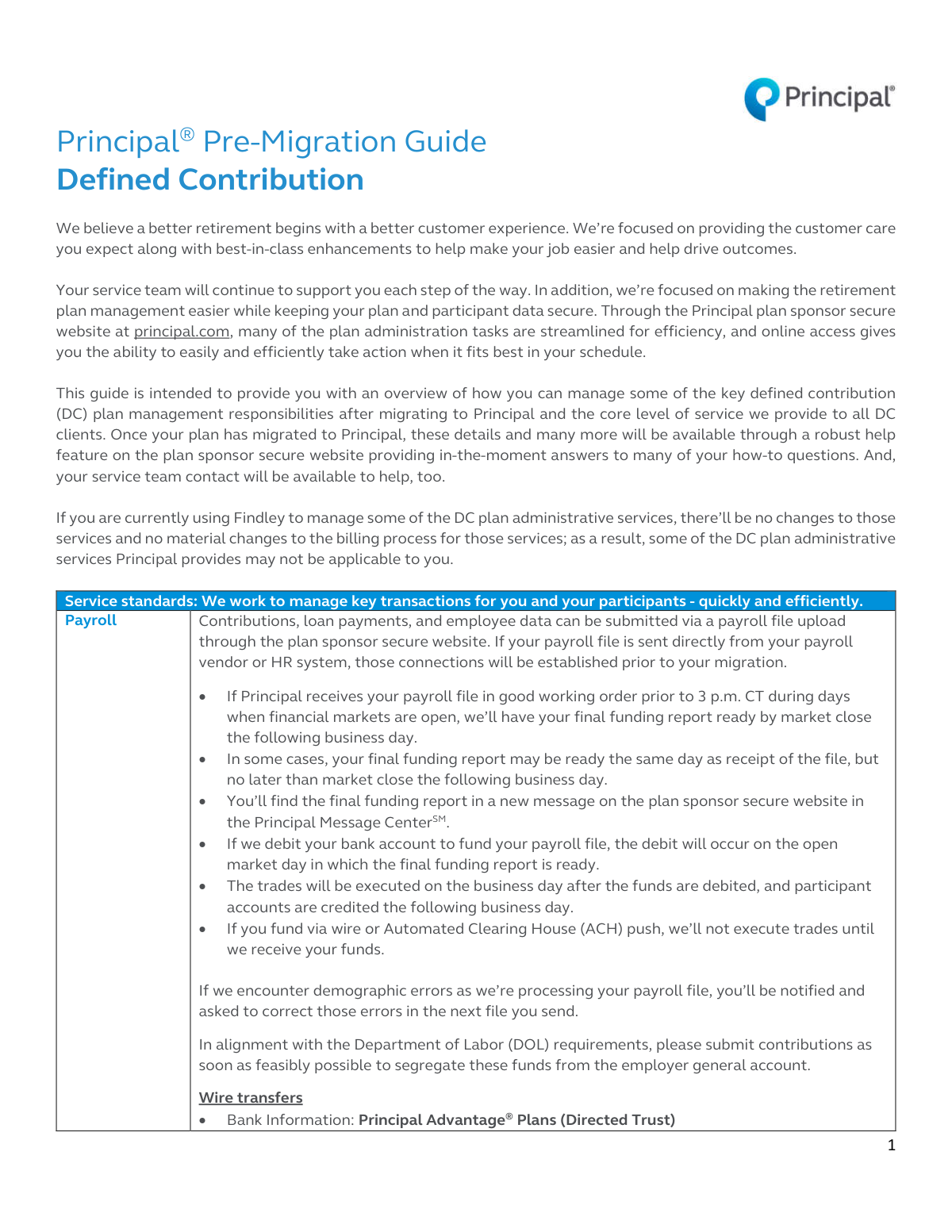
This guide provides an overview for plan sponsors on how to manage their Defined Contribution (DC) plan responsibilities after migrating from Wells Fargo IRT to Principal.
You can submit payroll files, including contributions and loan payments, by uploading them through the secure plan sponsor website at principal.com. Direct connections with payroll vendors will be established prior to migration.
If your file is received in good order before 3 p.m. CT, your funding report will be ready by the next business day. Trades are executed the day after funds are debited, and participant accounts are credited the following business day.
Principal streamlines the process by pre-populating the form with plan data and providing an online questionnaire for you to complete. You can then review, edit, and approve the Form 5500 directly on the plan sponsor website.
Participants can easily request a plan loan electronically using the Principal® eSignature Loan service on the participant website. This ensures accuracy and allows for fast processing, with funds paid by check or direct deposit.
Distribution requests that are submitted in good working order are typically processed within one business day. If additional information is needed, Principal will follow up with the participant to complete the request.
No, custom reports from Wells Fargo IRT will not transfer to Principal. It is recommended that you generate and save any critical historical reports for your records before your migration date.
Principal's Loan Default Service monitors for delinquent payments and will notify participants that their loan is at risk of default. The service is designed to automatically default the loan at the appropriate time unless the participant brings it current.
To change a plan contact, you must send a signed letter on company letterhead to your Principal service team. To change the Primary Security Administrator, you must complete a specific form available on the plan sponsor website.
Participants will be guided through a one-time, secure account setup process on principal.com. They will need to create a new username and password and establish security questions to access their account information.
Yes, services like Instafill.ai use AI to accurately auto-fill form fields, which can save you time and reduce errors when completing your Form 5500 questionnaire or other administrative forms.
Simply upload your plan-related PDF form to the Instafill.ai platform. The AI-powered service will make the document interactive, allowing you to fill it out quickly and accurately online.
You can use a service like Instafill.ai to convert flat, non-fillable PDFs into interactive, fillable forms. This makes it easy to complete, sign, and manage your documents digitally.
Principal's automated service identifies participants who must receive an RMD, calculates the amount, and notifies them. If the participant does not take action by the deadline, the RMD amount will be automatically forced out to them.
To prevent your bank from blocking debit attempts, you must provide them with two authorization numbers: 9PFGPRINC0 and 1510099493. This allows Principal's processing bank, Wells Fargo, to debit your account for plan funding.
Compliance Form 5500
Validation Checks by Instafill.ai
1
Payroll File Demographic Integrity
This check validates key demographic data within submitted payroll files, such as Social Security Numbers, dates of birth, and names. It is crucial for accurate recordkeeping, compliance testing, and preventing account mismatches. If errors are found, the file processing is halted, and the plan sponsor is notified to correct the data in their next submission to ensure participant accounts are updated correctly.
2
Wire Transfer OBI Field Validation
This validation ensures the 'Other Beneficiary Information' (OBI) field on incoming wire transfers contains the correct Client's Name and Principal Contract Number. This is critical for automatically and accurately applying funds to the correct retirement plan without manual intervention. Wires with incorrect or missing OBI information will be flagged for manual review, delaying the crediting of funds to the plan.
3
Loan Request Conformance to Plan Rules
This check verifies that a participant's electronic loan request complies with the specific parameters of their retirement plan's loan program. It validates factors like the requested loan amount against maximum limits, the repayment term, and the number of outstanding loans. This is important for maintaining plan compliance; requests that violate plan rules are rejected, and the participant is notified to submit a revised request.
4
Post-Payoff New Loan Lockout
This is a time-based logical check that prevents a participant from requesting a new loan for a period of 8 calendar days after paying off a previous loan using the eCheck option. This rule is designed to manage administrative workload and potentially discourage rapid re-borrowing. Any new loan request submitted within this 8-day window will be automatically denied until the lockout period expires.
5
Distribution Request Eligibility Verification
This validation confirms that a participant is eligible for the type of distribution they have requested by checking their employment status on record (e.g., active, terminated, retired, disabled). This is essential to prevent improper access to retirement funds and ensure compliance with plan documents and IRS regulations. An ineligible request will be rejected, and the participant will be notified of the discrepancy.
6
Required Minimum Distribution (RMD) Age Identification
This automated check scans participant data to identify individuals who must receive a Required Minimum Distribution (RMD) based on their age and employment status. This is a critical compliance function to avoid significant tax penalties for both the participant and the plan sponsor. If a participant is identified for an RMD, the system automatically triggers the notification and calculation process.
7
Form 5500 Questionnaire Completeness
This check ensures that the plan sponsor has answered all mandatory questions within the annual Form 5500 data collection questionnaire. Complete and accurate answers are required to prepopulate the Form 5500 correctly and meet IRS/DOL filing requirements. The system will prevent the sponsor from finalizing the questionnaire and will display prompts until all required fields are filled.
8
New Employee Eligibility Data Presence
This validation ensures that payroll files for new hires contain all necessary data points, such as hire date and employee classification, required to calculate plan eligibility. Missing data prevents the system from automatically determining when an employee can enroll, potentially delaying their participation. The system will flag records with missing eligibility data and alert the plan sponsor to provide the information on a subsequent file.
9
Beneficiary Allocation Summation
This check verifies that the contribution percentages assigned to all of a participant's designated beneficiaries sum to exactly 100%. This is crucial to ensure that in the event of the participant's death, the account balance can be distributed clearly and without ambiguity according to their wishes. If the percentages do not total 100%, the system will prevent the beneficiary designation from being saved and prompt the user to correct the allocations.
10
Security Administrator Change Authorization
This validation ensures that any form submitted to change the Primary Security Administrator has been signed by a person listed as an 'Authorized Signer' or trustee for the plan. This is a critical security measure to prevent unauthorized individuals from gaining administrative control over the plan's web portal and data. Forms without a valid signature from an authorized individual will be rejected, and the change will not be processed.
11
Section 16 Insider Trading Restriction
This check actively blocks specific stock-related transactions for any participant who has been coded as a 'Section 16' insider. Prohibited actions include transfers into or out of company stock and changes to future investment allocations involving company stock. This is a vital compliance control to help clients enforce trading restrictions, and any attempted prohibited transaction will be immediately rejected by the system.
12
Participant Search SSN Format
This validation ensures that the Social Security Number (SSN) entered in the participant search function adheres to a valid format, such as being numeric and having either 4 or 9 digits. This simple check improves search accuracy and prevents system errors that could be caused by improperly formatted input. If a user enters an invalid format, the system will display an error message and prevent the search from executing.
13
Catch-Up Contribution Age Eligibility
This check verifies that any contributions designated as 'catch-up' are for participants who meet the IRS age requirement (age 50 or older within the calendar year). The system automatically identifies eligible participants and segregates their excess contributions into the correct source. This is important for accurate reporting and compliance, ensuring that only eligible participants utilize the catch-up provision.
Common Mistakes in Completing Form 5500
Plan sponsors often confuse the specific routing and account numbers for Wire transfers versus ACH push transfers, as they are different. A common error is also omitting the required OBI/Addendum information, which must include the Client's Name and Principal Contract Number. These mistakes lead to failed or delayed transactions, impacting the timely investment of contributions and potentially causing compliance issues. To avoid this, create a clear internal guide with the correct details for each transfer type and double-check all fields before submission. AI-powered tools like Instafill.ai can help by storing and correctly populating these complex data strings, reducing the risk of manual entry errors.
The guide specifies two unique company ID numbers (9PFGPRINC0 and 1510099493) that must be provided to the sponsor's bank to pre-authorize Principal's ACH debit attempts. Sponsors frequently overlook this crucial one-time setup step, assuming their standard ACH authorization is sufficient. This oversight causes the bank's fraud protection to block the debit, resulting in funding failures, processing delays, and the need for manual intervention. To prevent this, contact your bank's treasury management department with these specific codes immediately upon setting up ACH debit services.
Payroll files are the primary source of data for contributions, loans, and eligibility, but they often contain demographic errors like incorrect dates of birth, misspelled names, or outdated employment statuses. While Principal will process the file, they will flag the errors for correction in the next submission, creating ongoing administrative work. More critically, incorrect data can lead to failed compliance tests, improper RMD calculations, and enrollment issues. Regularly auditing your HRIS data against plan records and using a validation checklist before uploading can prevent these recurring problems.
The plan sponsor website generates 'To-Do List' tasks for critical items, including quarterly reports of participants with delinquent loans. Sponsors may miss these alerts or underestimate their importance, assuming the process is fully automated. Failure to review and act on these tasks can lead to employees' loans defaulting unintentionally, creating a taxable event and significant financial hardship for the employee. To avoid this, the Primary Security Administrator should log in regularly and establish a process for reviewing and clearing all 'To-Do List' items promptly.
Principal pre-populates the Form 5500 based on a data collection questionnaire, which asks critical questions about fidelity bonds, outside assets, and life insurance policies. Sponsors may answer hastily without verifying the information, forget about assets held outside Principal, or misunderstand the questions. Incorrect answers lead to an inaccurate Form 5500 filing, which can trigger DOL audits, penalties, and significant costs to amend the filing. Before starting the questionnaire, gather all relevant plan documents, bond certificates, and statements for any outside assets to ensure every answer is accurate.
The guide states that if a new employee's eligibility date is missing from the payroll file, it will default to '01/01/2099', effectively preventing them from being enrolled. Sponsors often assume that just adding a new employee to payroll is sufficient. This mistake can cause eligible employees to miss enrollment windows and lose out on contributions and company matches, creating a significant compliance failure and employee dissatisfaction. Ensure your payroll process includes accurately populating the plan eligibility date and any other required indicators (e.g., union status) for every new hire.
Changing a plan contact or Primary Security Administrator requires a specific, formal process, such as a signed letter on company letterhead or a specific form, signed by an authorized trustee. Many sponsors attempt to make this change via a simple email, which will be rejected. This error delays the transition of responsibilities and can result in the new contact being locked out of the system while the old contact continues to receive sensitive notifications. To avoid delays, locate the exact procedure on the sponsor website and follow it precisely. For forms only available as flat PDFs, tools like Instafill.ai can convert them into fillable versions, making them easier to complete accurately.
The guide explicitly warns that custom reports generated in the previous Wells Fargo IRT system will not be transferred to the Principal platform. Plan sponsors, focused on the immediate tasks of migration, may overlook this warning. This results in the permanent loss of critical historical plan data that may be needed for future audits, analysis, or legal inquiries. Before the migration date, sponsors must log into the old system, generate all critical historical and custom reports, and save them securely to their own files.
Processing a QDRO is a legally sensitive and complex process that requires precise and complete documentation. Sponsors or participants often submit incomplete forms or miss required supporting documents, believing the initial submission is sufficient. The guide notes a 3-5 week processing time *after* all items are in good order, meaning any error resets the clock and causes significant delays for the alternate payee. To prevent this, use the sample communications and instructions on the sponsor website as a checklist to ensure every required piece of information is included and correct before submission.
A classic data entry error is explicitly warned against in the guide for the ACH debit setup. The company ID '9PFGPRINC0' ends in a zero, not the letter 'O'. When relaying this information to their bank, sponsors may verbally say 'O' or mistype it, causing the bank's system to reject the ID. This seemingly minor mistake will cause all debit attempts to fail. When communicating this ID, explicitly state 'the last digit is a zero' to ensure the bank enters it correctly and avoids funding failures.
Saved over 80 hours a year
“I was never sure if my IRS forms like W-9 were filled correctly. Now, I can complete the forms accurately without any external help.”
Kevin Martin Green
Your data stays secure with advanced protection from Instafill and our subprocessors




Robust compliance program
Transparent business model
You’re not the product. You always know where your data is and what it is processed for.
ISO 27001, HIPAA, and GDPR
Our subprocesses adhere to multiple compliance standards, including but not limited to ISO 27001, HIPAA, and GDPR.
Security & privacy by design
We consider security and privacy from the initial design phase of any new service or functionality. It’s not an afterthought, it’s built-in, including support for two-factor authentication (2FA) to further protect your account.
Fill out Form 5500 with Instafill.ai
Worried about filling PDFs wrong? Instafill securely fills form-5500-annual-returnreport-of-employee-benefit-plan-1 forms, ensuring each field is accurate.
