Usage Quotas & Tracking
See exactly how many document fills your workspace has used, how many remain, and when the counter resets
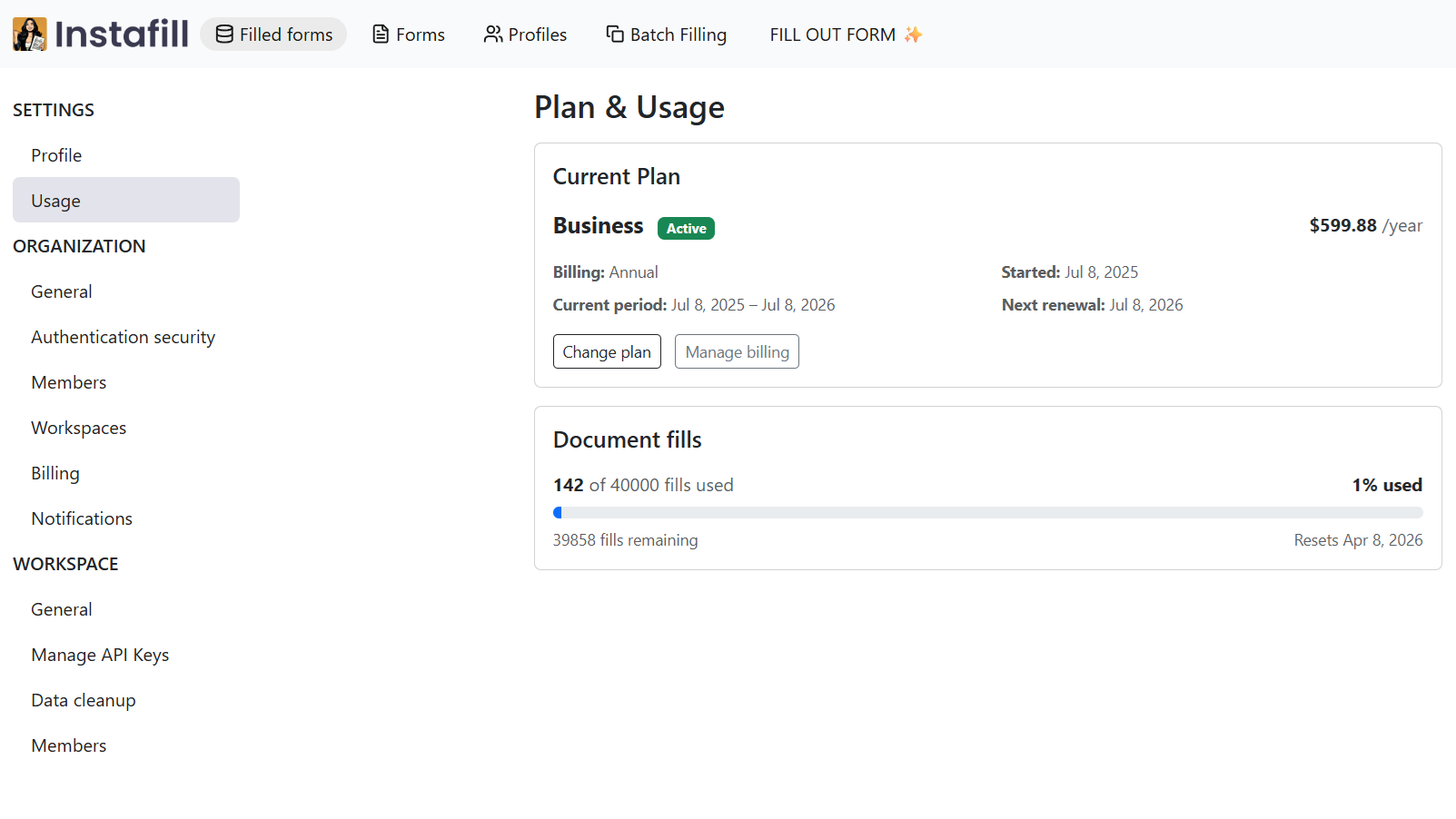
Overview
AI form filler tracks usage by completed document fills. A document fill counts each time a form is filled out, regardless of whether it is the same form filled multiple times or different forms filled once each. A team that fills 40 forms in a month and a team that fills one form 40 times in a month both consume 40 document fills.
Your plan sets how many fills are available per month. You can check your current usage at any time in Settings -> Usage, where you can see fills used, fills remaining, and the date the counter resets.
When the monthly limit is reached, additional fills are blocked until the counter resets at the start of the next billing period. Upgrading your plan restores access immediately.
How Quotas Work
The counter
Settings -> Usage shows your current Plan & Usage. You can see:
- How many fills have been used in the current period
- How many remain
- The exact reset date
The counter updates after each completed fill, so the number you see is always current.
Plan limits
Limits are set by your subscription plan and tier. The pricing page has the full breakdown, but here is what each plan covers:
| Plan | Tier 1 | Tier 2 | Tier 3 | Tier 4 |
|---|---|---|---|---|
| Business | 50 fills/mo | 100 fills/mo | 250 fills/mo | 500 fills/mo |
| Max | 100 fills/mo | 300 fills/mo | 900 fills/mo | 2,500 fills/mo |
| Enterprise | Custom | Custom | Custom | Custom |
The Business plan starts at $99/month (Tier 1). The Max plan starts at $299/month (Tier 1). All plans offer a 20% discount with annual billing. Enterprise pricing is per document - contact the sales team for volume arrangements.
What counts as a fill
Each completed document fill counts as one toward the monthly total. This applies to fills done manually in the dashboard, fills triggered via API or webhook, and fills from batch processing jobs.
Resets
Counters reset on the renewal date of your billing period. Unused fills do not carry over to the next period.
Workspaces
Each workspace tracks its own fills independently. If your organization runs multiple workspaces, each workspace has its own counter and its own plan. Usage in one workspace does not affect the limits in another.
Upgrading When You Need More Fills
If you are running low before the reset date, you can upgrade to a higher tier or switch plans from Settings -> Billing. The new limit takes effect immediately after the plan change is processed - you do not need to wait for the next billing period.
For teams with irregular volume - high one month, low the next - the Max plan's higher tiers or an Enterprise arrangement may be a better fit than the Business plan.
For API Users
If you are triggering fills programmatically via the REST API, each successful fill response consumes one from your monthly quota the same way a manual fill does. Batch jobs consume one fill per row processed.
If your workspace reaches its monthly limit, the API returns an error response rather than processing the fill. Your integration should handle this case by checking the response and either pausing the job or alerting the team to upgrade.
Common Questions
What counts as one document fill?
One completed fill of any form counts as one document fill, regardless of the form's length or complexity. Filling a one-page W-4 and filling a 20-page credentialing packet each count as one fill. Filling the same form 10 times for 10 different employees counts as 10 fills.
What happens when I reach my monthly limit?
Additional fills are blocked until the counter resets at the start of the next billing period. You can see the reset date in Settings -> Usage. To resume filling before the reset date, upgrade to a higher tier from Settings -> Billing - the new limit applies immediately.
Do unused fills roll over to the next month?
No. Counters reset at the start of each billing period regardless of how much was used. Unused fills from the previous period do not carry over.
Can different workspaces in my organization have different plans?
Yes. Each workspace has its own subscription and its own usage counter. A workspace on Business Tier 2 and a workspace on Max Tier 1 within the same organization each track their fills independently.
Does batch processing consume fills faster?
Yes. Each row in a batch job that produces a completed PDF counts as one fill. A 100-row batch consumes 100 fills. Plan your batch volume against your monthly limit before running large jobs.
How do I know which plan tier is right for my volume?
Start by estimating your average monthly fill volume. If your volume varies significantly month to month, pick a tier that covers your busier months without too much headroom, then adjust up or down as needed.