Yes! You can use AI to fill out Alternate Payee QDRO Distribution Request form
An Alternate Payee QDRO Distribution Request form is a document submitted to a retirement plan administrator to initiate the payment of funds awarded under a Qualified Domestic Relations Order (QDRO). Following a divorce or legal separation, this form is essential for the alternate payee (e.g., a former spouse) to claim their portion of the plan participant's retirement assets. Today, this form can be filled out quickly and accurately using AI-powered services like Instafill.ai, which can also convert non-fillable PDF versions into interactive fillable forms.
Empower QDRO Distribution Request is part of the
QDRO forms, distribution forms and distribution request forms categories on Instafill.
Rather not fill this in by hand? Instafill is an online form filler that completes PDF forms automatically — upload the blank form, answer a few questions, and the AI fills every field.
Form specifications
| Form name: | Alternate Payee QDRO Distribution Request form |
| Number of pages: | 1 |
| Language: | English |
Our AI automatically handles information lookup, data retrieval, formatting, and form filling.
It takes less than a minute to fill out Empower QDRO Distribution Request using our AI form filling.
Securely upload your data. Information is encrypted in transit and deleted immediately after the form is filled out.
Instafill Demo: How to fill out PDF forms in seconds with AI
How to Fill Out Empower QDRO Distribution Request Online for Free in 2026
Are you looking to fill out a EMPOWER QDRO DISTRIBUTION REQUEST form online quickly and accurately? Instafill.ai offers the #1 AI-powered PDF filling software of 2026, allowing you to complete your EMPOWER QDRO DISTRIBUTION REQUEST form in just 37 seconds or less.
Follow these steps to fill out your EMPOWER QDRO DISTRIBUTION REQUEST form online using Instafill.ai:
- 1 Navigate to Instafill.ai and upload or select the Alternate Payee QDRO Distribution Request form.
- 2 Provide your personal details as the alternate payee, including your full name, Social Security Number, and contact information.
- 3 Enter the required information about the plan participant (your former spouse) and the retirement plan as specified in the QDRO.
- 4 Specify how you wish to receive the funds, such as a direct rollover to another retirement account or a lump-sum cash distribution.
- 5 Indicate your federal and state tax withholding preferences for the distribution.
- 6 Review all the information populated by the AI for accuracy, then electronically sign and date the form before submitting it to the plan administrator or TPA for approval.
Our AI-powered system ensures each field is filled out correctly, reducing errors and saving you time.
Why Choose Instafill.ai for Your Fillable Empower QDRO Distribution Request Form?
Speed
Complete your Empower QDRO Distribution Request in as little as 37 seconds.
Up-to-Date
Always use the latest 2026 Empower QDRO Distribution Request form version.
Cost-effective
No need to hire expensive lawyers.
Accuracy
Our AI performs 10 compliance checks to ensure your form is error-free.
Security
Your personal information is protected with bank-level encryption.
Frequently Asked Questions About Empower QDRO Distribution Request
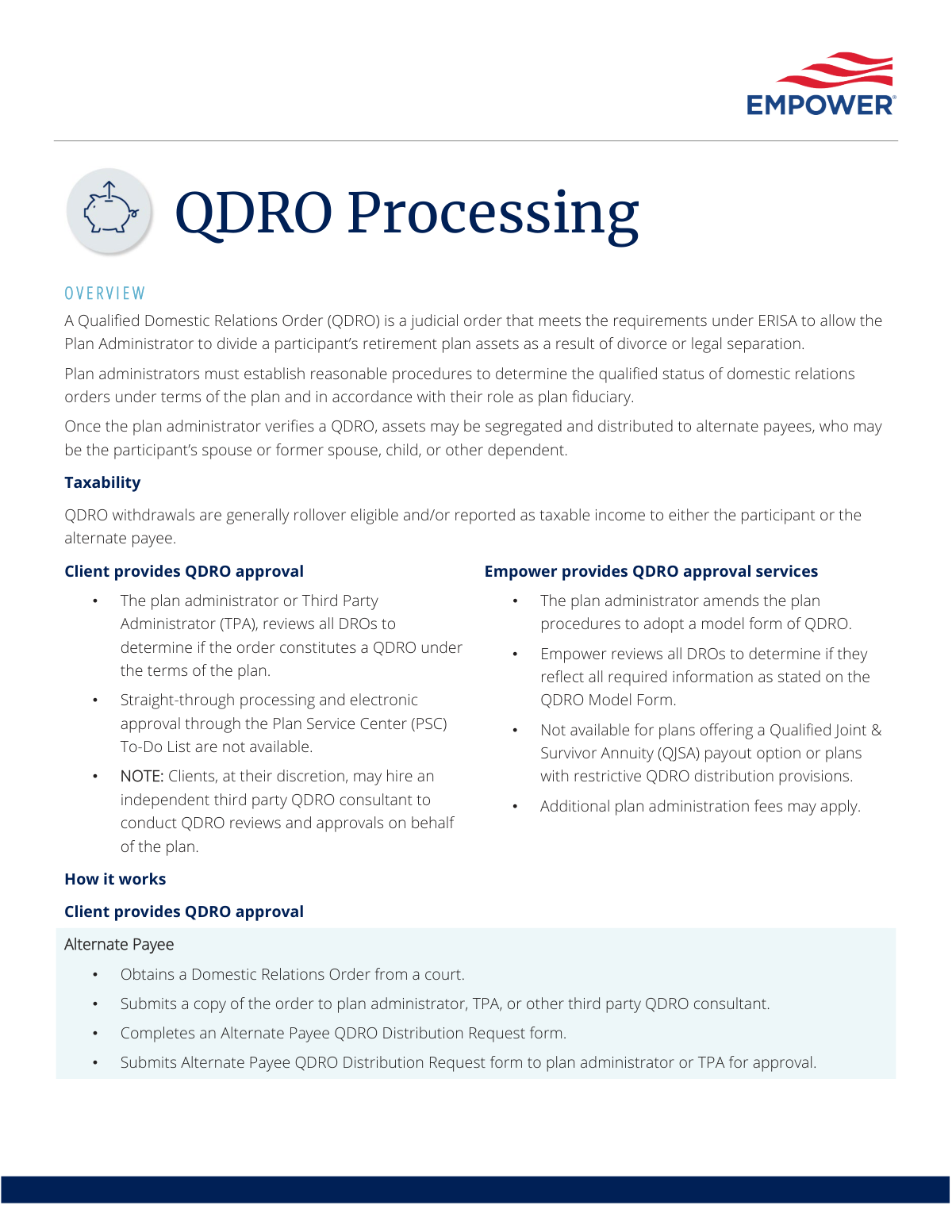
A Qualified Domestic Relations Order (QDRO) is a judicial order required to divide a retirement plan account as part of a divorce or legal separation. It provides the legal authority for the plan administrator to distribute a portion of the participant's assets to an alternate payee, such as a former spouse.
An alternate payee is the person designated by the QDRO to receive a portion of the retirement assets. This is typically the participant’s spouse, former spouse, child, or other dependent.
The first step is to obtain a Domestic Relations Order (DRO) from a court. This court-approved document must then be submitted to your plan administrator or TPA for review and qualification.
You will need the court-issued Domestic Relations Order that has been approved as a QDRO by the plan administrator, as well as a completed 'Alternate Payee QDRO Distribution Request form'. Both are submitted to Empower for processing.
The plan administrator or a Third Party Administrator (TPA) reviews the DRO to determine if it meets the plan's requirements to be considered a 'qualified' order (QDRO). In some cases, Empower may offer this approval service if the plan uses a model QDRO form.
Once approved, Empower segregates the assets into a new 'QDRO takeover account' in the alternate payee's name. The funds can then be distributed from this account based on the instructions provided on the distribution request form.
Upon receiving a DRO or notification of a pending divorce, Empower places a distribution restriction on the participant’s account. This prevents any withdrawals or loans until the asset division is complete.
Yes, distributions to an alternate payee are generally reported as taxable income to that individual. Empower will send you the applicable tax forms in the year following the distribution.
This form is used by the alternate payee to specify how they wish to receive their portion of the retirement assets. Options typically include a cash distribution or a rollover into another eligible retirement account.
The process may differ for a minor. In some cases, a separate QDRO takeover account is not established, and the distribution may be made directly from the participant’s account.
Yes, services like Instafill.ai use AI to help you accurately auto-fill form fields. This can save time and reduce errors when completing the 'Alternate Payee QDRO Distribution Request form'.
You can use a service like Instafill.ai to complete your form digitally. Simply upload the PDF, and the tool's AI will make the fields fillable so you can type your information and download the completed document.
If you have a non-fillable or 'flat' PDF, you can use a tool like Instafill.ai to convert it into an interactive, fillable form. This allows you to easily complete and save your information electronically.
Compliance Empower QDRO Distribution Request
Validation Checks by Instafill.ai
1
Participant Account Verification
Checks that the participant's name and account number or SSN provided on the form match an active account in the system. This is a critical first step to ensure assets are segregated from the correct source account. A mismatch will halt processing and trigger a notification to the submitter to correct the information.
2
Alternate Payee SSN/TIN Format
Validates that the Social Security Number (SSN) or Taxpayer Identification Number (TIN) provided for the alternate payee follows the standard 9-digit format (XXX-XX-XXXX or XXXXXXXXX). This is essential for accurate tax reporting and the establishment of a QDRO takeover account. An invalid format will prevent form submission until corrected.
3
Minor Alternate Payee Identification
This check uses the alternate payee's date of birth to determine if they are a minor. If the alternate payee is a minor, the system flags the submission for special handling, as QDRO takeover accounts may not be established and payment may need to be made to a legal guardian. This prevents procedural errors and ensures compliance with plan rules.
4
Judicial Order Confirmation
Verifies that the submitted Domestic Relations Order (DRO) is confirmed as a legitimate judicial order from a court. This may involve checking for an attached certified copy, a valid court case number, or a required attestation on the submission form. This check ensures the legal prerequisite for a QDRO is met before the plan administrator reviews the document.
5
Required Plan Administrator Approval Form
For client-approved QDROs, this validation ensures the 'Empower QDRO Plan Approval form' has been completed and submitted by an authorized TPA or plan administrator. It confirms that the DRO has been officially qualified by the plan's fiduciary before Empower proceeds with asset segregation. Lack of this approval form will block the entire QDRO process.
6
Distribution Request Form Completeness
Ensures all mandatory fields on the 'Alternate Payee QDRO Distribution Request form' are filled out, including payment instructions (check, rollover), amount, and tax withholding elections. An incomplete form can lead to processing delays or incorrect payments. The validation prevents submission until all required information is provided.
7
Rollover Destination Account Validation
If the alternate payee elects to roll over the distribution, this check verifies that all required information for the receiving institution is provided, including the financial institution's name and a valid account number. It also confirms the destination is an eligible retirement account, such as an IRA. This prevents failed transfers and potential adverse tax consequences for the alternate payee.
8
Payment by Check Address Verification
When 'payment by check' is selected as the distribution method, this validation confirms that a complete and valid mailing address for the alternate payee is present. The system may check the address against postal service data to reduce the risk of returned mail. This ensures the alternate payee receives their funds in a timely manner.
9
QJSA Plan Service Restriction
If the submission is for Empower's QDRO approval service, this check verifies that the participant's plan does not offer a Qualified Joint & Survivor Annuity (QJSA) payout option. As stated in the service description, Empower's approval service is not available for such plans. A positive match would reject the request and redirect it to the plan administrator for approval.
10
Logical Date Sequence
Validates that the date of the judicial order (DRO) is on or before the date of the plan administrator's approval signature. An approval dated before the order exists would be logically inconsistent and invalid. This check maintains the integrity of the approval timeline and ensures proper procedure is followed.
11
Required Authorization Signature
Verifies that all required signature fields on the distribution request and plan approval forms are completed by the appropriate parties (e.g., alternate payee, plan administrator). For electronic forms, this confirms a valid e-signature or a checked consent box. Missing authorization is a critical failure that stops the process, as it indicates a lack of legal consent for the transaction.
12
Distribution Amount Consistency
Compares the distribution amount or percentage requested on the Alternate Payee's distribution form against the amount or percentage awarded in the approved QDRO document. The requested distribution cannot exceed the legally stipulated amount. This check prevents overpayment and ensures the distribution adheres strictly to the terms of the judicial order.
13
Active Distribution Restriction Check
Before processing any withdrawal request from a participant's account, the system must verify if a distribution restriction has been placed due to a pending DRO. If a restriction is active, any participant-initiated distribution requests are automatically blocked. This safeguard protects the potential assets of the alternate payee until the QDRO process is complete.
Common Mistakes in Completing Empower QDRO Distribution Request
Saved over 80 hours a year
“I was never sure if my IRS forms like W-9 were filled correctly. Now, I can complete the forms accurately without any external help.”
Kevin Martin Green
Your data stays secure with advanced protection from Instafill and our subprocessors




Robust compliance program
Transparent business model
You’re not the product. You always know where your data is and what it is processed for.
ISO 27001, HIPAA, and GDPR
Our subprocesses adhere to multiple compliance standards, including but not limited to ISO 27001, HIPAA, and GDPR.
Security & privacy by design
We consider security and privacy from the initial design phase of any new service or functionality. It’s not an afterthought, it’s built-in, including support for two-factor authentication (2FA) to further protect your account.
Fill out Empower QDRO Distribution Request with Instafill.ai
Worried about filling PDFs wrong? Instafill securely fills alternate-payee-qdro-distribution-request-form forms, ensuring each field is accurate.
