
Yes! You can use AI to fill out Automatic Withdrawals—Defined Contribution Retirement Plan
Don't type 77 fields by hand. Tell our AI about yourself, or upload a document you already have, and it fills every field in seconds. You check it, then download, print or sign.
The AI does the filling. You just check it.
No typing into boxes, nothing to install.
What this form asks for
The AI fills all of it, from your answers or your documents.
The AI checks your answers before you download
12 checks built for this form, so a wrong date or a missing answer is caught before anyone else sees it.
This check verifies that the Fidelity Account Number provided in Section 1 corresponds to an eligible plan type, specifically a Self-Employed 401(k), Profit Sharing, or Money Purchase Plan. It is crucial because the withdrawal rules, tax implications, and spousal consent requirements are specific to these defined contribution plans. If the account number is for an ineligible type like an IRA or a nonretirement account, the form is invalid for that account and will be rejected.
Validates that the 'Reason for Distribution' selected in Section 2 is logically consistent with the account owner's age, calculated from the 'Date of Birth' in Section 1. For instance, selecting 'Normal' distribution requires the owner to be at least 59.5 years old. This check prevents incorrect penalty assessments and ensures compliance with IRS rules for early withdrawals, as selecting an incorrect reason can lead to significant tax penalties or processing delays.
If a 'First-Year RMD' deferral is chosen in Section 4, this validates that the 'Date of Deferred First RMD' is on or before the specified IRS deadline (e.g., April 1 of the next year). It also ensures the regular 'Start Date' for distributions is set for a date after the deferred RMD date. This prevents logical impossibilities in scheduling and helps the account owner avoid missing critical IRS deadlines, which could result in substantial penalties.
When 'Fixed Dollar Amount' is selected in Section 3 and the 'Fixed Amount/Percentage Distributions' funding method is chosen in Section 5, this check ensures the sum of the individual fund 'Amount' fields in Section 5 equals the total withdrawal 'Amount' from Section 3. This validation guarantees that the funding instructions are complete and mathematically sound, preventing partial or failed distributions due to conflicting instructions.
If the plan type is 'Required Minimum Distribution (RMD)' in Section 3 and the funding method is 'Fixed Amount/Percentage Distributions' in Section 5, this validates that the percentages listed for each position sum to exactly 100%. This is essential to ensure the entire RMD amount is funded correctly across the specified assets. An incorrect total would lead to ambiguity and require manual intervention or rejection of the form.
This check analyzes the marital status in Section 8a, the plan type, and the distribution reason to determine if spousal consent is mandatory. If the participant is 'Married' and requesting a non-RMD distribution from a Money Purchase Plan or certain Profit Sharing plans, the system flags that Section 8c (Spousal Consent) must be fully completed, including the notary section. Failure to obtain required consent can invalidate the distribution and have legal consequences for the plan.
And 6 more checks
- Medallion Signature Guarantee Requirement
- Combined Tax Withholding Limit
- EFT Information Completeness and Format
- Signature and Date Completeness
- Nonresident Alien Eligibility Check
- Request Type Logic Check
Let AI fill out your Fidelity 454467.20.0
No typing. Every field filled in seconds, checked, ready to sign.
How to Fill Out Fidelity 454467.20.0 Online for Free in 2026
What the AI walks you through.
- Navigate to Instafill.ai and upload the 'Automatic Withdrawals—Defined Contribution Retirement Plan' form or select it from the template library.
- Provide your personal details in Section 1, including your name, account number, and Social Security number.
- In Section 2, specify whether you are establishing, changing, or deleting a plan, and indicate the reason for the distribution.
- Complete Sections 3, 4, and 5 to define your withdrawal plan, including the type (Fixed Dollar or RMD), distribution schedule, and how the distribution should be funded from your investments.
- Indicate your preferred distribution method (direct deposit or check) and specify your federal and state tax withholding elections in Sections 6 and 7.
- Carefully review all entered information for accuracy before the Plan Administrator, Plan Participant, and Spouse (if applicable) provide their legally binding e-signatures in Section 8.
- Download the completed and signed form to submit to Fidelity via mail as instructed on the form.
Common Mistakes in Completing Fidelity 454467.20.0
The ones the AI is built to catch.
Using the Wrong Form for the Account Type
Incorrectly Selecting the 'Reason for Distribution'
Errors in Funding Instructions (Section 5)
Missing Required Signatures
Failing to Obtain Required Spousal Consent
Confusing a Notary Stamp with a Medallion Signature Guarantee
Incorrect Tax Withholding Elections
Missing Documentation for New EFT Instructions
Incomplete or Conflicting Request Type
Illegible or Incorrectly Formatted Information
Frequently Asked Questions About Fidelity 454467.20.0
Is it really free for 7 days?
Can I fill other forms too?
How do I cancel?
How does the AI fill out Fidelity 454467.20.0?
What happens to my information?
How complex is Fidelity 454467.20.0 to fill out?
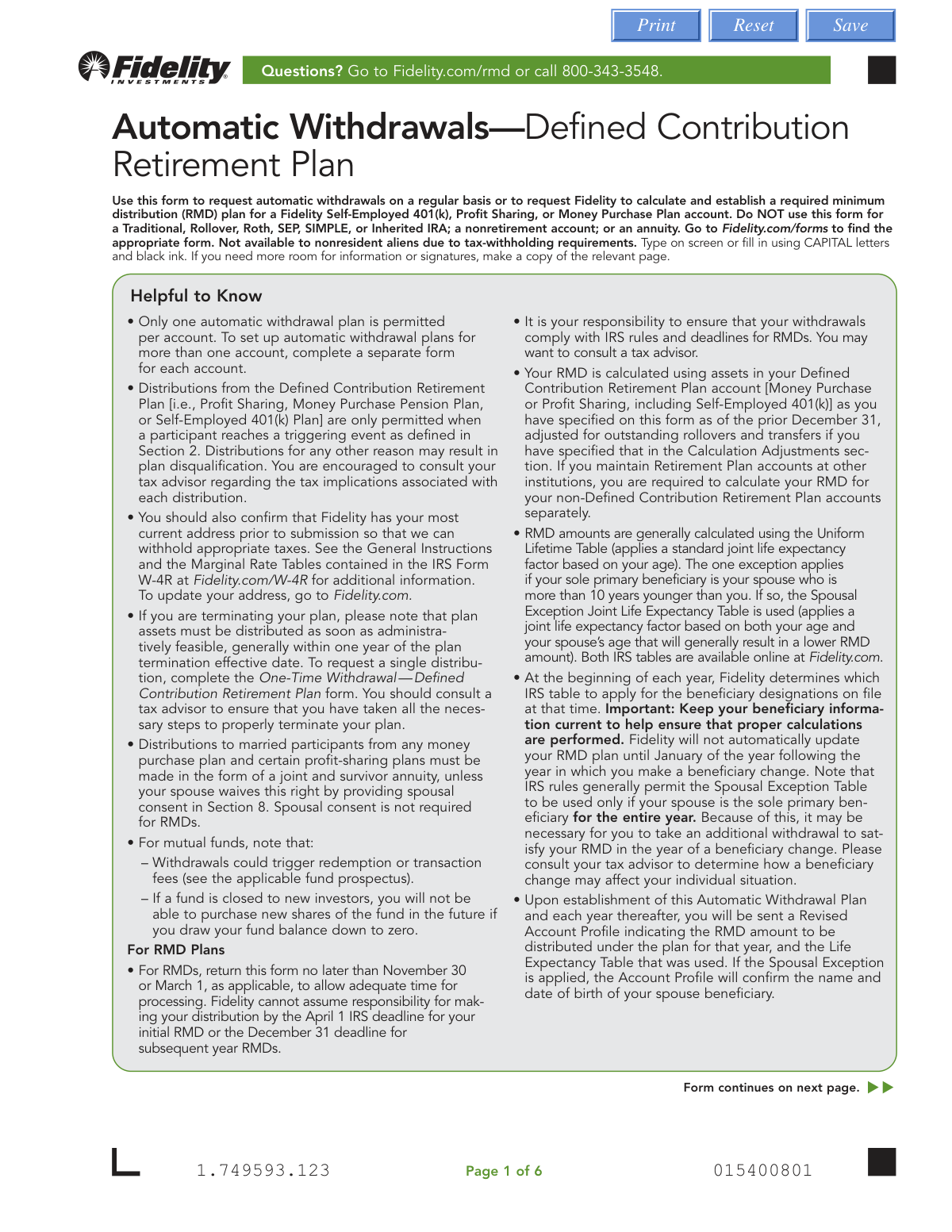
What is the purpose of the Automatic Withdrawals—Defined Contribution Retirement Plan form?
Can I use this form for my IRA or a regular brokerage account?
Who needs to sign this form?
What's the difference between a 'Fixed Dollar Amount' and an 'RMD' withdrawal in Section 3?
How do I choose which investments to sell for my withdrawals?
What are my options for receiving my distribution payments?
Will taxes be automatically withheld from my payments?
When is the deadline to submit this form for an RMD?
What is a Medallion signature guarantee and when do I need one?
What happens if I don't select a distribution schedule in Section 4?
I am a nonresident alien. Can I use this form?
Can AI tools help me fill out this form?
How can I fill out this form online instead of by hand?
The PDF I have is not fillable. What should I do?
Get your Fidelity 454467.20.0 filled out by AI
$0 today. Cancel before Nov 2 and you pay nothing.
Other forms like this one
retirement forms: Form SSA-1-BK, Application for Retirement Benefits, Form 8880, Credit for Qualified Retirement Savings Contributions, Nationwide Retirement Solutions Participant Distribution Request Form (PNF-0875M9, TRAC Version, 01/2025), Nationwide Retirement Solutions Participant Distribution Request Form (PNF-0875M9, TRAC Version, 01/2025), Momentum Wealth Retirement Income Option Application (WIS060E), Fidelity Investment-Only (Non-Prototype) Retirement Account Application, One-Time Withdrawal — Defined Contribution Retirement Plan, Fidelity One-Time Withdrawal Form — Nonretirement, One-Time Withdrawal – Investment-Only (Non-Prototype) Retirement Account, Fidelity Automatic Withdrawals — Nonretirement, Beneficiaries — Nonretirement Transfer on Death, The Church of the Nazarene 403(b) Retirement Savings Plan Beneficiary Designation Form, Beneficiaries – Defined Contribution Retirement Plan, Transfer Shares as a Gift — Nonretirement, Schwab Personal Choice Retirement Account® (PCRA) Limited Power of Attorney (LPOA) Form For a Participant, Vanguard Asset Transfer Authorization Form for the Emory University Retirement Plan, Retirement Transfer Between Existing Vanguard Accounts, Gift of Nonretirement Assets to Existing Vanguard Account Form, Vanguard Taking a Loan from Your Retirement Plan, Vanguard 403(b)(7) ERISA Retirement Plan Distribution Request (Retirement / Severance from Employment / Disability)
retirement plan forms: One-Time Withdrawal — Defined Contribution Retirement Plan, The Church of the Nazarene 403(b) Retirement Savings Plan Beneficiary Designation Form, Beneficiaries – Defined Contribution Retirement Plan, Vanguard Asset Transfer Authorization Form for the Emory University Retirement Plan, Vanguard Taking a Loan from Your Retirement Plan, Vanguard 403(b)(7) ERISA Retirement Plan Distribution Request (Retirement / Severance from Employment / Disability), Vanguard Termination Request Form - Officer, SS, SSA Retirement Plan, Vanguard Retirement Plan Beneficiary Designation - Phillips 66 Savings Plan, Instructions for Changing Your Beneficiary on your Emory Retirement Plan, BNSF Investment and Retirement Plan [401(k) Plan for Salaried Employees], Vanguard Rollover Form for Retirement Plans, Incoming Rollover Election for Elevator Constructors Annuity and 401(k) Retirement Plan, Incoming Rollover Election for The Heritage Group Retirement Savings Plan, Empower Retirement Plan Withdrawal Request Form, Incoming Rollover Election Form for International Dairy Queen, Inc. Retirement Savings Plan, Account Reduction Loan Application 401(a) Plan, Electrical Workers Local Union No. 369 Retirement Plan, TE Connectivity Retirement Savings and Investment Plan (RSIP) Transition Frequently Asked Questions, Inotiv, Inc. Retirement Plan Rollover Investment Direction Form, Principal Retirement Plan Beneficiary Designation, Transamerica Retirement Plan Rollover Form
withdrawal forms: Empower Disability Withdrawal Request Form, One-Time Withdrawal – IRA, Fidelity Investments, One-Time Withdrawal — Defined Contribution Retirement Plan, Fidelity One-Time Withdrawal Form — Nonretirement, One-Time Withdrawal – Investment-Only (Non-Prototype) Retirement Account, Fidelity Investments Withdrawal — One-Time, Fidelity Investments Withdrawals—529 College Savings Plan, Fidelity Growth and Guaranteed Income Partial Withdrawal/Full Surrender Form, Fidelity Automatic Withdrawals — Nonretirement, Fidelity Investments Earnings Automatic Withdrawal Plan — IRA, The Vanguard 529 College Savings Plan: Withdrawal Request Form, Vanguard Personal Investor Withdrawal form, Empower Retirement Plan Withdrawal Request Form, Hardship Withdrawal Request - Empower, Hardship Withdrawal Request 401(a) Plan, Separation from Employment Withdrawal Form, MassMutual Application for Hardship Withdrawal, Beneficiary Account Withdrawal Request Governmental 457(b) Plan, Separation from Employment Withdrawal Form for East Bay Regional Park District 457(b) Deferred Compensation Plan, Separation from Employment Withdrawal Kit
retirement withdrawal forms: Fidelity Automatic Withdrawals — RMD/Life Expectancy, One-Time Withdrawal — Defined Contribution Retirement Plan, Fidelity One-Time Withdrawal Form — Nonretirement, One-Time Withdrawal – Investment-Only (Non-Prototype) Retirement Account, Fidelity Automatic Withdrawals — Nonretirement, Empower Retirement Plan Withdrawal Request Form, Form F11323, Cash Withdrawal From Your Retirement Investments, Form F11610, Cash Withdrawal from your Retirement Investments for Plans Not Subject to QJSA
Let AI fill out your Fidelity 454467.20.0
Your trial starts once a card is added. You pay nothing before Nov 2.
Our AI already knows this form, all 77 fields of it. Skip the typing: tell it about yourself, or upload what you have, and it fills the whole form in seconds.
- AI fills every field on all 6 pages, checkboxes included
- No typing into boxes: answer a few questions, or upload a document you already have, an old copy of this form, a photo of a document
- The AI checks the answers; you review and change anything before you download
- Download the finished PDF, print it, or sign it online
- Encrypted, and never used to train AI
Cancel before Nov 2 and you pay nothing.
A card is needed to start the trial. Cancel in two clicks from your account.
Terms · Privacy