Yes! You can use AI to fill out Cigna Prior Authorization Form
The Cigna Prior Authorization Form is a crucial document for healthcare professionals to obtain pre-approval from Cigna insurance before rendering specific medical services to a patient. Submitting this form helps confirm that the proposed treatment is medically necessary and covered under the patient's insurance plan, preventing unexpected costs. Today, this form can be filled out quickly and accurately using AI-powered services like Instafill.ai, which can also convert non-fillable PDF versions into interactive fillable forms.
Our AI automatically handles information lookup, data retrieval, formatting, and form filling.
It takes less than a minute to fill out Cigna Prior Authorization Form using our AI form filling.
Securely upload your data. Information is encrypted in transit and deleted immediately after the form is filled out.
Form specifications
| Form name: | Cigna Prior Authorization Form |
| Number of pages: | 2 |
| Language: | English |
| Categories: | prior authorization forms, authorization forms |
Instafill Demo: How to fill out PDF forms in seconds with AI
How to Fill Out Cigna Prior Authorization Form Online for Free in 2026
Are you looking to fill out a CIGNA PRIOR AUTHORIZATION FORM form online quickly and accurately? Instafill.ai offers the #1 AI-powered PDF filling software of 2026, allowing you to complete your CIGNA PRIOR AUTHORIZATION FORM form in just 37 seconds or less.
Follow these steps to fill out your CIGNA PRIOR AUTHORIZATION FORM form online using Instafill.ai:
- 1 Navigate to Instafill.ai and upload or select the Cigna Prior Authorization Form.
- 2 Provide the patient's information, including their full name, Cigna ID number, address, and date of birth.
- 3 Enter the details for both the requesting and servicing healthcare professionals (HCP), such as names, addresses, and Tax ID/NPI numbers.
- 4 Specify the service information, including the type (e.g., inpatient, outpatient), date of service, and all relevant diagnosis codes and descriptions.
- 5 List each procedure with its corresponding code, modifier, and number of units.
- 6 Review all the information populated by the AI for accuracy and completeness, making any necessary edits.
- 7 Securely download the completed form to print and fax to the Cigna authorization intake number provided.
Our AI-powered system ensures each field is filled out correctly, reducing errors and saving you time.
Why Choose Instafill.ai for Your Fillable Cigna Prior Authorization Form Form?
Speed
Complete your Cigna Prior Authorization Form in as little as 37 seconds.
Up-to-Date
Always use the latest 2026 Cigna Prior Authorization Form form version.
Cost-effective
No need to hire expensive lawyers.
Accuracy
Our AI performs 10 compliance checks to ensure your form is error-free.
Security
Your personal information is protected with bank-level encryption.
Frequently Asked Questions About Form Cigna Prior Authorization Form
This form is used by healthcare professionals to request prior authorization from Cigna for medical services, procedures, or equipment. It helps confirm that the service is medically necessary and covered under the patient's plan before it is provided.
The requesting healthcare professional's (HCP) office is responsible for completing and submitting this form. This is typically handled by administrative or clinical staff on behalf of the patient.
The 'Requesting HCP' is the provider ordering the service, while the 'Servicing HCP' is the provider or facility that will perform the service. If they are the same entity, you can enter the same information in both sections.
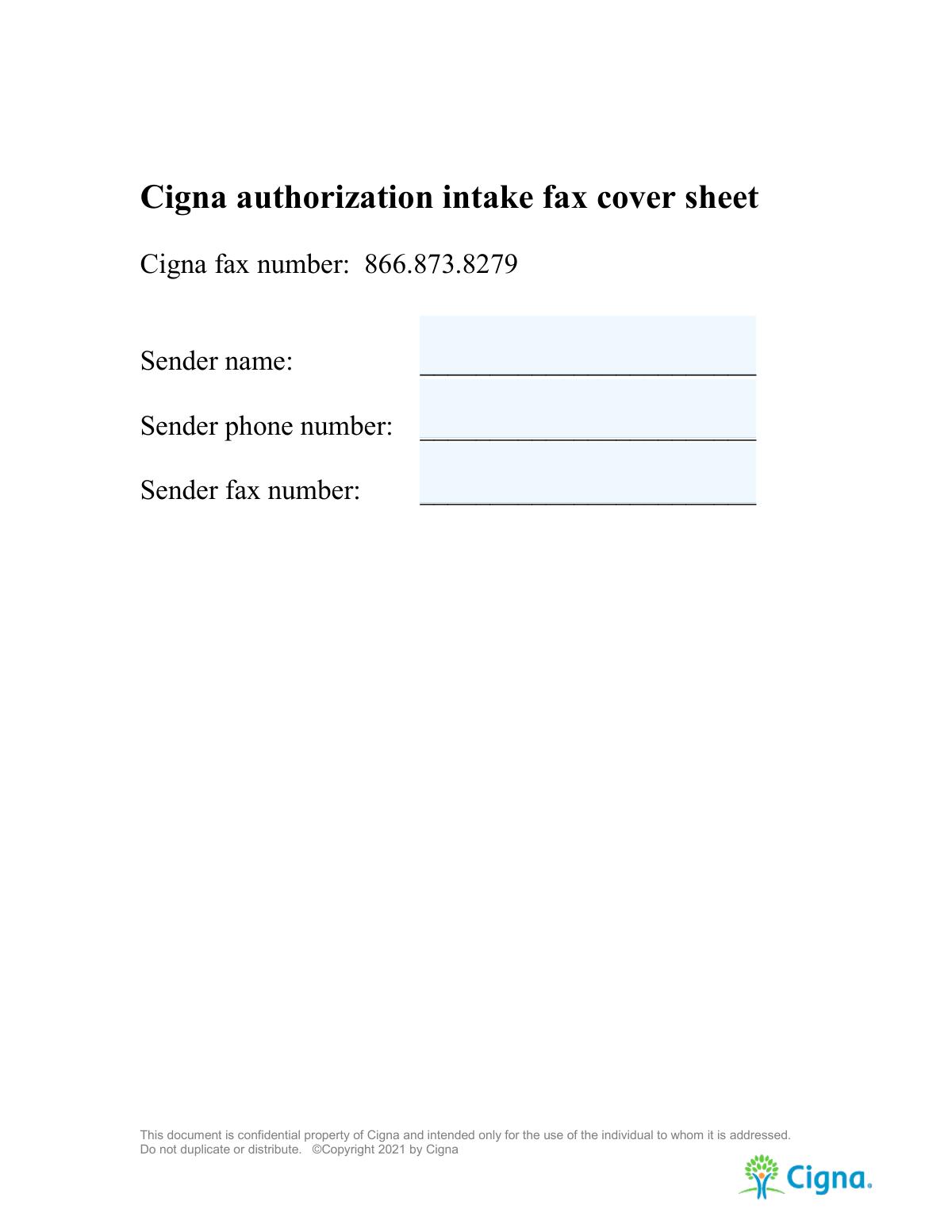
You must fax the completed form, along with the fax cover sheet and any supporting clinical documents, to the Cigna fax number: 866.873.8279.
You must attach all relevant clinical documentation that supports the medical necessity of the requested service. This can include patient notes, lab results, and imaging reports.
The form states that you should allow 24-48 hours for Cigna to acknowledge that your request is pending review. The final authorization decision timeline may vary.
If the healthcare professional ordering the service is the same one performing it, simply fill out both the 'Requesting HCP' and 'Servicing HCP' sections with the same information.
The form has space for five procedure codes. If you need to request more, you can attach a separate page with the additional codes or use a second form, clearly indicating it is a continuation of the first request.
Yes, services like Instafill.ai use AI to accurately auto-fill form fields from your records, which can save significant time and reduce errors, especially for repetitive provider and patient details.
If you have a non-fillable PDF, you can use a service like Instafill.ai to instantly convert it into an interactive, fillable form. This allows you to type directly into the fields instead of printing and filling it out by hand.
You can upload the PDF to a platform like Instafill.ai, which will make it fillable online. You can then type in all the required information, save your progress, and download the completed form for faxing.
Submitting an incomplete form will likely cause a delay or denial of your authorization request. Cigna may contact you for the missing information, which will prolong the review process.
Yes, you should complete and include the fax cover sheet with your submission. It helps ensure your documents are routed correctly and provides your contact details for any communication.
Compliance Cigna Prior Authorization Form
Validation Checks by Instafill.ai
1
Patient Date of Birth Validity
This check ensures the 'Date of Birth' field contains a valid, complete date (e.g., MM/DD/YYYY) and that the date is in the past. It is critical for uniquely identifying the patient and verifying their eligibility for benefits. An invalid or future date will prevent the system from finding the member, causing the request to be rejected until corrected.
2
Cigna ID Number Format Validation
This validation verifies that the 'Cigna ID#' field conforms to the expected format, which is typically an alphanumeric string of a specific length. The ID number is the primary key for matching the request to a member's policy. If the ID is malformed or incorrect, the request cannot be processed automatically and will be rejected for invalid member information.
3
NPI Number Format and Structure
This check validates that the 'Tax ID/NPI#' fields for both the requesting and servicing providers contain a valid 10-digit National Provider Identifier (NPI). The NPI is a standard identifier essential for verifying provider credentials and network status. An invalid NPI will halt the authorization process as the provider cannot be identified or validated in the system.
4
Phone and Fax Number Formatting
This validation ensures all phone and fax number fields are entered in a recognizable format (e.g., 10 digits with optional formatting like parentheses or hyphens). Correctly formatted contact numbers are essential for Cigna to communicate with the sender, patient, or provider's office regarding the status of the request. Unparseable numbers can delay the process if clarification is needed.
5
Completeness of Patient Information Section
This check verifies that all core patient fields ('Patient's Name', 'Cigna ID#', 'Date of Birth', 'Patient's Address') are filled out. This block of information is the absolute minimum required to identify the patient and their policy. Missing any of these fields will make it impossible to process the request, leading to an automatic rejection for incompleteness.
6
Completeness of Requesting HCP Information
This validation ensures that the requesting provider's key details ('Requesting HCP Name', 'Address', 'Tax ID/NPI#', and 'Phone') are provided. Cigna must be able to identify and verify the professional who is ordering the service. Incomplete provider information can lead to rejection as the source of the request cannot be validated.
7
Conditional Requirement for 'Other' Service Type
This check enforces a rule where if the 'Other' service type checkbox is marked, the corresponding 'Other Service Type' text field must be filled in. This ensures that when a non-standard service type is chosen, a clear explanation is provided for the reviewer. Failure to provide a description would leave the request ambiguous and likely result in a denial or a request for more information.
8
Exclusive Service Type Selection
This validation ensures that only one service type ('Inpatient', 'Outpatient', 'DME', or 'Other') is selected. Choosing multiple options creates ambiguity about the setting and nature of the requested service, which can lead to incorrect processing or routing. A submission with multiple selections would be flagged for correction.
9
Presence of Diagnosis and Procedure Codes
This check verifies that at least one 'Diagnosis Code' and one complete 'Procedure Code' row are filled out. A prior authorization cannot be reviewed without knowing the medical reason (diagnosis) and the specific service (procedure) being requested. The absence of this critical information makes a medical necessity review impossible, causing an immediate rejection.
10
Procedure Units Value Validation
This validation ensures that any entered 'Units' value in the procedure table is a positive integer. The number of units is critical for determining the scope and cost of the requested service. A non-numeric, zero, or negative value is invalid and would require correction before the request can be properly evaluated.
11
Date of Service Plausibility
This check validates that the 'Date of Service' is a valid date and is not unreasonably far in the past (e.g., more than 180 days). Prior authorizations are typically for upcoming or very recent services. An old date may indicate a different type of review is needed or be a simple data entry error that requires clarification.
12
Diagnosis Code Format (ICD-10)
This validation checks that the 'Diagnosis Code(s)' adhere to a standard format, such as ICD-10 (e.g., a letter followed by two digits and optional decimals). Using valid and specific codes is essential for an accurate medical necessity review. Invalid codes cannot be processed by automated systems and will require manual correction, delaying the review.
13
Completeness of Sender Information
This check verifies that 'Sender Name', 'Sender Phone Number', and 'Sender Fax Number' on the cover sheet are all present. This information is crucial for Cigna to acknowledge receipt and to contact the sender if there are transmission issues or immediate questions about the submission. Missing sender details can lead to significant delays if the form is incomplete or illegible.
14
Procedure and Diagnosis Code Logical Pairing
This is a soft validation that cross-references the submitted 'Procedure Code' against the 'Diagnosis Code(s)' to check for clinical plausibility. While not a hard failure, flagging an unusual pairing can help catch data entry errors early in the process. Correcting a mismatched code pair can prevent an erroneous denial for lack of medical necessity and expedite the approval.
Common Mistakes in Completing Cigna Prior Authorization Form
This error occurs when the numerical code (e.g., ICD-10, CPT) does not align with the written description. It often results from manual data entry mistakes or using outdated code sets. A mismatch forces a manual review to determine medical necessity, causing significant delays or outright denial of the authorization request. To prevent this, always verify codes against their corresponding descriptions using up-to-date official sources before submission.
Entering the patient's Cigna ID with transposed digits, missing characters, or using an ID from a different insurance plan is a frequent and critical error. Because this ID is the primary key for locating the patient's policy, any mistake will cause an automatic rejection. Always double-check the ID number against the patient's physical or digital insurance card to ensure accuracy.
Staff often incorrectly enter the same information in both the 'Requesting HCP' and 'Servicing HCP' sections, even when services are performed by a different specialist or facility. This leads to claim denials if the provider who actually performs the service is not the one listed and authorized. It is crucial to accurately identify who is ordering the service versus who is performing it and complete each section with the correct provider's details.
Forgetting to include required CPT modifiers, such as -LT (left side), -RT (right side), or -59 (distinct procedural service), is a common oversight. These modifiers provide essential context that impacts how a procedure is authorized and reimbursed. Their absence can lead to denial for lack of specificity or incorrect payment, requiring a corrected resubmission. Always review coding guidelines to ensure all necessary modifiers are included for each procedure.
The form explicitly instructs the sender to 'attach clinical to support medical necessity,' yet this is a primary reason for denials. Senders may forget to include the documents or wrongly assume the diagnosis codes alone are sufficient justification. Without clinical notes, lab results, or imaging reports, the reviewer cannot validate the request, leading to delays and denials. Always compile and attach all relevant medical records with the fax.
The National Provider Identifier (NPI) and Tax ID are essential for identifying the provider for authorization and payment. Data entry errors, transposed digits, or leaving these fields blank are frequent mistakes that cause significant processing delays. An incorrect NPI can lead to the authorization being linked to the wrong provider, creating major billing and payment issues. Verifying these numbers in a provider database before entry is a critical step.
As a fax-based document, this form is often printed and filled out by hand, but illegible handwriting can render critical data unreadable. This almost always results in the submission being rejected, forcing the sender to start the process over again. To prevent this, use block letters and write clearly, or use a tool like Instafill.ai which can convert this non-fillable PDF into a digital, typeable form to ensure perfect legibility.
The form requires specifying the number of units, sometimes 'per extremity,' but senders often enter '1' by default or leave the field vague. This can result in an authorization for only a single unit or visit when more are medically necessary, forcing a new authorization request for subsequent services. To avoid care delays, be precise and detail the exact quantity and frequency of units or visits required for the full course of treatment.
Senders sometimes skip the first page, assuming the information on the main authorization form is sufficient. However, the fax cover sheet helps Cigna's intake team quickly route the document and contact the sender if there are transmission issues. An incomplete cover sheet increases the risk of the fax being lost, misdirected, or sitting in a general queue, delaying the 24-48 hour acknowledgement window. Always fill out the sender's name, phone, and fax number completely.
Saved over 80 hours a year
“I was never sure if my IRS forms like W-9 were filled correctly. Now, I can complete the forms accurately without any external help.”
Kevin Martin Green
Your data stays secure with advanced protection from Instafill and our subprocessors

Robust compliance program
Transparent business model
You’re not the product. You always know where your data is and what it is processed for.
ISO 27001, HIPAA, and GDPR
Our subprocesses adhere to multiple compliance standards, including but not limited to ISO 27001, HIPAA, and GDPR.
Security & privacy by design
We consider security and privacy from the initial design phase of any new service or functionality. It’s not an afterthought, it’s built-in, including support for two-factor authentication (2FA) to further protect your account.
Fill out Cigna Prior Authorization Form with Instafill.ai
Worried about filling PDFs wrong? Instafill securely fills cigna-prior-authorization-form forms, ensuring each field is accurate.